
1. Introduction
The Sharper Image SI-755 Mini Steam Iron is designed for efficient wrinkle removal and precise pressing. Its compact size and dual voltage capability make it suitable for both home use and travel. This manual provides essential information for safe and effective operation.
Key Features:
- Quick Heat-Up Time: The 1.1 ounce water tank heats up in one minute.
- 1-Touch Steam Control: Easy activation of steam function.
- 3 Temperature Settings: Adjustable for various fabric types.
- 350 Watts of Power: Effective wrinkle removal.
- Non-Stick Sole Plate: Resists rust buildup and ensures smooth gliding.
- 8-Foot Power Cord: Provides extended reach.
- Dual Voltage Convenience: Selectable between 120V and 220V for international travel.
- Versatile Design: Ideal for quilting, travel, craft projects, and garment touch-ups.
2. Setup
2.1 Unpacking and Initial Inspection
Carefully remove the iron and all accessories from the packaging. Inspect the unit for any signs of damage. Ensure all components, including the measuring cup and owner's guide, are present.
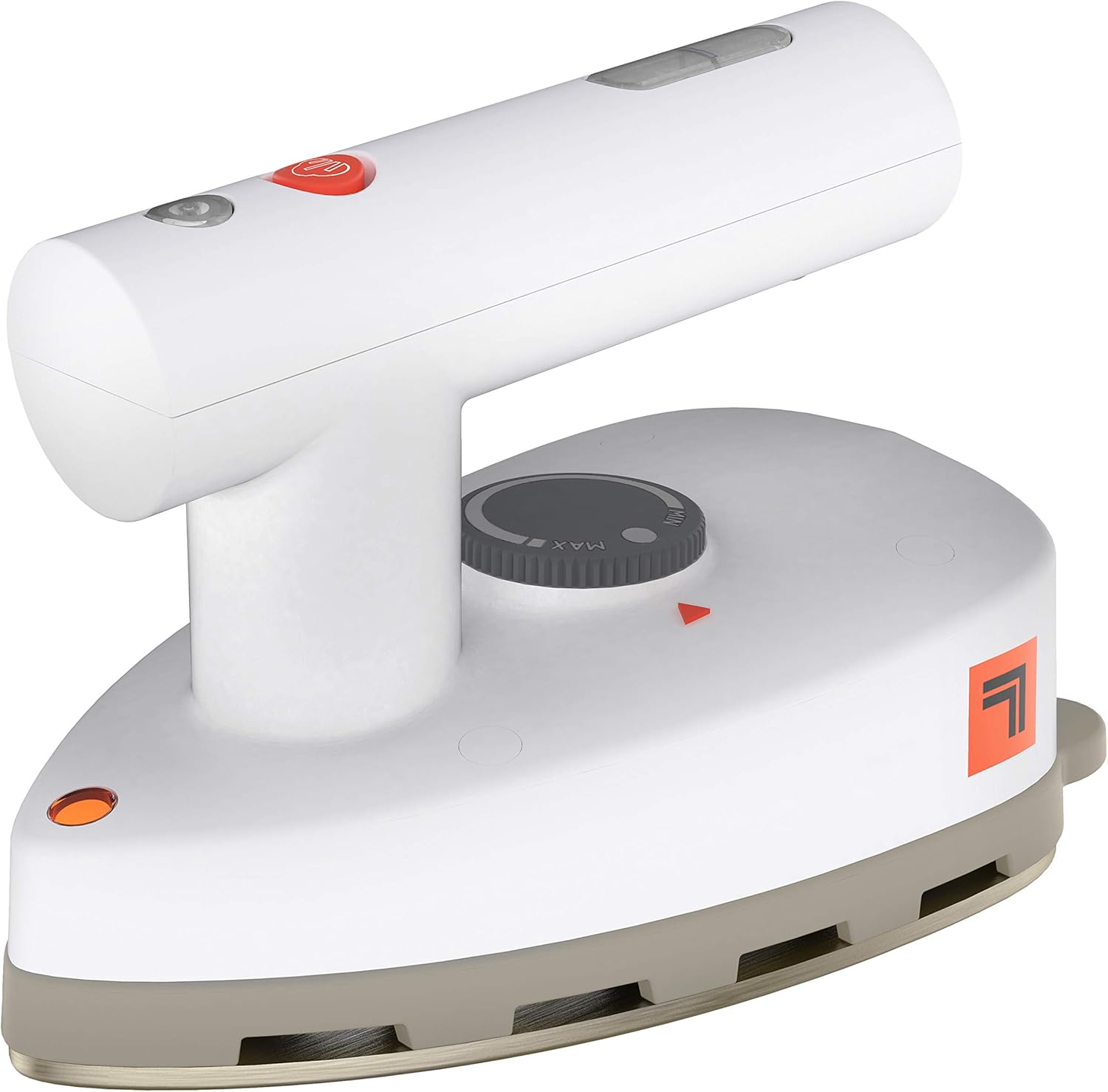
Figure 1: Sharper Image SI-755 Mini Steam Iron
2.2 Setting Dual Voltage (for Travel)
The SI-755 features a dual voltage switch located on the underside of the iron. Before plugging in, ensure the voltage setting matches the local power supply (120V or 220V). Use a small, pointed object (like a pen tip) to slide the switch to the correct voltage. Improper voltage selection can damage the appliance.

Figure 2: Dual voltage switch (120V/220V) for international use.
2.3 Filling the Water Tank (for Steam Ironing)
For steam ironing, fill the included measuring cup with water up to the maximum mark (1.1 ounces). Open the water tank cap on the iron and carefully pour the water into the tank. Close the cap securely to prevent leaks. Do not overfill.

Figure 3: Top view highlighting 1-touch steam control, 1.1 ounce tank capacity, and 8-foot power cord.
3. Operating Instructions
3.1 Powering On and Temperature Selection
Plug the iron into an appropriate electrical outlet. The iron features a temperature control dial. Rotate the dial to select the desired temperature setting based on your fabric type (e.g., low for delicate fabrics, high for cotton/linen). The iron heats up in approximately one minute.

Figure 4: The iron effectively removes wrinkles with steam.
3.2 Steam and Dry Ironing
Once the iron reaches the selected temperature, you can begin ironing. Use the 1-touch steam control for continuous steam or for a burst of steam as needed. For dry ironing, ensure the water tank is empty or the steam function is disengaged. The non-stick sole plate allows for smooth movement over garments.
3.3 Versatile Use
The compact design of the SI-755 makes it ideal for various applications beyond standard garment ironing. It is particularly useful for detailed work in quilting and other craft projects, as well as for quick touch-ups while traveling.

Figure 5: Compact size makes it perfect for travel.

Figure 6: The iron is also suitable for quilting and craft projects.
4. Maintenance
4.1 Cleaning and Storage
Always unplug the iron and allow it to cool completely before cleaning. Wipe the exterior with a soft, damp cloth. The non-stick sole plate can be gently wiped clean. Do not use abrasive cleaners or scouring pads, as these can damage the surface. Empty any remaining water from the tank after each use to prevent mineral buildup.
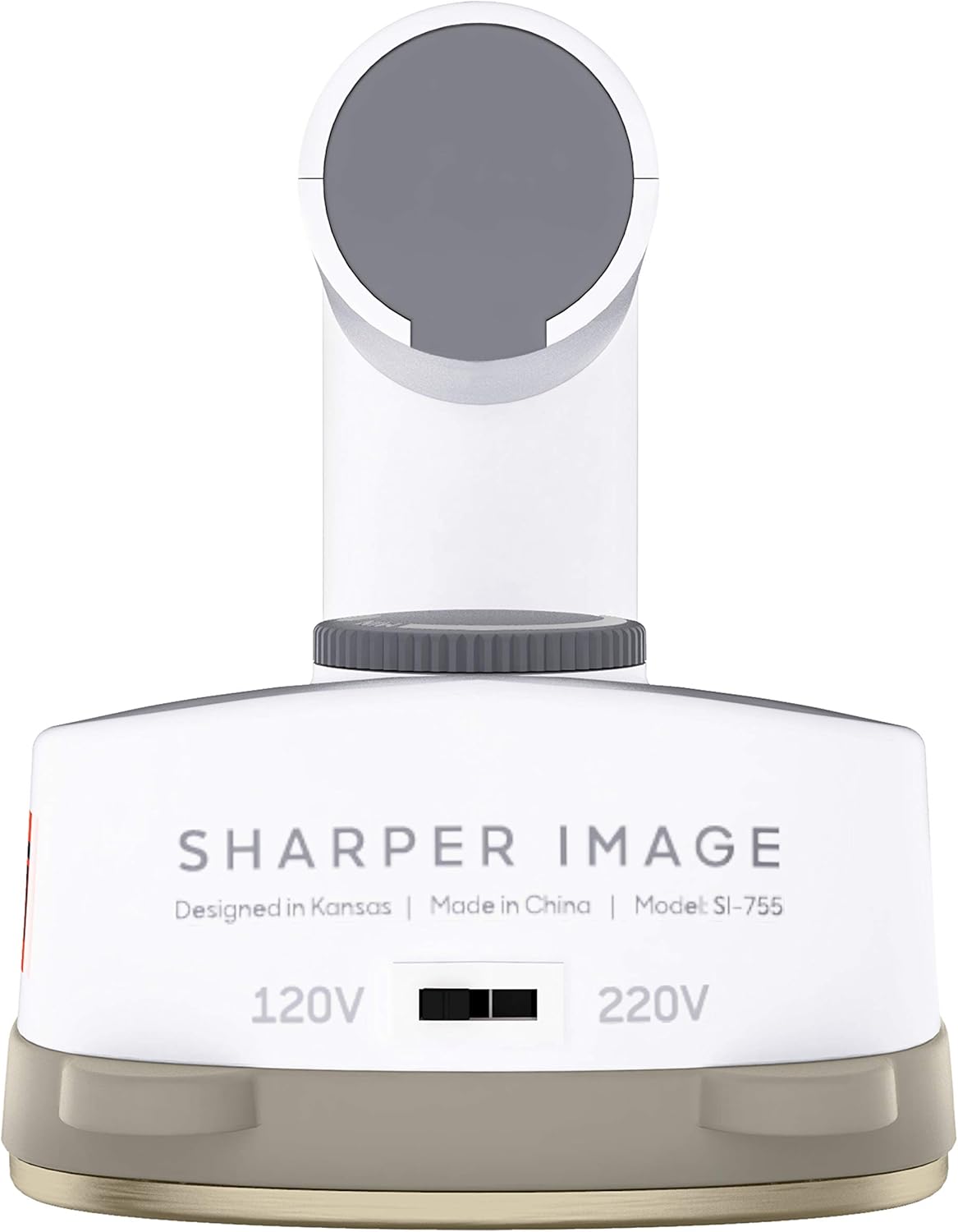
Figure 7: Non-stick sole plate and included measuring cup.
Store the iron in a dry place. Its compact size allows for easy storage in small spaces or luggage.
5. Troubleshooting
5.1 Iron Not Heating
- Ensure the iron is securely plugged into a functional electrical outlet.
- Check that the temperature control dial is set to a temperature above 'off'.
- Verify the dual voltage switch is set correctly for your region's power supply.
5.2 No Steam or Insufficient Steam
- Ensure the water tank is filled to the maximum level with water.
- Allow the iron to fully heat up to the selected temperature before activating the steam function.
- Check that the steam control is engaged.
- If mineral buildup is suspected, empty the tank and refill with distilled water, then operate the steam function to clear vents.
5.3 Water Leaking
- Ensure the water tank cap is securely closed after filling.
- Avoid overfilling the water tank.
- Ensure the iron has reached the correct temperature before using steam; using steam on a cold iron can cause water to drip.
6. Specifications
| Feature | Detail |
|---|---|
| Brand | Sharper Image |
| Model Name | SI-755 |
| Color | White |
| Product Dimensions | 5.3"L x 3"W |
| Item Weight | 1.1 ounces |
| Power | 350 Watts |
| Voltage | Dual Voltage (120V/220V) |
| Water Tank Capacity | 1.1 ounces |
| Heat-Up Time | 1 Minute |
| Sole Plate Material | Stainless Steel (Non-Stick) |
| Cable Length | 8 Feet |
| Care Instructions | Hand Wipe Clean |
7. Warranty and Support
The Sharper Image SI-755 Mini Steam Iron comes with a 1 Year Manufacturer Warranty. For warranty claims, product support, or additional information, please visit the official Sharper Image Store or contact their customer service.
Visit the Sharper Image Store for more products and support.


