
Introduction
The Soundcore Anker Spirit X2 True Wireless Earbuds are designed for active lifestyles, offering robust features for sports and exercise. This manual provides essential information for setting up, operating, maintaining, and troubleshooting your earbuds to ensure optimal performance and longevity.
What's in the Box
Your Soundcore Spirit X2 package includes the following items:
- Soundcore Spirit X2 Earbuds
- Charging Case
- EarTips x 5 pairs (various sizes)
- EarWings x 3 pairs (various sizes)
- USB-C Cable
- User Manual
Product Features
The Soundcore Spirit X2 earbuds are engineered with several key features to enhance your audio experience and durability:
- BassTurbo Technology: An acoustic chamber positioned behind the driver adds powerful bass resonance.
- BassUp Technology: Custom algorithms inject additional bass intensity.
- Extreme Sweatproof (IP68 with SweatGuard): Designed to resist sweat and water, lasting significantly longer than ordinary true wireless earbuds. They can withstand submersion in water at a maximum depth of 2 meters for up to 30 minutes.
- Extended Playtime: Enjoy 9 hours of listening on a single charge, extendable to 36 hours with the included charging case.
- Fast Charge: A 10-minute charge provides 2 hours of playback.
- Secure Earhooks: Flexible earhooks ensure a stable and comfortable fit during intense activities.
- CVC 8.0 Clear Calls: Noise-cancellation technology isolates your voice and reduces background noise for clear hands-free calls.
- USB-C Charging: Modern and convenient charging standard.
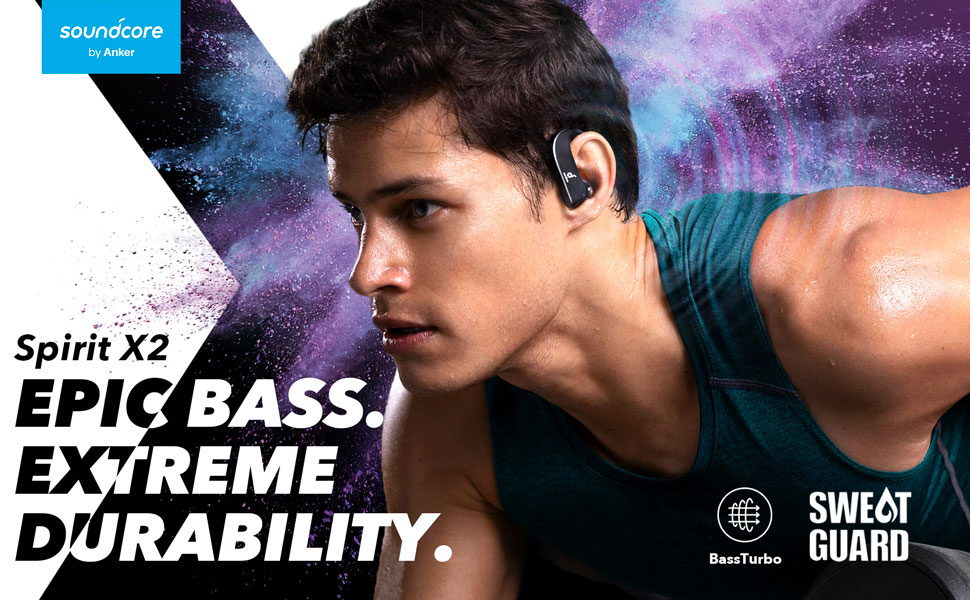
Image: Diagram of BassTurbo Technology, showing an acoustic tube behind the driver for enhanced bass.

Image: A man wearing the Spirit X2 earbuds during a workout, highlighting the SweatGuard feature.

Image: A person demonstrating the IP68 waterproof rating of the Spirit X2 earbuds by having water poured over their head.

Image: The Spirit X2 earbuds in their charging case, illustrating the 9-hour single charge playtime and 36-hour total playtime with the case.

Image: A detailed view of the Spirit X2 earbud, highlighting the flexible earhooks and soft eartips designed for comfort and a secure fit.
Setup
- Charge the Earbuds: Before first use, fully charge the earbuds and the charging case using the provided USB-C cable. The LED indicators on the case will show the charging status.
- Select Proper Eartips and EarWings: Choose the eartips and earwings that provide the most comfortable and secure fit for your ears. A good seal is crucial for optimal sound quality and bass performance.
- Power On and Pairing:
- Open the charging case. The earbuds will automatically enter pairing mode.
- On your smartphone or Bluetooth-enabled device, go to the Bluetooth settings.
- Look for "Soundcore Spirit X2" in the list of available devices and select it to connect.
- Once connected, you will hear an audio prompt, and the earbuds' indicator lights will change.
- Automatic Reconnection: After the initial pairing, the earbuds will automatically connect to your device when you open the charging case, provided Bluetooth is enabled on your device.
Operating Instructions
The Soundcore Spirit X2 earbuds feature intuitive controls for managing your audio and calls:
- Play/Pause: Press the multi-function button on either earbud once.
- Next Track: Double-press the multi-function button on the right earbud.
- Previous Track: Double-press the multi-function button on the left earbud.
- Volume Up: Press the volume up button on the right earbud.
- Volume Down: Press the volume down button on the left earbud.
- Answer/End Call: Press the multi-function button on either earbud once.
- Reject Call: Press and hold the multi-function button on either earbud for 2 seconds.
- Activate Voice Assistant: Press and hold the multi-function button on either earbud for 1 second.
- Switch EQ Mode: Press and hold the volume up or volume down button for 1 second to toggle between Normal and BassUp modes.
Maintenance
To ensure the longevity and optimal performance of your Soundcore Spirit X2 earbuds, follow these maintenance guidelines:
- Cleaning: Regularly clean the eartips and earhooks with a soft, dry cloth. For deeper cleaning, remove the eartips and wash them with mild soap and water, ensuring they are completely dry before reattaching.
- Water Exposure: While IP68 rated, avoid prolonged exposure to water, especially saltwater or chlorinated water. Do not use in saunas or steam rooms. Always ensure the USB-C charging port cover is securely closed when near water. The charging case is not waterproof.
- Storage: Store the earbuds in their charging case when not in use to protect them and keep them charged. Avoid storing them in extreme temperatures.
- Charging Port: Keep the USB-C charging port free of dust and debris. Use a soft brush if necessary to gently clean it.
Troubleshooting
If you encounter any issues with your Soundcore Spirit X2 earbuds, try the following steps:
- No Sound/Poor Sound Quality:
- Ensure earbuds are charged and properly connected to your device.
- Check the volume levels on both the earbuds and your device.
- Try re-pairing the earbuds with your device.
- Ensure eartips provide a good seal in your ear canal.
- Earbuds Not Pairing:
- Make sure Bluetooth is enabled on your device.
- Place earbuds back in the case, close the lid, then open it again to re-enter pairing mode.
- Forget "Soundcore Spirit X2" from your device's Bluetooth list and try pairing again.
- If issues persist, perform a factory reset (refer to the quick start guide for specific instructions).
- Charging Issues:
- Ensure the USB-C cable is securely connected to both the charging case and a power source.
- Check if the charging port is clean and free of debris.
- Try a different USB-C cable or power adapter.
Specifications
| Feature | Specification |
|---|---|
| Model | A3918011 |
| Connectivity Technology | Bluetooth 5.0 |
| Audio Driver Size | 12 Millimeters |
| Battery Life (Earbuds) | 9 Hours |
| Total Playtime (with Charging Case) | 36 Hours |
| Water Resistance Level | IP68 (Sweatproof & Waterproof) |
| Control Method | Touch |
| Noise Control | Active Noise Cancellation (CVC 8.0 for calls) |
| Frequency Response | 20Hz-20kHz |
| Item Weight | 2.4 ounces |
Warranty and Support
Soundcore provides an 18-month warranty for the Spirit X2 True Wireless Earbuds. For any support inquiries, troubleshooting assistance, or warranty claims, please contact Soundcore customer service. Refer to the included documentation for specific contact details or visit the official Soundcore website.


