
GUY-TECH J45TKE
GUY-TECH AC Adapter User Manual
For EverStart Maxx J45TKE Car Jump Starter
1. Product Overview
This GUY-TECH AC Adapter is designed as a high-quality, non-OEM replacement power supply for the EverStart Maxx J45TKE Car Jump Starter. It provides reliable power with built-in safety features to protect your device.

Image 1.1: The GUY-TECH AC Adapter, showing the main power brick with a standard US plug and the attached cable ending in a barrel connector. A small red LED indicator is visible on the adapter body.
Key Features:
- Input Voltage: 100V - 240V (worldwide compatibility).
- Safety Protections: Over Voltage Output Protection, Over Current Output Protection, Short Circuit Output Protection.
- Cable Length: Approximately 7 feet for extended reach.
- LED Indicator: A small LED light indicates power status.
- Compatibility: Specifically designed for EverStart Maxx J45TKE Car Jump Starter.

Image 1.2: The AC adapter plugged into a power strip, illustrating its use. Icons highlight "Premium Quality Components," "Multipurpose," "Stable output," and "Safety Protections."
2. Safety Information
Please read and understand all safety instructions before using this product. Failure to follow these instructions may result in electric shock, fire, or serious injury.
- Use this adapter only with the specified EverStart Maxx J45TKE Car Jump Starter.
- Do not expose the adapter to water, rain, or excessive moisture.
- Do not operate the adapter if it has been damaged in any way (e.g., frayed cord, cracked casing).
- Ensure the power outlet is easily accessible and properly grounded.
- Unplug the adapter from the power outlet when not in use or before cleaning.
- Keep out of reach of children.
3. Setup
- Inspect the Adapter: Before first use, visually inspect the AC adapter and its cable for any signs of damage, such as cuts, fraying, or bent pins on the connector.
- Locate the Charging Port: Identify the charging input port on your EverStart Maxx J45TKE Car Jump Starter. This is typically a circular port designed for a barrel connector.
- Connect the Adapter to the Jump Starter: Carefully insert the barrel connector end of the AC adapter cable into the charging port of the jump starter. Ensure it is fully seated.
- Connect to Power Outlet: Plug the AC adapter's power plug into a standard 100V-240V AC wall outlet.
- Verify Power: The LED indicator on the AC adapter should illuminate, indicating that power is being supplied. Refer to your jump starter's manual for its charging indicator status.
4. Operating Instructions
This AC adapter is designed for charging the EverStart Maxx J45TKE Car Jump Starter. It is not intended for direct power supply to other devices unless explicitly stated by the jump starter's manufacturer.
Charging Your Jump Starter:
- Once connected as described in the "Setup" section, the adapter will begin supplying power to the jump starter.
- Monitor the charging status of your jump starter using its built-in indicators (refer to the jump starter's user manual for details).
- Disconnect the adapter from the wall outlet and then from the jump starter once charging is complete or if the jump starter indicates a full charge.

Image 4.1: Visual representation highlighting the 7-foot cable length and the presence of an LED indicator light on the adapter.
5. Maintenance and Storage
Cleaning:
- Always unplug the adapter from the power outlet before cleaning.
- Wipe the adapter and cable with a soft, dry cloth. Do not use liquid cleaners or abrasive materials.
Storage:
- Store the adapter in a cool, dry place away from direct sunlight and extreme temperatures.
- Avoid tightly coiling the cable to prevent damage. A loose coil, as shown in Image 5.1, is recommended.
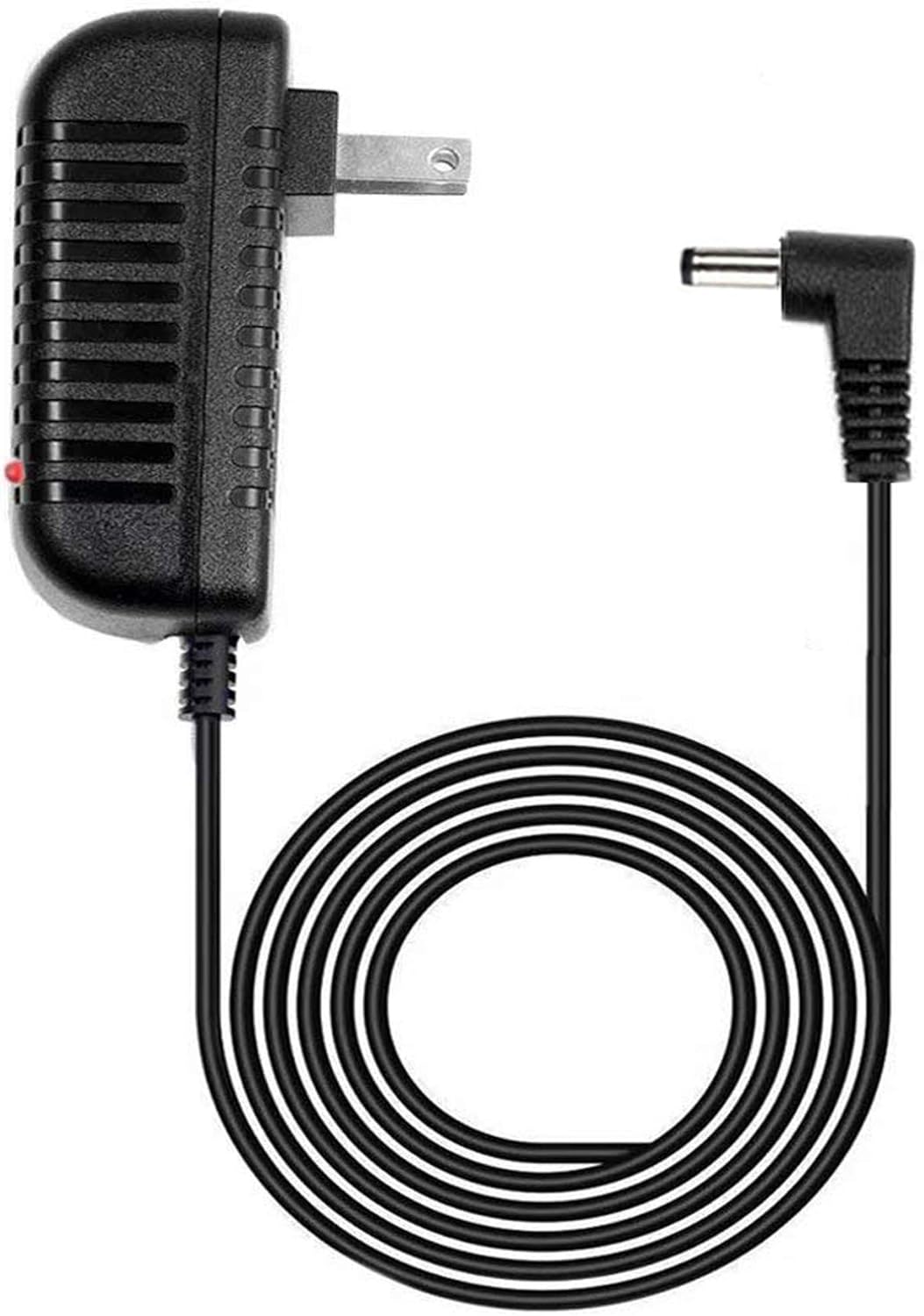
Image 5.1: The AC adapter with its cable neatly coiled, demonstrating proper storage to prevent kinks or damage.
6. Troubleshooting
| Problem | Possible Cause | Solution |
|---|---|---|
| Adapter LED not lit. | No power from outlet; adapter not fully plugged in; faulty outlet; damaged adapter. | Check outlet with another device; ensure adapter is fully plugged in; try a different outlet; inspect adapter for damage. If damaged, discontinue use. |
| Jump starter not charging. | Adapter not connected properly to jump starter; jump starter charging port issue; jump starter battery issue. | Ensure barrel connector is fully inserted; consult your jump starter's manual for charging troubleshooting; if issues persist, contact jump starter manufacturer. |
| Adapter feels hot. | Normal operation (slight warmth); excessive load; poor ventilation; faulty adapter. | A slight warmth is normal. If excessively hot, unplug immediately. Ensure adapter is in a well-ventilated area. Do not use if it smells burnt or is extremely hot to touch. |
7. Specifications
| Feature | Detail |
|---|---|
| Brand | GUY-TECH |
| Compatible Devices | EverStart Maxx J45TKE |
| Input Voltage | 100V - 240V |
| Amperage | 1 Amps |
| Connector Type | Barrel Connector |
| Cable Length | 7 Feet |
| Special Feature | Short Circuit Protection, Over Voltage Protection, Over Current Protection |
| Color | Black |
| Product Dimensions | 2 x 2 x 2 inches |
| Item Weight | 5 ounces |
| Manufacturer | Guy-Tech |
| ASIN | B083VSC62W |
8. Warranty and Support
This product is a replacement AC adapter. For specific warranty information, please refer to the documentation provided by the seller, GuyPower, or contact them directly through the Amazon platform.
For technical support or inquiries regarding this GUY-TECH AC Adapter, please contact the manufacturer, Guy-Tech, or the seller, GuyPower, via their respective contact channels.
Note: This adapter is a non-OEM replacement. Any warranty or support for the EverStart Maxx J45TKE Car Jump Starter itself should be directed to its original manufacturer.
Ask a question about this manual
Ask about setup, troubleshooting, compatibility, parts, safety, or missing instructions. Manuals+ will review the question and use this page’s manual context to help answer it.