
1. Introduction
Thank you for choosing the Proventa LED Spotlight with Automatic Motion Tracking. This advanced outdoor lighting solution is designed to provide enhanced security and convenience with its intelligent motion detection and motorized light head. This manual provides essential information for safe installation, operation, and maintenance of your device. Please read it thoroughly before use and keep it for future reference.
2. Safety Instructions
Always observe the following safety precautions to prevent injury or damage to the device:
- Electrical Safety: Installation must be performed by a qualified electrician in accordance with local wiring regulations. Ensure the power supply is disconnected before installation or maintenance.
- Voltage: Connect the device only to a 230 Volt AC, 50 Hz power supply.
- Outdoor Use: This product is rated IP44, meaning it is protected against solid objects larger than 1mm and against splashing water from any direction. It is suitable for outdoor use but should not be submerged in water.
- Mounting: Mount the spotlight securely on a stable surface. Do not install near flammable materials.
- Light Source: The LED light source is not user-replaceable. Do not attempt to open or modify the light head.
- Temperature: Do not operate the device in extreme temperatures outside its specified range.
3. Product Overview
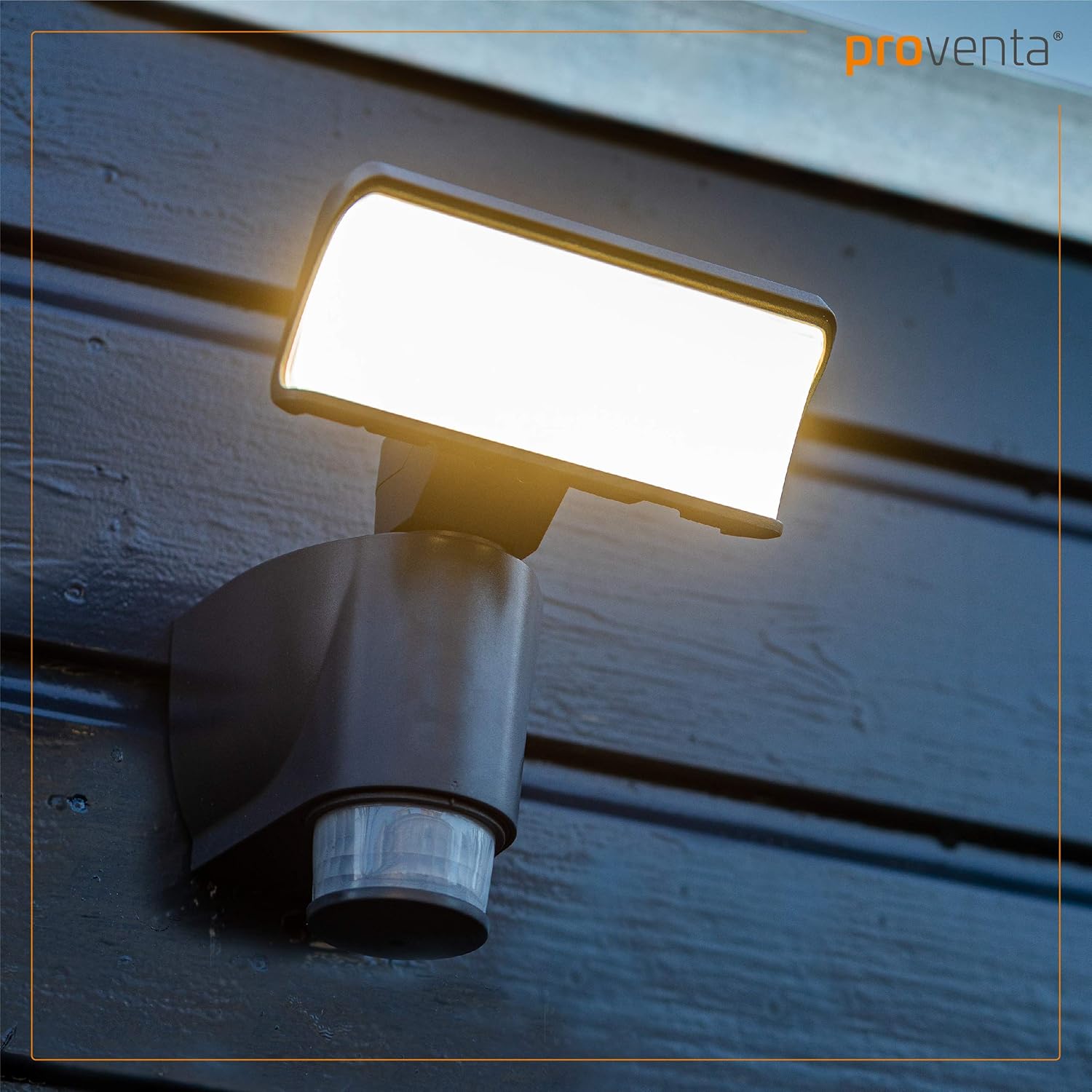
The Proventa LED Spotlight features a robust design with a motorized LED light head and an integrated motion sensor. Below are key components and their functions:
- LED Light Head: Provides bright illumination and can swivel automatically to track motion.
- Motion Sensor: Detects movement within its detection area, triggering the light.
- Mounting Base: Designed for easy and secure wall mounting.
- Control Button: Located on the back of the motion sensor for selecting operating modes.


4. Setup and Installation
Follow these steps for proper installation:
- Choose Location: Select a suitable outdoor location for mounting, ensuring clear line of sight for the motion sensor and adequate coverage for the light.
- Disconnect Power: Before starting, ensure the main power supply to the installation area is switched off at the circuit breaker.
- Mounting the Base: Secure the mounting base to the wall using appropriate screws and anchors (not included). Ensure it is level and firmly attached.
- Electrical Connection: Connect the electrical wires from your power supply to the terminals within the mounting base. Ensure correct polarity (Live, Neutral, Earth) and secure all connections.
- Attach Spotlight: Once wiring is complete and secure, attach the spotlight unit onto the mounting base. It should click or slide into place and be fixed securely.
- Restore Power: Turn the power supply back on at the circuit breaker.

5. Operating Instructions
The Proventa LED Spotlight offers intelligent operation based on motion detection:
- Motion Detection: The integrated motion sensor has a detection area of 270° horizontally and 90° vertically. When motion is detected, the light will activate.
- Automatic Motion Tracking: The motorized LED light head can automatically swivel up to 180° horizontally to follow detected movement, ensuring continuous illumination of the moving object. The vertical angle can be manually adjusted by 60°.
- Light Duration: In Mode 2, the light will deactivate approximately 3 minutes after the last detected motion.
- Setting Programs: The device features 4 different operating programs. These can be selected and changed at any time using the control button located on the back of the motion sensor. Refer to the detailed instructions provided with the product packaging for specific program functionalities.

6. Maintenance
To ensure optimal performance and longevity of your Proventa LED Spotlight:
- Cleaning: Regularly clean the exterior of the spotlight with a soft, damp cloth. Do not use abrasive cleaners or solvents. Ensure the motion sensor lens is clean for accurate detection.
- Inspection: Periodically check the mounting and electrical connections for any signs of wear or damage.
- LED Lifespan: The integrated LED has a long lifespan of approximately 30,000 hours and does not require replacement.
- Weather Resistance: The IP44 rating ensures protection against splashing water. However, avoid directing high-pressure water jets directly at the unit.
7. Troubleshooting
If you encounter issues with your spotlight, try the following solutions:
- Light not turning on:
- Check if the power supply is active.
- Ensure the motion sensor lens is clean and unobstructed.
- Verify the selected operating mode is correct.
- Confirm the motion sensor is positioned correctly to detect movement.
- Light staying on:
- Check for continuous motion within the sensor's detection range (e.g., swaying branches, passing vehicles).
- Ensure the operating mode is not set to continuous illumination.
- Motion tracking not working:
- Ensure the light head is not physically obstructed.
- Check the motion sensor's sensitivity settings (if adjustable via program modes).
If the problem persists after attempting these steps, please contact customer support.
8. Specifications
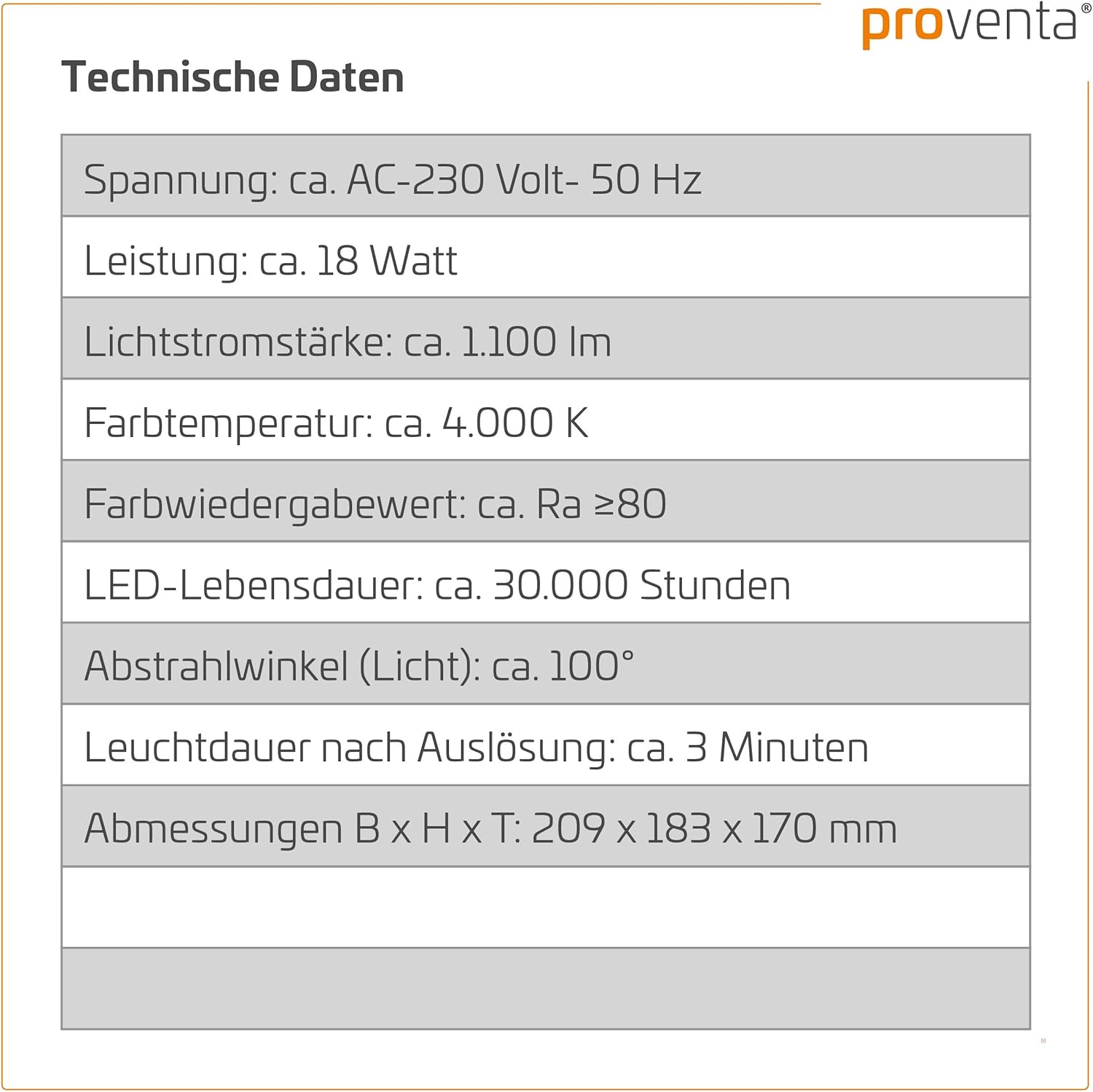
| Feature | Specification |
|---|---|
| Brand | Proventa |
| Model Number | 8719323788817 |
| Voltage | AC 230 Volt, 50 Hz |
| Power Consumption | 18 Watt |
| Luminous Flux | 1200 Lumen |
| Color Temperature | 4000 K |
| Color Rendering Index (CRI) | Ra ≥80 |
| LED Lifespan | Approx. 30,000 Hours |
| Beam Angle (Light) | Approx. 100° |
| Motion Sensor Detection Angle | 270° Horizontal / 90° Vertical |
| Swivel Range (LED Head) | 180° Horizontal (automatic) / 60° Vertical (manual) |
| Light Duration after Trigger | Approx. 3 Minutes (Mode 2) |
| Material | Plastic |
| IP Rating | IP44 |
| Dimensions (W x H x D) | 209 x 183 x 170 mm |

9. Warranty and Support
Your Proventa LED Spotlight comes with a standard manufacturer's warranty. Please refer to the warranty information provided with your purchase for details on coverage and duration. For technical support, troubleshooting assistance, or warranty claims, please contact your retailer or the Proventa customer service department. Keep your proof of purchase for warranty validation.