
1. Introduction
This instruction manual provides detailed guidance for the proper installation, usage, and care of your JJC Metal Lens Decoration Ring Cap. This accessory is designed to enhance the appearance of your camera while offering protection to the lens barrel. Please read this manual thoroughly before use to ensure optimal performance and longevity of the product.
2. Product Overview
The JJC Metal Lens Decoration Ring Cap is a precision-engineered accessory crafted from durable aluminum alloy. It serves as a direct replacement for the Ricoh GN-1 ring cap, providing both aesthetic enhancement and a layer of protection for your camera's lens exterior.

Image 2.1: The JJC Metal Lens Decoration Ring Cap in blue.
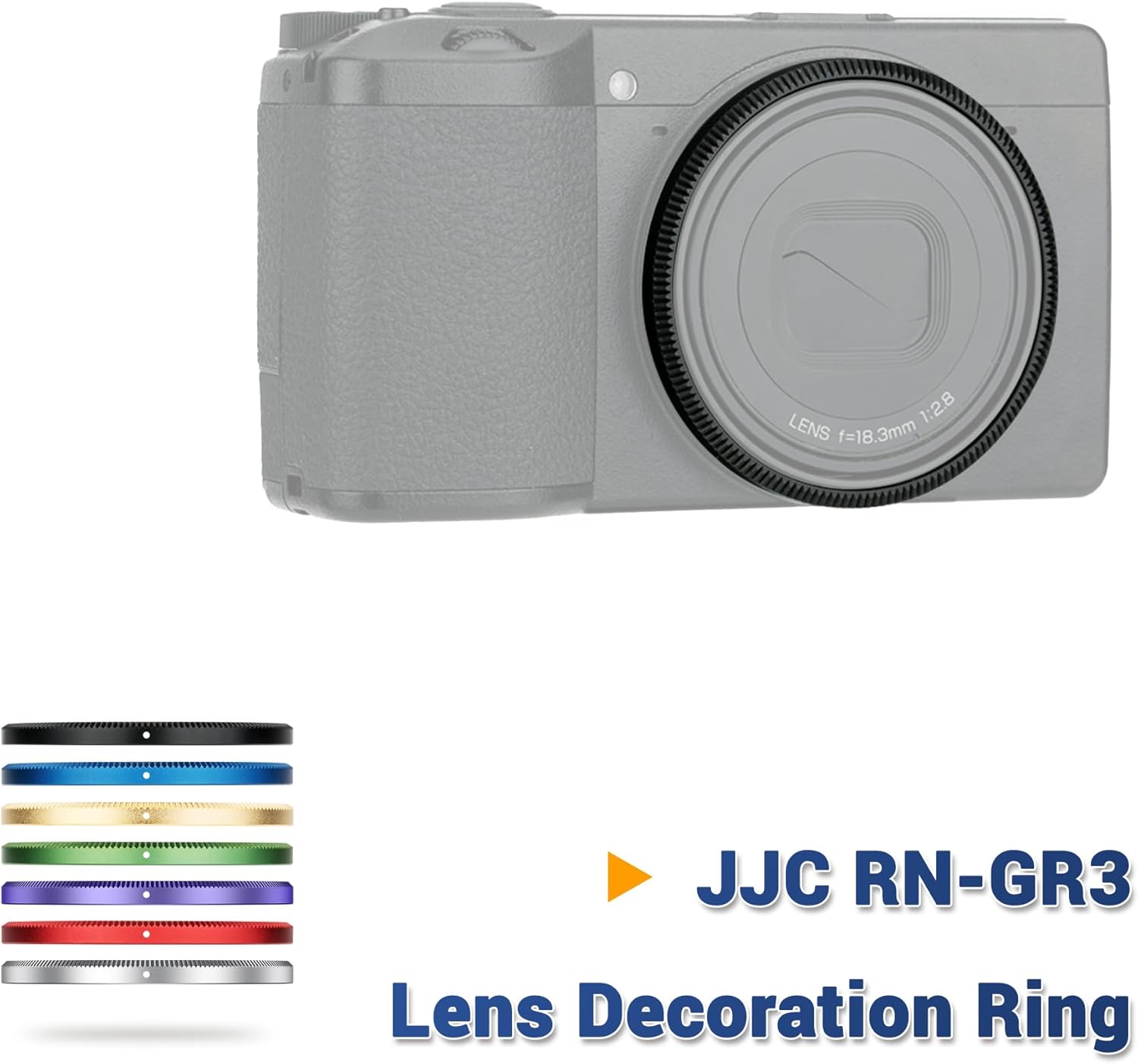
Image 2.2: The blue ring cap installed on a Ricoh GR III camera, showcasing its decorative function.
Key Features:
- Material: Constructed from high-quality aluminum alloy for durability and lightweight performance.
- Design: Provides a sleek, decorative accent to the camera body.
- Protection: Shields the exterior of the lens barrel from minor impacts and scratches.
- Color: This specific model is blue, offering a distinct visual contrast. Other colors may be available separately.
3. Compatibility
This JJC Metal Lens Decoration Ring Cap is specifically designed for the following camera models:
- Ricoh GR III
- Ricoh GR III HDF
It serves as a direct replacement for the original Ricoh GN-1 ring cap.
Note: This product is not compatible with the Ricoh GR IIIx camera model.
4. Installation Instructions
Follow these steps to install the JJC Metal Lens Decoration Ring Cap on your compatible Ricoh camera:
- Step 1: Remove the Original Ring Cap
Gently twist the existing ring cap on your Ricoh GR III or GR III HDF counter-clockwise until it detaches from the lens barrel. Store the original cap in a safe place if you wish to retain it. - Step 2: Mount the JJC Ring Cap
Align the JJC Metal Lens Decoration Ring Cap with the lens barrel. Carefully place it onto the camera and rotate it clockwise until it is securely fastened. Ensure it is snug but do not overtighten.

Image 4.1: Visual guide for removing the original ring and mounting the JJC ring cap.
5. Usage
Once installed, the JJC Metal Lens Decoration Ring Cap functions as a permanent decorative and protective element for your camera's lens. No further operational steps are required for its use.

Image 5.1: The ring cap protecting the lens barrel exterior.
6. Maintenance
To maintain the appearance and integrity of your JJC Metal Lens Decoration Ring Cap, follow these simple guidelines:
- Cleaning: Use a soft, dry, lint-free cloth to wipe the ring cap. For stubborn smudges, a slightly damp cloth can be used, followed by immediate drying. Avoid abrasive cleaners or solvents.
- Storage: When not in use, ensure the camera and its accessories are stored in a clean, dry environment, away from extreme temperatures and humidity.
- Inspection: Periodically check the ring cap for any signs of loosening. If it feels loose, gently re-tighten it clockwise.
7. Troubleshooting
While the JJC Metal Lens Decoration Ring Cap is designed for a secure fit, some users may experience minor issues. Here are common concerns and their solutions:
- Issue: The ring cap feels loose after installation.
Solution: Ensure the ring cap is fully rotated clockwise until it is snug. If the issue persists, remove the cap and re-install, ensuring proper alignment. A slight amount of play might be present due to manufacturing tolerances, but it should not easily fall off during normal use. - Issue: Difficulty in attaching or detaching the ring cap.
Solution: Ensure you are rotating the cap in the correct direction (clockwise for attachment, counter-clockwise for detachment). Do not force the cap; if resistance is met, re-align it carefully.
8. Specifications
| Feature | Detail |
|---|---|
| Model Number | RN-GR3 |
| Material | Aluminum Alloy |
| Color | Blue (other colors available separately) |
| Product Dimensions | Approx. 56mm (Diameter) x 4.3mm (Thickness) |
| Item Weight | Approx. 0.634 ounces (18 grams) |
| Compatibility | Ricoh GR III, Ricoh GR III HDF (Replaces Ricoh GN-1) |

Image 8.1: Product dimension diagram.
9. Warranty and Support
JJC products are manufactured to high-quality standards. For specific warranty information or technical support, please refer to the official JJC website or contact their customer service directly. Keep your purchase receipt as proof of purchase.
For more information about JJC products, visit the JJC Store on Amazon.


