
1. Introduction
Thank you for choosing the Monster Adventurer Force Bluetooth Speaker. This manual provides essential information for setting up, operating, and maintaining your speaker. Please read it thoroughly to ensure optimal performance and longevity of your device.
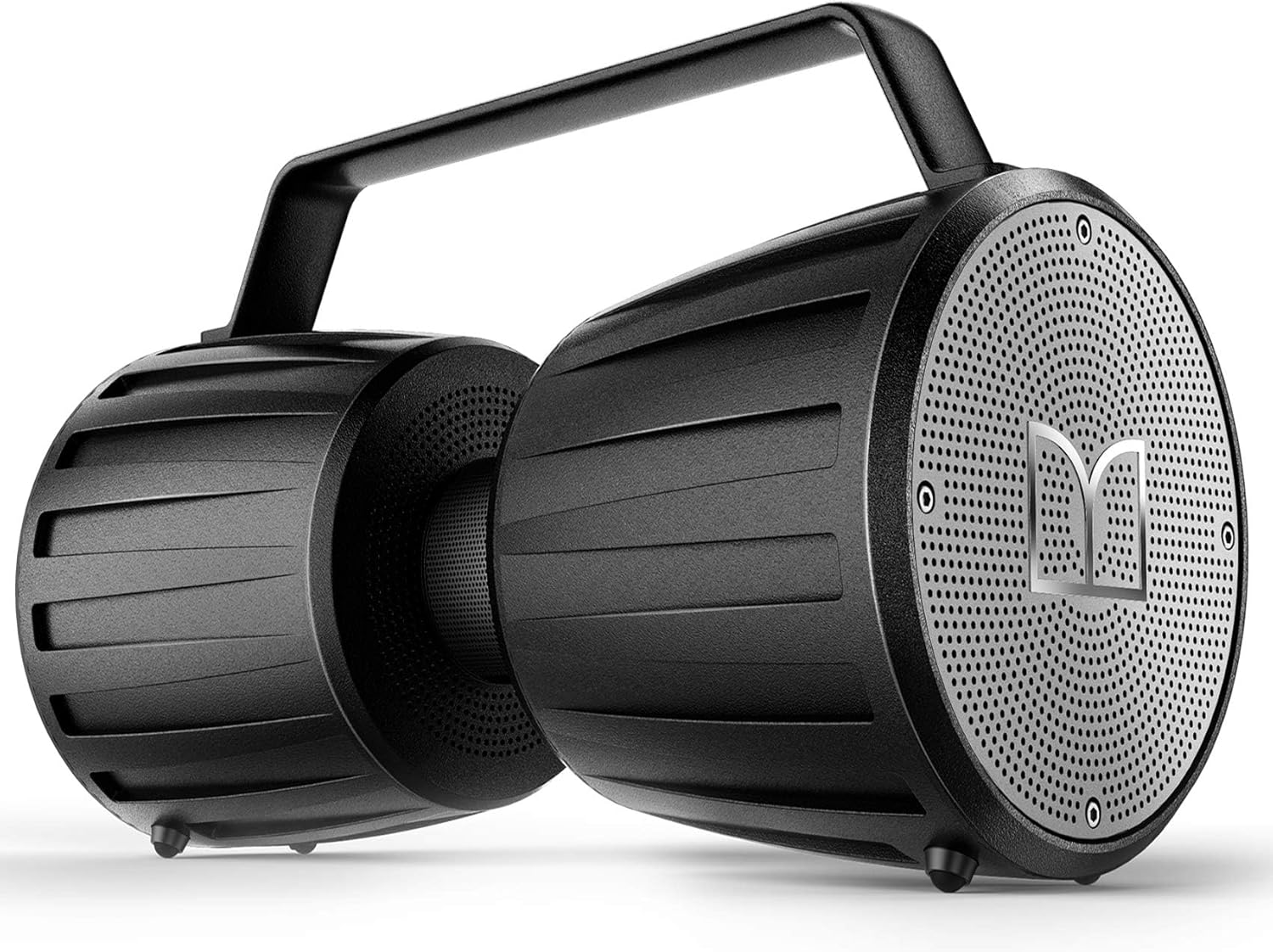
Image 1.1: The Monster Adventurer Force Bluetooth Speaker, showcasing its robust design and integrated handle.
2. Package Contents
Verify that all items listed below are present in your package:
- Monster Adventurer Force Bluetooth Speaker (x1)
- USB-C Charging Cable (x1)
- AUX Cable (x1)
- Quick Start Guide (x1)
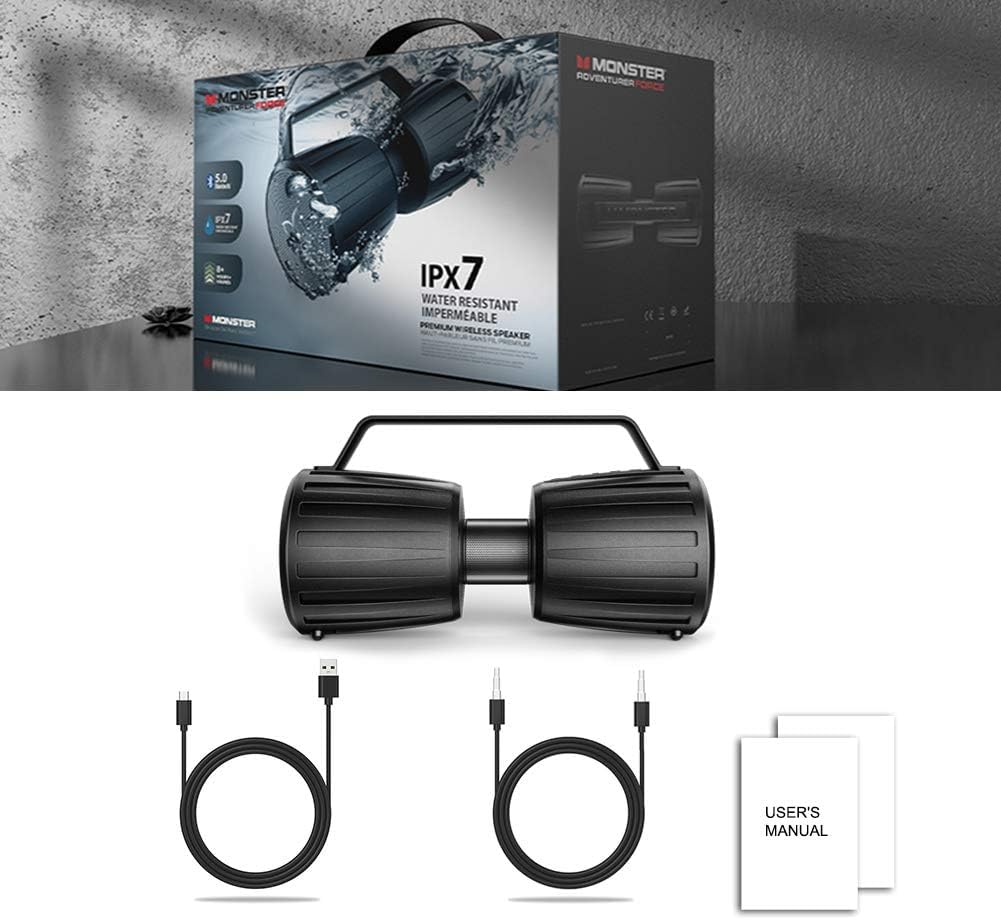
Image 2.1: Contents of the Monster Adventurer Force speaker package, including the speaker, USB-C charging cable, AUX cable, and Quick Start Guide.
3. Product Overview
The Monster Adventurer Force speaker features a durable design with multiple connectivity options. Familiarize yourself with the various ports and controls for optimal use.

Image 3.1: Close-up view of the input panel on the Monster Adventurer Force speaker, showing ports for Micro SD card, AUX, USB, and Microphone input.
3.1. Controls and Ports
- Power Button: Press and hold to turn the speaker on or off.
- Bluetooth Pairing Button: Initiates Bluetooth pairing mode.
- Volume Up/Next Track Button: Short press for volume up, long press for next track.
- Volume Down/Previous Track Button: Short press for volume down, long press for previous track.
- Play/Pause Button: Controls media playback.
- Micro SD Card Slot: For playing audio from a Micro SD card.
- USB Input: For playing audio from a USB drive or charging external devices.
- AUX Input (3.5mm): For wired audio connection.
- Microphone Input: For connecting an external microphone (microphone not included).
- USB-C Charging Port: For charging the speaker.
4. Setup
4.1. Initial Charging
- For optimal battery life, it is recommended to fully charge the speaker before its first use.
- Connect the provided USB-C charging cable to the speaker's USB-C port and the other end to a compatible USB power adapter (not included).
- The charging indicator light will illuminate during charging and turn off when fully charged.
4.2. Powering On/Off
- To power on, press and hold the Power button until the indicator lights illuminate.
- To power off, press and hold the Power button again until the indicator lights turn off.
5. Operating Instructions
5.1. Bluetooth Pairing
The Monster Adventurer Force speaker utilizes Bluetooth 5.0 for a stable wireless connection.

Image 5.1: Image depicting the Monster Adventurer Force speaker on a circuit board, emphasizing Bluetooth 5.0 technology for stable connection.
- Ensure the speaker is powered on and within 10 meters (33 feet) of your Bluetooth device.
- The speaker will automatically enter Bluetooth pairing mode, indicated by a flashing LED light. If not, press the Bluetooth pairing button.
- On your device (smartphone, tablet, etc.), enable Bluetooth and search for available devices.
- Select "Monster Adventurer Force" from the list of devices.
- Once paired, the LED indicator will stop flashing and remain solid.
- The speaker will automatically reconnect to the last paired device when powered on, if available.
5.2. Audio Input Options
The speaker supports multiple audio sources:
- Micro SD Card: Insert a Micro SD card with audio files into the designated slot. The speaker will automatically begin playback.
- USB Input: Connect a USB flash drive containing audio files to the USB port. Playback will start automatically.
- AUX Input: Connect an external audio device (e.g., MP3 player, laptop) using the provided 3.5mm AUX cable. The speaker will switch to AUX mode.
- Microphone Input: Connect a compatible microphone to the microphone input port for voice amplification. Note: A microphone is not included with the speaker.
5.3. Volume Control and Track Navigation
- Volume Adjustment: Short press the Volume Up (+) or Volume Down (-) buttons.
- Track Navigation: Long press the Volume Up (+) button for the next track, and long press the Volume Down (-) button for the previous track.
- Play/Pause: Press the Play/Pause button to pause or resume playback.
5.4. True Wireless Stereo (TWS) Pairing
(Note: TWS functionality is not explicitly detailed in the provided product information. If your speaker supports TWS, please refer to the Quick Start Guide for specific instructions on pairing two Monster Adventurer Force speakers for stereo sound.)
6. Maintenance
6.1. Cleaning
- Wipe the speaker with a soft, damp cloth. Do not use abrasive cleaners or solvents.
- Ensure all port covers are securely closed before exposing the speaker to water.
6.2. Water Resistance (IPX7)

Image 6.1: The Monster Adventurer Force speaker partially submerged in water, demonstrating its IPX7 waterproof rating.
The speaker is IPX7 waterproof, meaning it can withstand full immersion in water up to 1 meter (3 feet) for 30 minutes. This rating applies to fresh water only. Avoid exposure to saltwater, chlorinated water, or other chemicals.
6.3. Battery Care
- The speaker provides up to 40 hours of continuous playtime at 50% volume.
- To preserve battery life, charge the speaker regularly, even if not in use for extended periods.
- Avoid fully discharging the battery frequently.
- Store the speaker in a cool, dry place.
7. Troubleshooting
| Problem | Possible Cause | Solution |
|---|---|---|
| Speaker does not power on. | Low battery. | Charge the speaker fully using the provided USB-C cable. |
| Cannot pair via Bluetooth. | Bluetooth not enabled on device; speaker not in pairing mode; too far from device. | Ensure Bluetooth is enabled on your device. Press the Bluetooth pairing button on the speaker. Move the speaker closer to your device (within 10 meters). |
| No sound. | Volume too low; incorrect input source; device not playing. | Increase speaker and device volume. Ensure the correct input source (Bluetooth, AUX, USB, Micro SD) is selected. Check if your device is playing audio. |
| Poor sound quality. | Low battery; device too far; interference. | Charge the speaker. Move the speaker closer to your device. Avoid obstacles and other wireless devices that may cause interference. |
8. Specifications
| Feature | Detail |
|---|---|
| Model Name | Adventurer Force (MS21901) |
| Brand | Monster |
| Speaker Type | Outdoor, Portable Bluetooth Speaker |
| Wireless Communication Technology | Bluetooth 5.0 |
| Bluetooth Range | Up to 10 meters (33 feet) |
| Water Resistance Level | IPX7 (Waterproof) |
| Speaker Maximum Output Power | 80W (Total) |
| Audio Output Mode | Stereo |
| Playtime | Up to 40 hours (at 50% volume) |
| Connectivity Technology | Bluetooth, Auxiliary, USB, Micro SD |
| Power Source | Battery Powered |
| Item Weight | 5 Pounds (approx. 2.27 kg) |
| Included Components | Bluetooth speaker, USB-C charging cable, AUX cable, Quick Start Guide |
9. Warranty and Support
Monster provides a 12-month worry-free service for the Adventurer Force Bluetooth Speaker. For any questions or support needs, please contact Monster customer service. Lifetime customer service is available (response within 1-8 hours).
For further assistance, please refer to the official Monster website or contact their support channels.


