
Generep 29252/29092
Generep String Trimmer Line Spool Instruction Manual
Single Line Auto-Feed Replacement Trimmer Line Spool for Greenworks
Product Overview
This manual provides instructions for the installation and maintenance of Generep String Trimmer Line Spools. These replacement spools are designed for single line auto-feed string trimmers, specifically compatible with Greenworks models.

Image: Overview of the Generep String Trimmer Line Spool and Cap set.
Specifications
- Brand: Generep
- Model: Compatible with Greenworks 29252 / 29092 Single Line String Trimmers. Cap cover model: 3411546A-6.
- Line Size: 0.065 inch diameter
- Spool Length: 16 feet per spool
- Material: Durable nylon polyamide thread
- Package Includes: 6 x String trimmer spool line, 1 x Cap cover
- Item Weight: 6.4 ounces
- Package Dimensions: 6.61 x 6.3 x 1.42 inches
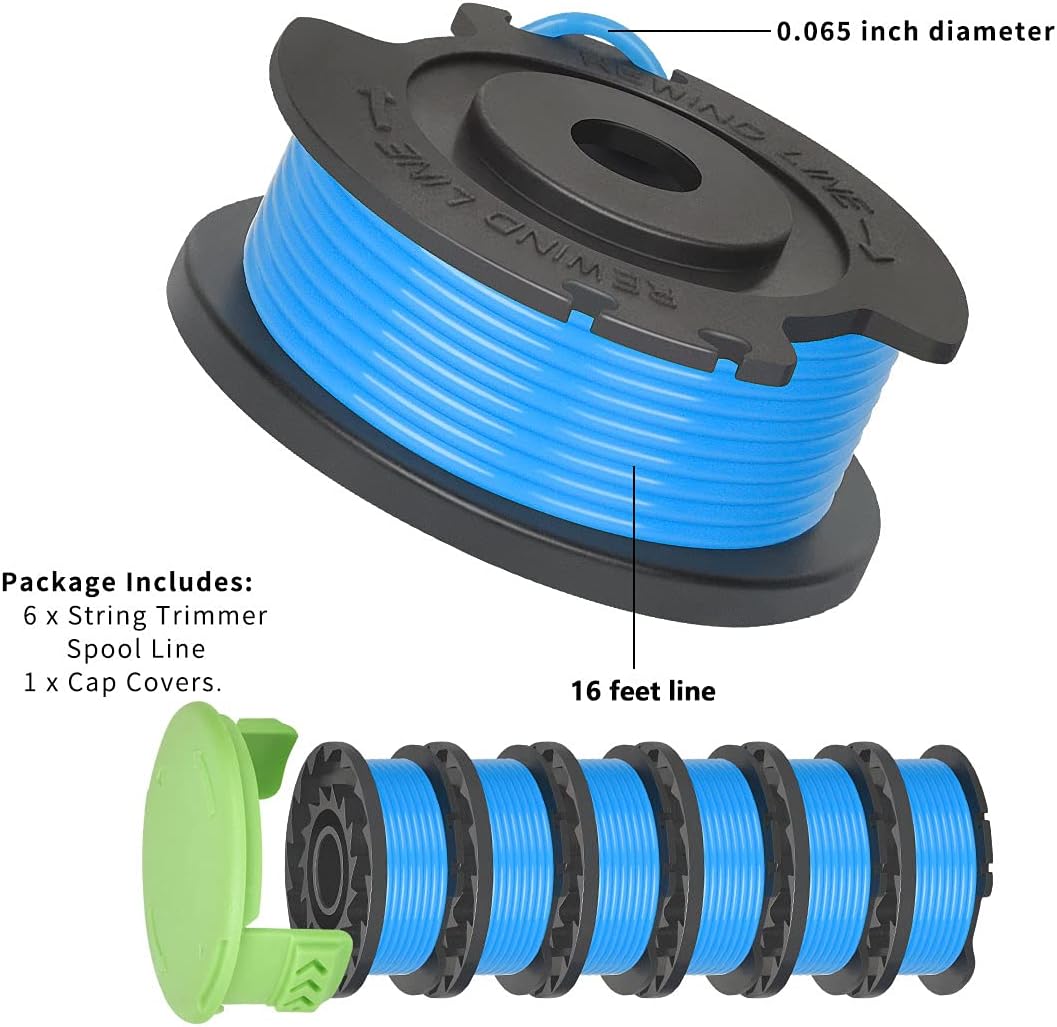
Image: Detailed view of package contents, showing 6 spools and 1 cap, with line length and diameter specifications.

Image: Illustration highlighting the durable nylon polyamide material and twisted design of the trimmer line.
Setup and Installation
Follow these steps to replace the string trimmer spool:
- Remove Old Spool: Ensure the trimmer is powered off and disconnected from any power source. Carefully remove the existing cap cover and the empty spool from the trimmer head.
- Prepare New Spool: Take a new Generep string trimmer spool. Locate the end of the trimmer line.
- Insert Spool: Align the new spool with the trimmer head. Thread the end of the trimmer line through the small hole on the trimmer head, ensuring it passes through cleanly.
- Secure Spool: Push the spool firmly into place until it clicks. Gently pull the line to ensure it is properly seated and extends freely.
- Replace Cap Cover: Place the new cap cover (or your existing one) back onto the trimmer head, aligning the tabs and pressing down until it locks securely.
- Check Line Length: Verify that the line extends to the appropriate length for trimming. If too long, the trimmer's cutting blade will automatically trim it to the correct size during operation.

Image: Visual guide demonstrating the four steps for replacing the string trimmer spool and cap.
Compatibility Information
These replacement spools are compatible with Greenworks Single Line 24V and G-MAX 40V String Trimmer Models. Specifically, they replace Greenworks parts 29252 / 29092, and the cap cover model 3411546A-6.

Image: Diagram showing compatibility with various Greenworks 24V and 40V string trimmer models.
Installation Video Guide
Video: Official guide demonstrating the installation process for the String Trimmer Replacement Spool for Greenworks trimmers. This video shows how to properly insert the new spool and secure the cap.
Operating Instructions
Once the new spool is installed, ensure your Greenworks string trimmer is fully charged (if battery-powered) or connected to a power source. Operate the trimmer according to your Greenworks trimmer's original instruction manual. The auto-feed mechanism will automatically extend the line as needed during operation.

Image: A Greenworks string trimmer in operation, demonstrating effective grass trimming with the installed line spool.
Maintenance
- Storage: Store unused spools in a cool, dry place away from direct sunlight to maintain line integrity. The included resealable pouch is ideal for storage.
- Clean Trimmer Head: Regularly clean grass clippings and debris from the trimmer head and cap cover to ensure smooth operation and proper line feeding.
- Inspect Line: Before each use, inspect the trimmer line for any signs of wear, fraying, or damage. Replace the spool if the line appears compromised.
Troubleshooting
| Problem | Possible Cause | Solution |
|---|---|---|
| Line not feeding automatically | Debris in trimmer head, incorrect spool installation, line tangled on spool. | Clean trimmer head. Reinstall spool ensuring line is not tangled. Manually pull out a small amount of line if needed. |
| Line breaks frequently | Hitting hard surfaces, worn line, incorrect line diameter. | Avoid hitting concrete, rocks, or fences. Ensure you are using the correct 0.065 inch diameter line. Replace spool if line is old or damaged. |
| Spool does not fit | Incorrect model compatibility. | Verify your trimmer model number against the compatible models listed in the specifications section. |
Warranty and Support
Specific warranty information for Generep String Trimmer Line Spools is not provided in this manual. For any product support or warranty inquiries, please refer to the product packaging or contact Generep customer service directly.
Ask a question about this manual
Ask about setup, troubleshooting, compatibility, parts, safety, or missing instructions. Manuals+ will review the question and use this page’s manual context to help answer it.