
1. Introduction
Thank you for choosing the FeinTech LED Desk Lamp LTL00600. This high-quality desk lamp is designed to provide optimal lighting for your workspace while offering convenient features such as a USB charging port, adjustable brightness, and customizable color temperature. Please read this manual thoroughly before use to ensure proper operation and to maximize the lifespan of your product.
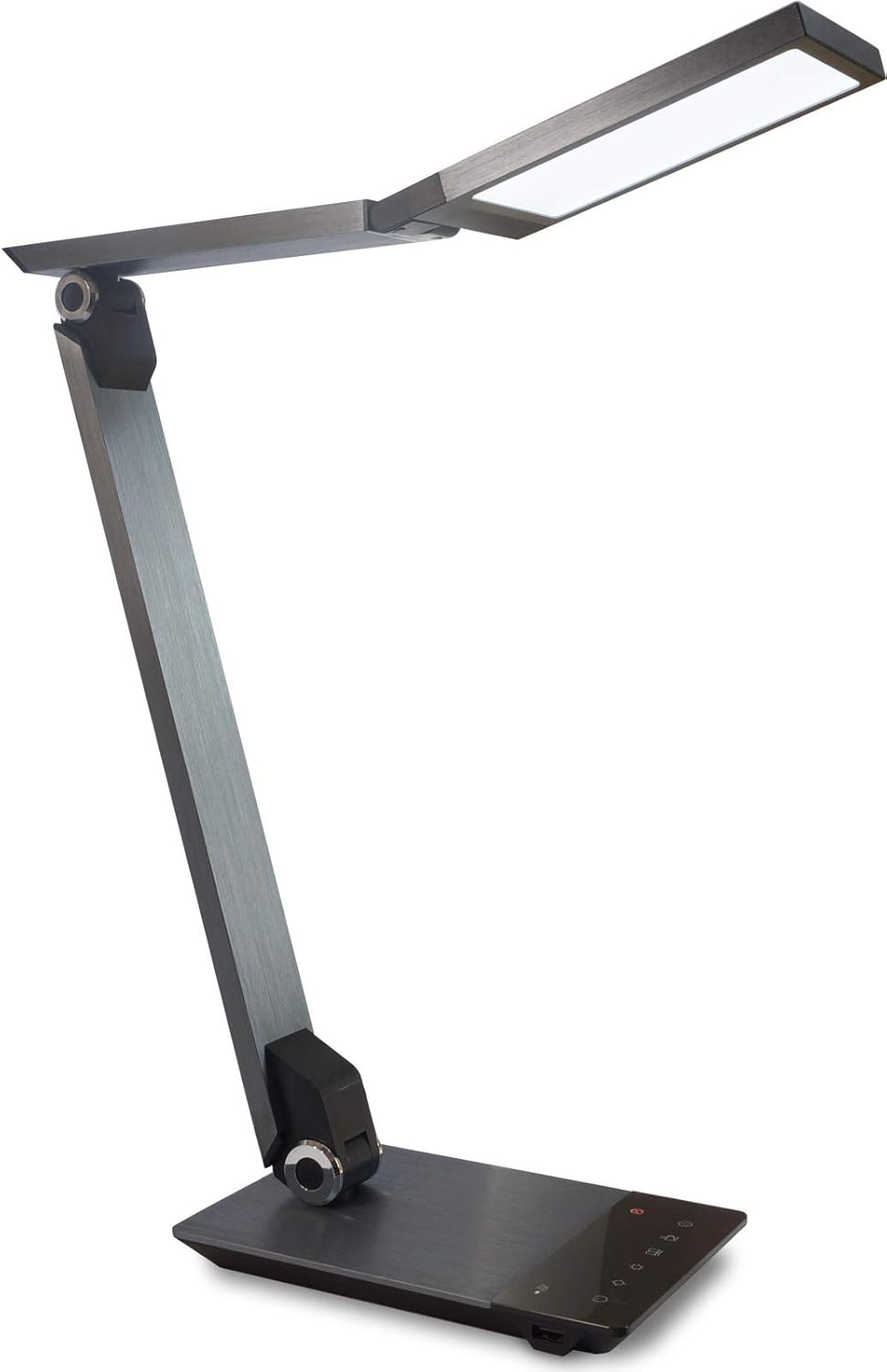
Image 1.1: FeinTech LED Desk Lamp LTL00600. This image displays the lamp in its upright position, showcasing its brushed aluminum finish and sleek design.
2. Safety Instructions
To prevent damage or injury, please observe the following safety precautions:
- Ensure the power adapter is connected to a suitable power outlet.
- Do not expose the lamp to water or excessive humidity.
- Avoid disassembling or modifying the lamp. Repairs should only be performed by qualified personnel.
- Keep the lamp away from heat sources and direct sunlight.
- Clean the lamp only with a soft, dry cloth. Do not use abrasive cleaners or solvents.
- Do not look directly into the LED light source for extended periods.
3. Package Contents
Please check that all items are present in the package:
- FeinTech LED Desk Lamp (Model: LTL00600)
- Power Adapter (12V/2A)
4. Product Overview
Familiarize yourself with the components of your FeinTech LED Desk Lamp:
- Lamp Head: Contains the LED light source.
- Adjustable Arms: Multiple joints for flexible positioning.
- Base: Provides stability and houses the control panel and USB port.
- Control Panel: Touch-sensitive buttons for power, brightness, color temperature, and timer.
- USB Charging Port: Located on the side of the base for device charging.

Image 4.1: Top-down view of the lamp's base and control panel. This image highlights the touch-sensitive buttons for various functions.

Image 4.2: Side view of the lamp's base, showing the integrated USB charging port. This port allows for convenient charging of compatible devices.
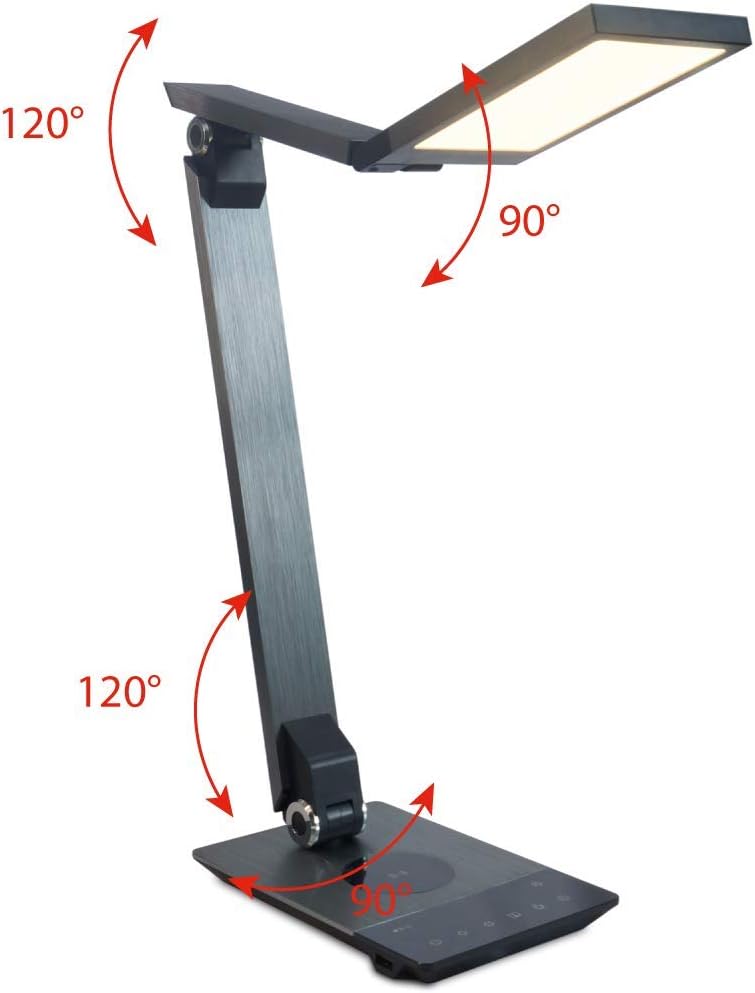
Image 4.3: Diagram illustrating the articulation angles of the lamp's joints. The lamp head can rotate 90 degrees, the upper arm 120 degrees, and the lower arm 120 degrees, allowing for flexible positioning.
5. Setup
Follow these steps for initial setup:
- Unpack: Carefully remove all components from the packaging.
- Placement: Place the lamp base on a stable, flat surface. Ensure there is enough space for the lamp to be adjusted without obstruction.
- Connect Power: Insert the power adapter cable into the DC input port on the back of the lamp base. Plug the power adapter into a standard electrical outlet.
6. Operating Instructions
The FeinTech LED Desk Lamp features intuitive touch controls on its base.
6.1 Power On/Off
- Touch the Power button on the control panel (refer to Image 4.1) to turn the lamp on or off.
6.2 Brightness Adjustment (Dimming)
- With the lamp on, touch and hold the Brightness Up or Brightness Down buttons (refer to Image 4.1) to steplessly adjust the light intensity.
- The lamp base will vibrate slightly when the minimum or maximum brightness level is reached.
6.3 Color Temperature Adjustment
- With the lamp on, touch and hold the Color Temperature Up or Color Temperature Down buttons (refer to Image 4.1) to steplessly adjust the light color from warm white (2700K) to cool white (6500K).
- The lamp base will vibrate slightly when the minimum or maximum color temperature is reached.
6.4 Favorite Settings
- The lamp allows you to store and recall 3 favorite light settings (brightness and color temperature).
- To save a setting: Adjust the brightness and color temperature to your desired level. Then, touch and hold one of the Favorite buttons (refer to Image 4.1) until the lamp flashes briefly, indicating the setting is saved.
- To recall a setting: Simply touch the corresponding Favorite button.
- The last used brightness and color temperature settings are automatically saved even after the lamp is turned off.
6.5 USB Charging Function
- Connect your smartphone or other compatible device to the USB charging port on the side of the lamp base (refer to Image 4.2) using a suitable USB cable.
- The intelligent USB port delivers up to 2.4A for fast charging.
- An LED indicator will signal ongoing and completed charging status.
6.6 Timer Function
- Touch the Timer button (refer to Image 4.1) to activate the timer function.
- The first touch activates a 3-minute timer.
- A second touch activates a 1-hour timer.
- The lamp will automatically turn off after the selected time period.
7. Maintenance
To maintain your lamp's appearance and functionality:
- Always disconnect the lamp from the power supply before cleaning.
- Wipe the lamp with a soft, dry, lint-free cloth.
- Do not use liquid or aerosol cleaners, as they may damage the finish or internal components.
- Avoid scratching the brushed aluminum surface.
8. Troubleshooting
If you encounter issues with your lamp, refer to the following common problems and solutions:
| Problem | Possible Cause | Solution |
|---|---|---|
| Lamp does not turn on. | No power supply. | Check if the power adapter is securely connected to the lamp and the electrical outlet. Test the outlet with another device. |
| USB charging is not working. | Device not compatible or cable faulty. | Ensure your device is compatible with USB charging. Try a different USB cable. Verify the lamp is powered on. |
| Touch controls are unresponsive. | Temporary software glitch or power issue. | Disconnect the power adapter for 30 seconds, then reconnect it. Ensure your fingers are clean and dry when operating the touch controls. |
9. Specifications
| Model Number | LTL00600 |
| Dimensions (L x W x H) | 36 x 13.5 x 44 cm (approx. 14.2 x 5.3 x 17.3 inches) |
| Weight | 1.84 kg (approx. 4.06 lbs) |
| Material | Brushed Aluminum |
| Light Source | LED |
| Max. Light Output | 500 lumens (1000 lux at 40 cm distance) |
| Color Temperature (CCT) | 2700 K (Warm White) to 6500 K (Cool White) |
| Power Consumption (Lamp only) | Max. 10 W |
| Power Consumption (Lamp & Charging) | Max. 22 W |
| USB Output | Up to 2.4 A |
| Input Voltage (Adapter) | 12 V / 2 A |
| Switch Type | Touch |

Image 9.1: Diagram showing the dimensions of the FeinTech LED Desk Lamp. The lamp measures approximately 36 cm in length, 13.5 cm in width, and 44 cm in height.
10. Warranty and Support
FeinTech products are designed for reliability and performance. For warranty information or technical support, please refer to the warranty card included with your purchase or visit the official FeinTech website. Please retain your proof of purchase for warranty claims.

