
1. Introduction and Overview
This manual provides instructions for the Timex Expedition Acadia Solar-Powered 40mm Watch. This timepiece is designed for durability and features a solar-powered movement, offering a sustainable and reliable timekeeping solution. It is equipped with a blue fabric strap, a 40mm blue resin case, and a blue dial, suitable for outdoor activities.
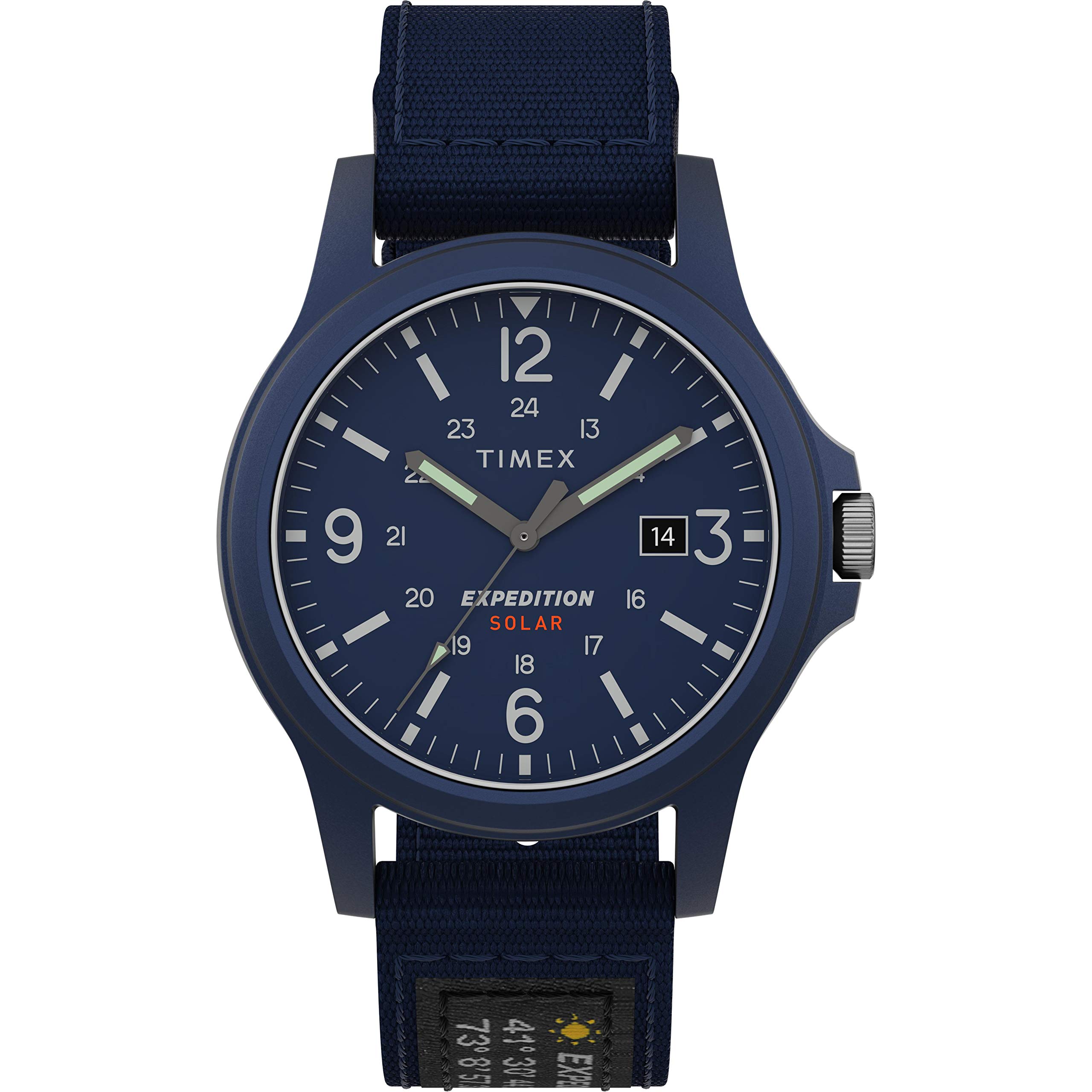
Image 1.1: Front view of the Timex Expedition Acadia Solar-Powered 40mm Watch.
2. Setup
2.1 Initial Activation
To activate your watch and begin operation, follow these steps:
- Remove the Crown Guard: Your watch arrives with a plastic crown guard inserted between the crown and the watch case. Carefully pull this guard out.
- Push the Crown In: Once the crown guard is removed, push the crown fully into the watch case. The watch hands will begin to move, indicating it is active.
Video 2.1: Demonstration of removing the crown guard and pushing the crown in to activate the watch.
2.2 Setting Time and Date
To set the time and date on your watch:
- Pull the Crown Out: Gently pull the crown out to the first click position to adjust the date, or to the second click position to adjust the time.
- Adjust Date/Time: Rotate the crown to set the desired date or time. For time setting, rotate the hands clockwise until the correct time is displayed. Ensure AM/PM is correctly set if your watch has a 24-hour indicator or date changes at midnight.
- Push the Crown In: Once set, push the crown fully back into the watch case to engage the movement and start timekeeping.

Image 2.2: Side view of the watch, highlighting the crown for setting adjustments.
3. Operating Instructions
3.1 Solar Charging
Your Timex Expedition Acadia watch is powered by light. The dial contains a solar cell that converts light into electrical energy, which is stored in a rechargeable battery. For optimal performance, ensure the watch is regularly exposed to light.
- Charging Environment: The watch charges most efficiently under direct sunlight. It can also charge under artificial light, but this will take longer.
- Power Reserve: A fully charged watch has a power reserve of approximately four months, meaning it can operate in darkness for this period.
- Low Power Indicator: If the watch stops or the second hand moves erratically (e.g., jumping every two seconds), it indicates a low power state. Expose the watch to light to recharge it.
3.2 Timekeeping
The watch displays hours, minutes, seconds, and the date. Once set, the quartz movement provides accurate timekeeping.
4. Maintenance
4.1 Cleaning
- Case and Crystal: Wipe the watch case and crystal with a soft, dry cloth. For stubborn dirt, a slightly damp cloth can be used, followed by a dry cloth. Avoid harsh chemicals or abrasive materials.
- Strap: The fabric strap can be cleaned with a mild soap and water solution. Allow it to air dry completely before wearing.
4.2 Water Resistance
This watch has a water resistance rating of 50 meters (5 ATM). This means it is suitable for light swimming and showering. It is not recommended for diving or prolonged submersion. Always ensure the crown is fully pushed in before exposing the watch to water.

Image 4.1: Timex Water Resistance Chart. This watch is rated for 50 meters.
4.3 Storage
When storing the watch for extended periods, ensure it is exposed to light periodically to maintain its charge. Avoid storing in extreme temperatures or direct sunlight for prolonged durations to prevent material degradation.
5. Troubleshooting
- Watch Not Running: Ensure the crown is fully pushed in. If it still does not run, expose the watch to bright light for several hours to recharge the solar battery.
- Incorrect Time/Date: Refer to Section 2.2 for instructions on setting the time and date.
- Second Hand Jumps Erratically: This indicates a low power state. Expose the watch to bright light for several hours to recharge.
- Water Inside Watch: If moisture appears inside the watch, contact Timex customer support immediately. Do not attempt to open the watch yourself.
6. Specifications
| Model Name | Expedition Acadia Solar 40mm |
| Model Number | TW4B189009J |
| Display Type | Analog |
| Movement Type | Quartz |
| Power Source | Solar Powered |
| Case Material | Resin |
| Case Diameter | 40 Millimeters |
| Case Thickness | 13 Millimeters |
| Band Material | Canvas |
| Band Width | 20 Millimeters |
| Crystal Type | Acrylic |
| Water Resistance Depth | 50 Meters |
| Battery | 1 Lithium Ion (included, rechargeable) |

Image 6.1: Back view of the watch, displaying model and water resistance information.
7. Warranty and Support
Your Timex Expedition Acadia watch is covered by a manufacturer's warranty. Please refer to the warranty card included with your purchase for specific terms and conditions. For technical support, service, or warranty claims, please visit the official Timex website or contact their customer service department.
Online Support: www.timex.com