Download PDFFree PDF. The Save button below keeps a bookmark and private notes in your account.
Novation Launchpad Pro MK3 User Manual
Model: AMS-LAUNCHPAD-Pro-MK3
1. Introduction
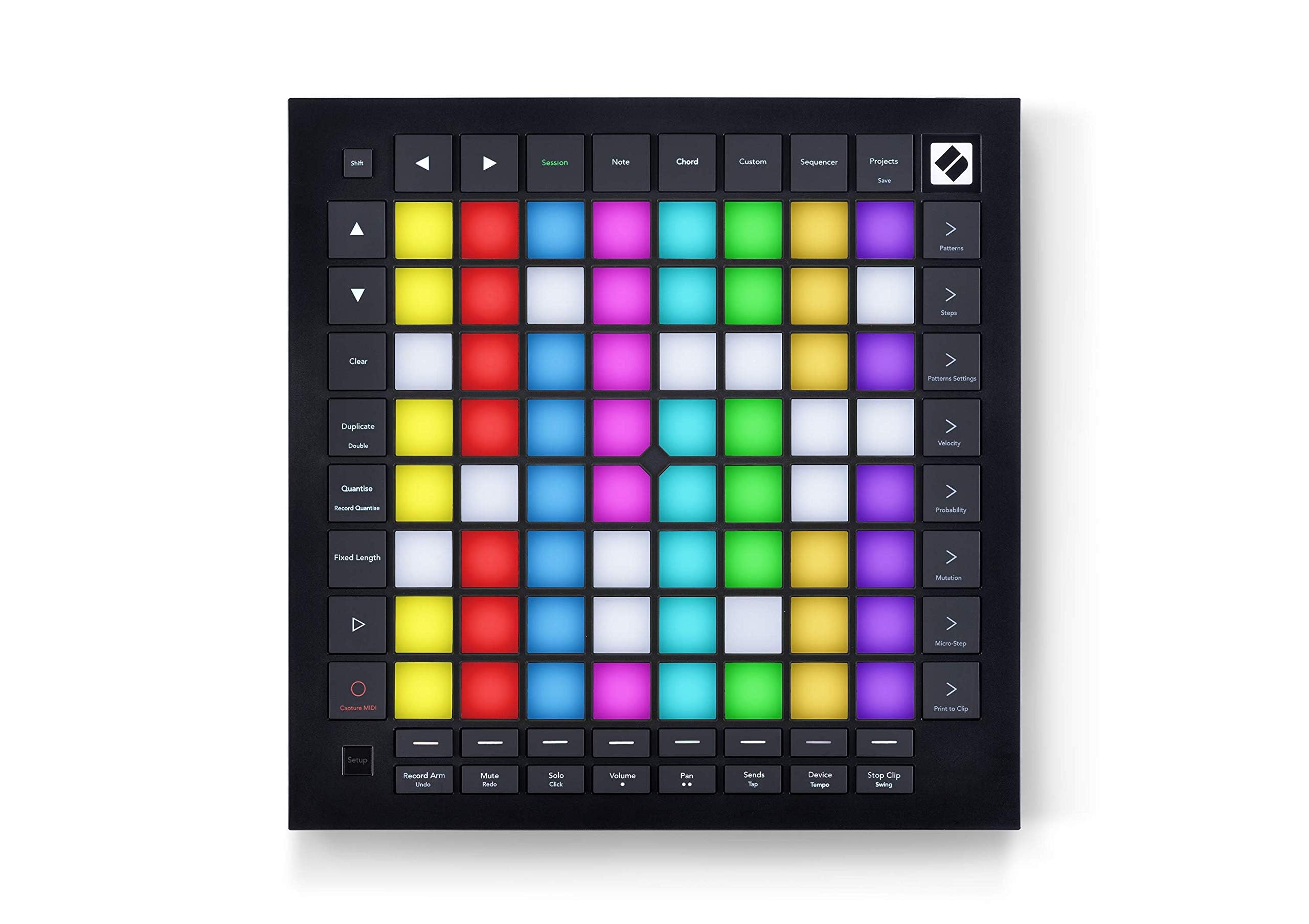
The Novation Launchpad Pro MK3 is a powerful 64-grid MIDI controller and sequencer designed for music production and live performance. It offers deep integration with Ableton Live and Logic Pro, along with comprehensive control over external hardware. This manual provides essential information for setting up, operating, and maintaining your Launchpad Pro MK3.
Figure 1: Novation Launchpad Pro MK3, top view showing the 8x8 grid of RGB pads and control buttons.
2. Setup
2.1 What's in the Box
Launchpad Pro MK3 Unit
USB-C to USB-A Cable
Ensure all components are present before proceeding with setup.
2.2 Connecting to Your Computer
The Launchpad Pro MK3 connects to your computer via the included USB-C to USB-A cable. This connection provides both power and MIDI data transfer.
Connect the USB-C end of the cable to the Launchpad Pro MK3.
Connect the USB-A end of the cable to an available USB port on your computer.
The device will power on automatically and should be recognized by your operating system (Mac OS, Windows OS).
Figure 2: Rear view of the Launchpad Pro MK3, highlighting the USB-C port for computer connection and MIDI In/Out/Out 2/Thru ports for hardware integration.
2.3 MIDI Hardware Connectivity
For controlling external MIDI hardware, the Launchpad Pro MK3 features MIDI In, Out, and Out 2/Thru ports (3.5mm jacks). This allows for direct sequencing and control of synthesizers and other MIDI-compatible devices without a computer.
Use appropriate 3.5mm TRS to 5-pin DIN MIDI cables (not included) to connect your hardware.
Connect the MIDI Out of your Launchpad Pro MK3 to the MIDI In of your external device.
For daisy-chaining multiple devices, use the MIDI Out 2/Thru port.
Video 1: "Novation Launchpad Explained" - This video provides an overview of the Launchpad series, including connectivity and basic functionality, which is relevant for understanding the setup of the Launchpad Pro MK3.
2.4 Software Integration
The Launchpad Pro MK3 is designed for seamless integration with popular Digital Audio Workstations (DAWs) and software instruments.
Ableton Live: Offers the deepest integration, allowing direct control of clips, scenes, mixer, device, and transport controls.
Logic Pro: Provides dedicated modes for launching loops and controlling instruments.
Other DAWs (HUI compatible): Can be used as a generic MIDI controller with customizable mappings.
3. Operation
3.1 Ableton Live Integration
The Launchpad Pro MK3 provides extensive control over Ableton Live sessions. You can quickly launch clips and scenes, access mixer, device, and transport controls, and quantize, duplicate, and double elements without using your mouse. The 'Capture MIDI' function ensures no ideas are lost.
Figure 3: A user operating the Launchpad Pro MK3, with Ableton Live displayed on a laptop screen, demonstrating seamless integration for music production.
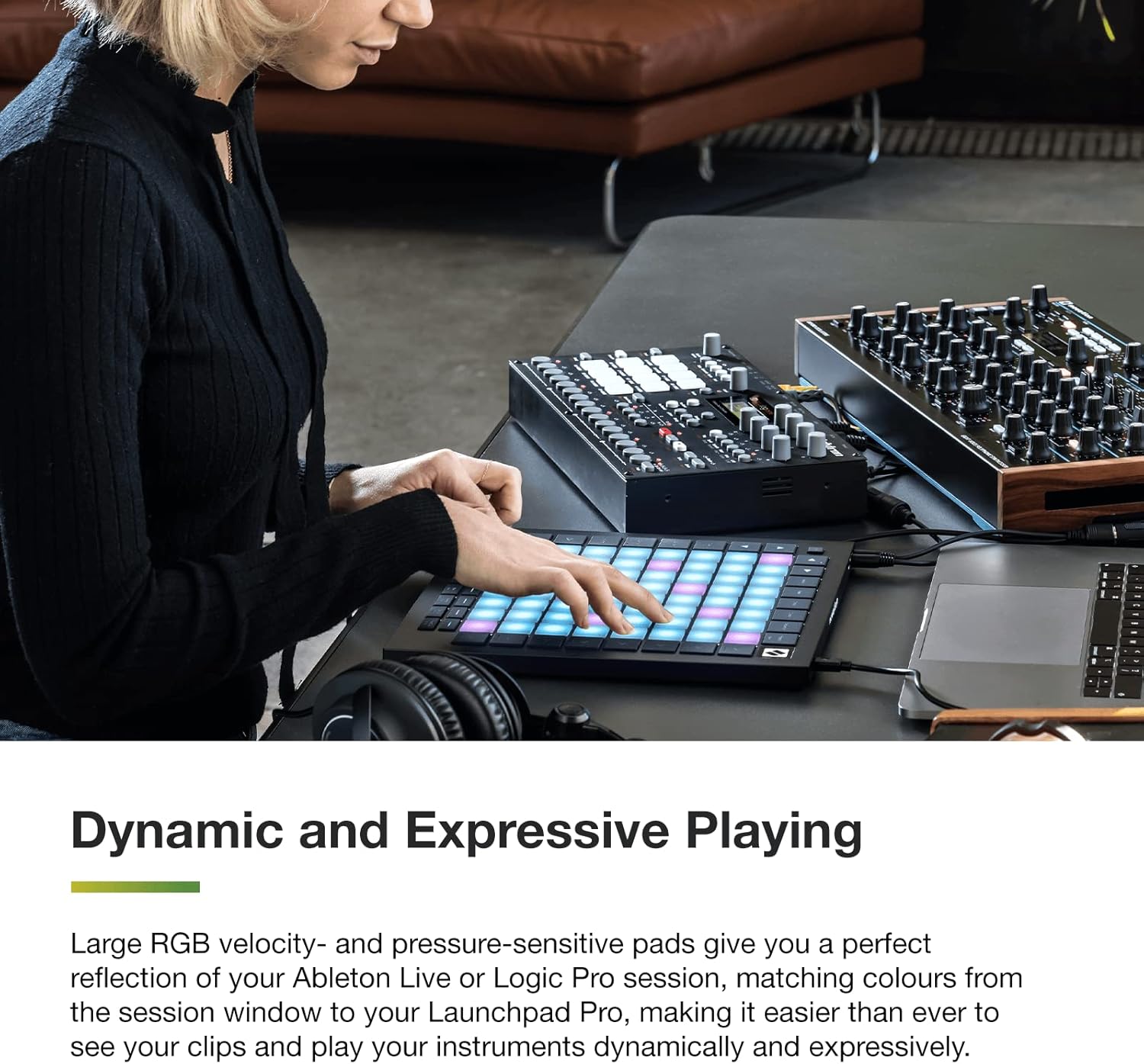
3.2 Dynamic and Expressive Playing
The 64 large RGB velocity- and pressure-sensitive pads offer a dynamic playing experience. They reflect your Ableton Live or Logic Pro session by matching colors, making it intuitive to see and play your clips and instruments.
Figure 4: Close-up of hands interacting with the illuminated RGB pads of the Launchpad Pro MK3, showcasing its dynamic and expressive playing capabilities.
3.3 Powerful Four-track, 32-step Sequencer
Create full tracks directly with the Launchpad Pro MK3's built-in sequencer. It features eight-note polyphony, pattern chaining, and scenes for creating and triggering longer sequences. Transform your patterns on the fly using probability and mutation controls to evolve your music.
Video 2: "Launchpad Pro Features Video" - This video demonstrates various features of the Launchpad Pro, including its powerful sequencer and dynamic controls.
3.4 Dynamic Note & Scale Modes
Effortlessly play in-key basslines, melodies, chords, and leads. The Launchpad Pro MK3 automatically displays your drum rack on the grid when drumming. Explore, build, and play complex chords directly from the grid to enhance your track creation.
3.5 Control MIDI-compatible Hardware, Software, Or Both
Tailor the Launchpad Pro MK3 to your setup. Use Custom Modes to send MIDI commands to software and hardware simultaneously. Connect the Launchpad Pro to an all-hardware rig using its MIDI In, Out, and Out 2/Thru ports for versatile control.
Figure 5: A musician using the Launchpad Pro MK3 to control both software on a laptop and external hardware synthesizers, demonstrating its versatile MIDI capabilities.
4. Maintenance
To ensure the longevity and optimal performance of your Novation Launchpad Pro MK3, follow these maintenance guidelines:
Cleaning: Use a soft, dry, lint-free cloth to clean the surface of the device. Avoid abrasive cleaners, solvents, or sprays that could damage the finish or internal components.
Storage: Store the device in a cool, dry place away from direct sunlight, extreme temperatures, and high humidity. When not in use, consider covering it to protect against dust.
Handling: Avoid dropping the device or subjecting it to strong impacts. Do not place heavy objects on top of it.
Cables: Regularly check USB and MIDI cables for any signs of wear or damage. Replace damaged cables immediately to prevent connectivity issues.
5. Troubleshooting
If you encounter issues with your Launchpad Pro MK3, try the following troubleshooting steps:
Device Not Recognized:
Ensure the USB cable is securely connected to both the Launchpad Pro MK3 and your computer.
Try a different USB port on your computer.
Restart your computer and the Launchpad Pro MK3.
Check if the necessary drivers are installed (usually plug-and-play, but check Novation's website if issues persist).
No Sound/MIDI Output:
Verify that the Launchpad Pro MK3 is selected as a MIDI input device in your DAW's preferences.
Check that the correct tracks are armed for recording or monitoring in your DAW.
For hardware connections, ensure MIDI cables are correctly connected (Out to In, In to Out) and that the external device is powered on and configured to receive MIDI.
Pads Not Responding:
Ensure the device is powered on and connected.
Check for any firmware updates on the Novation website.
If using Custom Modes, verify that the mappings are correctly configured using Novation Components software.
For further assistance, refer to the official Novation support resources.
6. Specifications
Feature
Detail
Brand
Novation
Model Name
Launchpad Pro MK3
Item Model Number
AMS-LAUNCHPAD-Pro-MK3
Item Weight
2.69 pounds
Product Dimensions
10.55 x 10.55 x 0.71 inches
Color Name
Black
Material Type
Plastic
Number of Keys/Pads
64 (RGB, velocity- and pressure-sensitive)
Connectivity Technology
USB-C
Connector Type
MIDI 3.5mm, USB-C
Hardware Interface
USB
Compatible Devices
PC, Synthesizer
Supported Software
Ableton, Logic, HUI
Hardware Platform
Mac/Windows
Operating System
Mac OS, Windows OS
Special Feature
Sequencer (Four-track, 32-step)
7. Warranty & Support
For detailed warranty information and technical support, please visit the official Novation website. You can find drivers, firmware updates, and comprehensive FAQs to assist you with your Launchpad Pro MK3.
Ask about setup, troubleshooting, compatibility, parts, safety, or missing instructions. Manuals+ will review the question and use this page’s manual context to help answer it.