
1. Introduction
Thank you for choosing the Alomejor Digital Drum Metronome Practice Pad. This device is designed to assist drummers and musicians in developing precise rhythm and tempo. It features a digital LCD screen, multiple practice modes, and an earphone jack for private practice sessions. Please read this manual thoroughly before using the product to ensure proper operation and longevity.
Package Contents:
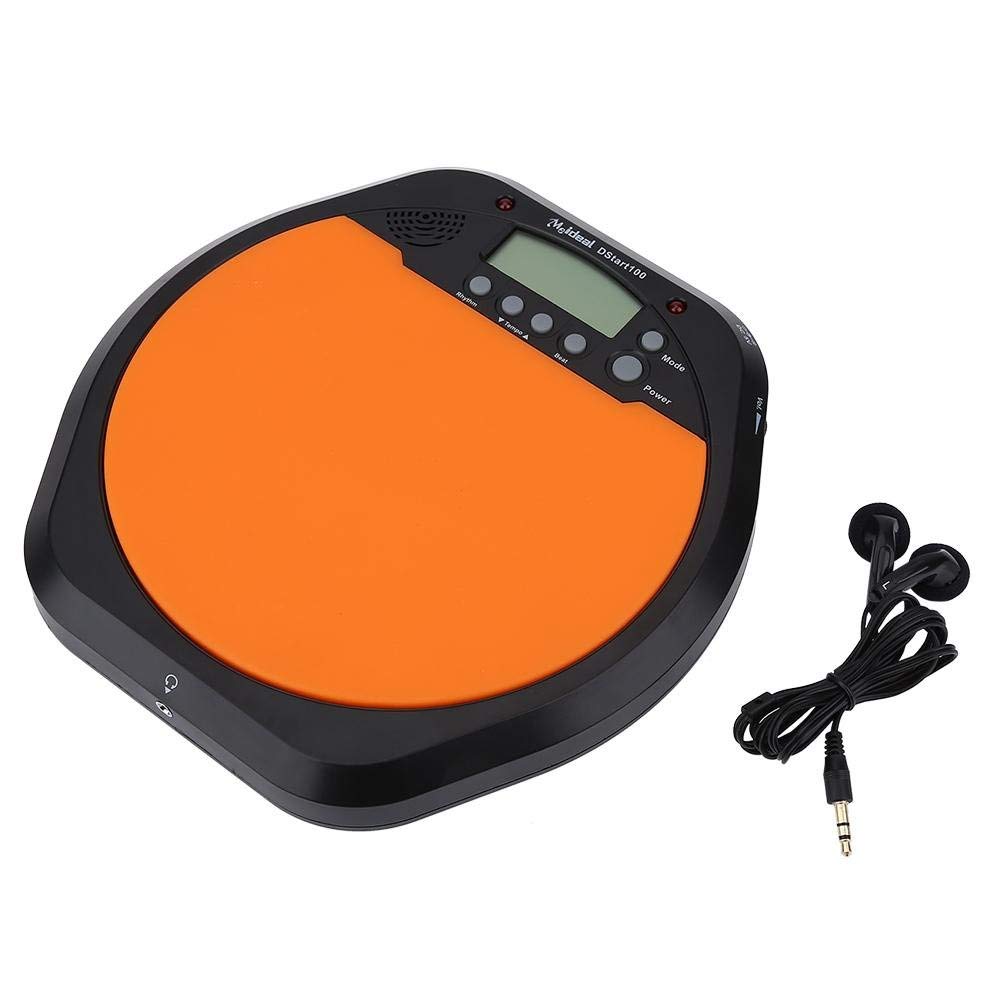
- 1 x Digital Drum Metronome Practice Pad
- 1 x Earphone
- (2 x AAA batteries not included)
2. Product Features
- Multi-functional Design: Offers various modes for comprehensive rhythm training.
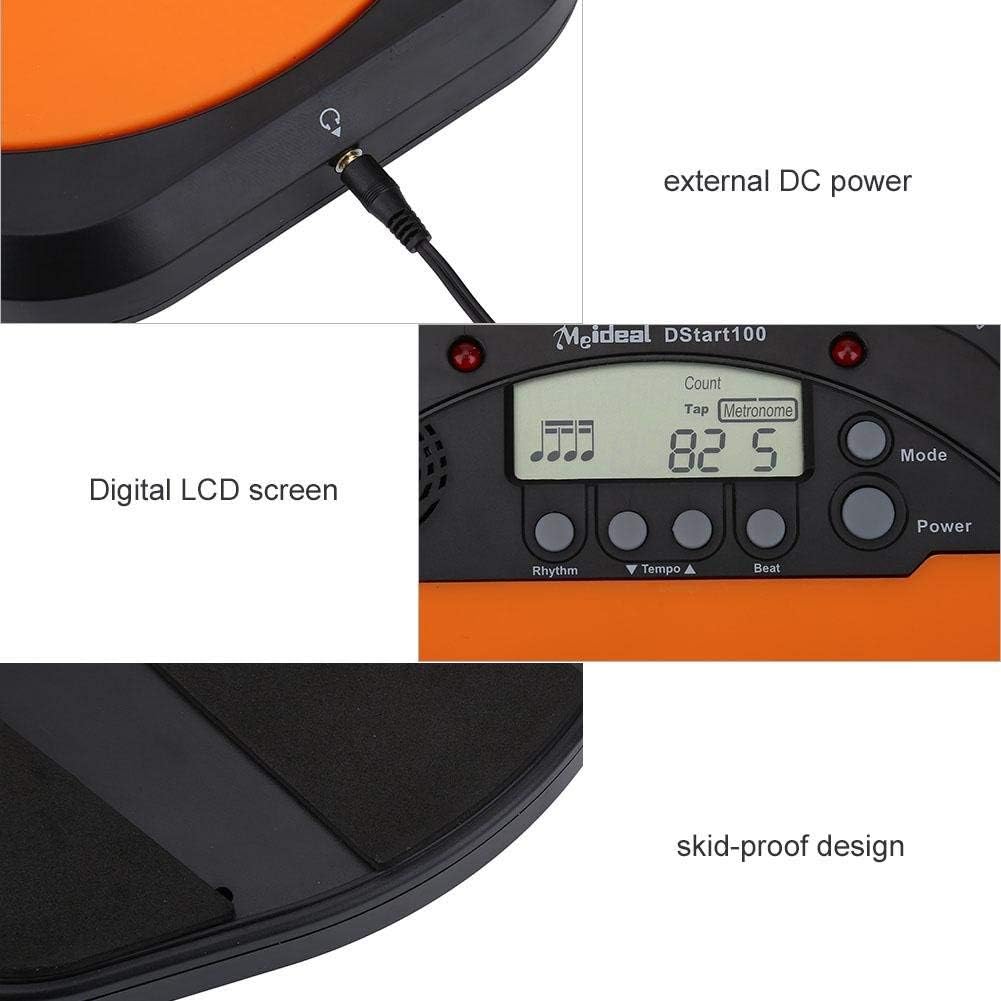
- Digital LCD Screen: Provides clear visual feedback for tempo, rhythm, and count.
- Tap Function: Allows users to test and set their ideal tempo or match a song's tempo.
- Realistic Drum Feel: Engineered to provide a responsive surface similar to a real drum.
- Earphone Jack: Enables silent practice, ideal for use in various environments without disturbing others.
- External DC Power Option: Supports external power supply for extended use (adapter not included).
- Durable Construction: Features anti-shock and anti-slip design for stability and longevity.


3. Setup
3.1 Battery Installation
- Locate the battery compartment on the underside of the practice pad.
- Open the battery compartment cover.
- Insert two (2) AAA batteries, ensuring correct polarity (+/-).
- Close the battery compartment cover securely.

3.2 Power Connection
- Battery Power: Once batteries are installed, the device is ready for use.
- External DC Power (Optional): For continuous use, connect a compatible DC power adapter (not included) to the external DC power port located on the side of the unit.

3.3 Headphone Connection
To practice silently, plug the included earphone into the 3.5mm headphone jack located on the side of the practice pad.

4. Operating Instructions
4.1 Power On/Off
- Press the Power button to turn the device on.
- Press and hold the Power button to turn the device off.
4.2 Mode Selection
Press the Mode button to cycle through the available practice modes:
- Metronome Mode: Provides a steady click for tempo practice.
- Tapping Mode: Allows you to tap a rhythm, and the device will display the calculated tempo.
- Counting Mode: Helps in practicing specific counts or measures.

4.3 Adjusting Tempo and Rhythm
- Use the Tempo ▲ and Tempo ▼ buttons to increase or decrease the metronome's tempo (BPM).
- Use the Rhythm button to change the rhythm pattern.
- Use the Beat button to adjust the beat subdivision.
The LCD screen will display the current tempo, rhythm, and beat settings.
5. Maintenance
- Cleaning: Wipe the surface of the practice pad with a soft, dry cloth. Do not use abrasive cleaners or solvents.
- Storage: Store the device in a cool, dry place away from direct sunlight and extreme temperatures.
- Battery Care: Remove batteries if the device will not be used for an extended period to prevent leakage.
- Avoid Impact: While designed to be shockproof, avoid dropping the device or subjecting it to strong impacts.
6. Troubleshooting
| Problem | Possible Cause | Solution |
|---|---|---|
| Device does not power on. |
|
|
| No sound from speaker/earphones. |
|
|
| Tap function is inaccurate. |
|
|
7. Specifications
| Brand | Alomejor |
| Model Number | Alomejorrxzdnhs6e2 |
| Color | Black/Orange |
| Material | Plastic |
| Dimensions (Approx.) | 207 x 206 x 29 mm (8.15 x 8.11 x 1.14 inches) |
| Weight (Approx.) | 496 g (1.1 lbs) |
| Tempo Range | 30-280 bpm |
| Power Supply | 2 x AAA batteries (not included) or external DC power (adapter not included) |
8. Warranty and Support
Alomejor products are designed for quality and performance. While specific warranty details are not provided in this manual, please refer to your purchase documentation or contact the retailer for information regarding warranty coverage and customer support.
For any issues or inquiries, please contact Alomejor customer service through the platform where you purchased the product.