1. Introduction
Welcome to the user manual for your new Eureka NEU182B PowerSpeed Bagless Upright Vacuum Cleaner. This manual provides essential information for the safe and efficient operation, maintenance, and care of your appliance. Please read it thoroughly before first use and keep it for future reference.
2. Important Safety Instructions
WARNING:
- When using the vacuum cleaner, the floor brush may be clogged by hairs and dirt. We recommend cleaning the roller brush and the belt every 2 weeks.
- Long-term failure to clean may cause malfunction, or even risk of smoke and belt broken.
- Always unplug the appliance before cleaning or performing maintenance.
- Do not use the vacuum cleaner on wet surfaces.
- Keep hair, loose clothing, fingers, and all parts of body away from openings and moving parts.
- Do not pick up anything that is burning or smoking, such as cigarettes, matches, or hot ashes.
- Do not use without dust cup and/or filters in place.
3. Package Contents
Your Eureka NEU182B PowerSpeed Bagless Upright Vacuum Cleaner package includes the following items:
- Eureka NEU182B PowerSpeed Upright Vacuum Cleaner (Main Unit)
- Dusting Brush
- Upholstery Tool
- 7-inch Crevice Tool
- Handle
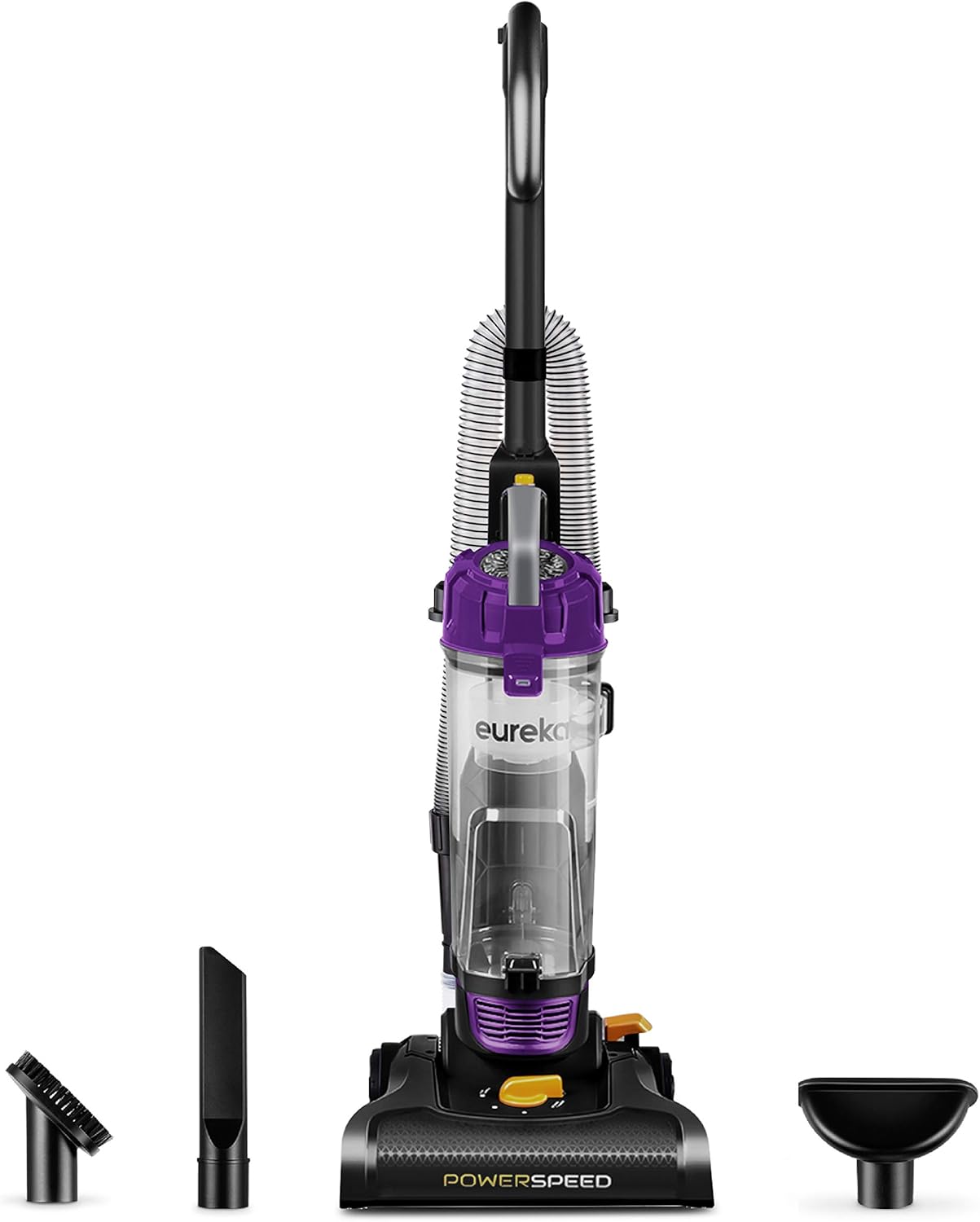
Image: The Eureka NEU182B PowerSpeed Bagless Upright Vacuum Cleaner shown with its main unit and three detachable accessories: a dusting brush, a crevice tool, and an upholstery tool.
4. Setup and Assembly
Follow these steps to assemble your vacuum cleaner:
- Attach the Handle: Insert the handle into the main vacuum body until it clicks securely into place.
- Connect the Hose: Securely connect the flexible hose to the designated port on the vacuum cleaner. Ensure it is firmly attached to prevent loss of suction.
- Store Accessories: Place the dusting brush, upholstery tool, and crevice tool in their onboard storage locations for easy access during cleaning.

Image: A visual guide illustrating the simple process of assembling the vacuum cleaner by inserting the handle into the main body.
5. Operating Instructions
5.1. Powering On/Off
To turn the vacuum cleaner on or off, locate the power button at the base of the unit. Press it firmly with your foot.
5.2. Height Adjustment
The Eureka NEU182B features 5 height adjustment settings to optimize cleaning performance on various floor types. Rotate the dial on the cleaner head to select the appropriate setting:
- Low Carpet: For low-pile carpets and rugs.
- Medium Carpet: For medium-pile carpets.
- High Carpet: For high-pile and shag carpets.
- Bare Floor: For hard floors such as wood, tile, and laminate.
- Extra High: For very thick shag carpets or when easier pushing is desired.

Image: The vacuum cleaner's base with the height adjustment dial clearly visible, set against a carpeted surface to demonstrate its function.
5.3. Using Attachments for Above-Floor Cleaning
The vacuum cleaner includes a quick-release handle and a stretch hose for convenient above-floor cleaning. To use the attachments:
- Detach the quick-release handle from the main unit.
- Connect the desired accessory (dusting brush, upholstery tool, or crevice tool) to the end of the stretch hose.
- Use the attachments to clean hard-to-reach areas such as ceilings, curtains, upholstery, and tight corners.

Image: A user demonstrating the quick-release handle feature, extending the hose to clean high surfaces like curtains, highlighting the vacuum's versatility.

Image: A composite image displaying the dusting brush cleaning blinds, the upholstery tool cleaning a sofa, and the crevice tool reaching into a tight space, showcasing the utility of each accessory.
5.4. Lightweight Design and Powerful Suction
The Eureka NEU182B is designed to be lightweight (approximately 10 lbs) for easy maneuverability throughout your home. Its powerful motor and brush roll effectively lift stubborn and heavy debris from various surfaces.

Image: A person effortlessly carrying the Eureka PowerSpeed vacuum cleaner, emphasizing its lightweight design for easy transport between rooms or up stairs.

Image: A detailed view of the vacuum's powerful motor and brush roll in action, demonstrating its ability to deep clean various floor types by lifting dirt and debris.
6. Maintenance
6.1. Emptying the Extra-Large Dust Cup
The vacuum features an extra-large 2.6L dust cup, reducing the frequency of emptying. To empty the dust cup:
- Ensure the vacuum is unplugged.
- Locate the release button on the dust cup and press it to detach the cup from the main unit.
- Hold the dust cup over a trash bin and press the bottom release latch to empty the contents.
- Close the bottom latch and reattach the dust cup to the vacuum cleaner until it clicks securely.

Image: A visual comparison highlighting the generous capacity of the Eureka PowerSpeed's dust cup, indicating less frequent emptying compared to smaller alternatives.
6.2. Cleaning the Washable Foam Filter
The vacuum is equipped with a washable foam filter for easy maintenance and no replacement costs. To clean the filter:
- Remove the dust cup as described above.
- Carefully remove the foam filter from inside the dust cup.
- Rinse the foam filter under running water until the water runs clear.
- Allow the filter to air dry completely for at least 24 hours before reinserting it into the dust cup. Do not use the vacuum with a wet filter.
- Reassemble the filter and dust cup, then reattach to the vacuum.

Image: A close-up shot of the washable foam filter being cleaned under water, illustrating the simple process for maintaining optimal performance.
6.3. Roller Brush and Belt Cleaning
IMPORTANT:
To ensure optimal performance and prevent malfunction, it is recommended to clean the roller brush and the belt every 2 weeks. Long-term failure to clean may cause the roller brush to become clogged by hairs and dirt, potentially leading to smoke or a broken belt.
- Unplug the vacuum cleaner from the power outlet.
- Turn the cleaner head over to access the roller brush.
- Carefully cut and remove any hair, threads, or debris wrapped around the roller brush using scissors.
- Inspect the belt for any damage or wear. Replace if necessary.
- Ensure all parts are clear of obstructions before resuming operation.
7. Troubleshooting
If you encounter any issues with your Eureka NEU182B PowerSpeed Bagless Upright Vacuum Cleaner, please refer to the following common troubleshooting tips:
- No Power: Ensure the power cord is securely plugged into a working electrical outlet. Check the circuit breaker if necessary.
- Loss of Suction:
- Check if the dust cup is full and needs emptying.
- Inspect the foam filter for dirt and clean it as per Section 6.2.
- Check the hose, attachments, and cleaner head for any blockages.
- Brush Roll Not Turning:
- Ensure the vacuum is in the correct height setting for the floor type.
- Unplug the vacuum and check the brush roll for tangled hair or debris. Clean as per Section 6.3.
- Inspect the drive belt for damage.
For further assistance, please contact customer service.
8. Specifications
| Feature | Specification |
|---|---|
| Brand | Eureka |
| Model Name | PowerSpeed |
| Model Number | NEU182B |
| Special Feature | Bagless, Lightweight, Washable Filter, Wheels |
| Filter Type | Foam |
| Capacity | 2.6 Liters |
| Wattage | 960 watts |
| Hose Length | 7 Feet |
| Product Dimensions | 13"L x 14"W x 44"H |
| Item Weight | 10 pounds |
| Power Source | Corded Electric |
| Color | Purple |
9. Warranty and Support
9.1. Warranty Information
Your Eureka NEU182B PowerSpeed Bagless Upright Vacuum Cleaner comes with a 1-year limited manufacturer warranty. Please retain your proof of purchase for warranty claims.
9.2. Customer Support
For any questions, technical support, or warranty inquiries, please contact the Eureka customer service team at 1-800-282-2886.
10. Product Video
Watch this official product video for a demonstration of the Eureka NEU182B PowerSpeed Bagless Upright Vacuum Cleaner:
Video: A comprehensive overview and demonstration of the Eureka NEU182B PowerSpeed Bagless Upright Vacuum Cleaner, showcasing its features and operation.


