
1. Important Safety Instructions
Please read all instructions carefully before using this dehumidifier and retain them for future reference. Failure to follow these instructions may result in electric shock, fire, or serious injury.
- Always connect the unit to a grounded power outlet.
- Do not operate the unit with a damaged cord or plug.
- Ensure the unit is placed on a stable, level surface to prevent tipping.
- Maintain a minimum distance of 20 cm (8 inches) from walls or furniture to ensure proper airflow.
- Do not insert objects into the air inlet or outlet.
- Unplug the unit before cleaning or performing any maintenance.
- Do not use the unit in areas where flammable liquids or gases are stored.
- Keep children and pets away from the unit during operation.
- Do not use the unit outdoors.
2. Product Overview
The PureMate PM420 Dehumidifier is designed to efficiently remove excess moisture from your indoor environment, improving air quality and comfort. It features a 20L/day extraction capacity, a 6.5L water tank, a digital display, and various operating modes.

Image: Front view of the PureMate PM420 Dehumidifier, showing its sleek white design and the 20L/Day capacity label.
Key Features:
- High Extraction Capacity: Removes up to 20 liters of moisture per day.
- Large Water Tank: Features a removable 6.5-liter water tank.
- Continuous Drainage: Includes an option for direct drainage for uninterrupted operation.
- Digital Display & Smart Humidity Detection: Advanced sensor detects room humidity quickly and accurately, displayed on an LED screen with a 3-light indicator system.
- Multiple Modes: Includes Dehumidify, Laundry Drying (Continuous), Fan, and Sleep modes.
- 24-Hour Timer: Allows scheduling of operation.
- Portable Design: Equipped with four castors for easy movement.
- Active Carbon Filter: Helps remove dust, spores, and odors from the air.
- Child Lock: Deactivates the control panel to prevent accidental changes.
Control Panel:

Image: Close-up view of the dehumidifier's top control panel, showing buttons for Child Lock, Timer, Humidity Setting, Dehumidify Mode, Fan Speed, Sleep, and Stand-by, along with a digital display.
The control panel is located on the top of the unit and features a digital display and touch-sensitive buttons for various functions.
- Child Lock: Activates/deactivates child lock.
- Timer: Sets the 24-hour timer for automatic on/off.
- Humidity Setting: Adjusts the desired humidity level.
- Dehumidify Mode: Selects the operating mode.
- Fan Speed: Adjusts fan speed (two speeds available).
- Sleep: Activates sleep mode, turning off display lights.
- Stand-by: Power on/off button.
3. Setup
Unpacking:
- Carefully remove the dehumidifier from its packaging.
- Remove all packing materials and ensure no components are missing.
- Inspect the unit for any signs of damage. If damaged, do not operate and contact customer support.
Caster Installation:
The unit comes with four castors for easy mobility. These can be installed or removed based on your preference.
- Carefully tilt the unit to access the underside.
- Insert the castors into the designated slots until they click into place.
- Ensure all castors are securely attached before placing the unit upright.
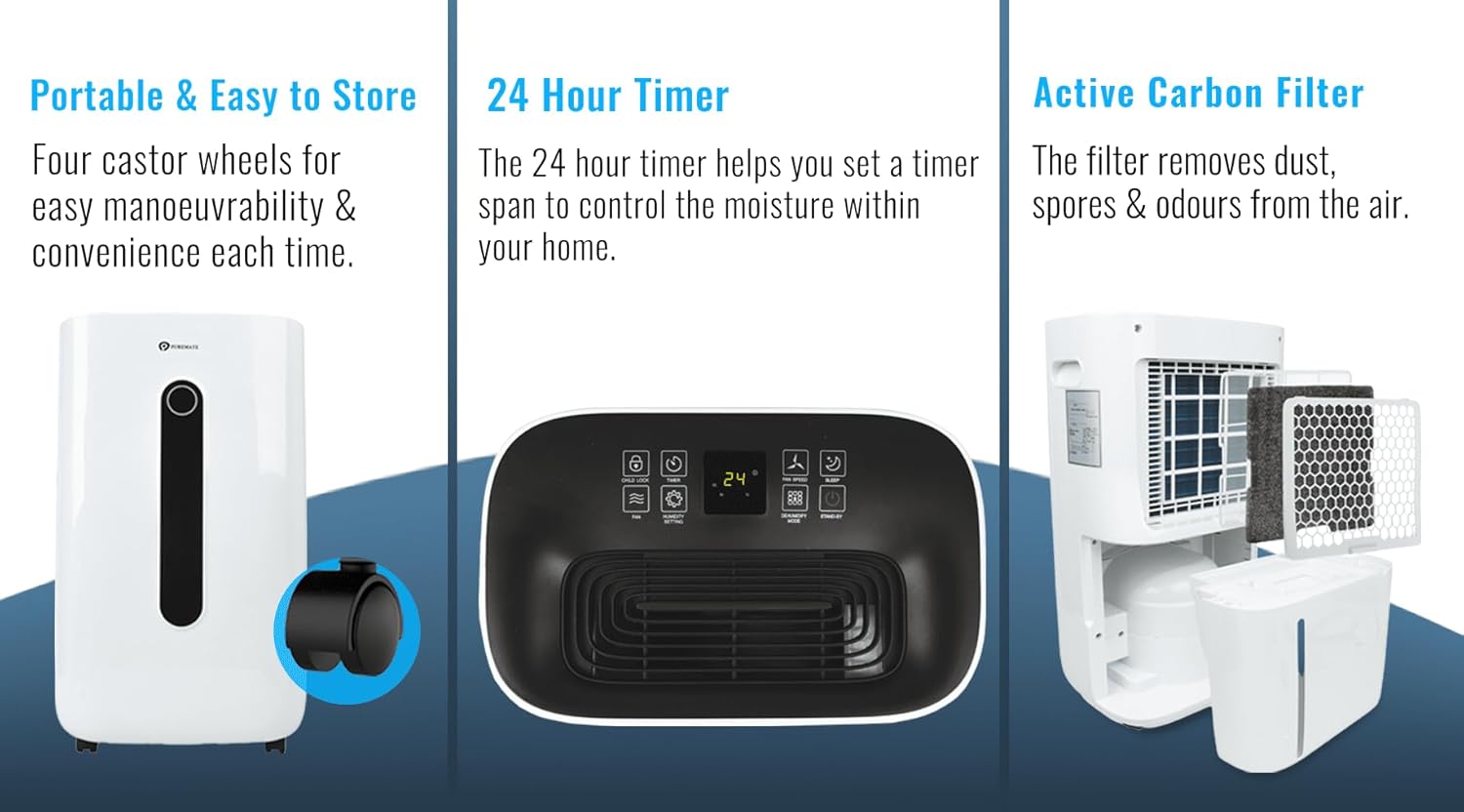
Image: A composite image showing the dehumidifier, a close-up of a castor wheel being installed, the control panel, and the internal filter system.
Placement:
- Place the dehumidifier in a room where the humidity is highest or where you wish to reduce moisture.
- Ensure the unit is on a firm, level surface.
- Allow at least 20 cm (8 inches) of space around the unit for proper air circulation.
- Avoid placing the unit near heat sources or in direct sunlight.
Water Tank / Continuous Drainage:
The dehumidifier can operate using its internal water tank or with continuous drainage.

Image: The side view of the dehumidifier with the 6.5L water tank partially removed, illustrating its high extraction capacity and the continuous drainage hose connection.
Using the Water Tank:
The 6.5-liter water tank will collect condensed moisture. The unit will automatically shut off when the tank is full.
Setting up Continuous Drainage:
For continuous operation without needing to empty the tank, connect the included drainage hose.
- Locate the drainage outlet on the back or side of the unit.
- Remove the rubber stopper (if present).
- Connect one end of the drainage hose to the outlet.
- Ensure the other end of the hose is placed in a suitable drain or container, ensuring it is lower than the unit's drainage outlet for gravity flow.
4. Operating Instructions
Power On/Off:
- Plug the power cord into a grounded electrical outlet.
- Press the Stand-by button on the control panel to turn the unit on or off.
Setting Desired Humidity:
- Press the Humidity Setting button.
- Use the up/down arrows (or repeated presses) to select your desired humidity level (e.g., 40%, 50%, 60%). The unit will operate until the room humidity reaches this level, then cycle on and off to maintain it.
Fan Speed Adjustment:
- Press the Fan Speed button to toggle between two fan speeds (Low and High).
Timer Function:
The 24-hour timer allows you to set a specific time for the unit to turn on or off automatically.
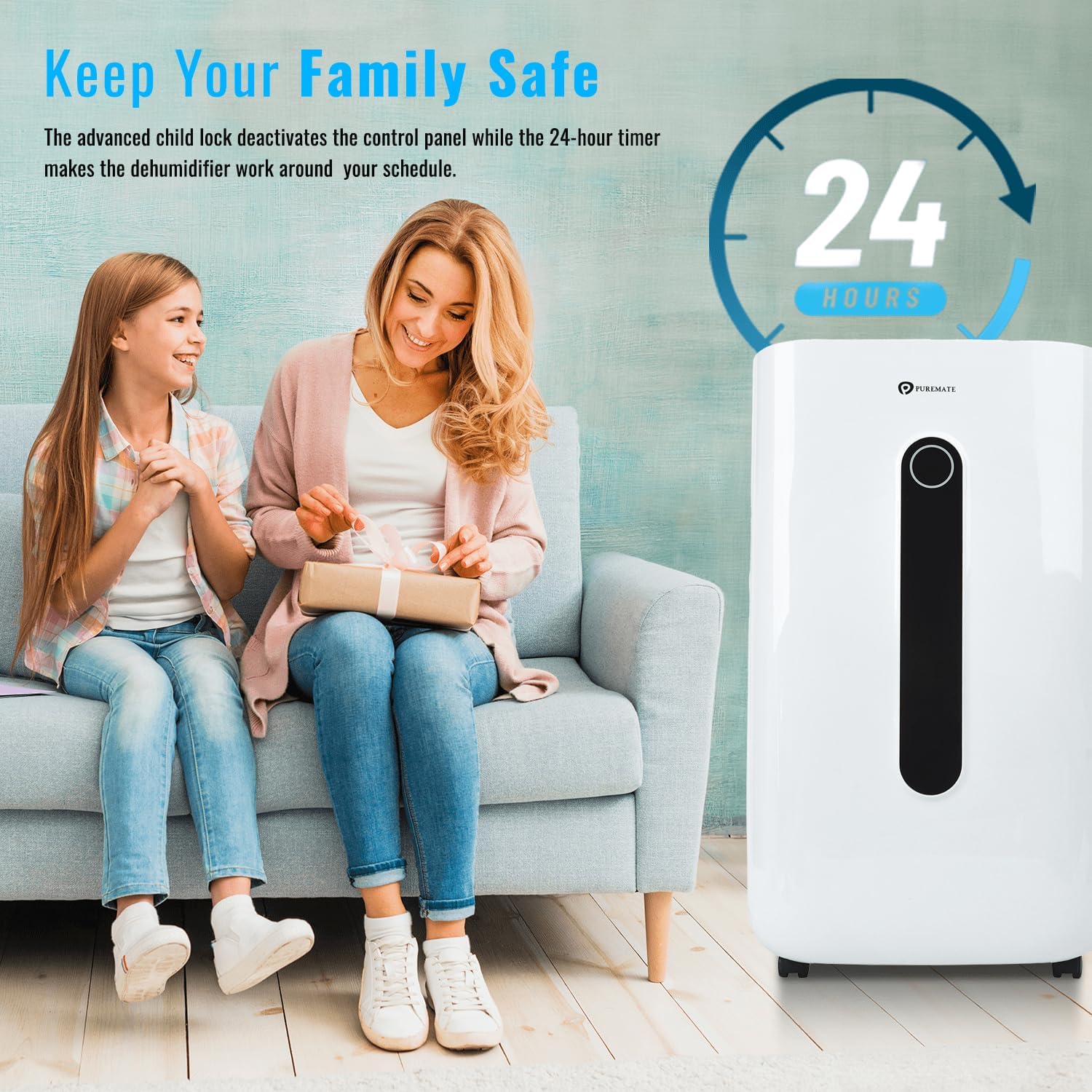
Image: A family setting, highlighting the child lock feature and the 24-hour timer functionality of the dehumidifier.
- To set Auto-Off: While the unit is running, press the Timer button and use the up/down arrows to select the desired number of hours (1-24) after which the unit will turn off.
- To set Auto-On: While the unit is off, press the Timer button and use the up/down arrows to select the desired number of hours (1-24) after which the unit will turn on.
Sleep Mode:
- Press the Sleep button to activate sleep mode. In this mode, all display lights will turn off for undisturbed sleep, while the unit continues to operate at a low fan speed.
- Press any button to exit sleep mode.
Laundry Drying (Continuous) Mode:
This mode is ideal for drying clothes indoors by continuously removing moisture from the air.

Image: The dehumidifier placed in a room with a person sitting near a laundry basket, illustrating its use in drying clothes in continuous mode.
- Press the Dehumidify Mode button until the 'Continuous' or 'Laundry' indicator lights up.
- In this mode, the unit will run continuously at maximum dehumidification until manually turned off or the water tank is full (if continuous drainage is not set up).
Child Lock:
- Press and hold the Child Lock button for a few seconds to activate or deactivate the child lock. When activated, the control panel buttons will be unresponsive.
5. Maintenance
Regular maintenance ensures optimal performance and extends the lifespan of your dehumidifier.
Emptying the Water Tank:
- When the water tank is full, the unit will automatically stop operating and an indicator light will illuminate.
- Carefully pull out the water tank from the front of the unit.
- Empty the collected water.
- Slide the empty tank back into the unit until it clicks into place. The unit will resume operation.
Cleaning the Air Filter:
The dehumidifier is equipped with an active carbon filter to improve air quality. Clean the filter regularly (every 2-4 weeks, depending on usage).
- Turn off and unplug the unit.
- Locate the air filter cover (usually on the back or side).
- Remove the filter.
- Clean the filter using a vacuum cleaner to remove dust. For a deeper clean, wash it gently with lukewarm water and mild detergent.
- Allow the filter to air dry completely before reinserting it.
- Replace the filter and close the cover.
Cleaning the Unit Exterior:
- Wipe the exterior of the unit with a soft, damp cloth.
- Do not use harsh chemicals, abrasive cleaners, or solvents.
Storage:
- If storing the unit for an extended period, ensure the water tank is empty and clean.
- Clean the air filter.
- Cover the unit to protect it from dust.
- Store in a cool, dry place.
6. Troubleshooting
Before contacting customer support, please refer to the following troubleshooting guide.
| Problem | Possible Cause | Solution |
|---|---|---|
| Unit does not turn on | No power supply Power cord not properly connected Water tank full or incorrectly inserted | Check power outlet and circuit breaker Ensure power cord is securely plugged in Empty water tank and reinsert correctly |
| No water collected / Low dehumidification | Room temperature too low Air filter clogged Humidity setting too high Doors/windows open | Dehumidifiers are less effective below 5°C (41°F) Clean the air filter Lower the desired humidity setting Close all doors and windows in the room |
| Unit is noisy | Unit not on a level surface Air filter clogged Normal operation sound | Place unit on a flat, stable surface Clean the air filter Some operating noise is normal for dehumidifiers |
| Water leaks from unit | Water tank incorrectly inserted Continuous drainage hose loose or blocked | Reinsert water tank properly Check hose connection and ensure it's not kinked or blocked |
7. Specifications

Image: The dehumidifier shown in a living room setting, with dimensions (35cm width, 61cm height) and an indication of suitability for rooms up to 25m².
| Specification | Value |
|---|---|
| Brand | PureMate |
| Model Number | PM420 |
| Color | White |
| Product Dimensions (L x W x H) | 24 x 34 x 57 cm (9.4 x 13.4 x 22.4 inches) |
| Item Weight | 14.5 Kilograms (32 lbs) |
| Capacity (Moisture Extraction) | 20 Liters/Day |
| Tank Volume | 6.5 Liters |
| Power | 420 Watts |
| Voltage | 240 Volts |
| Automatic Shut-off Function | Yes |
| Number of Fan Speeds | 2 |
| Special Features | Dual fan speed, 24-hour timer, Continuous drainage option, Portable with castors, Removable 6.5L water tank, Sleep Mode, Child Lock, Active Carbon Filter |
| Recommended Uses | Domestic |
| Included Components | Carbon filter, User Manual, Continuous drainage hose |
8. Warranty and Support
For warranty information or technical support, please refer to the documentation provided with your purchase or contact PureMate customer service. Keep your proof of purchase for any warranty claims.
For further assistance, please visit the official PureMate website or contact their customer support channels.