
1. Introduction
The VBESTLIFE VC-818TX is a 2.4G E-TTL wireless flash controller designed for photographers requiring advanced lighting control. This transmitter supports 1/8000s high-speed synchronization, 8 channels, 30 IDs, and ABC three groups, offering versatile control over compatible flash units. It features an LCD display for real-time parameter adjustments and supports manual, TTL, and strobe flash modes. The device is compatible with various Canon camera models and specific flash units, enhancing your photographic capabilities.
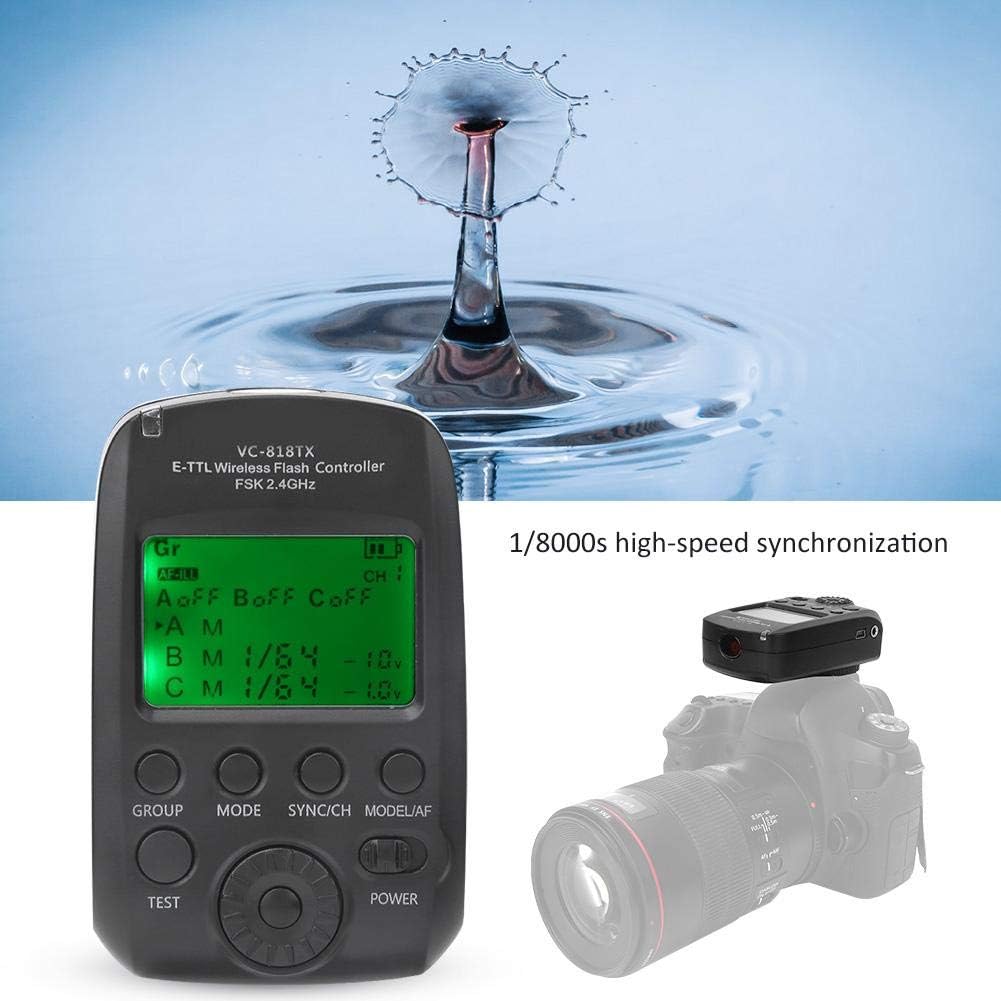
Image 1.1: The VBESTLIFE VC-818TX E-TTL Wireless Flash Controller, demonstrating its high-speed synchronization capability with a water drop effect.
2. Safety Information
- Do not expose the device to water or excessive humidity.
- Avoid dropping or subjecting the device to strong impacts.
- Keep the device away from direct sunlight and high temperatures.
- Do not attempt to disassemble or repair the device yourself. Refer to qualified service personnel.
- Use only specified batteries (if applicable) and dispose of them properly.
- Ensure the device is securely mounted to the camera hot shoe to prevent accidental detachment.
3. Product Overview
The VC-818TX features a clear LCD screen and intuitive controls for easy operation. Familiarize yourself with the main components:

Image 3.1: Front view of the VC-818TX controller, highlighting the LCD display, GROUP, MODE, SYNC/CH, MODEL/AF, TEST, and POWER buttons, and the control dial.
- LCD Display: Shows current settings, flash mode, channel, ID, and group information.
- GROUP Button: Selects flash groups (A, B, C).
- MODE Button: Cycles through flash modes (TTL, Manual, Multi/Strobe).
- SYNC/CH Button: Adjusts synchronization settings and wireless channels.
- MODEL/AF Button: Activates modeling light or auxiliary focus assist.
- TEST Button: Triggers a test flash.
- POWER Button: Turns the unit on/off.
- Control Dial: Navigates menus and adjusts parameter values.

Image 3.2: Side view of the VC-818TX mounted on a camera, showing the USB port and 2.5mm sync port.
- Hot Shoe Mount: For attaching the controller to your camera's hot shoe.
- USB Port: For firmware upgrades.
- 2.5mm Sync Port: For connecting to cameras or studio flashes via sync cable.
4. Setup
4.1. Battery Installation
The VC-818TX typically uses AA batteries. To install:
- Locate the battery compartment cover on the back of the unit.
- Slide the cover open.
- Insert the batteries, ensuring correct polarity (+/-).
- Close the battery compartment cover securely.
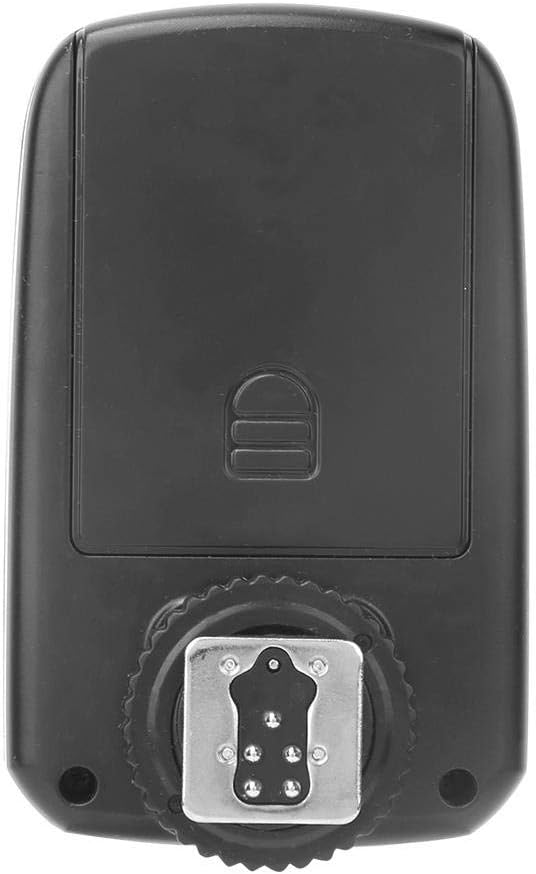
Image 4.1: Rear view of the VC-818TX, showing the battery compartment cover and hot shoe mount.
4.2. Mounting on Camera
To attach the controller to your camera:
- Slide the hot shoe mount of the VC-818TX into your camera's hot shoe.
- Tighten the locking ring or lever (if present) on the controller to secure it firmly.
- Ensure the controller is fully seated and locked to prevent accidental dislodgement.
Image 4.2: The VC-818TX controller securely mounted on a camera's hot shoe.
5. Operating Instructions
5.1. Power On/Off
Press and hold the POWER button to turn the unit on or off.
5.2. Setting Channels and IDs
The VC-818TX operates on a 2.4G wireless system with 8 channels and 30 IDs to prevent interference. To set:
- Press the SYNC/CH button to enter channel setting mode.
- Use the control dial to select the desired channel (1-8).
- Press the SYNC/CH button again to switch to ID setting mode.
- Use the control dial to select the desired ID (1-30).
- Ensure your remote flash units are set to the same channel and ID as the controller.
5.3. Group Control (A, B, C)
The controller supports three independent groups (A, B, C) for flexible lighting setups.
- Press the GROUP button to cycle through groups A, B, C, or all groups.
- Once a group is selected, use the control dial to adjust its power output or mode.
- Individual groups can be turned on or off as needed.

Image 5.1: The VC-818TX controller managing three separate flash units (A, B, C) for multi-group lighting.
5.4. Flash Modes (TTL, Manual, Strobe)
Press the MODE button to switch between the following flash modes:
- TTL (Through-The-Lens): Automatic flash exposure based on camera metering.
- Manual (M): Allows manual adjustment of flash power output (e.g., 1/1 to 1/128).
- Multi (Strobe): Fires a series of rapid flashes during a single exposure for creative effects.
Use the control dial to adjust parameters within each mode.
5.5. High-Speed Synchronization (HSS)
The VC-818TX supports 1/8000s high-speed synchronization, allowing you to use flash at shutter speeds faster than your camera's native sync speed. This is ideal for freezing fast motion or using wide apertures in bright conditions. Ensure your camera and flash units also support HSS.
5.6. Auxiliary Focus Function
The controller includes an auxiliary focus assist light to help your camera achieve focus in low-light conditions. Activate this feature by pressing the MODEL/AF button.
5.7. Firmware Upgrade
The VC-818TX supports USB firmware upgrades. Connect the controller to a computer using a USB cable and follow the instructions provided on the VBESTLIFE website for the latest firmware updates.
6. Maintenance
- Cleaning: Use a soft, dry cloth to clean the exterior of the controller. Do not use liquid cleaners or solvents.
- Storage: When not in use for extended periods, remove the batteries to prevent leakage. Store the unit in a cool, dry place, away from dust and extreme temperatures.
- Hot Shoe Contacts: Keep the hot shoe contacts clean and free from debris to ensure proper communication with the camera.
7. Troubleshooting
| Problem | Possible Cause | Solution |
|---|---|---|
| Controller does not power on. | Dead or incorrectly installed batteries. | Replace batteries or ensure correct polarity. |
| Flash units not firing. | Incorrect channel/ID settings; flash units not powered on; out of range. | Verify channel and ID match on controller and flashes. Ensure flashes are on. Move flashes closer to the controller. |
| Inconsistent flash exposure. | TTL metering issues; incorrect manual power settings. | Check camera's exposure settings. Adjust flash exposure compensation. In manual mode, adjust power output. |
| High-speed sync not working. | Camera or flash unit does not support HSS; HSS not enabled. | Ensure all components support HSS. Check camera and controller settings to enable HSS. |
| LCD display is blank or flickering. | Low battery power; internal fault. | Replace batteries. If problem persists, contact customer support. |
8. Specifications
| Feature | Detail |
|---|---|
| Model | VC-818TX |
| Wireless System | 2.4G FSK |
| Channels | 8 |
| IDs | 30 |
| Groups | A, B, C |
| Synchronization Speed | Up to 1/8000s (High-Speed Sync) |
| Flash Modes | E-TTL, Manual, Multi (Strobe) |
| Display | LCD |
| Firmware Upgrade | USB Port |
| Auxiliary Focus | Supported |
| Compatible Flash Units | VCHSS/TTL/VCHHLR/VCHH/VE PLUS/VL PLUS/VISICO4/VISICO5 |
| Compatible Cameras | Canon 450D/600D/700D/750D/800D/5D2/5D3/5D4/5DS/6D/6D2/7D/7D2/70D/80D/1D3/1D4/1DX |
| Item Weight | 4.2 ounces |
| ASIN | B0839BHD7P |
| UPC | 738589220082 |

Image 8.1: Dimensions of the VC-818TX controller, showing approximate measurements of 90mm (3.54in) height, 56mm (2.2in) width, and 40mm (1.57in) depth.
9. Warranty and Support
For warranty information and technical support, please refer to the official VBESTLIFE website or contact your retailer. Keep your purchase receipt as proof of purchase for warranty claims.
For further assistance, you may visit the VBESTLIFE Store on Amazon.


