
1. Introduction
This manual provides detailed instructions for the safe and effective use of the Aexit FS-10 Single Pole Fuse and Fuse Holder. It is designed to protect electrical distribution installations with a rated voltage of 250V AC and rated currents up to 10A against damage from overloads and short-circuit currents. Please read this manual thoroughly before installation and operation to ensure proper function and safety.
2. Product Overview
The Aexit FS-10 is a single-pole fuse holder designed for use with 6 x 30mm fuses. It provides essential circuit protection by housing a fuse that interrupts the electrical current when an overload or short circuit occurs, preventing damage to connected equipment and wiring. The holder features a robust construction of hard plastic and metal components, ensuring durability and reliable performance.
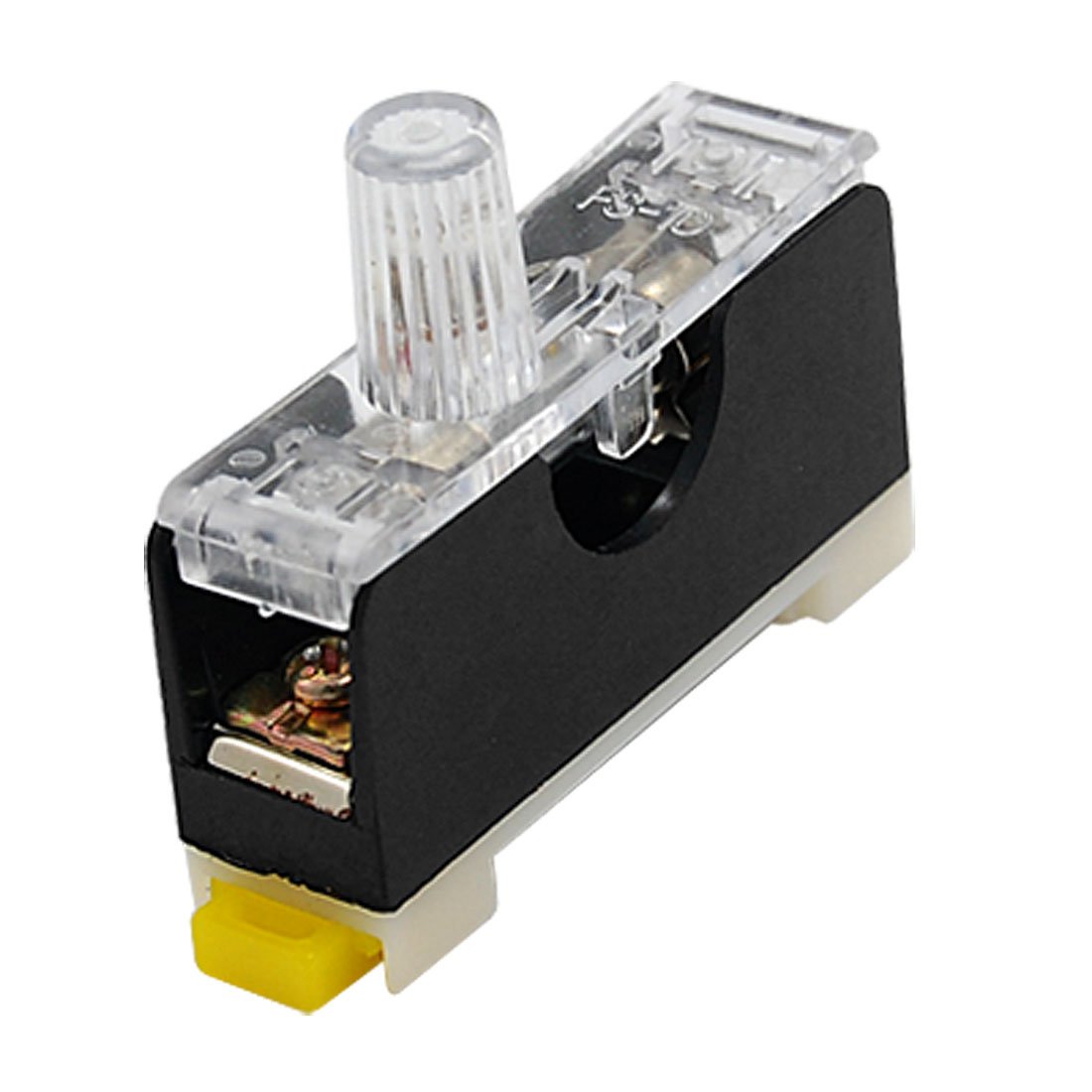
Figure 2.1: An image showing the Aexit FS-10 Single Pole Fuse and Fuse Holder. The device features a black base with a clear plastic cover, revealing the internal fuse and metal contacts. A clear, ribbed cap is visible on top, designed for easy fuse insertion and removal. A small yellow tab is present at the bottom for mounting or release.
3. Specifications
| Feature | Specification |
|---|---|
| Product Type | Fuse + Fuse Holder |
| Model Type | FS-10 |
| Suitable Fuse Size | 6 x 30mm (Diameter x Height) |
| Rated Voltage | 250V AC |
| Rated Current | 10A |
| Pole Number | 1 (Single Pole) |
| Material | Hard Plastic & Metal |
| Holder Dimensions (L x W x T) | 5.5 x 1.6 x 3.1 cm (2.2" x 0.6" x 1.2") |
| Weight | 21g |
4. Safety Information
WARNING: Electrical work can be dangerous. Always follow local electrical codes and safety regulations. If you are unsure about any part of the installation or operation, consult a qualified electrician.
- Always disconnect power to the circuit at the main breaker or fuse box before installing, removing, or servicing the fuse holder or fuse.
- Ensure the fuse holder and fuse ratings (voltage and current) match the requirements of your electrical system and the device being protected.
- Do not use a fuse with a higher current rating than specified, as this can lead to overheating and fire hazards.
- Inspect the fuse holder for any signs of damage before installation. Do not install damaged components.
- Keep hands and tools away from live electrical parts.
5. Setup and Installation
Follow these steps for proper installation of the Aexit FS-10 Fuse Holder:
- Power Disconnection: Before beginning any work, ensure that the power supply to the circuit where the fuse holder will be installed is completely disconnected at the main power source (e.g., circuit breaker panel). Verify with a voltage tester.
- Mounting the Holder: Secure the fuse holder base to a stable, non-conductive surface using appropriate fasteners (not included). Ensure it is mounted in a location that allows for easy access for fuse replacement and inspection.
- Wiring: Connect the electrical wires to the terminals of the fuse holder. Ensure that the connections are tight and secure to prevent loose contacts, which can cause overheating. The fuse holder is designed for single-pole applications, meaning it interrupts one side of the circuit.
- Fuse Insertion:
- Ensure you are using a 6 x 30mm fuse with the correct current rating (e.g., 10A) for your application.
- Carefully insert the fuse into the designated slot within the clear plastic cover.
- Close the clear plastic cover securely over the fuse holder. The ribbed cap should be firmly in place.
- Power Restoration: Once the installation is complete and all connections are verified, restore power to the circuit.
6. Operation
The Aexit FS-10 Fuse Holder operates passively to protect your electrical circuit. When the current flowing through the circuit exceeds the fuse's rated amperage due to an overload or short circuit, the metallic element within the fuse will melt, breaking the circuit and preventing damage to downstream components. This is indicated by the fuse "blowing."
If power to the protected circuit is lost, the first step in troubleshooting should be to inspect the fuse within the holder. A blown fuse will typically show a broken filament or a darkened glass tube.
7. Maintenance
Regular maintenance ensures the continued reliability of your fuse holder:
- Periodic Inspection: Periodically inspect the fuse holder for any signs of physical damage, discoloration, or loose connections. Ensure the clear cover is intact and securely closed.
- Fuse Replacement:
- Always disconnect power before replacing a fuse.
- Carefully open the clear plastic cover and remove the blown fuse.
- Replace it with a new fuse of the exact same type and rating (6 x 30mm, 10A). Never use a fuse with a different rating.
- Securely close the cover and restore power.
- Cleaning: If necessary, gently clean the exterior of the fuse holder with a dry, lint-free cloth. Do not use liquids or abrasive cleaners.
8. Troubleshooting
If you encounter issues with your Aexit FS-10 Fuse Holder, consider the following:
- Frequent Fuse Blowing:
- Cause: Overload in the circuit, short circuit, or incorrect fuse rating.
- Solution: Disconnect power. Check all connected devices for faults. Ensure the total current draw does not exceed the fuse's rating. Verify that the fuse rating is appropriate for the circuit. If the problem persists, consult a qualified electrician.
- No Power to Circuit (Fuse Intact):
- Cause: Loose wiring connections, fault elsewhere in the circuit, or main breaker tripped.
- Solution: Disconnect power. Check all wiring connections to the fuse holder for tightness. Inspect other components in the circuit. Check the main circuit breaker.
- Overheating of Holder:
- Cause: Loose connections, incorrect fuse rating, or continuous overload.
- Solution: Immediately disconnect power. Check all connections for tightness. Ensure the fuse rating is correct. Reduce the load on the circuit. If overheating continues, replace the fuse holder and consult an electrician.
9. Warranty and Support
Information regarding product warranty is not provided in this manual. For warranty details, technical support, or further assistance, please contact Aexit customer service or refer to the product packaging and purchase documentation.