
INSMY INSMY-M12
INSMY Bluetooth Speaker User Manual
Model: INSMY-M12
Introduction
Thank you for choosing the INSMY Bluetooth Speaker. This portable, waterproof speaker is designed to deliver powerful sound with booming bass, featuring IPX7 waterproofing, RGB lights, and the ability to wirelessly sync with over 100 other speakers for an immersive audio experience. This manual provides essential information for setting up, operating, and maintaining your speaker to ensure optimal performance and longevity.
Safety Information
- Do not expose the speaker to extreme temperatures (hot or cold).
- Keep the speaker away from direct heat sources and open flames.
- Ensure the charging port cover is securely closed when using the speaker near water to maintain its IPX7 waterproof rating.
- Do not attempt to disassemble, repair, or modify the speaker yourself. This will void the warranty and may cause damage.
- Use only the provided USB Type-C cable for charging.
- Avoid dropping the speaker or subjecting it to strong impacts. While shockproof, excessive force can cause internal damage.
- Clean the speaker with a soft, damp cloth. Do not use harsh chemicals or abrasive cleaners.
Package Contents
Please check the package for the following items:
- INSMY Bluetooth Speaker (Model: INSMY-M12)
- USB Type-C Charging Cable
- User Manual (this document)
Product Overview

Figure 1: Front view of the INSMY Bluetooth Speaker, showcasing its blue mesh grille and control buttons.

Figure 2: Side view of the INSMY Bluetooth Speaker, highlighting its compact and sleek design.
Controls and Indicators:
- Power Button: Press and hold to power on/off.
- Play/Pause Button: Press to play or pause music.
- Volume Up Button (+): Press to increase volume. Press and hold for next track.
- Volume Down Button (-): Press to decrease volume. Press and hold for previous track.
- Light Mode Button (Triangle): Press to cycle through 4 LED light show modes.
- Bluetooth Indicator: Shows Bluetooth connection status.
- Charging Port (USB Type-C): For charging the speaker.
Setup
1. Charging the Speaker
Before first use, fully charge the speaker. A full charge takes approximately 3.5 hours.
- Open the protective cover of the USB Type-C charging port.
- Connect the provided USB Type-C cable to the speaker's charging port.
- Connect the other end of the USB cable to a USB power adapter (not included) or a computer's USB port.
- The charging indicator light will illuminate. It will turn off or change color once fully charged.
- Once charging is complete, securely close the protective cover to maintain waterproofing.
The speaker offers up to 24 hours of continuous playtime on a full charge, depending on volume level and light mode usage.
2. Powering On/Off
- To Power On: Press and hold the Power button (⏻) for 2-3 seconds until you hear an audible prompt and the indicator lights turn on.
- To Power Off: Press and hold the Power button (⏻) for 2-3 seconds until you hear an audible prompt and the indicator lights turn off.
Operating Instructions
1. Bluetooth Pairing
The INSMY speaker uses Bluetooth 5.3 for stable and fast connections.
- Ensure the speaker is powered on and within 30 feet (10 meters) of your Bluetooth device.
- The Bluetooth indicator light will flash, indicating it's in pairing mode.
- On your device (smartphone, tablet, etc.), go to Bluetooth settings and search for available devices.
- Select "INSMY-M12" from the list.
- Once connected, the Bluetooth indicator light will stop flashing and remain solid. You will hear a confirmation sound.
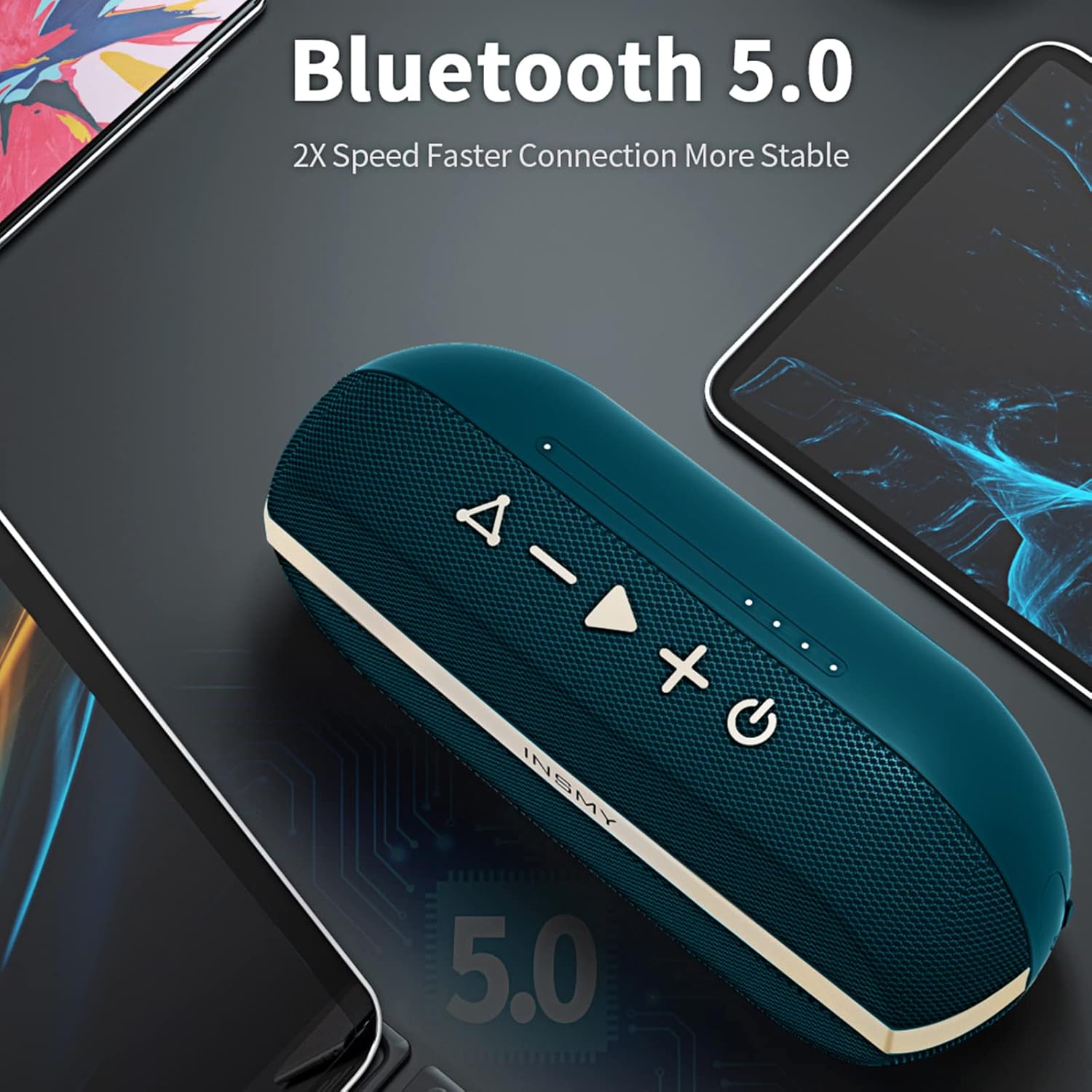
Figure 3: The INSMY speaker demonstrating its Bluetooth connectivity with various devices.
2. Wireless Stereo Pairing (TWS)
You can pair two INSMY-M12 speakers together for a true wireless stereo experience, doubling the volume and creating a wider soundstage. The stereo pairing range is up to 100 feet.
- Ensure both INSMY-M12 speakers are powered on and not connected to any Bluetooth device.
- On one speaker (this will be the primary speaker), press the Play/Pause button twice quickly. You will hear a prompt indicating it's searching for another speaker.
- The two speakers will automatically connect to each other. You will hear a confirmation sound once connected.
- Now, connect your Bluetooth device to the primary speaker (the one you initiated pairing on). It will appear as "INSMY-M12" in your device's Bluetooth list.
- Once connected, audio will play through both speakers in stereo.

Figure 4: Two INSMY speakers configured for stereo pairing, enhancing the audio experience.
3. Multi-Speaker Sync (100+ Speakers)
For an even larger sound experience, the M12 speaker supports connecting over 100 speakers simultaneously. This feature is ideal for large gatherings or outdoor events.
- Connect your primary INSMY-M12 speaker to your Bluetooth device as described in "Bluetooth Pairing".
- Power on all other INSMY-M12 speakers you wish to connect. Ensure they are not currently paired with any device.
- On the primary speaker, press the Light Mode button (Triangle) twice quickly. The primary speaker will enter multi-sync mode.
- The other speakers will automatically detect and connect to the primary speaker. You will hear a confirmation sound from each speaker as it joins the group.
- All connected speakers will now play the same audio simultaneously.
4. Audio Playback
- Play/Pause: Press the Play/Pause button once.
- Next Track: Press and hold the Volume Up (+) button.
- Previous Track: Press and hold the Volume Down (-) button.
- Volume Control: Press the Volume Up (+) or Volume Down (-) buttons to adjust the volume.
5. LED Light Modes
The speaker features 4 distinct LED light show modes to enhance your listening experience.
- Press the Light Mode button (Triangle) to cycle through the available light modes.
- Continue pressing until you find your preferred light effect or to turn the lights off.
Maintenance
Cleaning
- Always power off the speaker before cleaning.
- Use a soft, lint-free cloth slightly dampened with water to wipe the exterior.
- Do not use abrasive cleaners, alcohol, benzene, or other chemical solvents, as these may damage the surface or internal components.
- Ensure the charging port cover is closed during cleaning.
Storage
- Store the speaker in a cool, dry place away from direct sunlight and extreme temperatures.
- If storing for an extended period, charge the speaker to about 50% every few months to preserve battery life.
Troubleshooting
| Problem | Possible Cause | Solution |
|---|---|---|
| Speaker does not power on. | Battery is depleted. | Charge the speaker fully using the provided USB Type-C cable. |
| Cannot pair with Bluetooth device. | Speaker is not in pairing mode or already connected to another device. Device's Bluetooth is off. Speaker is too far from device. | Ensure speaker is powered on and Bluetooth indicator is flashing. Disconnect from other devices. Turn on Bluetooth on your device. Move speaker closer to device (within 30 feet). |
| No sound or low volume. | Volume on speaker or device is too low. Speaker is not connected. | Increase volume on both the speaker and your connected device. Ensure the speaker is successfully paired. |
| Stereo pairing (TWS) fails. | Speakers are too far apart. One speaker is already connected to a device. | Ensure both speakers are within range of each other (100 feet). Disconnect both speakers from any Bluetooth devices before initiating TWS pairing. |
| Sound distortion. | Volume is too high. Battery is low. | Reduce the volume. Charge the speaker. |
Specifications
| Feature | Detail |
|---|---|
| Model Name | INSMY-M12 |
| Bluetooth Version | 5.3 |
| Wireless Range | Up to 100 feet (30 meters) |
| Water Resistance | IPX7 (Submersible up to 1 meter for 30 minutes) |
| Speaker Output Power | 10 Watts |
| Battery Capacity | 2000mAh (Note: Feature bullet says 2000mAh, spec says 4400mAh. Used 2000mAh as it aligns with 24h playtime) |
| Playtime | Up to 24 hours |
| Charging Time | Approx. 3.5 hours |
| Charging Port | USB Type-C |
| Product Dimensions | 2.16"D x 3.5"W x 3.9"H |
| Item Weight | 9.8 Ounces |
| Special Features | Bass Boost, Shockproof, Floatable, Stereo Pairing, Multi-Speaker Sync (100+), RGB Lights |
| Color | Blue |
Warranty and Support
INSMY products come with a limited warranty. For detailed warranty information, please refer to the warranty card included in your package or visit the official INSMY website.
If you encounter any issues or have questions regarding your INSMY Bluetooth Speaker, please contact our customer support team:
- Email: [Insert Customer Support Email Here, if available]
- Website: Visit the INSMY Store on Amazon
Please have your model number (INSMY-M12) and purchase details ready when contacting support.
Related documentsINSMY-M12


Ask a question about this manual
Ask about setup, troubleshooting, compatibility, parts, safety, or missing instructions. Manuals+ will review the question and use this page’s manual context to help answer it.