
1. Introduction
Thank you for purchasing the blonbar Desk Lamp with Alarm Clock Qi Wireless Charger. This innovative 4-in-1 device integrates an LED lamp, digital alarm clock, wireless charger, and wake-up light into a single, sleek design. It is ideal for use in bedrooms, living rooms, or offices, providing convenience and functionality for various daily needs.
2. Product Overview & Key Features
- 4-in-1 Multifunctionality: Combines an LED lamp, digital alarm clock, Qi wireless charger, and wake-up light.
- Qi Wireless Charging: Supports 10W Max wireless charging for Qi-certified smartphones.
- Dimmable LED Lamp: Features 3 adjustable brightness levels with highly sensitive touch control.
- Digital Alarm Clock: Includes a digital time display with 2 independent alarm settings.
- Wake-Up Light Function: Gradually increases light brightness 10 minutes before the set alarm time for a gentle awakening.
- Snooze Function: Allows for an additional 10 minutes of sleep, up to three times.
- Natural Sound Machine: Offers 10 built-in natural sounds for relaxation or sleep, with adjustable volume and a countdown timer (30/60/90 minutes).
- Power Off Memory: Retains time and alarm settings even after power disconnection.

3. Package Contents
- blonbar Desk Lamp with Alarm Clock Qi Wireless Charger (Model AJ310)
- Power Adapter
- Instruction Manual
4. Setup
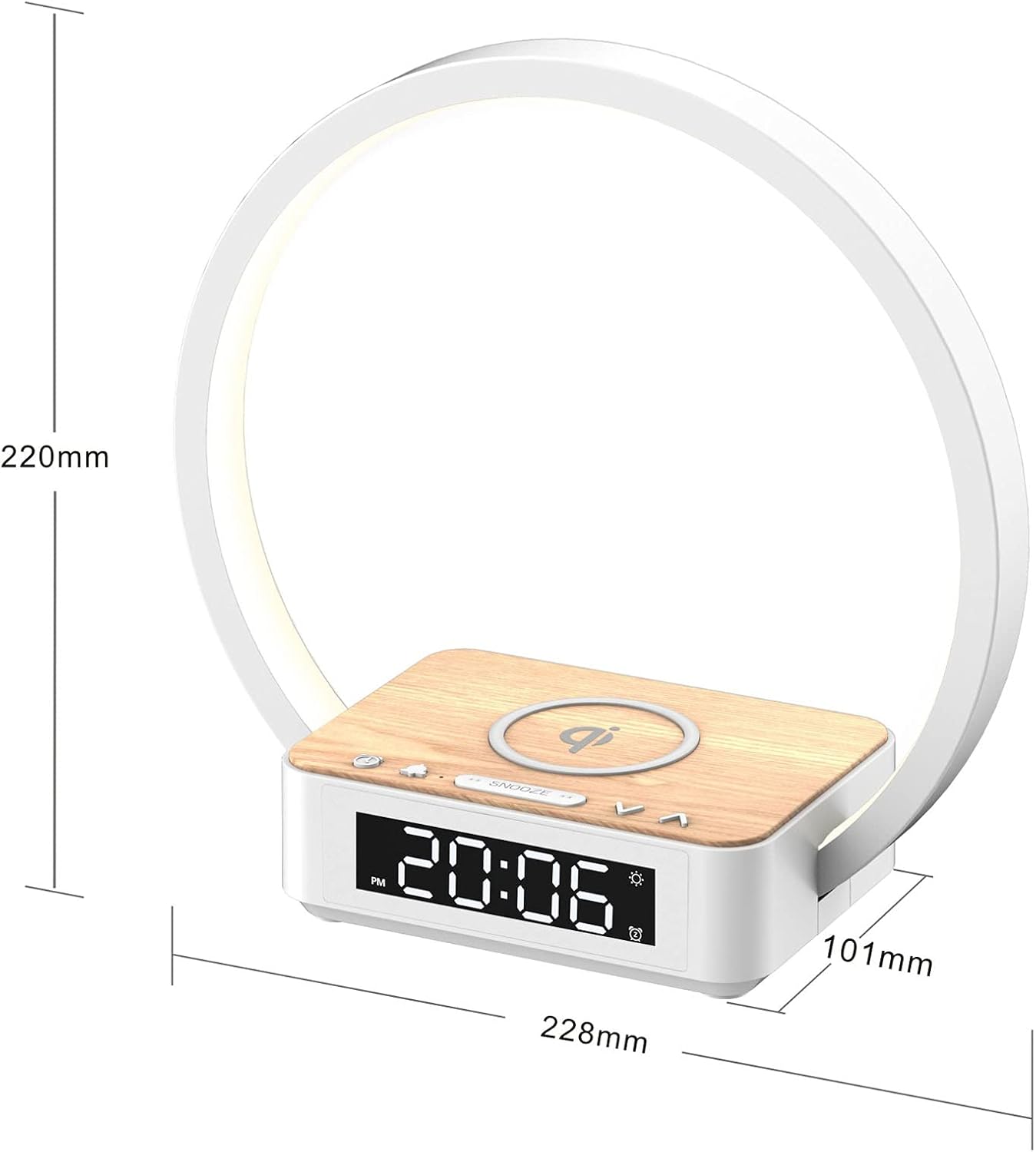
- Assembly: Carefully align the main body (speaker/clock unit) with the light ring and the wireless charging pad base. Ensure the clips on the main body slide into the slots on the light ring and base, then slide to secure until a clicking sound is heard. This ensures proper connection for both the light and wireless charging functions.
- Power Connection: Connect the provided power adapter to the DC 12V input port on the back of the device. Plug the adapter into a standard wall outlet. The clock display will illuminate.
- Initial Clock Setting: The clock will typically display 12:00 upon initial power-up. Proceed to the 'Operating Instructions' section for detailed time setting.
Video: Demonstrates the time setting operation of the blonbar Desk Lamp.
5. Operating Instructions
5.1. Light Operation
- Turn On/Off: Tap anywhere on the light ring to turn the lamp on or off.
- Adjust Brightness: Continue tapping the light ring to cycle through 3 brightness levels (low, medium, high).

5.2. Clock Setting
- Enter Setting Mode: Long press the 'Clock' button (usually indicated by a clock icon) until the hour digits start blinking.
- Set Hour: Rotate the dial (usually on the right side) to adjust the hour.
- Set Minute: Short press the 'Clock' button again. The minute digits will start blinking. Rotate the dial to adjust the minutes.
- Confirm Time: Short press the 'Clock' button once more to confirm the time. The digits will stop blinking.
- 12/24 Hour Format: In normal time display mode, short press the 'Clock' button to toggle between 12-hour (AM/PM) and 24-hour formats.
5.3. Alarm Setting (Alarm 1 & Alarm 2)
The device supports two independent alarms (Alarm 1 and Alarm 2).
- View Alarm Time: Short press the 'Alarm 1' or 'Alarm 2' button to display its current set time.
- Enter Setting Mode: While the alarm time is displayed, long press the corresponding 'Alarm 1' or 'Alarm 2' button until the hour digits start blinking.
- Set Hour: Rotate the dial to adjust the hour.
- Set Minute: Short press the 'Alarm' button again. The minute digits will blink. Rotate the dial to adjust the minutes.
- Set Alarm Volume: Short press the 'Alarm' button. The volume level will display. Rotate the dial to set the desired alarm volume.
- Select Alarm Sound: Short press the 'Alarm' button. The sound number will display. Rotate the dial to choose from the 10 natural sounds.
- Confirm Alarm: Short press the 'Alarm' button once more to confirm. The alarm icon (bell) will appear on the display, indicating the alarm is active.
- Turn Alarm On/Off: In normal time display mode, short press the 'Alarm 1' or 'Alarm 2' button to toggle the alarm on or off. The bell icon will appear/disappear accordingly.
5.4. Snooze Function
- When the alarm sounds, short press the 'Snooze' button to activate the snooze function. The alarm will pause for 10 minutes and then sound again. This can be repeated up to three times.
- To turn off the alarm completely, long press the 'Snooze' button or press the corresponding 'Alarm' button.

5.5. Wake-Up Light Function
- The wake-up light function is automatically activated when an alarm is set.
- 10 minutes before the set alarm time, the lamp will gradually turn on and increase in brightness, simulating a sunrise to gently wake you up.

5.6. Wireless Charging
- Place your Qi-compatible smartphone or other device directly onto the wireless charging pad located on the base of the lamp.
- Ensure the device is centered on the charging pad for optimal charging. A charging indicator (e.g., a lightning bolt icon) may appear on your device's screen or the lamp's display to confirm charging has begun.

Video: Demonstrates the wireless charging and clock features of the blonbar Desk Lamp.
5.7. Sound Machine Operation
- Activate/Cycle Sounds: Short press the 'Music Note' button to turn on the sound machine and cycle through the 10 natural sounds.
- Adjust Volume: Rotate the dial to increase or decrease the volume of the sound.
- Set Countdown Timer: Short press the 'S' button (Sleep Timer) to set a countdown for 30, 60, or 90 minutes. The sound machine will automatically turn off after the selected duration.
- Turn Off Sound Machine: Long press the 'Music Note' button or cycle through all sounds until 'OFF' is displayed.
6. Maintenance
- Cleaning: Use a soft, dry cloth to clean the surface of the device. Do not use abrasive cleaners or solvents.
- Storage: Store the device in a cool, dry place when not in use for extended periods.
- Safety: Keep away from water and high humidity. Do not disassemble the device.
7. Troubleshooting
- Lamp not turning on/off or adjusting brightness: Ensure the power adapter is securely connected. Tap firmly on different parts of the light ring.
- Wireless charging not working: Ensure your device is Qi-compatible and properly centered on the charging pad. Remove any thick phone cases that might interfere with charging. Verify the lamp is powered on.
- Alarm not sounding: Check if the alarm is activated (bell icon displayed). Ensure the alarm volume is not set to zero.
- Clock/Alarm settings lost: The device has a power-off memory function. If settings are lost, ensure the device was not unplugged for an extended period beyond its internal battery backup. Reset the time and alarms as per instructions.
8. Specifications
| Feature | Specification |
|---|---|
| Model Number | AJ310 |
| Brand | blonbar |
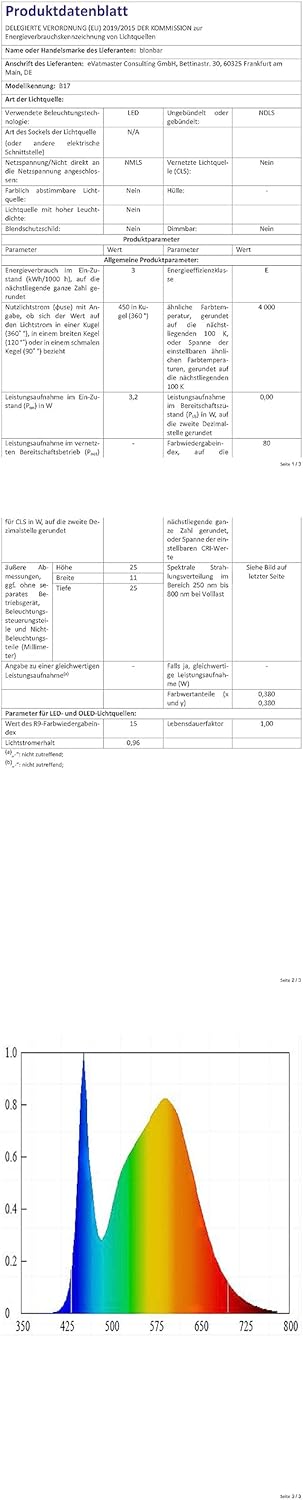
| Product Dimensions | 4.01"D x 5.62"W x 8.67"H |
| Item Weight | 0.6 Kilograms |
| Power Source | Corded Electric |
| Voltage | 12 Volts (DC) |
| Wattage | 12 watts |
| Light Source Type | LED |
| Number of Light Sources | 3 (Hues) |
| Control Method | Touch |
| Wireless Charging | 10W Max, Qi-Certified |
| Material Type | Acrylonitrile Butadiene Styrene, Wood |
| UPC | 778365239822 |

9. Warranty & Support
For warranty information or technical support, please refer to the product packaging or contact blonbar customer service directly. Contact details are typically available on the manufacturer's website or through your retailer.

