
1. Product Overview
This manual provides essential instructions for the safe and efficient use of your Dometic Ma Cave D28 Wine Cellar. Please read it thoroughly before installation and operation, and retain it for future reference.
The Dometic Ma Cave D28 Wine Cellar is designed to store your wine at optimal conditions. Key features include an indirect airflow system, dual temperature zones (5°C to 22°C), a UV-cut triple Low-E glass door, and a carbon filter for air purification. It also incorporates safety features such as a door lock and an alarm system for temperature deviations or an open door. The unit has a capacity of 28 bottles.
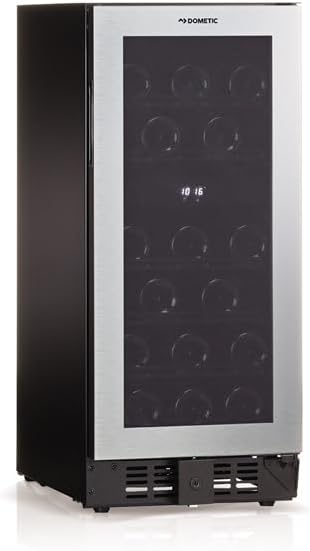
Figure 1: Front view of the Dometic Ma Cave D28 Wine Cellar.

Figure 2: The UV-cut triple Low-E glass door provides insulation and protection from harmful UV rays.
2. Setup and Installation
2.1 Unpacking
Carefully unpack the wine cellar. Inspect for any damage during transit. Report any damage to your retailer immediately. Retain all packaging materials for potential future transport.
2.2 Placement
Choose a location that is level, stable, and away from direct sunlight or heat sources. Ensure adequate ventilation around the unit. The wine cellar requires specific clearances for proper operation and heat dissipation:
- Top Clearance: Minimum 50mm (2 inches)
- Rear Clearance: Minimum 30mm (1.2 inches)
- Side Clearance: Minimum 30mm (1.2 inches)

Figure 3: Installation space requirements. Ensure sufficient clearance around the unit for ventilation.
2.3 Leveling
Adjust the leveling feet at the bottom of the unit to ensure it is perfectly level. This is crucial for proper door sealing and efficient operation.
2.4 Power Connection
Connect the power cord to a grounded electrical outlet. Ensure the voltage matches the specifications of the unit (AC100V, 50/60Hz).
3. Operating Instructions
3.1 Initial Startup
After plugging in the unit, allow it to stand for at least 2-4 hours before loading with wine. This allows the refrigerant to settle.
3.2 Temperature Control
The D28 model features two independent temperature zones. The internal temperature can be set between 5°C and 22°C. Use the control panel located inside the unit to adjust the desired temperature for each zone.

Figure 4: Digital display and temperature adjustment buttons for dual-zone control.
3.3 Loading Wine Bottles
The wine cellar is designed to accommodate up to 28 standard wine bottles. The shelves are adjustable to fit various bottle sizes, including thicker Burgundy and Champagne bottles. Ensure bottles are placed securely on the shelves.
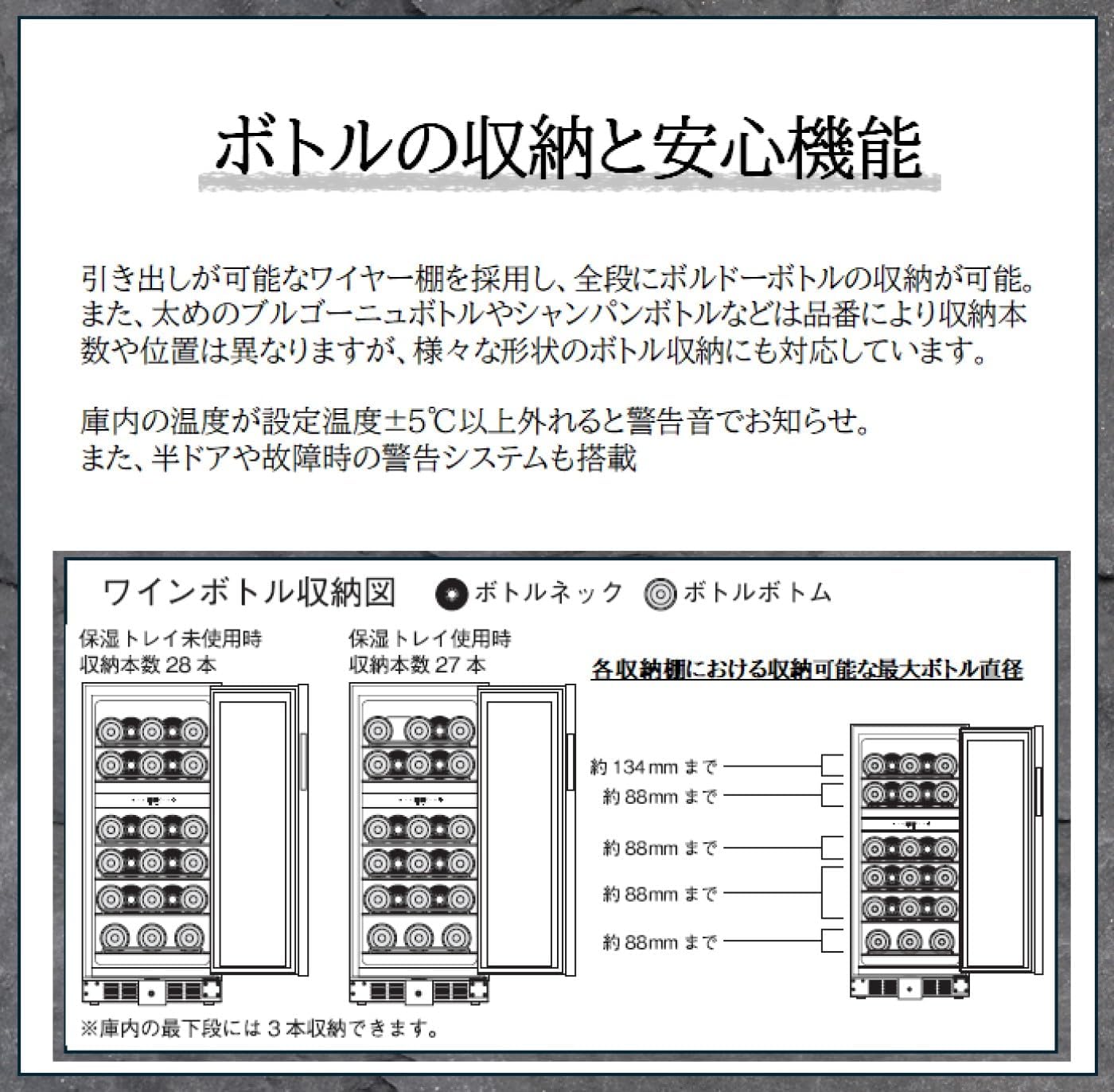
Figure 5: Bottle storage diagram showing maximum bottle diameters and configurations.
3.4 Door Lock Function
The glass door is equipped with a lock function to secure your wine collection. Use the provided key to lock and unlock the door.
4. Maintenance
4.1 Cleaning the Interior
To clean the interior, unplug the unit and remove all bottles and shelves. Wipe the interior surfaces with a soft cloth dampened with a mild detergent solution. Rinse with clean water and dry thoroughly before replacing shelves and bottles.
4.2 Cleaning the Exterior
Clean the exterior surfaces with a soft, damp cloth. For the glass door, use a glass cleaner. Avoid abrasive cleaners or solvents that could damage the finish.
4.3 Carbon Filter Replacement
The wine cellar is equipped with a carbon filter to purify the air inside. This filter should be replaced periodically (e.g., every 6-12 months) to maintain optimal air quality. Refer to the accessory list for replacement filter details.
4.4 Defrosting
The unit features an automatic defrost function. If excessive ice buildup occurs, manually defrost by unplugging the unit and leaving the door open until the ice melts. Collect melted water and dry the interior before restarting.
5. Troubleshooting
Before contacting customer service, please check the following common issues:
| Problem | Possible Cause | Solution |
|---|---|---|
| Unit does not operate | No power supply | Check if the power cord is properly plugged in and the outlet is functional. |
| Temperature is not cold enough | Door not closed properly; ambient temperature too high; ventilation blocked | Ensure door is fully closed. Move unit away from heat sources. Check and clear ventilation openings. |
| Excessive noise | Unit not level; objects touching the back of the unit | Adjust leveling feet. Ensure nothing is touching the unit. |
| Alarm sounds | Door left open; internal temperature deviation | Close the door completely. Check temperature settings and ambient conditions. |
6. Product Specifications
| Feature | Specification |
|---|---|
| Model | D28 |
| Brand | Dometic |
| Color | Black |
| Storage Capacity | 28 bottles |
| Volume | 85 liters |
| Product Dimensions (W x D x H) | 37.5 cm x 57 cm x 87 cm |
| Product Weight | 38 kg |
| Rated Voltage | AC100V (50/60Hz) |
| Rated Power Consumption | 60W |
| Settable Temperature Range | 5°C to 22°C |
| Door Type | UV-cut triple Low-E glass |
| Number of Shelves | 6 (5 large, 1 small) |
| Defrost System | Automatic |
| Accessories Included | 5 Large Shelves, 1 Small Shelf, 1 Humidity Tray, 1 Sponge for Humidity Tray, 1 Humidity Tray Stand, 1 Carbon Filter |

Figure 6: Detailed product dimensions (Width: 37.5cm, Depth: 57cm, Height: 87cm).

Figure 7: Model comparison table, highlighting specifications for D92, D28, and D17 models.
7. Warranty and Support
For warranty information and customer support, please refer to the warranty card included with your product or visit the official Dometic website. Keep your purchase receipt as proof of purchase.
For service inquiries, please contact Dometic customer service directly. Contact details can typically be found on the Dometic official website or in the product packaging.


