
NOYAFA NF-8209
NOYAFA NF-8209 Network Cable Tester User Manual
Model: NF-8209 | Brand: NOYAFA
Introduction
The NOYAFA NF-8209 is a professional-grade network cable tester designed for comprehensive cable testing and troubleshooting. It integrates multiple functions including PoE voltage detection, NCV (Non-Contact Voltage) testing, digital cable scanning, accurate cable length measurement, and port flashing, making it an essential tool for network engineers, technicians, and DIY enthusiasts for home network maintenance and repair.
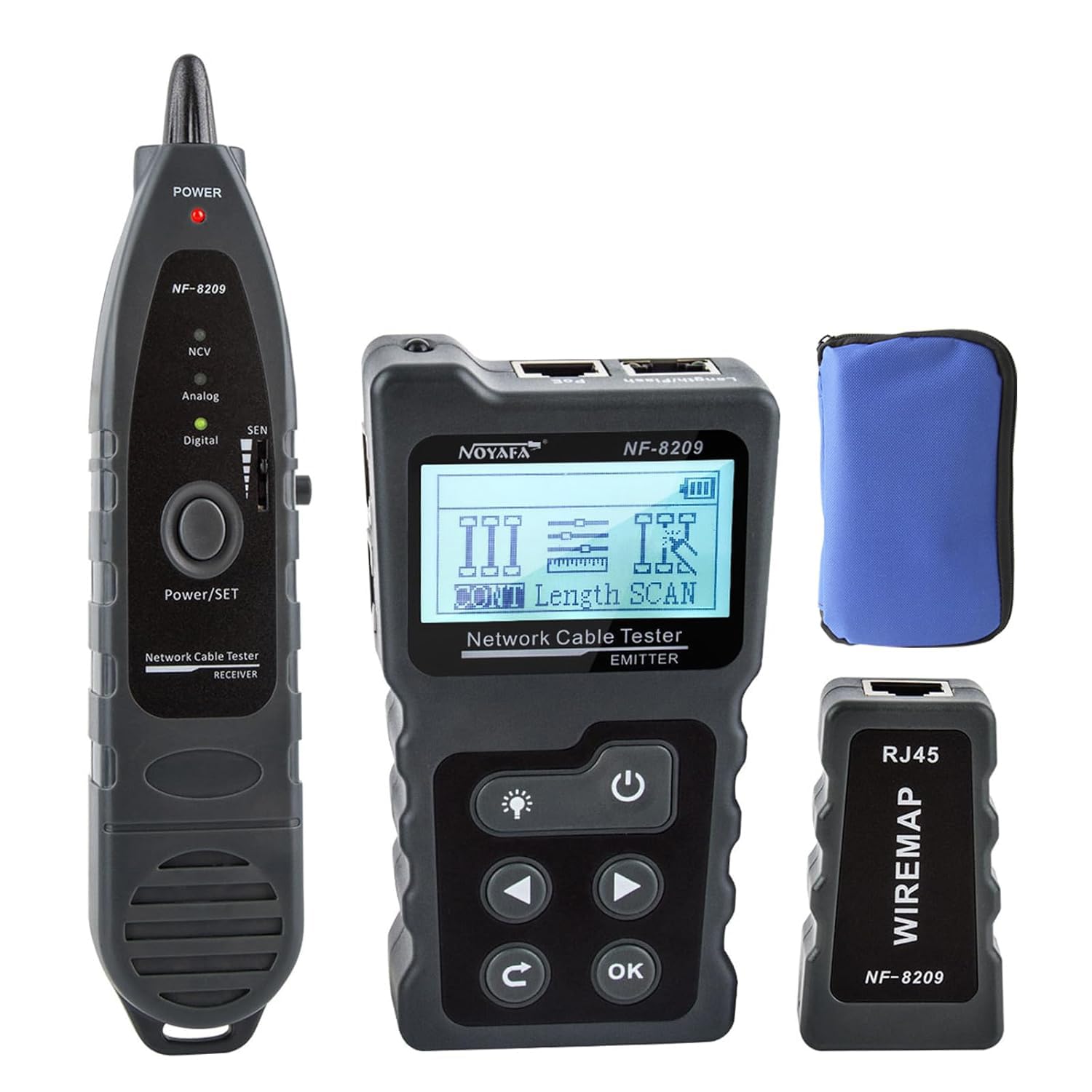
Figure 1: Main components of the NOYAFA NF-8209 Network Cable Tester.
What's in the Box
Upon opening the package, ensure all the following items are present:
- NF-8209 Emitter (Main Unit)
- NF-8209 Receiver (Probe)
- NF-8209 Wiremap Adapter (Remote Unit)
- Instruction Manual
- Carrying Pouch
- RJ45 Cable
- RJ11 Cable
- Alligator Clip Cable
- USB Charging Cable

Figure 2: Packaging contents of the NF-8209 Network Cable Tester.
Key Features
The NOYAFA NF-8209 offers a robust set of features for comprehensive network cable testing:
- Cable Tester: Utilizes digital signal receiving technology to detect PoE voltage, current, power, and PSE standards (at/af standard), while identifying the power supply mode and verifying RJ45 cable integrity.
- Digital Cable Scanning: Features three cable finding modes: AC filter mode, analog mode, and PoE mode, suitable for various cable tracing scenarios.
- AC Voltage Detection (NCV): Detects AC voltage presence from 50V to 1000V and tests the physical status of STP and UTP LAN cables.
- Port Flashing: Easily locates network ports by observing flashing port lights on 10M/100M/1000M Hub/Switch.
- Cable Length Test: Accurately measures cable length within a range of 120 meters, displaying results on the screen for easy analysis.
- Cable Fault Testing: Identifies short circuits, open circuits, and crossed wires.

Figure 3: The NF-8209 is suitable for both professional wiring engineers and home network troubleshooting.
Setup and Initial Use
- Unpacking: Carefully remove all components from the packaging and verify against the 'What's in the Box' section.
- Battery Installation/Charging: The NF-8209 emitter and receiver units are powered by internal lithium batteries. Before first use, fully charge both units using the provided USB charging cable and a compatible 5V USB power adapter. The display will indicate charging status.
- Power On/Off: Press and hold the power button on both the Emitter and Receiver units to turn them on or off.
- Navigation: Use the arrow keys and 'OK' button on the Emitter unit to navigate through menus and select functions.
Operating Modes and Functions
The NF-8209 offers several modes to address various cable testing needs. Select the desired mode from the main menu on the Emitter unit.
1. PoE Test
This function allows you to detect PoE voltage, current, power, and identify PSE standards (at/af) as well as the power supply mode of Power over Ethernet devices.
- Connect the network cable from the PoE source (e.g., PoE switch) to the 'PoE' port on the NF-8209 Emitter.
- Select 'PoE' mode on the Emitter.
- The display will show the PoE type, standard, and voltage.
Video 1: Demonstration of PoE testing with the NOYAFA NF-8209.

Figure 4: PoE testing in progress.
2. Digital Cable Scanning (Wire Tracing)
This mode helps in tracing and locating specific cables within a bundle or wall. It offers Digital, Analog, and PoE scan modes.
- Connect one end of the cable to be traced to the 'SCAN' port on the NF-8209 Emitter.
- Select 'SCAN' mode on the Emitter and choose your desired scan mode (Digital, Analog, or PoE).
- Turn on the Receiver unit and adjust its sensitivity.
- Move the Receiver's probe along the suspected cable path. The Receiver will emit an audible tone when it detects the signal from the Emitter, indicating the target cable.
Video 2: Demonstration of cable scanning and tracing with the NOYAFA NF-8209.

Figure 5: Three available wiring modes for scanning.

Figure 6: Cable scan in progress.
3. AC Voltage Detection (NCV)
The Receiver unit features a Non-Contact Voltage (NCV) function to detect live AC voltage without direct contact.
- Turn on the Receiver unit.
- Move the NCV sensor tip of the Receiver close to an AC voltage source (e.g., power outlet, live wire).
- The Receiver will indicate the presence of AC voltage through visual (LED) and/or audible alerts.

Figure 7: Using the NCV induction pen.
4. Port Flashing
This function helps identify the corresponding port on a network switch or hub when a cable is connected to the tester.
- Connect the network cable to the 'Length/Flash' port on the NF-8209 Emitter.
- Select 'Flash' mode on the Emitter.
- Observe the link/activity LEDs on your network switch. The LED corresponding to the connected cable will flash, allowing for easy identification.

Figure 8: Port flashing function in use.
5. Cable Length Test
Accurately measure the length of network cables (CAT5e, CAT6, CAT6a) up to 120 meters.
- Connect one end of the cable to be measured to the 'Length/Flash' port on the NF-8209 Emitter. Ensure the other end of the cable is open (not connected to anything).
- Select 'Length' mode on the Emitter.
- Press 'OK' to start the test. The display will show the measured cable length in meters.

Figure 9: Cable length measurement function.

Figure 10: Length measurement display.
6. Cable Fault Testing (Continuity)
This function tests the physical status of STP and UTP LAN cables, identifying issues like short circuits, open circuits, and crossed wires.
- Connect one end of the network cable to the 'CONT' port on the NF-8209 Emitter.
- Connect the other end of the cable to the 'RJ45 WIREMAP' remote unit.
- Select 'CONT' mode on the Emitter.
- The display will show the wiring sequence and identify any faults (e.g., open, short, cross).

Figure 11: Cable fault testing setup.

Figure 12: Continuity testing display.

Figure 13: Possible results on the line.
7. LED Light
The Receiver unit is equipped with an LED light to assist in working in dark environments, such as server racks or behind walls.
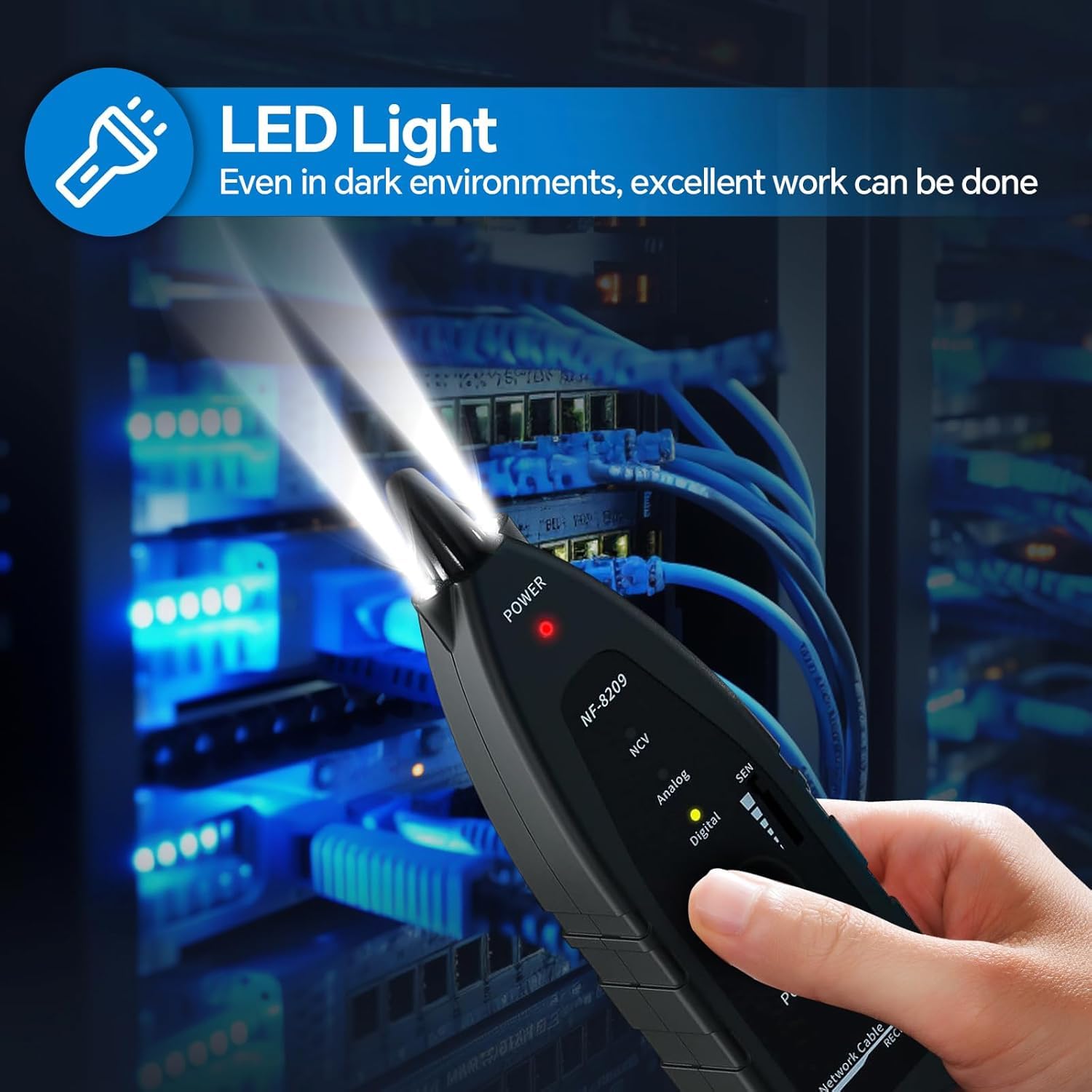
Figure 14: LED light for dark environments.
Maintenance
- Cleaning: Wipe the device with a soft, dry cloth. Do not use abrasive cleaners or solvents.
- Storage: Store the tester in its carrying pouch in a cool, dry place away from direct sunlight and extreme temperatures.
- Battery Care: For optimal battery life, charge the units regularly, especially if not used for extended periods. Avoid fully discharging the batteries.
Troubleshooting
- Device Not Powering On: Ensure the battery is charged. Connect the USB charging cable and allow it to charge for at least 30 minutes before attempting to power on again.
- Inaccurate Length Measurement: Ensure the cable is properly connected to the 'Length/Flash' port and the other end is open. Verify the cable type setting on the Emitter.
- No Signal During Scan: Check that both the Emitter and Receiver are powered on and set to the same scan mode (Digital, Analog, or PoE). Adjust the Receiver's sensitivity. Ensure the cable is correctly connected to the 'SCAN' port on the Emitter.
- Continuity Test Errors: Ensure both ends of the cable are securely connected to the 'CONT' port on the Emitter and the 'RJ45 WIREMAP' remote unit, respectively. Inspect the RJ45 connectors for damage.
Specifications
| Attribute | Detail |
|---|---|
| Model Number | NF-8209 |
| Product Dimensions | 5 x 3.5 x 9 inches |
| Item Weight | 14.82 ounces (420 Grams) |
| Power Source | Battery Powered (1 Lithium Metal battery required) |
| Color | Black |
| Cable Length Test Range | Up to 120 meters |
| PoE Detection | Voltage, Current, Power, PSE Standard (at/af) |
| NCV Detection | 50V to 1000V AC |
| Manufacturer | SHENZHEN NOYAFA ELECTRONIC CO.,LTD |
| Country of Origin | China |
| Date First Available | December 24, 2019 |
Warranty and Support
For detailed warranty information, technical support, or service inquiries, please refer to the official NOYAFA website or contact their customer service directly. Keep your purchase receipt as proof of purchase for any warranty claims.
Related documentsNF-8209


Ask a question about this manual
Ask about setup, troubleshooting, compatibility, parts, safety, or missing instructions. Manuals+ will review the question and use this page’s manual context to help answer it.