
Product Overview
The DELTA D75624SS is a 24-inch towel bar designed for bathroom use. It features a durable zinc construction with a stainless finish, providing both functionality and a modern aesthetic. This manual provides detailed instructions for safe installation, operation, and maintenance.
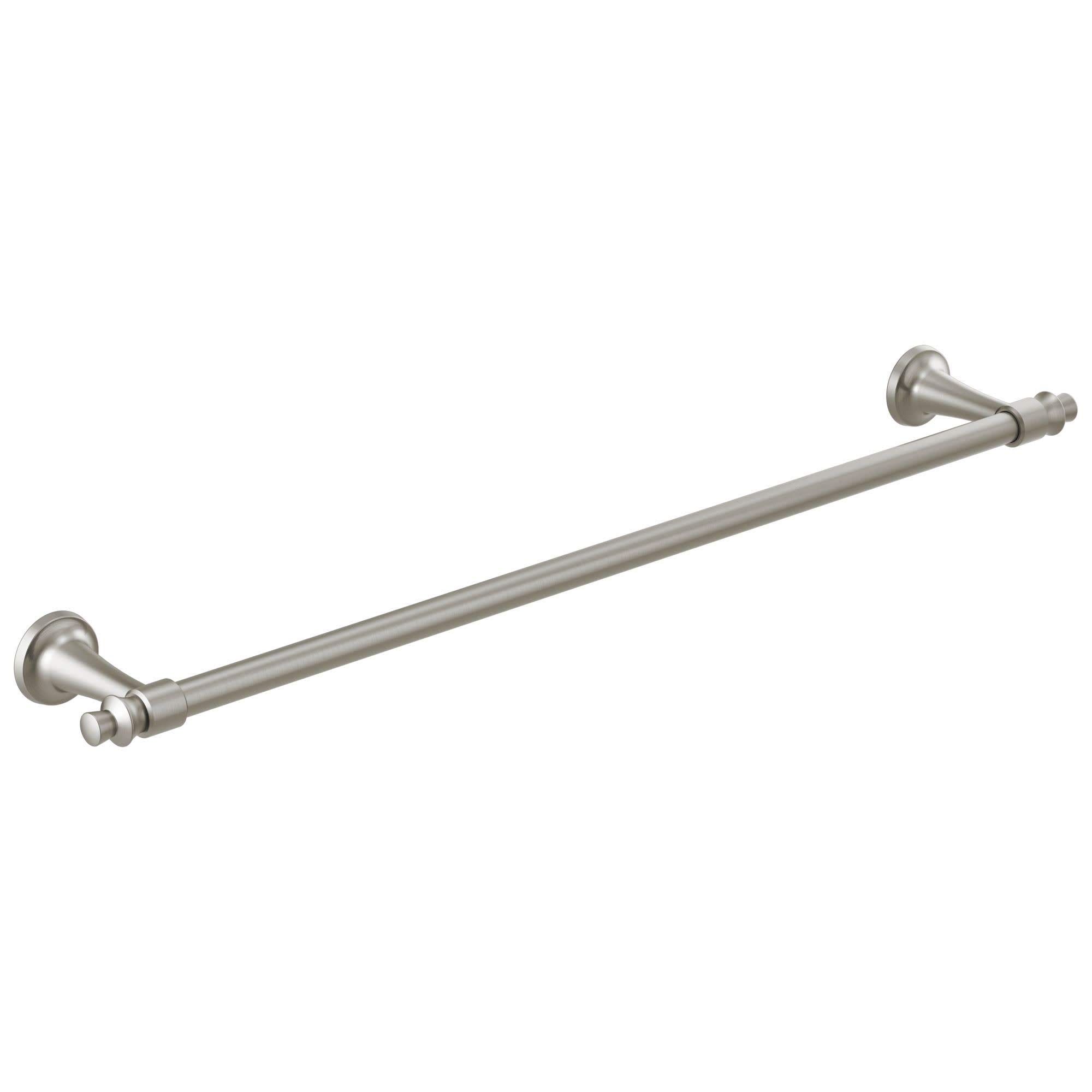
Image: DELTA D75624SS 24-inch Towel Bar. This image displays the complete towel bar assembly, including the bar and mounting posts, in a stainless steel finish.
Safety Information
Please read all instructions carefully before installation and use. Failure to follow these instructions may result in property damage or injury.
- Always wear appropriate safety gear, such as safety glasses, during installation.
- Ensure the mounting surface is structurally sound and capable of supporting the towel bar and the weight of towels.
- Do not overtighten screws, as this may damage the product or mounting surface.
- Keep small parts away from children.
- If you are unsure about any part of the installation process, consult a qualified professional.
Package Contents
Verify that all components are present before beginning installation. If any parts are missing or damaged, do not proceed with installation and contact customer support.
- Towel Bar Assembly (1)
- Mounting Brackets (2)
- Mounting Screws (4)
- Wall Anchors (4) (for drywall installation)
- Hex Wrench (1)
Tools Required
The following tools are typically required for installation:
- Pencil
- Measuring Tape
- Phillips Head Screwdriver
- Drill with appropriate drill bit (e.g., 1/4 inch for drywall anchors)
- Level
Installation Instructions
Follow these steps to properly install your DELTA D75624SS 24-inch towel bar.
Step 1: Determine Mounting Location
Choose a suitable location on your wall. Use a measuring tape and level to mark the desired height and ensure the towel bar will be level. The distance between the centers of the two mounting posts should be approximately 24 inches.
Step 2: Prepare Mounting Brackets
Separate the mounting brackets from the towel bar posts by loosening the set screws located on the underside of each post using the provided hex wrench. Keep the set screws and hex wrench in a safe place.
Step 3: Mark Drill Holes
Hold one mounting bracket against the wall at your marked location. Use a pencil to mark the positions for the two screw holes. Repeat this process for the second mounting bracket, ensuring it is level with the first and at the correct distance.
Step 4: Drill Pilot Holes
Using a drill, create pilot holes at the marked locations. If drilling into a wall stud, use a smaller drill bit appropriate for the mounting screws. If drilling into drywall without a stud, use a drill bit sized for the wall anchors (typically 1/4 inch). Insert the wall anchors flush with the wall surface if required.
Step 5: Secure Mounting Brackets
Align each mounting bracket with its respective pilot holes (and anchors, if used). Secure the brackets to the wall using the provided mounting screws and a Phillips head screwdriver. Ensure the brackets are firmly attached and level.
Step 6: Attach Towel Bar Posts
Slide the towel bar posts over the secured mounting brackets. Ensure the set screw holes on the underside of the posts align with the brackets. The towel bar should be centered between the posts.
Step 7: Tighten Set Screws
Using the hex wrench, tighten the set screws on the underside of each post. Tighten until the posts are securely fastened to the mounting brackets and the towel bar does not wobble. Do not overtighten.
Operating Instructions
The DELTA D75624SS towel bar is designed for holding towels and other lightweight bathroom textiles. Ensure items placed on the bar do not exceed its structural capacity. Avoid hanging heavy objects or using the bar as a grab handle.
Maintenance and Care
To maintain the finish and appearance of your towel bar, follow these cleaning guidelines:
- Clean regularly with a soft, damp cloth.
- For stubborn spots, use a mild soap and water solution.
- Rinse thoroughly with clean water and dry immediately with a soft cloth to prevent water spots.
- Do not use abrasive cleaners, harsh chemicals, or scouring pads, as these can damage the finish.
Troubleshooting
If you encounter issues with your towel bar, refer to the following common solutions:
| Problem | Possible Cause | Solution |
|---|---|---|
| Towel bar feels loose or wobbly. | Set screws are not fully tightened, or mounting brackets are loose. | Ensure the set screws on the underside of the posts are securely tightened with the hex wrench. Check if the mounting screws securing the brackets to the wall are tight. If wall anchors were used, ensure they are properly seated. |
| Scratches or damage to the finish. | Use of abrasive cleaners or sharp objects. | Avoid using abrasive materials for cleaning. Minor scratches may be polished with a non-abrasive metal polish suitable for stainless steel, if desired. |
Specifications
| Feature | Detail |
|---|---|
| Model Number | D75624SS |
| Brand | DELTA |
| Material | Zinc |
| Finish Type | Stainless |
| Color | Stainless |
| Product Dimensions | 3.63 x 27.13 x 1.88 inches (Depth x Width x Height) |
| Item Weight | 1.33 pounds |
| UPC | 034449896597 |
Warranty and Support
This DELTA product is covered by the manufacturer's limited warranty. For specific warranty details, claims, or technical support, please refer to the official DELTA website or contact their customer service department directly. Keep your proof of purchase for warranty purposes.
DELTA Customer Support:
- Website: www.deltafaucet.com
- Phone: Refer to the website for regional contact numbers.


