Baseus 30000mAh USB-C Portable Power Bank X30 Instruction Manual
Model: X30 | Brand: Baseus
1. Introduction
This manual provides essential information for the safe and efficient operation of your Baseus 30000mAh USB-C Portable Power Bank X30. Please read these instructions thoroughly before use and retain them for future reference.
Image 1: Baseus 30000mAh Portable Power Bank X30, showcasing its sleek black design.
2. Product Features
High Capacity: 30000mAh battery for extended power.
Multiple Output Ports: Equipped with 2x USB-A and 1x USB-C output ports for simultaneous charging of multiple devices.
Versatile Input Ports: Features USB-C, Micro-USB, and Lightning input ports for convenient recharging.
Fast Charging: Supports 3A fast charging and up to 32W total output. Capable of 100W laptop ultra-fast charging (with compatible cables/devices).
Digital Display: Integrated 3-model smart digital display shows power percentage, voltage/current, and charging/recharging time.
Built-in Cables: Includes integrated cables for various device types, eliminating the need to carry extra cables.
Integrated Flashlight: Dual LED lights for emergency illumination.
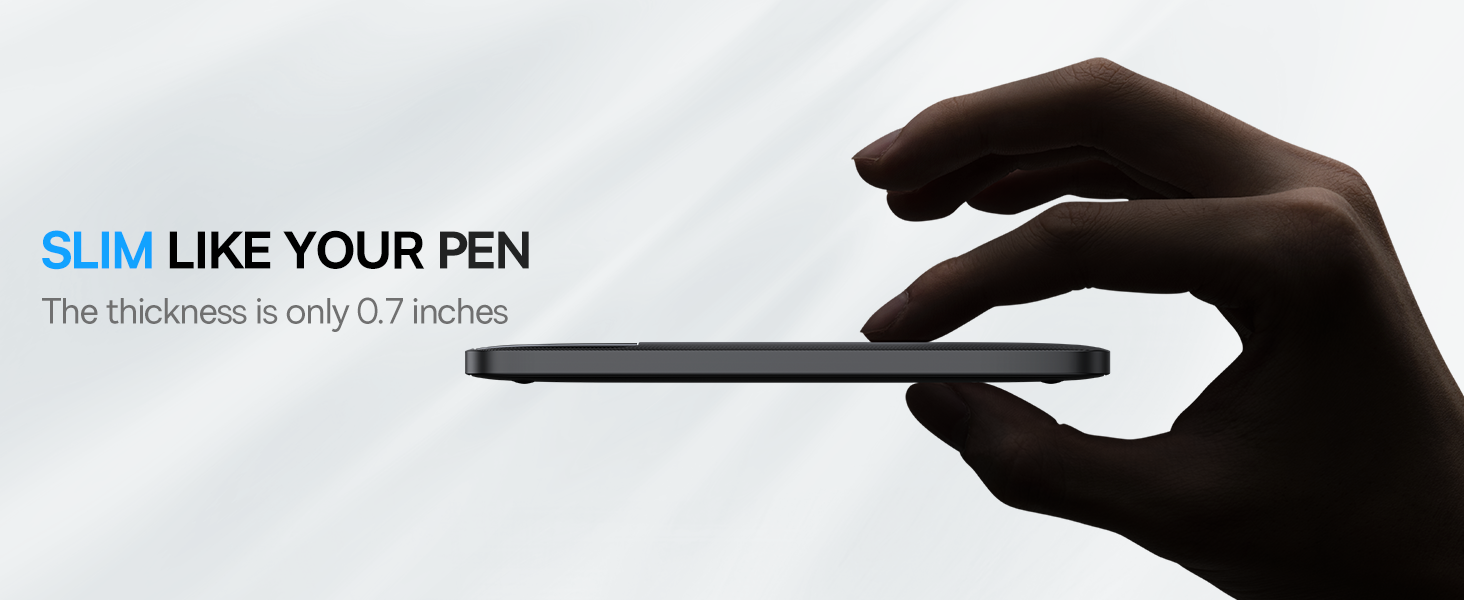
Compact and Portable: Slim design (0.7 inches thick) and lightweight (0.99 lbs) for easy transport.
Advanced Safety: Intelligent protection against overcharging, overheating, and short circuits.
Wide Compatibility: Compatible with a broad range of devices including iPhones, iPads, MacBooks, Samsung Galaxy phones, Pixel phones, and AirPods.
Image 2: Close-up of the power bank's ports, highlighting Type-C, Micro, iP inputs, and USB1, USB2 outputs for triple-device charging.
Image 3: The power bank's digital display showing power, voltage/current, and charging/recharging time.
Image 4: The power bank's slim profile, emphasizing its portable design.
Image 5: The power bank demonstrating 100W ultra-fast charging for a MacBook Pro.
Image 6: The power bank displaying compatibility with a wide range of electronic devices.
3. Setup
3.1 Unboxing
Upon opening the package, verify that all components are present:
Baseus 30000mAh Portable Power Bank X30
USB-C to USB-C Cable
User Manual (this document)
Image 7: Contents of the Baseus Power Bank package, including the power bank, USB-C cable, and user manual.
3.2 Initial Charge
Before first use, fully charge the power bank. Connect the provided USB-C cable to the power bank's USB-C input port and a compatible power adapter (not included). The digital display will show the charging progress.
4. Operating Instructions
4.1 Charging Devices
To charge your devices:
Using Built-in Cables: Gently pull out the appropriate built-in cable (Lightning, Micro-USB, or USB-C) and connect it to your device.
Using External Cables: Connect your device's charging cable to one of the power bank's USB-A or USB-C output ports.
The power bank will automatically begin charging. The digital display will show the power bank's remaining charge.
Image 8: The power bank simultaneously charging an iPhone XR, iPhone XS, and iPad Air 2, demonstrating its multi-device capability.
Image 9: A person charging a smartphone using the power bank's built-in cable, emphasizing convenience for travel.
4.2 Recharging the Power Bank
To recharge the power bank:
Connect a compatible charging cable to one of the power bank's input ports (USB-C, Micro-USB, or Lightning).
Connect the other end of the cable to a power source (e.g., wall adapter, computer USB port).
The digital display will indicate the charging status. The power bank can be fully recharged in approximately 1.5 hours with chargers above 65W.
Image 10: The power bank being recharged, illustrating its fast recharge capability when using a 65W+ charger.
4.3 Using the Flashlight
To activate the built-in LED flashlight, double-press the power button. Double-press again to turn it off. This feature is useful in low-light conditions or emergencies.
Special Features: Fast Charging, Portable Charger, Wireless
Connector Type: USB (USB-C, Micro-USB, Lightning inputs; USB-A, USB-C outputs)
Manufacturer: Baseus
Color: Dark Black
Image 11: An internal diagram illustrating the high-density polymer batteries and smart chip for efficient and safe power management.
8. Warranty and Support
For warranty information or technical support, please refer to the official Baseus website or contact their customer service directly. Keep your purchase receipt as proof of purchase.
Ask about setup, troubleshooting, compatibility, parts, safety, or missing instructions. Manuals+ will review the question and use this page’s manual context to help answer it.