1. Introduction
This manual provides detailed instructions for the safe and effective use of your Vanguard VEO3+263CP Carbon Fiber Tripod. Please read this manual thoroughly before operating the product to ensure optimal performance and longevity. The VEO3+263CP is a versatile carbon fiber tripod designed for photographers and videographers, featuring a multi-angle center column and a convertible monopod leg.

Figure 1: The Vanguard VEO3+263CP Carbon Fiber Tripod with panhead attached.
2. Safety Information
- Always ensure all locks and adjustments are securely tightened before mounting equipment or leaving the tripod unattended.
- Do not exceed the maximum load capacity of 13.2 pounds (6 kg). Overloading can cause instability and damage to the tripod or your equipment.
- Be cautious when adjusting the multi-angle center column, especially with heavy equipment, to prevent sudden shifts in balance.
- Avoid exposing the tripod to extreme temperatures or corrosive substances.
- When carrying the tripod, ensure all legs are folded and secured, and the panhead is in a compact position. Use the provided padded bag for transport.
- Keep hands and fingers clear of moving parts during adjustments to prevent pinching.
3. Package Contents
Verify that all items are present in your package:
- Vanguard VEO3+263CP Carbon Fiber Tripod with VEO 2 PH-38 3-way pan head
- VEO+ MA1 Adaptor
- Spiked feet (replacement for rubber feet)
- Premium padded tripod bag with shoulder strap and internal zip up pocket
- Instruction Manual (this document)
4. Setup
4.1 Unpacking and Initial Inspection
Carefully remove all components from the packaging. Inspect the tripod for any signs of damage. If any parts are missing or damaged, contact Vanguard customer support.
4.2 Attaching the Panhead
The VEO 2 PH-38 3-way pan head is typically pre-attached. Ensure it is securely fastened to the tripod's center column mounting plate. The panhead features a top handle that can rotate 90° for flexible positioning.
4.3 Adjusting Leg Angles
The tripod legs offer three easy-set leg angles: 23°, 50°, and 80°. To adjust, press the innovative push-button lock located at the top of each leg hinge and move the leg to the desired angle. Ensure the lock clicks into place for stability.
4.4 Extending the Center Column
To extend the main center column, loosen the center column lock knob, raise the column to the desired height, and then securely tighten the knob. The tripod extends to a maximum height of 68.3 inches.
4.5 Multi-Angle Center Column (MACC) Setup
The MACC system allows the center column to move almost 360° in any direction. To engage the MACC:
- Loosen the MACC flip lock located at the base of the center column.
- Pull the center column upwards until it clears the tripod base.
- Rotate the column to the desired angle (e.g., horizontal for overhead shots or macro photography).
- Securely tighten the MACC flip lock.

Figure 2: Multi-Angle Center Column (MACC) extended vertically.
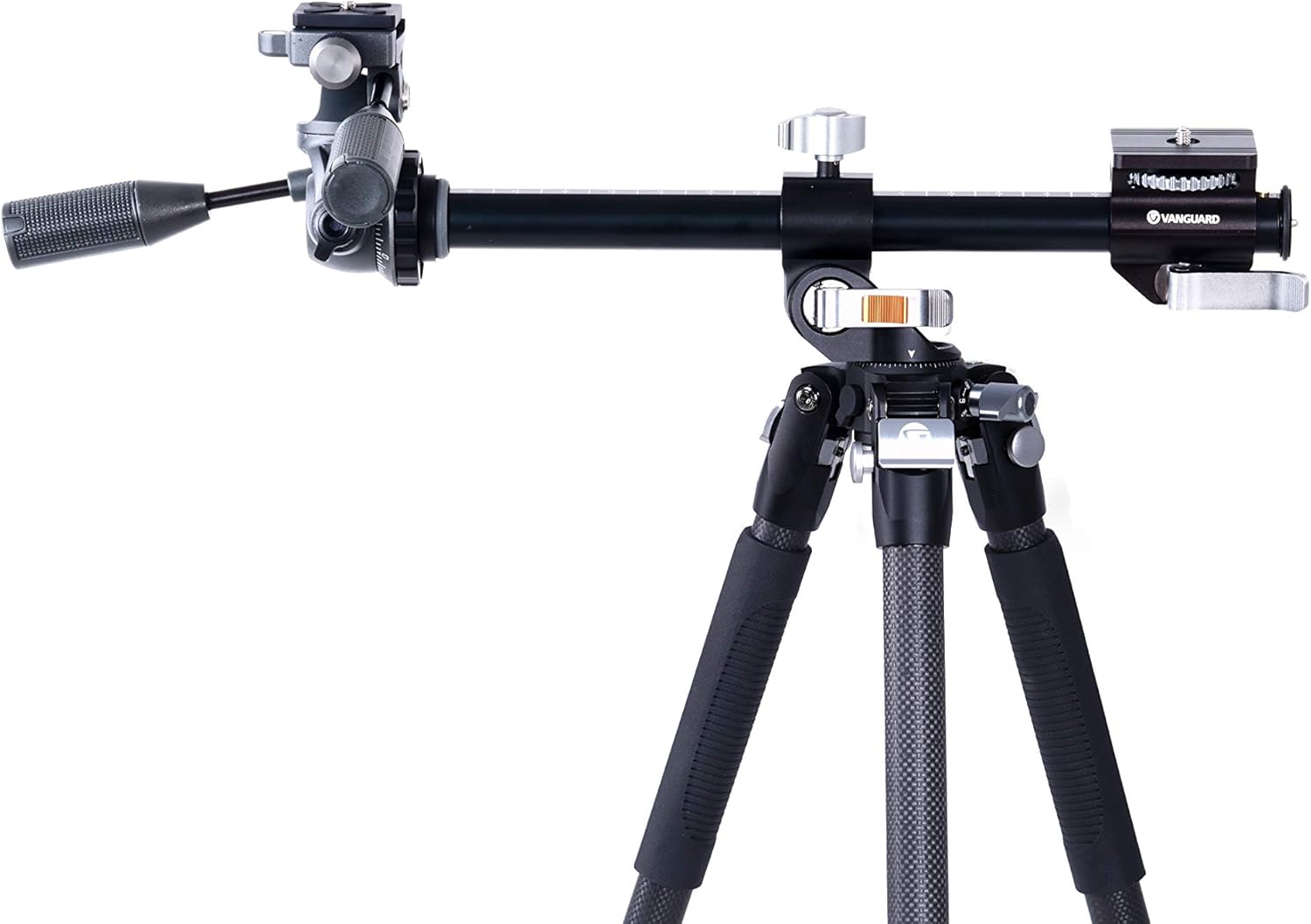
Figure 3: Multi-Angle Center Column (MACC) extended horizontally for overhead or macro shots.
The MACC can also be used as a multi-mount with the included VEO+ MA1 Adaptor, allowing for additional accessories or cameras to be mounted simultaneously.
4.6 Monopod Conversion
One of the tripod legs can be converted into a monopod. To do this:
- Identify the leg with the rubber grip and the 'Vanguard' logo.
- Unscrew this leg from the tripod chassis.
- Remove the center column from the tripod.
- Attach the detached leg to the bottom of the center column.
- Ensure all connections are tight before use.

Figure 4: Detaching a tripod leg for monopod conversion.
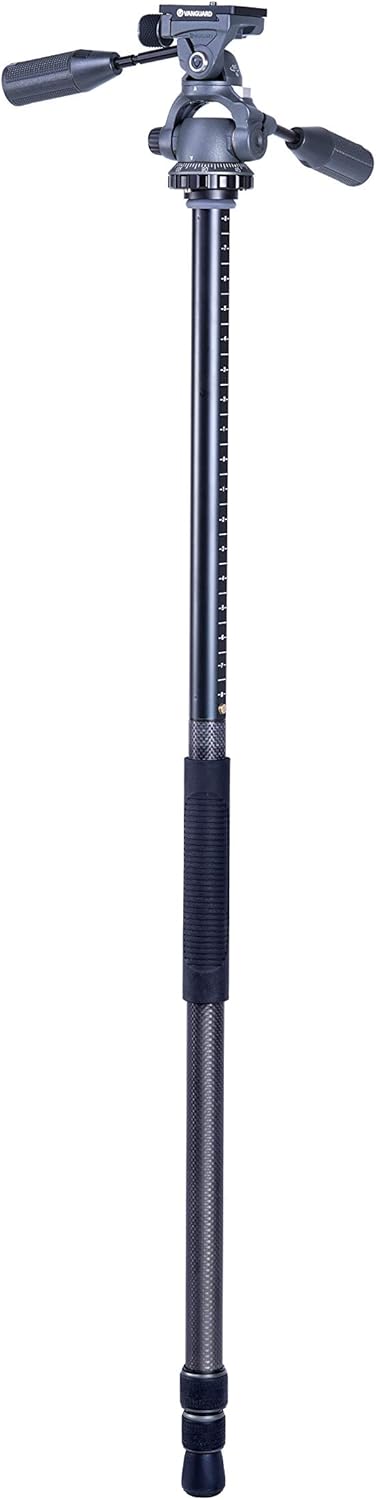
Figure 5: The VEO3+263CP configured as a monopod.
5. Operating Instructions
5.1 General Use
To set up the tripod, extend the legs and adjust their angles as needed. Use the twist locks on each leg section to extend or retract the leg segments. Ensure all twist locks are firmly secured to prevent collapse.
5.2 Panhead Operation
The VEO 2 PH-38 3-way pan head allows for precise control over pan, tilt, and horizontal rotation. Use the individual locking knobs to secure your camera in the desired position. The Arca-compatible quick release plate ensures fast and secure camera attachment.
5.3 Using the Multi-Angle Center Column
Once the MACC is positioned (as described in Section 4.5), you can mount your camera or accessories. This feature is ideal for macro photography, overhead shots, or unique perspectives. The VEO+ MA1 Adaptor allows for mounting multiple devices.

Figure 6: Camera mounted on the Multi-Angle Center Column in a horizontal position.
5.4 Low-Angle Photography
For extremely low-angle shots, spread the tripod legs to their widest angle (80°) and invert the center column. This allows the camera to be positioned very close to the ground.
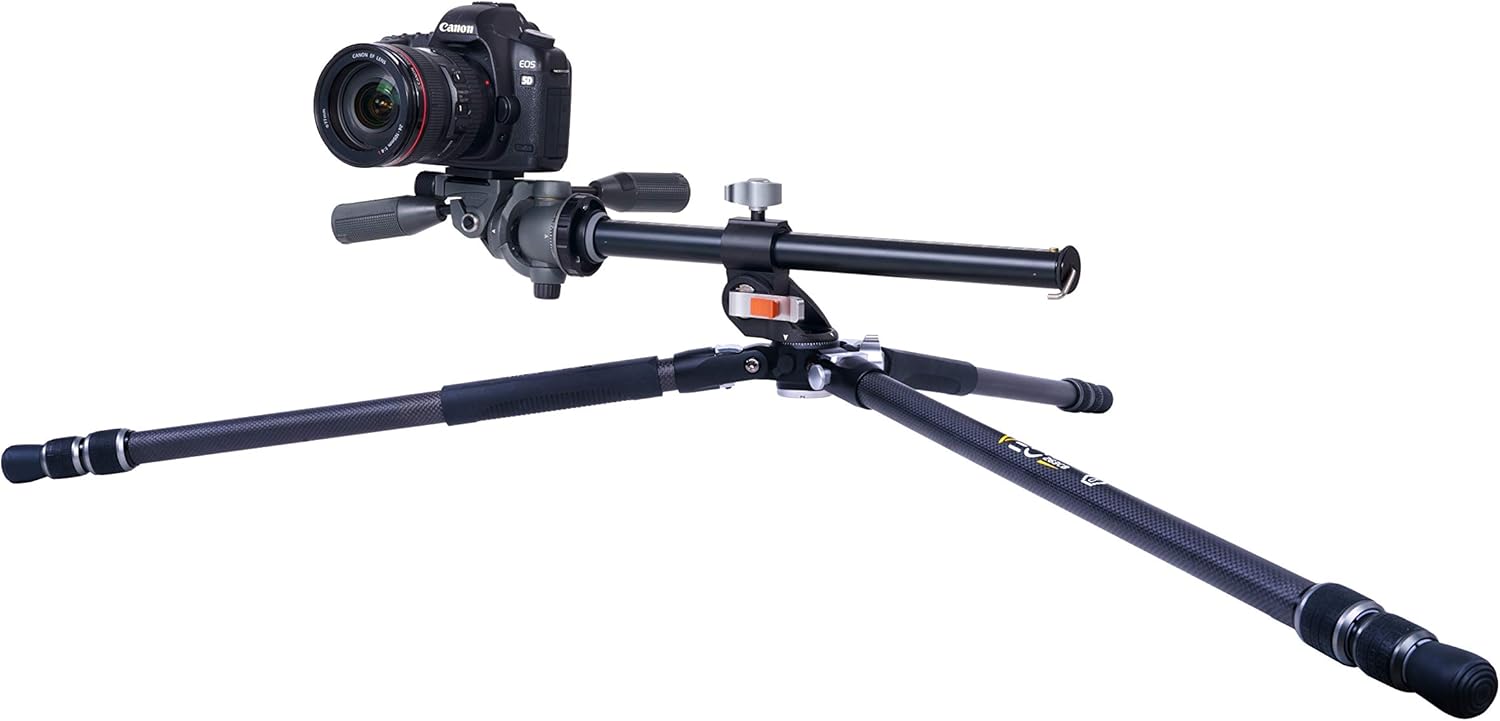
Figure 7: Tripod configured for low-angle photography.
5.5 Stability Enhancements
A removable hook is located at the bottom of the center column. You can hang additional weight (e.g., a camera bag) from this hook to increase the tripod's stability, especially in windy conditions or when using heavy lenses.
5.6 Official Product Video
Watch the official product video for a visual demonstration of the Vanguard VEO3+ Tripod's features and setup:
Video 1: Overview of Vanguard VEO3+ Tripods, demonstrating key features like the Multi-Angle Center Column, monopod conversion, and leg angle adjustments.
6. Maintenance
- Cleaning: Wipe down the carbon fiber legs and metal parts with a soft, damp cloth after each use, especially if exposed to dirt, sand, or saltwater. Avoid abrasive cleaners.
- Lubrication: Periodically check the leg twist locks and center column mechanisms. If they become stiff, apply a small amount of silicone-based lubricant.
- Storage: Store the tripod in its padded bag in a dry, cool place away from direct sunlight and extreme temperatures.
- Feet Replacement: The rubber feet can be replaced with the included spiked feet for better grip on soft or uneven terrain. To replace, simply unscrew the rubber feet and screw on the spiked feet.
7. Troubleshooting
- Tripod is unstable: Ensure all leg twist locks are fully tightened and leg angles are securely engaged. Verify the center column lock is tight. Consider hanging weight from the removable hook.
- Legs are stiff to extend/retract: Clean the leg sections thoroughly to remove any debris. Apply a small amount of silicone lubricant to the twist lock mechanisms.
- Panhead movement is not smooth: Check for any loose components or debris. Ensure the pan and tilt locking knobs are adequately loosened for movement and tightened for stability.
- Camera not securely mounted: Ensure the quick release plate is correctly attached to your camera and fully seated and locked into the panhead.
8. Specifications
| Model Name | VEO3+263CP |
| Brand | VANGUARD |
| Material | Carbon Fiber |
| Product Dimensions | 31.22 x 6.22 x 5.03 inches (folded) |
| Item Weight | 5.06 pounds (2.3 Kilograms) |
| Maximum Height | 68.3 Inches |
| Weight Limit | 13.2 Pounds |
| Tripod Head Type | Pan Heads (VEO 2 PH-38 3-way pan head) |
| Special Feature | Foldable, Multi-Angle Center Column, Monopod Convertible |
| Compatible Devices | Camera |
9. Warranty and Support
Vanguard products are manufactured to high-quality standards. For warranty information, product registration, or technical support, please refer to the official Vanguard website or contact their customer service department. Keep your purchase receipt as proof of purchase.
For further assistance, visit the VANGUARD Store on Amazon.


