
Soundcore A3913
Contents
Anker Soundcore Liberty 2 Wireless Earbuds User Manual
Model: A3913 | Brand: Soundcore
Product Overview
The Soundcore Liberty 2 wireless earbuds are designed to deliver exceptional audio quality and a secure fit for an immersive listening experience. Featuring diamond-inspired drivers, these earbuds reproduce music with superior accuracy, bright treble, and maximized bass. They offer personalized sound through HearID technology and ensure crystal-clear calls with 4 microphones and Qualcomm cVc 8.0 noise cancellation.
Key features include:
- Diamond-Coated Drivers: Ultra-light yet rigid structure for precise sound reproduction and extended treble and bass.
- Extended Playtime: Up to 8 hours on a single charge, extended to 32 hours with the charging case. Quick 10-minute charge provides 2 hours of listening.
- HearID Personalized Sound: Custom EQ settings optimized for your hearing sensitivity at multiple frequencies.
- GripFit Technology: Ensures a secure and comfortable fit in your ears. Includes 7 pairs of EarTips and 3 pairs of EarWings for customization.
- aptX Technology: Streams music from your Bluetooth device with the highest possible quality, enhancing video watching experience with low-latency transfer.
- Crystal-Clear Calls: 4 microphones with Qualcomm cVc 8.0 noise cancellation for clear voice pickup.
- IPX5 Water-Resistant Design: Protects earbuds against rain, sweat, and splashes.
- Mono or Stereo Mode: Effortlessly switch between using a single earbud or both.

Image: Soundcore Liberty 2 wireless earbuds and their charging case.
What's in the Box
Your Soundcore Liberty 2 package includes the following items:
- Soundcore Liberty 2 Wireless Earphones
- Charging Case
- XS/S/M/L/XL/M+/L+ EarTips (7 pairs)
- S/M/L EarWings (3 pairs)
- USB-C Cable (60 cm)
- Quick Start Guide

Image: All components included in the Soundcore Liberty 2 package.
Setup
1. Charging the Earbuds and Case
Before first use, fully charge both the earbuds and the charging case. The charging case provides multiple charges for the earbuds, extending their playtime significantly.
- Place the earbuds into the charging case. Ensure they are properly seated to initiate charging.
- Connect the USB-C cable to the charging port on the back of the case and to a power source.
- The LED indicators on the case will show the charging status.

Image: The charging case with earbuds, illustrating battery life and quick charge capabilities.
2. Pairing with Your Device
To connect your Soundcore Liberty 2 earbuds to a Bluetooth device:
- Open the charging case. The earbuds will automatically enter pairing mode.
- On your device (smartphone, laptop, tablet), go to the Bluetooth settings.
- Select "Soundcore Liberty 2" from the list of available devices.
- Once connected, you will hear an audible confirmation.
Note: This product cannot be connected with multiple devices at the same time. If you need to connect to a new device, ensure the earbuds are disconnected from the previous device.

Image: Representation of the Bluetooth 5.0 technology within the earbuds.
Operating the Earbuds
1. Wearing the Earbuds (GripFit Technology)
For optimal sound quality and a secure fit, it is crucial to wear the earbuds correctly. Soundcore's proprietary GripFit technology ensures the earbuds sit snugly and comfortably.
- Choose the correct size EarTips and EarWings for your ears. Experiment with different sizes to find the best seal and comfort.
- Insert the earbud into your ear canal.
- Gently twist the earbud to lock it into place, ensuring the EarWing fits securely in your ear's concha.
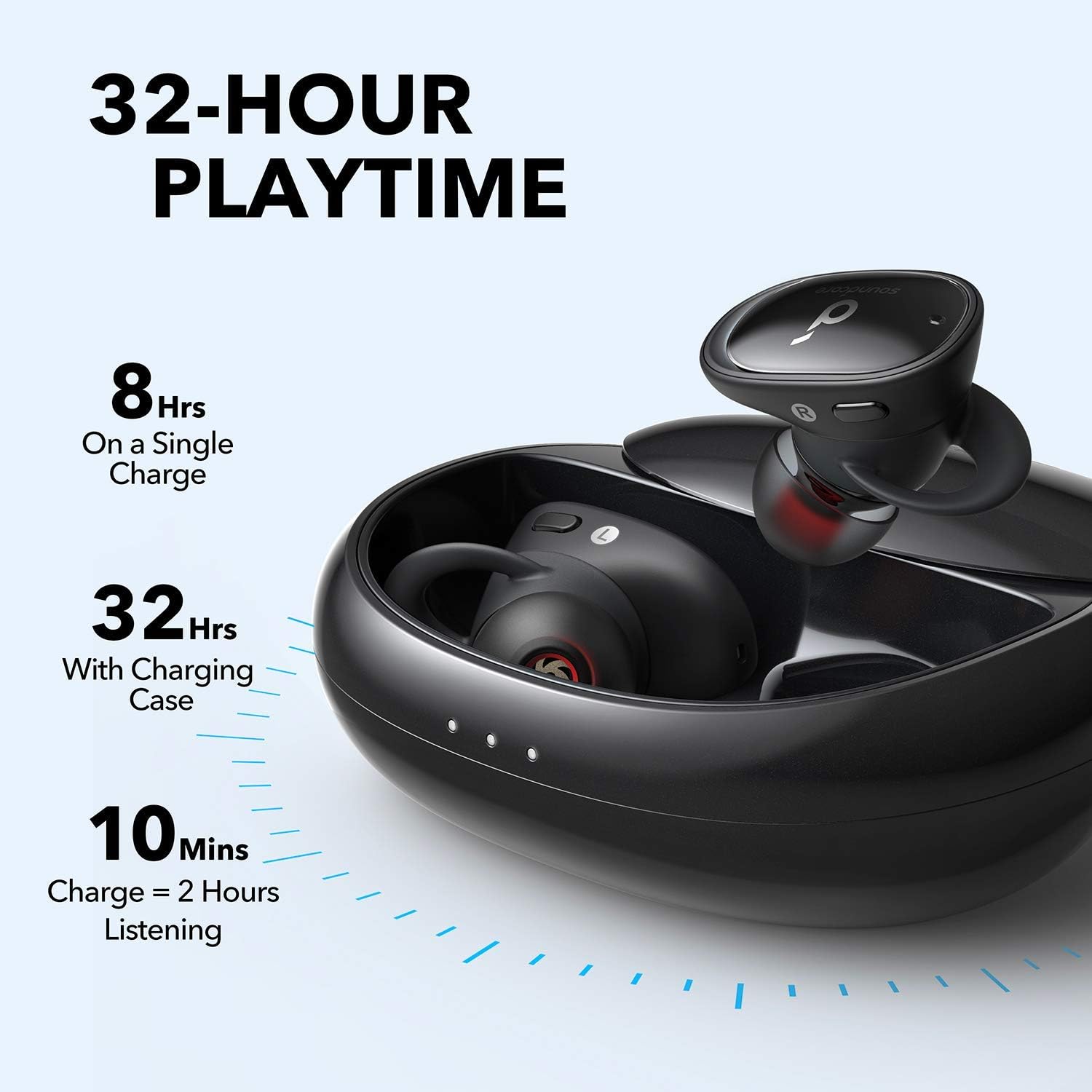
Image: Proper wearing of the earbud using GripFit technology for a secure fit.
2. HearID Personalized Sound
HearID technology analyzes your unique hearing sensitivity to create a personalized EQ profile, delivering a truly optimized listening experience.
- Download the Soundcore app from your device's app store.
- Connect your Liberty 2 earbuds to the app.
- Follow the in-app instructions to take the HearID test. The test maps your hearing sensitivity at multiple frequencies.
- The app will intelligently analyze the results and create custom EQ settings tailored for your ears.

Image: The HearID feature in the Soundcore app, allowing for personalized sound profiles.
3. Controls
The Soundcore Liberty 2 earbuds feature media controls. Specific touch or button functions can typically be customized via the Soundcore app.
- Play/Pause: Single tap on either earbud.
- Next Track: Double tap on the right earbud.
- Previous Track: Double tap on the left earbud.
- Answer/End Call: Single tap on either earbud.
- Reject Call: Press and hold either earbud for 2 seconds.
- Activate Voice Assistant: Press and hold either earbud for 2 seconds (when not on a call).
Refer to the Soundcore app for detailed customization options for touch controls.
4. Mono or Stereo Mode
The Liberty 2 earbuds support both mono and stereo listening. You can use either earbud independently.
- To use in mono mode, simply remove one earbud from the charging case. It will automatically enter mono usage mode.
- To switch back to stereo, take out the second earbud.
Maintenance
1. Cleaning Your Earbuds
Regular cleaning helps maintain sound quality and hygiene:
- Gently wipe the earbuds and charging case with a soft, dry, lint-free cloth.
- Remove EarTips and clean them with mild soap and water if necessary. Ensure they are completely dry before reattaching.
- Use a dry cotton swab to carefully clean the charging contacts on both the earbuds and inside the case.
2. Water Resistance (IPX5)
The Soundcore Liberty 2 wireless earphones have IPX5-rated protection, meaning they are resistant to splashes and sweat. This makes them suitable for workouts and outdoor activities.
- Do not submerge the earbuds in water.
- Ensure the charging port is dry before charging.
- After exposure to sweat or water, wipe the earbuds dry before placing them back in the charging case.
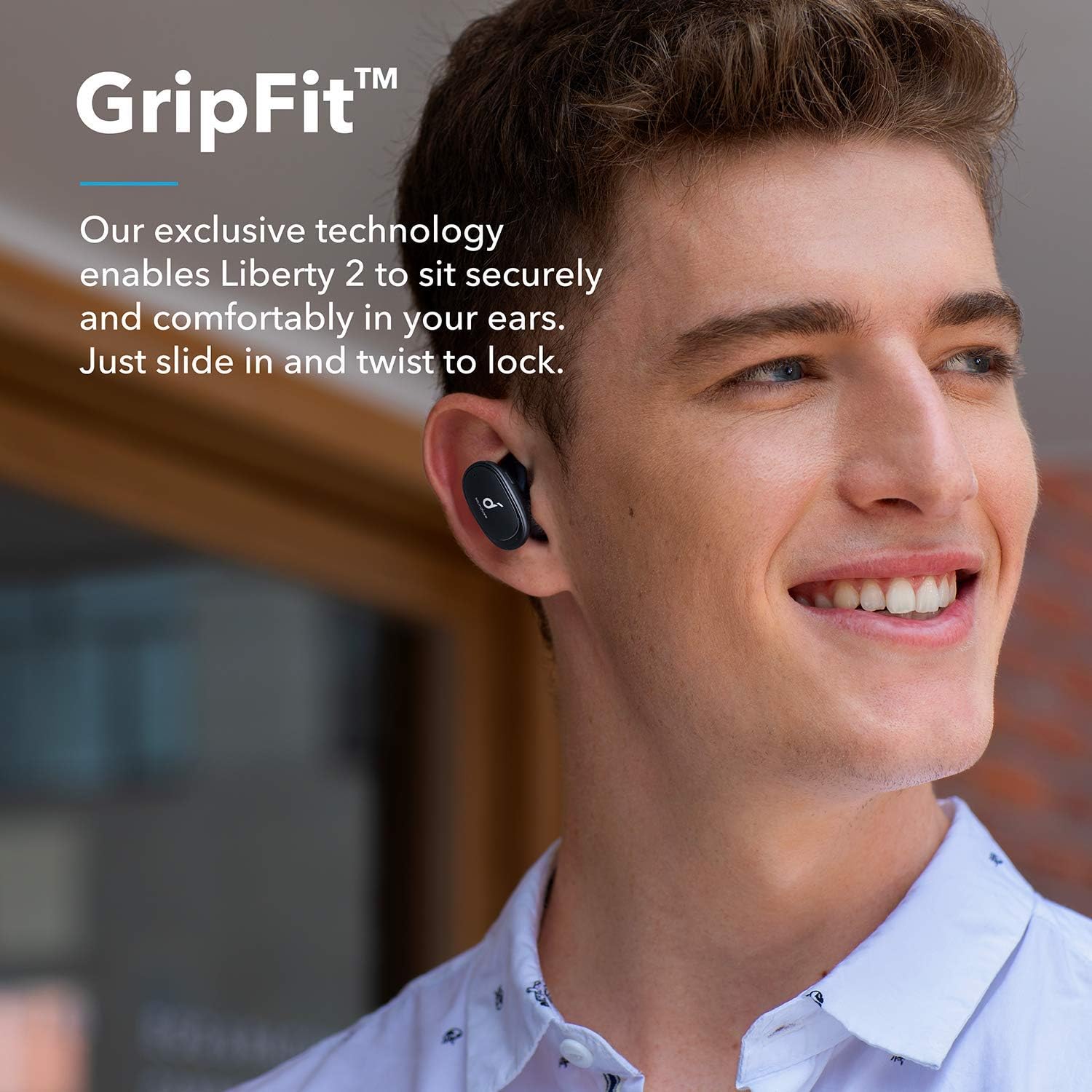
Image: The IPX5 water-resistant design of the earbuds.
Troubleshooting
If you encounter issues with your Soundcore Liberty 2 earbuds, try the following solutions:
- Earbuds not connecting or pairing:
- Ensure Bluetooth is enabled on your device.
- Make sure the earbuds are fully charged.
- Place both earbuds back into the charging case, close the lid, wait a few seconds, then open it again to re-enter pairing mode.
- Forget "Soundcore Liberty 2" from your device's Bluetooth list and attempt to pair again.
- If using an iPhone 11/iPhone 11 Pro, ensure your iOS is updated to the latest version for compatibility.
- Sound quality issues (hissing, low volume):
- Ensure the EarTips provide a tight seal in your ear canal. Try different sizes of EarTips for a better fit.
- Clean the earbud nozzles to remove any debris that might be obstructing sound.
- Adjust the EQ settings using the HearID feature in the Soundcore app.
- Check the volume levels on both your device and the earbuds.
- One earbud not working (e.g., mic not working):
- Ensure both earbuds are properly charged.
- Place both earbuds back in the case, close the lid, and then open it again. This can sometimes reset the connection.
- Perform a factory reset (refer to the Soundcore app or online support for specific instructions).
- Earbuds remain connected after being placed in case:
- Ensure the charging contacts on both the earbuds and inside the case are clean and free of debris.
- Confirm the earbuds are properly seated in the case and the lid is fully closed.
- If the issue persists, manually disconnect the earbuds from your device's Bluetooth settings.
For further assistance, please visit the official Soundcore support website or contact customer service.
Specifications
| Feature | Detail |
|---|---|
| Model Name | Liberty 2 |
| Item Model Number | A3913 |
| Brand | Soundcore |
| Manufacturer | Anker |
| Connectivity Technology | Bluetooth |
| Bluetooth Version | 5.0 |
| Wireless Communication Technology | Bluetooth |
| Battery Life | 32 Hours (with charging case) |
| Charging Time | 10 minutes for 2 hours listening |
| Water Resistance Level | IPX5 (Water Resistant) |
| Audio Driver Type | Dynamic Driver (Diamond-coated) |
| Noise Control | Active Noise Cancellation (for calls via cVc 8.0) |
| Item Weight | 3.17 ounces (90 Grams) |
| Product Dimensions | 1.15 x 0.67 x 1.12 inches |
| UPC | 786513868541 |
Warranty and Support
For detailed warranty information and customer support, please refer to the documentation included with your product or visit the official Soundcore website. As this is a renewed product, specific warranty terms may vary. Some renewed products may come with a limited warranty, such as a 90-day warranty, as noted in customer experiences.
For the latest drivers, FAQs, and support resources, please visit Soundcore Support.
Documents and downloads
Ask a question about this manual
Ask about setup, troubleshooting, compatibility, parts, safety, or missing instructions. Manuals+ will review the question and use this page’s manual context to help answer it.