
Introduction
Thank you for choosing the DEVAISE 3-Drawer Filing Cabinet. This manual provides essential information for the safe and efficient use of your new filing cabinet. Please read these instructions carefully before setup and operation, and retain them for future reference.

Image: The DEVAISE 3-Drawer Filing Cabinet, black, with its bottom drawer open, showcasing its design and functionality in an office environment.
Safety Information
To ensure safe operation and prevent damage, observe the following guidelines:
- Maximum Load Capacity: Do not overload the drawers. Distribute weight evenly to maintain stability.
- Wheel Installation: Ensure all five casters are correctly and securely installed before use.
- Proper Wheel Use: Do not overload the filing cabinet when moving it. Empty heavy drawers before relocating the cabinet.
- Pinch Hazard: Keep hands and fingers away from drawer slides, hinges, and locking mechanisms to avoid injury.
- Stability: Ensure the cabinet is placed on a level and stable surface. Engage wheel locks when the cabinet is in its desired position.
- Anti-Tip Wheel: The cabinet includes an anti-tip wheel for enhanced stability. Ensure it is properly positioned.
Package Contents
Your DEVAISE filing cabinet comes 99% pre-assembled. The package includes:
- 1 x DEVAISE 3-Drawer Filing Cabinet (main unit)
- 5 x Casters (wheels)
- 1 x Removable Pencil Tray
- 1 x Adjustable Hanging File Bar
- 1 x User Manual (this document)
Setup Instructions
The filing cabinet is mostly assembled. Only the casters need to be attached.
- Unpack the Cabinet: Carefully remove the filing cabinet from its packaging. Inspect for any shipping damage.
- Prepare for Caster Installation: Gently lay the cabinet on its side on a soft, protective surface to avoid scratching the finish. Ensure the bottom is accessible.
- Install Casters: Insert the stems of the five casters into the designated holes on the bottom of the cabinet. Push firmly until they click into place. Two casters are lockable; these should ideally be installed on the front side for easy access. The fifth caster is an anti-tip wheel, typically installed under the largest drawer for added stability when open.
- Position the Cabinet: Carefully lift the cabinet upright and move it to its desired location. Engage the locks on the two front casters to secure the cabinet in place.

Image: Illustration of the filing cabinet with its casters installed, ready for use.
Operating Instructions
Digital Combination Lock
Your filing cabinet is equipped with a keyless digital combination lock for enhanced security.

Image: A detailed view of the digital combination lock keypad, showing the numbered buttons and 'OK' button.
- Setting Your Code:
- Locate the reset button inside the top drawer (usually on the back of the lock mechanism).
- Press and hold the reset button until you hear a beep or see an indicator light.
- Enter your desired 4-digit code on the keypad, then press "OK".
- Test the new code immediately with the drawer open to ensure it works correctly before closing and locking.
- Locking the Cabinet: Close all drawers. Press the "Lock" button or turn the knob (if present) to the locked position. The digital lock will secure all three drawers simultaneously.
- Unlocking the Cabinet: Enter your 4-digit code, then press "OK". The lock will disengage, allowing you to open the drawers.
- Emergency Unlock: In case of forgotten code or battery depletion, refer to the specific instructions provided with the lock mechanism for emergency unlocking procedures (e.g., master key or external power).
Drawer Usage
The cabinet features two small utility drawers and one large file drawer.

Image: The top two drawers of the cabinet, illustrating the adjustable pencil tray in the upper drawer and the spacious large file drawer below.
- Top Drawers: Ideal for storing office supplies, stationery, and small personal items. The included removable pencil tray helps organize smaller objects.
- Bottom File Drawer: Designed for hanging files. It includes an adjustable bar to accommodate Letter, Legal, and A4 size hanging folders.

Image: The bottom file drawer demonstrating its capacity for Legal, A4, and Letter sized hanging files.
- Full Extension Slides: All drawers feature full extension slides, allowing complete access to the contents of each drawer.

Image: A hand demonstrating the full extension capability of the bottom file drawer, showing easy access to all files.
Maintenance
- Cleaning: Wipe the cabinet surfaces with a soft, damp cloth. Avoid abrasive cleaners or harsh chemicals that could damage the finish.
- Drawer Slides: Periodically check drawer slides for smooth operation. If they become stiff, a small amount of silicone lubricant can be applied.
- Casters: Ensure casters are free of debris (hair, lint) that could impede movement. Clean as needed.
- Digital Lock Battery: The digital lock is powered by batteries (typically AAA or AA, check the lock mechanism for specifics). Replace batteries when the low battery indicator appears or if the lock becomes unresponsive.
Troubleshooting
| Problem | Possible Cause | Solution |
|---|---|---|
| Drawers do not open/close smoothly. | Overloaded drawer, debris in slides, misaligned slides. | Reduce load in drawer. Clean drawer slides. Check for proper alignment; gently push/pull to reseat. |
| Digital lock not responding. | Low battery, incorrect code, lock malfunction. | Replace batteries. Re-enter code carefully. Use emergency unlock procedure if available. Contact customer support if issue persists. |
| Cabinet is unstable or tips when drawers are open. | Uneven surface, casters not locked, anti-tip wheel not engaged, excessive weight in open drawer. | Ensure cabinet is on a level surface. Lock all lockable casters. Verify anti-tip wheel is correctly positioned. Do not open multiple heavy drawers simultaneously. |
| Casters not rolling freely. | Debris (hair, lint) caught in wheels, caster lock engaged. | Clean wheels of any obstructions. Disengage caster locks. |
Specifications
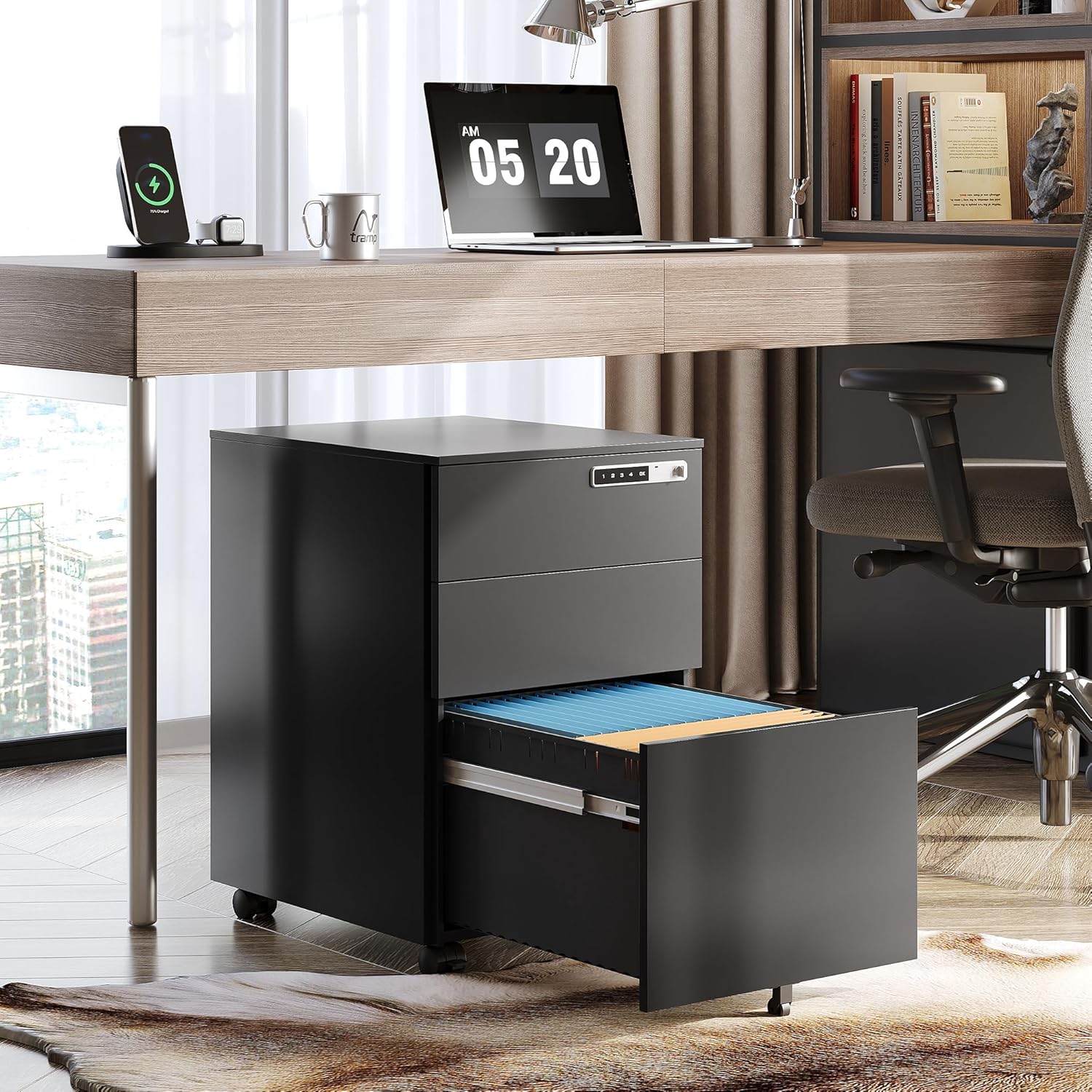
Image: A diagram illustrating the key dimensions of the filing cabinet, including width, depth, and height, along with drawer measurements and weight capacity.
| Feature | Detail |
|---|---|
| Brand | DEVAISE |
| Model | B082Y85CGG |
| Color | Black |
| Material | Cold-rolled Steel |
| Dimensions (W x D x H) | 14.5" x 17.1" x 23.8" (37.08 cm x 43.69 cm x 60.2 cm) |
| Number of Drawers | 3 |
| Locking System | Digital Combination Lock |
| Casters | 5 (2 lockable, 1 anti-tip) |
| Max Weight Capacity (Top Surface) | Up to 350 lbs (158 kg) |
| File Compatibility | Letter, Legal, A4 |
Warranty and Support
For warranty information and customer support, please refer to the documentation included with your purchase or visit the official DEVAISE website. Keep your purchase receipt as proof of purchase.
If you encounter any issues not covered in this manual, please contact DEVAISE customer service for assistance.


