
GranBoard 551000071000
GRANBOARD 3s Smart Dartboard User Manual
Introduction
The GRANBOARD 3s is an advanced smart dartboard designed for an interactive darts experience. It connects via Bluetooth to your smartphone or tablet, offering online play, various game modes, and dynamic LED lighting effects. This manual provides essential information for setting up, operating, and maintaining your dartboard to ensure optimal performance and enjoyment.
Setup
1. Unpacking and Initial Inspection
Carefully unpack all components from the packaging. Ensure the dartboard and all included accessories are present and free from any visible damage before proceeding with installation.
2. Power Supply
The GRANBOARD 3s requires a stable power supply for optimal performance, especially for the integrated LED lighting features. Connect the dartboard using the provided micro USB cable. Important Note: A suitable USB power adapter (not always included) with the correct wattage (e.g., 1A or 1.5A) is crucial. Using an incorrect or underpowered adapter can lead to unstable Bluetooth connectivity and reduced LED functionality.

Image: The GRANBOARD 3s dartboard showcasing its illuminated segments and a tablet displaying the game interface. This image illustrates the product's primary features and connectivity.

Image: A detailed view of the micro USB port on the side of the GRANBOARD 3s, where the power cable is connected.
3. App Installation
Download the official GRANBOARD app from your device's app store. The app is free and provides access to all game modes and features for your dartboard.
- Search for "GRANBOARD" in the iOS App Store (for Apple devices) or Google Play Store (for Android devices).
- Install the application on your smartphone or tablet.
4. Mounting the Dartboard
Mount the dartboard securely to a sturdy wall at the standard height (1.73 meters from the floor to the center of the bullseye). Ensure the mounting surface can support the weight of the dartboard. While the board is designed for stability, some users find that adding a bottom anchor point can further reduce movement and flexing when removing darts, enhancing the overall playing experience.

Image: A side view of the GRANBOARD 3s, highlighting its robust construction and profile when mounted.
Operating Instructions
1. Powering On/Off
Locate the power switch on the side of the dartboard. Flip the switch to the 'ON' position to power on the device. Flip it to 'OFF' to power down when not in use.
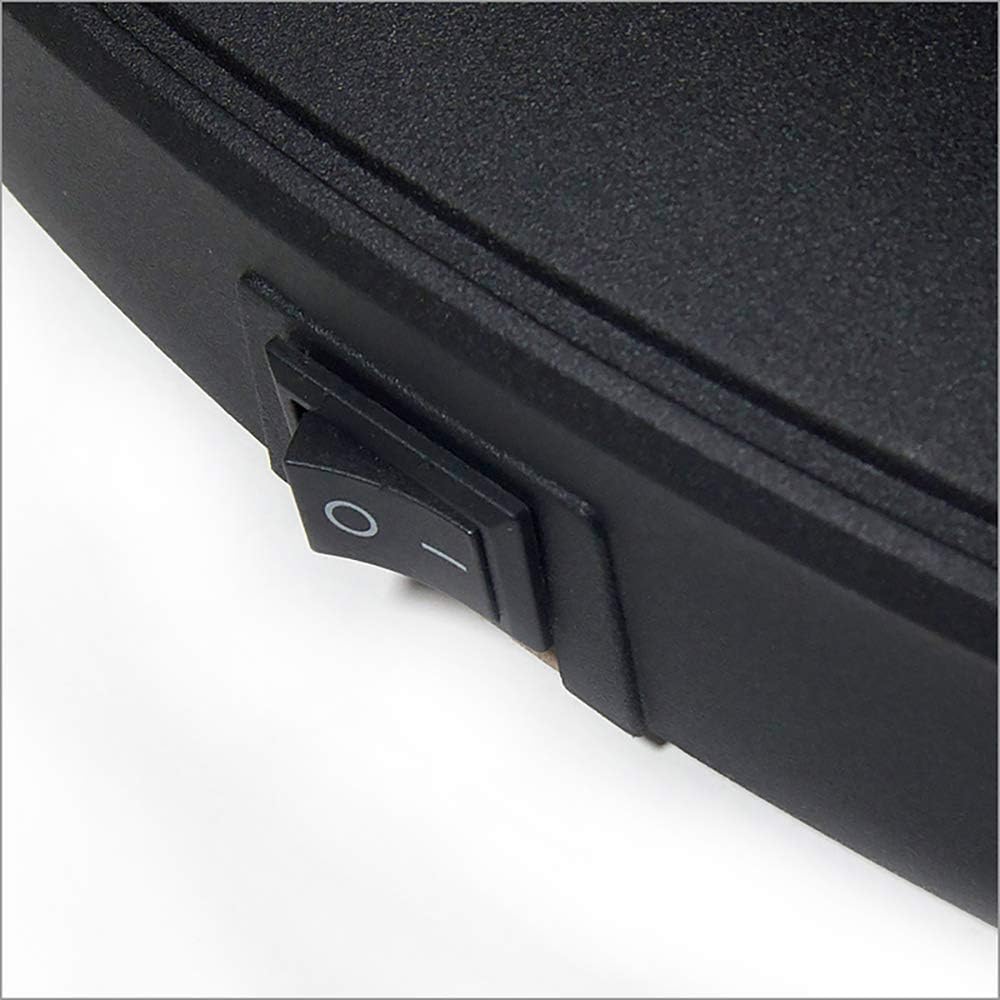
Image: A close-up of the physical power switch located on the side of the GRANBOARD 3s dartboard.
2. Bluetooth Connection
- Ensure Bluetooth is enabled on your smartphone or tablet.
- Open the GRANBOARD app.
- The app will typically search for and connect to your GRANBOARD 3s automatically. If it does not connect, navigate to the app's settings or your device's Bluetooth settings to manually pair.
3. Game Modes and Online Play
The GRANBOARD app offers a wide variety of game modes, including classic 01 games, Cricket, and various practice modes. You can play against AI opponents or connect with players worldwide through the online community.
- Online Play: Select the online play option within the app to find opponents. You have the option to enable video and audio transmission to interact with other players during matches.
- AI Opponents: The integrated AI offers various skill levels, adapting to your play for a consistently challenging and engaging experience.
4. LED Lighting Effects
The GRANBOARD 3s features integrated LED lighting that dynamically enhances the gaming experience. These lights can synchronize with game animations and can be customized through the app. For full LED functionality and brightness, the dartboard must be powered via the micro USB port; battery power may disable some lighting effects or reduce their intensity.
The board also supports integration with smart bulbs (e.g., Philips Hue) to create an even more immersive and synchronized lighting environment in your playing area.

Image: A close-up of the red button on the dartboard, typically used for reset or specific game functions within the app.
Maintenance
1. Cleaning
To clean the dartboard surface, gently wipe it with a soft, dry, or slightly damp cloth. Avoid using abrasive cleaners, solvents, or excessive moisture, as these can damage the electronic components or the board's finish.
2. Dart Weight Recommendation
For optimal performance, accuracy, and to ensure the longevity of the dartboard's segments, it is recommended to use soft-tip darts with a maximum weight of 18 grams.
Troubleshooting
1. Bluetooth Connectivity Issues
- Power Adapter: Ensure you are using a compatible USB power adapter with sufficient wattage (e.g., 1A or 1.5A). An underpowered adapter is a common cause of unstable Bluetooth connections.
- Restart Devices: Try turning the dartboard off and on again, and restart the GRANBOARD app on your smart device.
- Device Proximity: Ensure your smartphone or tablet is within close range of the dartboard (typically within 10 meters) and there are no major obstructions.
- Interference: Minimize potential interference from other Bluetooth devices, Wi-Fi signals, or large electronic appliances.
2. Darts Not Registering / Hard to Pull Out
- Dart Tips: Inspect your dart tips for damage or excessive wear. Replace them if necessary to ensure proper penetration and score registration.
- Board Flex: If darts are consistently hard to pull out and the board flexes significantly, consider reinforcing the bottom mounting point to provide additional stability and reduce movement.
3. LED Lights Not Working
- Power Source: Ensure the dartboard is connected to a micro USB power source. Some LED effects may not function or may be dimmed when operating on battery power alone.
- App Settings: Check the LED settings within the GRANBOARD app to ensure they are enabled and configured as desired.
Product Specifications
| Feature | Detail |
|---|---|
| Brand | GranBoard |
| Model Number | 551000071000 |
| Material | Plastic |
| Color | Blue |
| Product Dimensions (L x H) | 60 cm x 6 cm |
| Item Weight | 4050 Grams |
| Item Thickness | 4 Centimeters |
| Power Source | Micro USB (2 AA batteries required for some functions, but USB power recommended for full LED features) |
| Connectivity | Bluetooth 4.0 |
| Compatible OS | Android, iOS |
| Included Components | Dartboard, USB cable |
| International Article Code | 04582566524283 |
| Country of Origin | China |
Warranty Information
Specific warranty details for the GRANBOARD 3s Smart Dartboard are typically provided at the point of purchase or within the product packaging. Please refer to your purchase documentation or contact the retailer/manufacturer for precise warranty terms and conditions. Generally, electronic products come with a limited manufacturer's warranty covering defects in materials and workmanship under normal use.
Customer Support
For further assistance, technical support, or inquiries regarding your GRANBOARD 3s, please refer to the following resources:
- GRANBOARD Official Website: Visit the official GranBoard website for FAQs, support articles, and contact information.
- App Store Support: Check the support section within the GRANBOARD app on your iOS or Android device for in-app assistance.
- Retailer Support: Contact the retailer from whom you purchased the product for specific return, exchange, or warranty claim procedures.
Related documents551000071000


Ask a question about this manual
Ask about setup, troubleshooting, compatibility, parts, safety, or missing instructions. Manuals+ will review the question and use this page’s manual context to help answer it.