
Introduction
The Tek Styz Pro Stylus Pen is designed to enhance your interaction with the Xiaomi Redmi Pad SE and other compatible capacitive touchscreen devices. This high-precision stylus offers a smooth and responsive experience for writing, drawing, and navigating your device, while keeping your screen free from smudges and fingerprints. Its durable construction and comfortable design make it suitable for extended use in various environments.
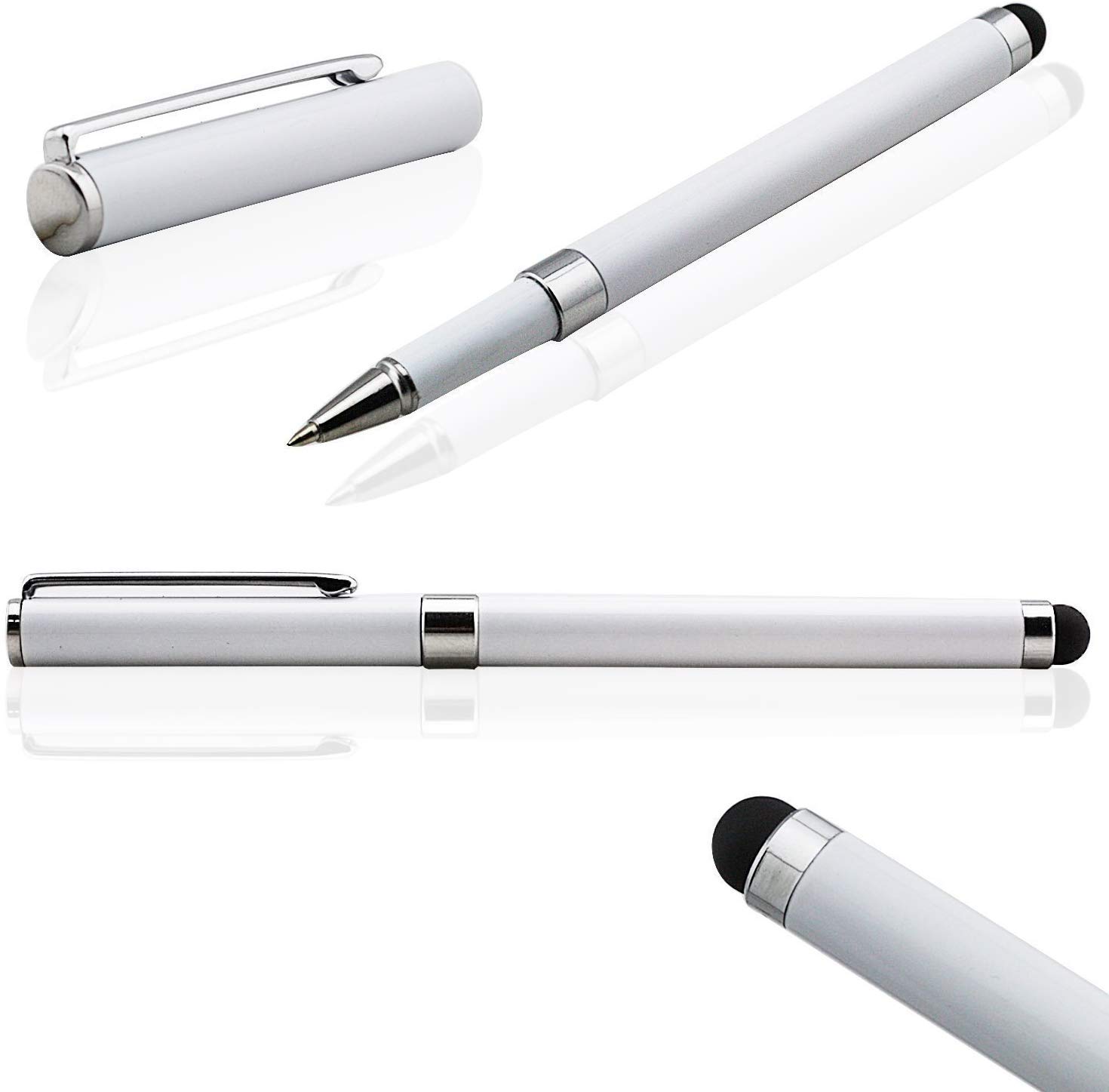
Image: The Tek Styz Pro Stylus Pen, showcasing its sleek silver design and precision tip.
Setup
- Unpack the Stylus: Carefully remove the Pro Stylus Pen from its packaging.
- No Charging or Pairing Required: This is a passive capacitive stylus and does not require batteries, charging, or Bluetooth pairing. It is ready for immediate use upon removal from the package.
- Inspect the Tip: Before first use, ensure the soft, scratch-resistant silicone tip is clean and free from any debris.
Operating Instructions
The Pro Stylus Pen operates like a finger on your capacitive touchscreen, but with enhanced precision and control.
- Holding the Stylus: Hold the stylus as you would a traditional pen or pencil for comfortable and natural interaction.
- Basic Interaction:
- Tap: Lightly tap the screen to select items, open apps, or activate buttons.
- Swipe: Drag the stylus across the screen to scroll, navigate pages, or move objects.
- Draw/Write: Use the stylus for precise input in drawing applications, note-taking apps, or for handwriting recognition.
- Screen Protection: The soft silicone tip protects your device's screen from scratches, fingerprints, and smudges, keeping it clean during use.
- Enhanced Precision: The fine tip allows for greater accuracy compared to finger input, especially useful for detailed tasks or for users with larger fingers or long nails.
Maintenance
- Cleaning the Stylus Tip: Gently wipe the silicone tip with a soft, lint-free cloth. If necessary, slightly dampen the cloth with water, but ensure the tip is completely dry before use. Avoid harsh chemicals or abrasive materials.
- Cleaning the Stylus Body: Wipe the aluminum body with a soft, dry cloth to remove dust or smudges.
- Storage: Store the stylus in a clean, dry place away from extreme temperatures. Avoid placing heavy objects on it or bending it, which could damage the tip or body.
- Tip Longevity: While durable, the silicone tip may show signs of wear over extended periods of heavy use. If the tip becomes damaged or less responsive, consider replacing the stylus for optimal performance.
Troubleshooting
- Stylus not responding or inaccurate:
- Check Device Screen: Ensure your device's screen is clean and free of dust, smudges, or screen protectors that might interfere with touch sensitivity.
- Inspect Stylus Tip: Verify that the stylus tip is clean and undamaged. A dirty or worn tip can reduce responsiveness.
- Device Compatibility: Confirm that your device is a capacitive touchscreen. This stylus is designed for capacitive screens like the Xiaomi Redmi Pad SE.
- Restart Device: Sometimes, a simple device restart can resolve temporary touch input issues.
- Stylus feels rough or scratches screen:
- Clean Tip: Ensure there are no particles or debris stuck to the stylus tip.
- Inspect Tip for Damage: If the tip is torn or damaged, it may scratch the screen. Discontinue use if the tip is compromised.
Specifications
| Brand | Tek Styz |
| Model | Pro Stylus (B082XL17TX) |
| Compatible Devices | Xiaomi Redmi Pad SE, other capacitive touchscreens |
| Material | High Impact Plastic, Powder Coated, Stainless Steel (Body), Silicone (Tip) |
| Color | Silver |
| Product Dimensions | 5.5 x 0.25 x 0.25 inches |
| Item Weight | 0.3 ounces |
| Batteries Required | No |
Warranty and Support
For warranty information or technical support regarding your Tek Styz Pro Stylus Pen, please refer to the retailer's return policy or contact Tek Styz directly through their official channels. Keep your purchase receipt for any warranty claims.