
1. Introduction
The Andoer 42 LED Video Light is a compact and versatile lighting solution designed for various photography and videography applications. It features 42 high-quality LED lamp beads, providing high brightness and excellent color rendering. Equipped with a built-in 2000mAh rechargeable battery, this portable fill light is ideal for use with DSLR cameras, camcorders, and for scenarios such as interviews, macro photography, and general video shooting. Its wide 120° illumination angle ensures broad coverage, making it a valuable tool for enhancing lighting in diverse environments.
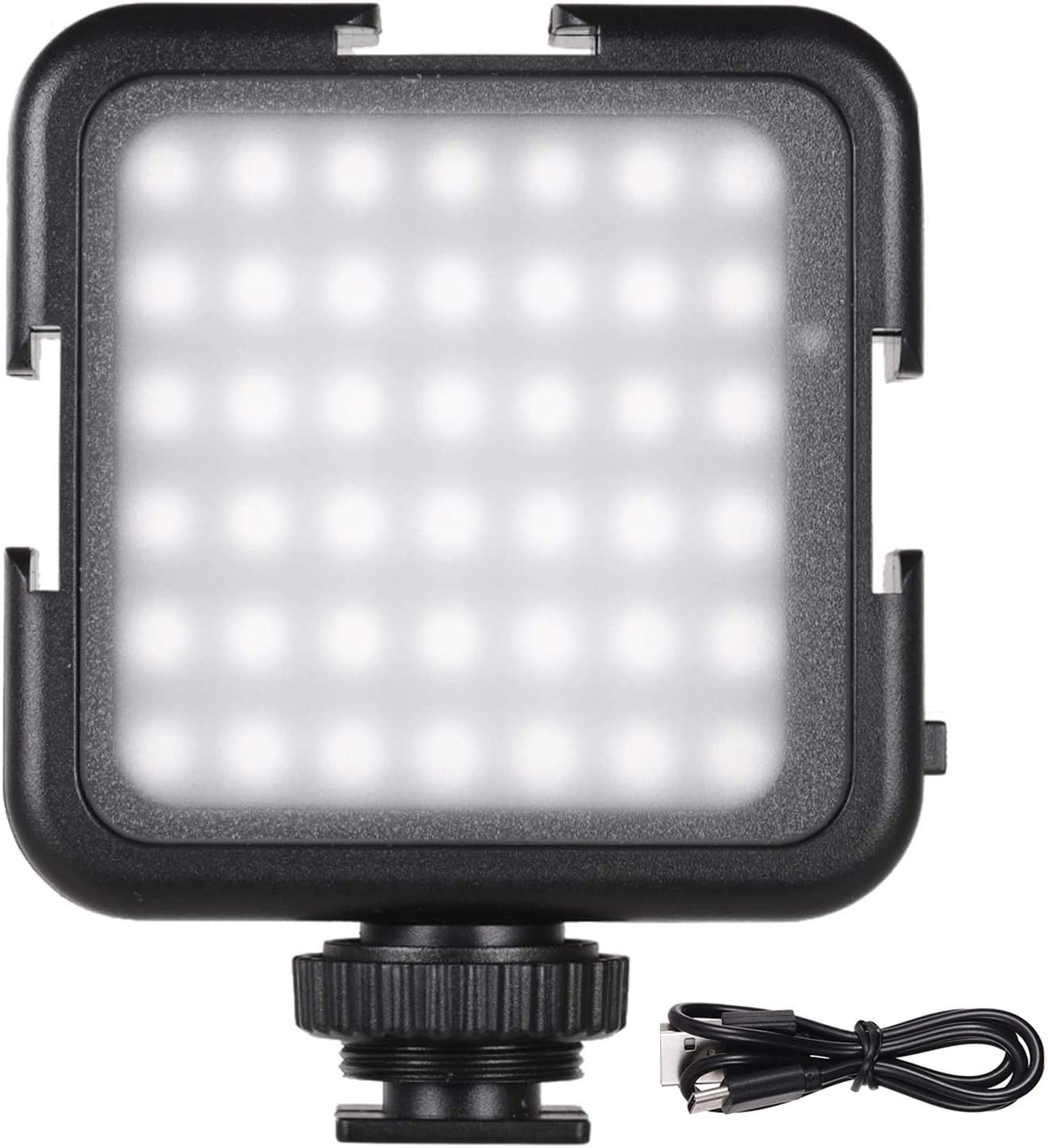
Image 1.1: The Andoer 42 LED Video Light, showcasing its compact design and included USB charging cable.
2. Product Overview and Features
The Andoer 42 LED Video Light is engineered with user convenience and performance in mind. Key features include:
- 42 High-Quality LED Beads: Provides bright and consistent illumination.
- Rechargeable 2000mAh Battery: Offers portability and extended use, with convenient USB charging.
- Two Brightness Levels: Easily switch between low and high brightness modes to suit different lighting needs.
- Stable 6000K Color Temperature: Delivers natural white light, suitable for various shooting conditions.
- High Illuminance: Achieves up to 800 LM, ensuring ample light output.
- Wide 120° Illumination Angle: Ensures broad and even light distribution.
- Three Cold Shoe Mounts: Allows for interlocking multiple lights or attaching additional accessories like microphones for enhanced lighting effects.
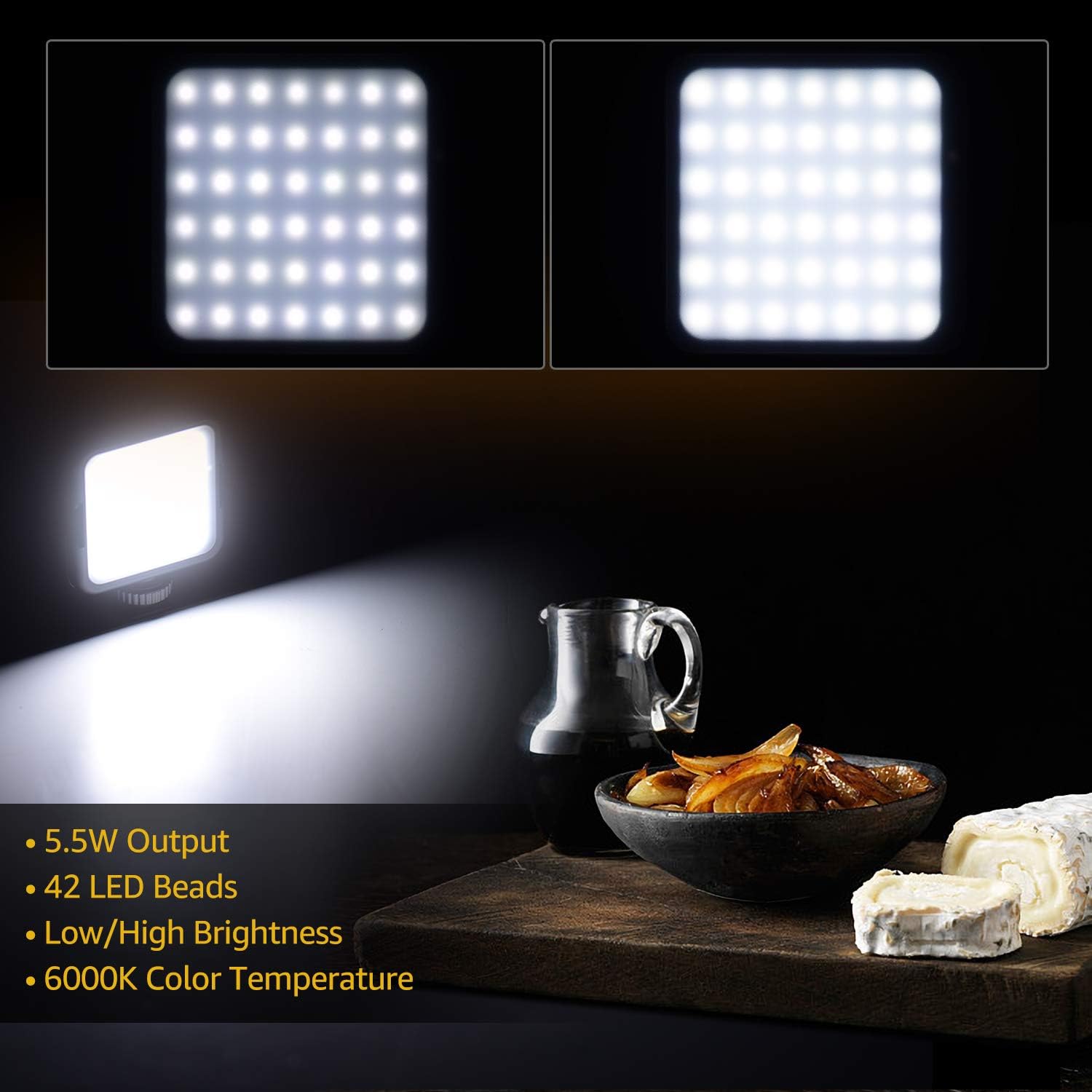
Image 2.1: Visual representation of the two brightness levels (low and high) and key specifications of the light.

Image 2.2: Illustration demonstrating how multiple Andoer 42 LED Video Lights can be interlocked using their cold shoe mounts to increase overall brightness.
3. Specifications
Detailed technical specifications for the Andoer 42 LED Video Light:
| Specification | Value |
|---|---|
| Brand | Andoer |
| Model | 42LED |
| LED Beads Quantity | 42pcs |
| Color Temperature | 6000K |
| Battery Capacity | 3.7V 2000mAh |
| Illumination Angle | 120° |
| Power | 5.5W |
| Illuminance | 800LM |
| Lighting Distance | 5M |
| Item Size | 3.23 x 2.56 x 0.83 inches (8.2 x 6.5 x 2.1 cm) |
| Item Weight | 3.87 ounces (79g) |
| Manufacturer | Andoer |
| ASIN | B082XBQPBY |
| Item Model Number | KIW8948150145551GC |

Image 3.1: Diagram illustrating the physical dimensions of the Andoer 42 LED Video Light.
4. Setup
Before using your Andoer 42 LED Video Light, ensure it is properly charged and mounted.
4.1 Charging the Battery
The video light comes with a built-in 2000mAh rechargeable lithium battery. To charge the device:
- Locate the Type-C charging port on the side of the light.
- Connect the provided USB Type-C cable to the light's charging port.
- Connect the other end of the USB cable to a compatible USB power source (e.g., computer USB port, wall adapter, power bank).
- The charging indicator will show the charging status. Ensure the light is fully charged before first use for optimal battery life.

Image 4.1: The video light mounted on a camera, highlighting the Type-C charging port for convenient recharging.
4.2 Mounting the Light
The Andoer 42 LED Video Light offers multiple mounting options:
- Cold Shoe Adapter: The light features a standard cold shoe adapter at its base, allowing it to be easily mounted onto a camera's hot shoe or any accessory with a cold shoe mount.
- 1/4" Screw Hole: Below the cold shoe adapter, there is a 1/4" screw hole, enabling mounting on tripods, light stands, or other accessories with a 1/4" screw.
- Three Cold Shoe Mounts: The light is equipped with three additional cold shoe mounts (one on each of the remaining three sides). These allow you to interlock multiple Andoer 42 LED Video Lights together for increased brightness or to attach other video accessories such as microphones.

Image 4.2: Detailed view of the Andoer 42 LED Video Light, showing the Type-C port, OFF/LOW/HIGH switch, 1/4" screw hole, cold shoe adapter, and additional cold shoe mounts.
5. Operating Instructions
Follow these steps to operate your Andoer 42 LED Video Light:
- Power On/Off: Locate the slide switch labeled "OFF / L / H" on the side of the light.
- Adjust Brightness:
- Slide the switch to the 'L' position for low brightness.
- Slide the switch to the 'H' position for high brightness.
- Slide the switch to the 'OFF' position to turn off the light.
- Interlocking Lights: If you have multiple Andoer 42 LED Video Lights, you can slide them into each other's cold shoe mounts to create a larger light panel for increased illumination.

Image 5.1: Examples of the Andoer 42 LED Video Light's wide applications, including vlogging, live streaming, makeup, macrophotography, product photography, and interviews.
6. Maintenance
Proper maintenance ensures the longevity and optimal performance of your Andoer 42 LED Video Light:
- Cleaning: Use a soft, dry cloth to clean the light's surface. Avoid using abrasive cleaners or solvents.
- Battery Care: To ensure the service life of the battery, charge the battery at least once every six months, even if not in regular use.
- Storage: Do not store this product in a place with high temperature (above 55°C) or high humidity. Avoid storing in environments below -20°C, as this can significantly reduce LED light source and battery life.
- Handling: When the product is working for a long time, the lamp cover may become warm. Please do not touch the lamp cover directly to avoid burns.
7. Troubleshooting
If you encounter issues with your Andoer 42 LED Video Light, refer to the following common problems and solutions:
- Light is too bright: The light is designed to be powerful. If it appears too bright for your specific use, try increasing the distance between the light and your subject, or utilize the low brightness setting.
- Light turns on unexpectedly in pocket/bag: The power switch can sometimes be accidentally activated. Ensure the switch is firmly in the 'OFF' position when storing the light. Consider using a protective pouch or case to prevent accidental activation.
- Light gets hot during prolonged use: It is normal for the light to generate some heat during extended operation. This is a characteristic of LED devices. Avoid touching the lamp cover directly when it has been on for a long time to prevent burns. Ensure adequate ventilation around the device.
- Light does not turn on: Check if the battery is charged. Connect the light to a power source using the USB Type-C cable and allow it to charge for at least 30 minutes before attempting to turn it on again. Ensure the power switch is set to 'L' or 'H'.
8. Warranty and Support
Andoer products are manufactured to high-quality standards. For any issues not covered in this manual, or for warranty inquiries, please contact the retailer where you purchased the product or visit the official Andoer support channels. Keep your purchase receipt as proof of purchase.
For more information, you may visit the Andoer Store on Amazon or the product page: Andoer 42 LED Video Light Product Page.


