
Introduction
The Anyork Vpro X7 Golf Rangefinder is a precision optical instrument designed to measure distances accurately for golf, hunting, and other outdoor activities. Featuring 6X magnification, flag-lock technology with vibration, and slope compensation, this device assists users in making informed decisions regarding distance. This manual provides detailed instructions for the proper use, maintenance, and troubleshooting of your rangefinder.

Figure 1: The Anyork Vpro X7 Golf Rangefinder, showcasing its compact design and optical lenses.
Package Contents
Upon opening the package, please verify that all the following items are included:
- Anyork Vpro X7 Golf Rangefinder
- Carrying Case
- 2 x CR2 Batteries
- Carabiner
- Lanyard
- Cleaning Cloth
- User Manual (this document)
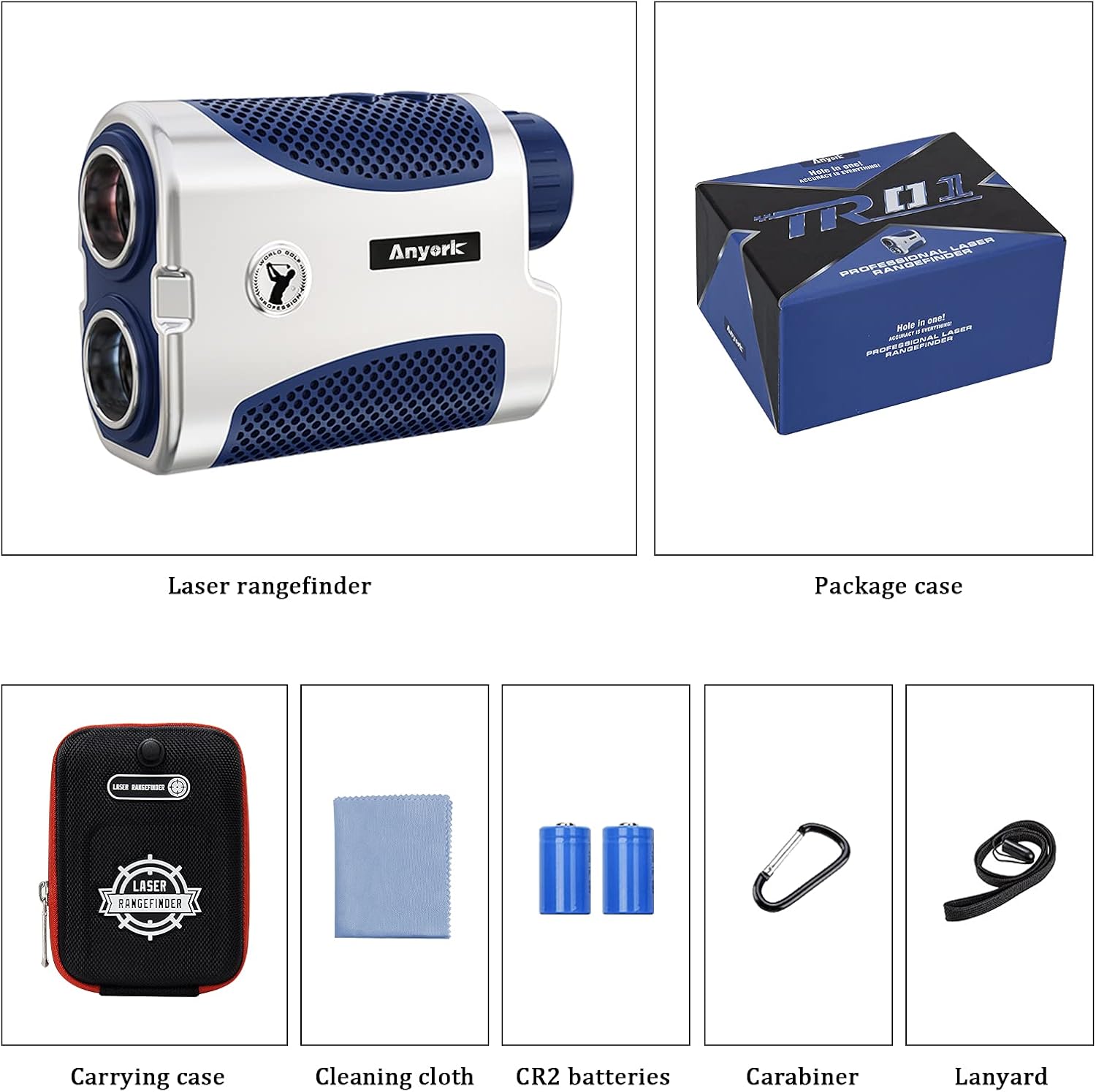
Figure 2: All items included in the Anyork Vpro X7 Golf Rangefinder package: the rangefinder, carrying case, CR2 batteries, carabiner, lanyard, and cleaning cloth.
Setup
1. Battery Installation
- Locate the battery compartment on the side of the rangefinder.
- Open the battery compartment cover.
- Insert one CR2 battery, ensuring the correct polarity (+/-) as indicated inside the compartment.
- Close the battery compartment cover securely.
Note: The device automatically shuts down after 3 seconds of inactivity to conserve battery. Press the power button to reactivate it.
2. Attaching the Lanyard and Carabiner
- Thread the lanyard through the designated loop on the rangefinder to prevent accidental drops.
- Attach the carabiner to the carrying case for convenient attachment to a golf bag or belt loop.
Operating Instructions
1. Power On/Off and Focus Adjustment
- Press the Power button (usually located on top) to turn on the rangefinder.
- To adjust the focus and achieve a clear view, rotate the eyepiece clockwise or counter-clockwise until the display and target appear sharp.
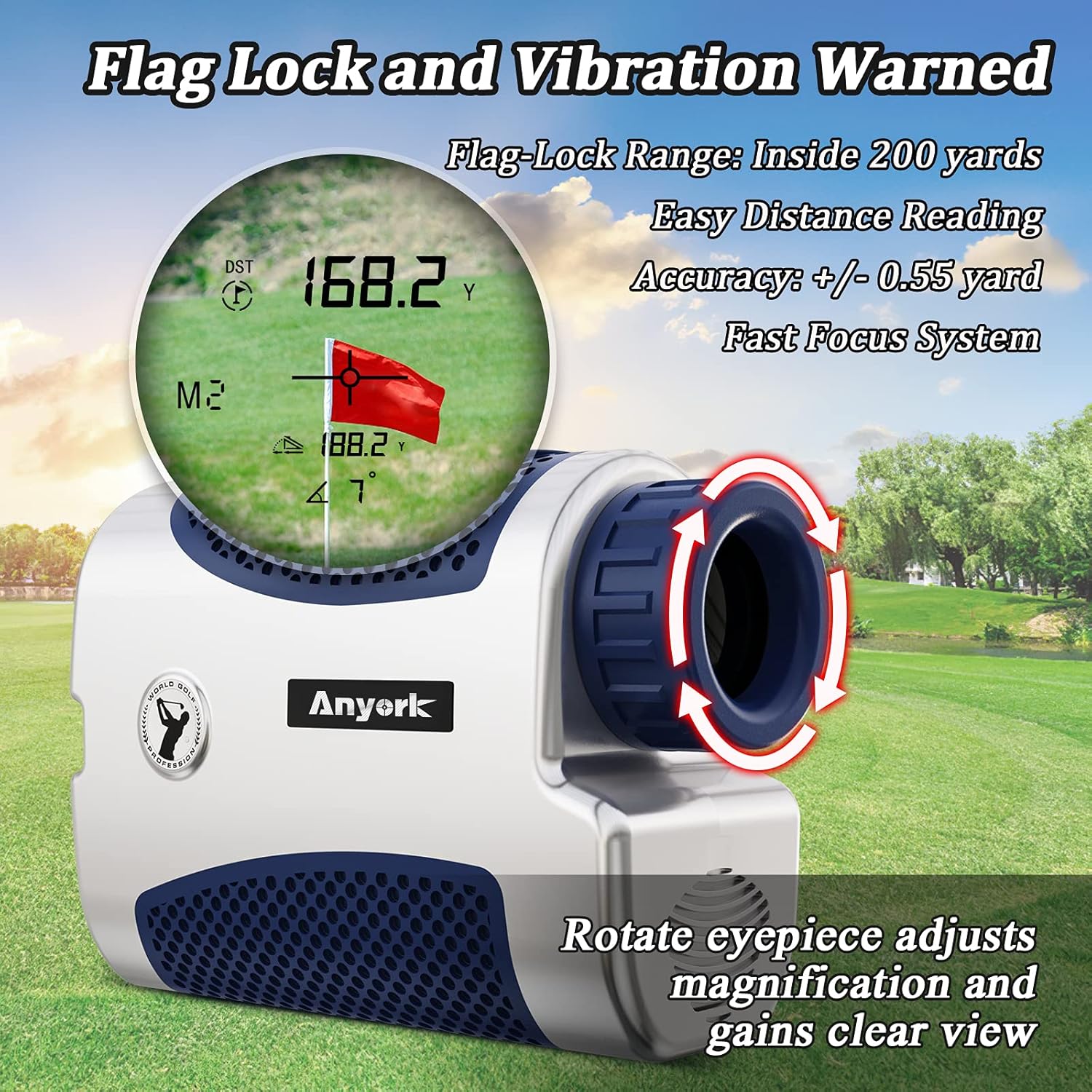
Figure 3: Rotating the eyepiece to adjust magnification and achieve a clear view of the target and display.
2. Mode Selection
The Vpro X7 rangefinder offers different modes for various scenarios. Press the 'MODE' button to cycle through available modes.
- General Golf Mode (M1): Provides direct line-of-sight distance measurement.
- Slope Golf Mode (M2): Calculates the trajectory path length, compensating for incline or decline. This mode can be toggled on/off using the physical slope switch.
3. Slope On/Off Function
The Vpro X7 features a physical switch to enable or disable the slope compensation function. This allows the device to be compliant with tournament rules when slope is disabled.
- To enable Slope Mode: Slide the physical switch to the 'ON' position. The display will indicate slope compensation is active.
- To disable Slope Mode: Slide the physical switch to the 'OFF' position. The device will only provide line-of-sight distances, making it legal for tournament play.

Figure 4: The physical slope switch, allowing users to toggle slope compensation on or off for tournament legality.

Figure 5: An illustration demonstrating how the rangefinder calculates adjusted distance with slope compensation, showing both horizontal and uphill/downhill play distances.
4. Measuring Distance
- Look through the eyepiece and aim the reticle at your desired target.
- Press the Power button once to activate the laser. The distance will be displayed almost instantly.
5. Flag-Lock Technology with Vibration (M2 Mode)
This feature helps to lock onto the flagstick, ignoring background objects, and provides a vibration confirmation.
- Ensure the rangefinder is in M2 (Slope Golf) mode.
- Aim at the flagstick.
- Press and hold the Power button while slowly scanning the flagstick for approximately 3 seconds.
- The device will vibrate once it has successfully locked onto the flag, and the distance will be displayed. This feature is effective for flag-lock up to 350+ yards.
Tip: When using Flag-Lock, aim for the flag itself, not the flagpole, for optimal accuracy.
6. Continuous Scan Mode
For measuring distances to multiple targets or moving objects, use the continuous scan feature.
- Press and hold the Power button.
- Pan the rangefinder across different targets. The display will continuously update with new distances.
- Release the Power button to stop scanning.
Maintenance
- Cleaning: Use the provided cleaning cloth to gently wipe the lenses and exterior of the rangefinder. Avoid using abrasive materials or chemical cleaners.
- Storage: Store the rangefinder in its carrying case when not in use to protect it from dust, moisture, and impacts. Store in a cool, dry place.
- Battery: If the device will not be used for an extended period, remove the CR2 battery to prevent leakage and potential damage.
- Water Resistance: The device is waterproof (IP54 rated), meaning it is protected from splashing water. However, it should not be submerged in water.
Troubleshooting
| Problem | Possible Cause | Solution |
|---|---|---|
| Device does not power on. | Low or dead battery; incorrect battery installation. | Replace the CR2 battery; ensure correct polarity. |
| Inaccurate distance readings. | Unstable aiming; dirty lenses; target too far or too close; environmental factors (fog, heavy rain). | Ensure steady aim; clean lenses with provided cloth; verify target is within 5-1500 yard range; re-measure in clearer conditions. |
| Cannot lock onto flag. | Aiming at background objects; flag too far; unsteady hands. | Ensure you are scanning the flagstick for 3 seconds; try to aim at the flag itself; stabilize your hands. Flag-lock is effective up to 350+ yards. |
| Display is blurry. | Eyepiece not properly focused. | Rotate the eyepiece to adjust the focus until the display is clear. |
Specifications
| Model | Vpro X7 |
| Measuring Range | 5 - 1500 yards |
| Accuracy | +/- 1 meter |
| Magnification | 6X |
| Water Resistance Level | IP54 (Waterproof) |
| Battery Type | CR2 Lithium (1 included, 1 spare) |
| Automatic Shut-off | After 3 seconds of inactivity |
| Dimensions (approx.) | 104 x 35 x 70 mm (4.17 x 1.38 x 2.76 inches) |
| Weight (approx.) | 187 grams (6.6 oz) |
| UPC | 791348441036 |
Safety Information
- Laser Safety: Do not look directly into the laser aperture or aim the laser at others. This device uses an invisible Class 1 laser, which is safe under normal operating conditions but direct exposure to the beam should be avoided.
- Battery Safety: Use only specified CR2 batteries. Do not mix old and new batteries. Do not dispose of batteries in fire. Keep batteries out of reach of children.
- Eye Protection: While the device is designed for safe use, avoid prolonged direct exposure to bright sunlight through the eyepiece, as this can cause eye damage.
- Environmental: Do not expose the device to extreme temperatures or humidity.
Warranty and Support
Anyork products are manufactured to high-quality standards. For information regarding warranty coverage, please refer to the warranty card included with your purchase or visit the official Anyork website. Should you encounter any issues or require assistance with your Vpro X7 Golf Rangefinder, our dedicated support team is available to help. Please contact us through the retailer where you purchased the product or via the contact information provided on the Anyork website.
We are committed to ensuring your satisfaction with our products.