
Introduction
This manual provides detailed instructions for the operation and maintenance of your Wendry RXTX10 Bluetooth Audio Receiver Transmitter. This versatile device allows you to wirelessly transmit audio from non-Bluetooth sources to Bluetooth headphones/speakers, or receive audio from Bluetooth-enabled devices on traditional wired audio systems. Please read this manual thoroughly before use to ensure proper functionality and to maximize your experience.
Product Overview

Image: The Wendry RXTX10 Bluetooth Audio Receiver Transmitter, showing its compact black design with control buttons and ports.
Key Features
- Easy operation for both audio transmission and reception.
- Bluetooth emission mode: Transmit audio from devices like TVs, CD players, or MP3 players to Bluetooth speakers or headsets.
- Bluetooth receiving mode: Stream music from mobile phones to traditional home audio systems.
- Supports volume control and track switching (last/next song).
- Integrated receiver and transmitter functionality in one device.
- Low-latency technology for real-time audio synchronization, suitable for online games, TV, and movies.
- Built-in rechargeable battery for extended working time.
Package Contents

Image: The RXTX10 device shown alongside its USB charging cable and 3.5mm audio cable.
- 1 x Wendry RXTX10 Audio Receiver and Transmitter
- 1 x 3.5mm Audio Cable
- 1 x USB Charging Cable
- 1 x User Manual (this document)
Specifications
| Feature | Detail |
|---|---|
| Bluetooth Version | 4.2 |
| Protocol Support | A2DP, AVRCP |
| Decoding Support | MP3, WAV, WMA, APE |
| Transmission Distance | Approx. 10 meters (32.8 ft) in open space |
| Working Time | Up to 8 hours |
| Signal-to-Noise Ratio | 95dB |
| Built-in Battery | 300mAh |
| Connectivity Technology | Bluetooth |
| Compatible Devices | Smartphones, Speakers, TVs, MP3 Players, CD Players |
| Connector Type | 3.5mm Jack, RCA (via adapter, not included) |
| Audio Output Mode | Stereo |
| Item Weight | 0.05 Kilograms (1.76 ounces) |
Setup
Charging the Device

Image: The RXTX10 device highlighting its built-in battery and charging capability.
- Connect the supplied USB charging cable to the micro USB port on the RXTX10.
- Connect the other end of the USB cable to a standard USB power adapter (5V) or a computer's USB port.
- The indicator light will show charging status (refer to LED indicator section for details, if available).
- A full charge typically takes approximately 2 hours and provides up to 8 hours of working time.
Powering On/Off
- To Power On: Press and hold the Power button (ⓘ) for approximately 3 seconds until the indicator light illuminates.
- To Power Off: Press and hold the Power button (ⓘ) for approximately 3 seconds until the indicator light turns off.
Operating Instructions
Switching Modes (Receiver/Transmitter)
The RXTX10 supports both Receiver (RX) and Transmitter (TX) modes. The mode is typically indicated by a switch or button on the device. Ensure the device is in the correct mode for your intended use.
- RX Mode (Receiver): Used to receive Bluetooth audio from a smartphone, tablet, or computer and output it to a wired speaker, car stereo, or home audio system.
- TX Mode (Transmitter): Used to transmit audio from a non-Bluetooth device (e.g., TV, CD player, MP3 player) to Bluetooth headphones or speakers.
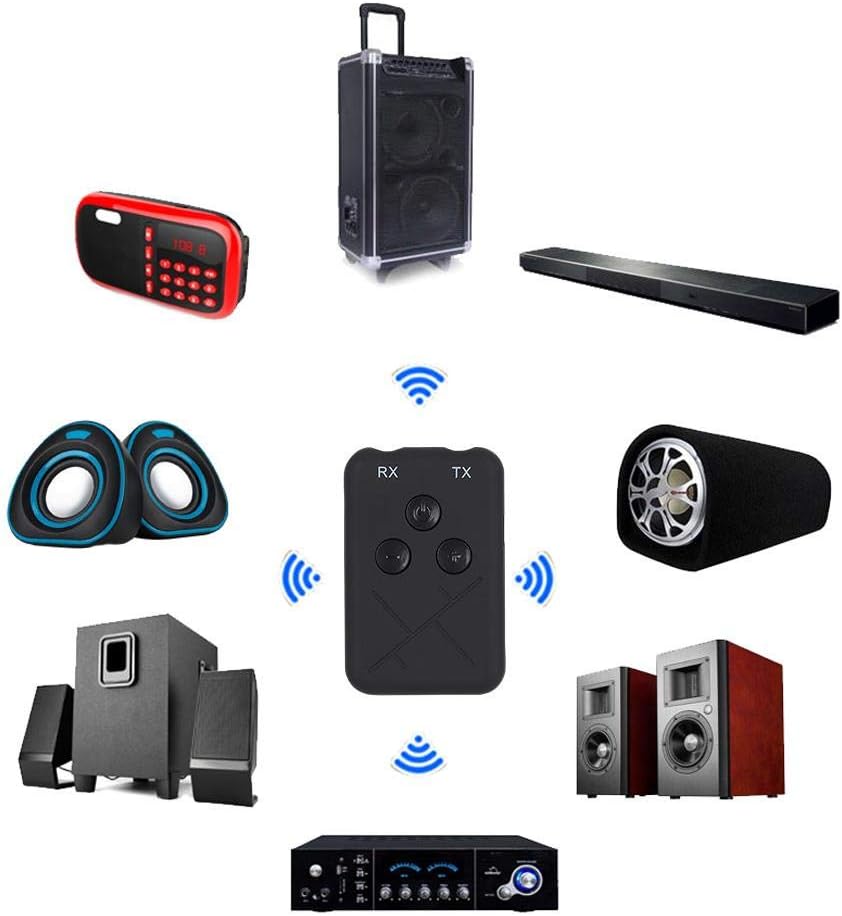
Image: The RXTX10 device centrally positioned, illustrating its connectivity to a range of audio equipment like speakers, soundbars, and amplifiers, indicating its dual receiver and transmitter capabilities.
Receiver Mode (RX)
- Ensure the RXTX10 is in RX mode.
- Connect the RXTX10 to your non-Bluetooth audio device (e.g., wired speakers, car stereo) using the 3.5mm audio cable.
- Power on the RXTX10. It will automatically enter pairing mode (indicator light will flash).
- On your Bluetooth-enabled device (smartphone, tablet), search for Bluetooth devices and select "RXTX10" to pair.
- Once paired, the indicator light will become solid. You can now stream audio from your Bluetooth device to your connected audio system.

Image: The RXTX10 device connected via a 3.5mm cable to a speaker, with a smartphone wirelessly streaming music to it, demonstrating receiver mode functionality.
Transmitter Mode (TX)
- Ensure the RXTX10 is in TX mode.
- Connect the RXTX10 to your non-Bluetooth audio source (e.g., TV, CD player) using the 3.5mm audio cable.
- Power on the RXTX10. It will automatically enter pairing mode (indicator light will flash).
- Put your Bluetooth headphones or speaker into pairing mode.
- The RXTX10 will automatically search for and connect to nearby Bluetooth receiving devices. Once connected, the indicator light will become solid.
- Audio from your source device will now be transmitted wirelessly to your Bluetooth headphones or speaker.

Image: The RXTX10 device connected to a television, transmitting audio wirelessly to two speakers, highlighting its low-latency capability for synchronized sound with video.
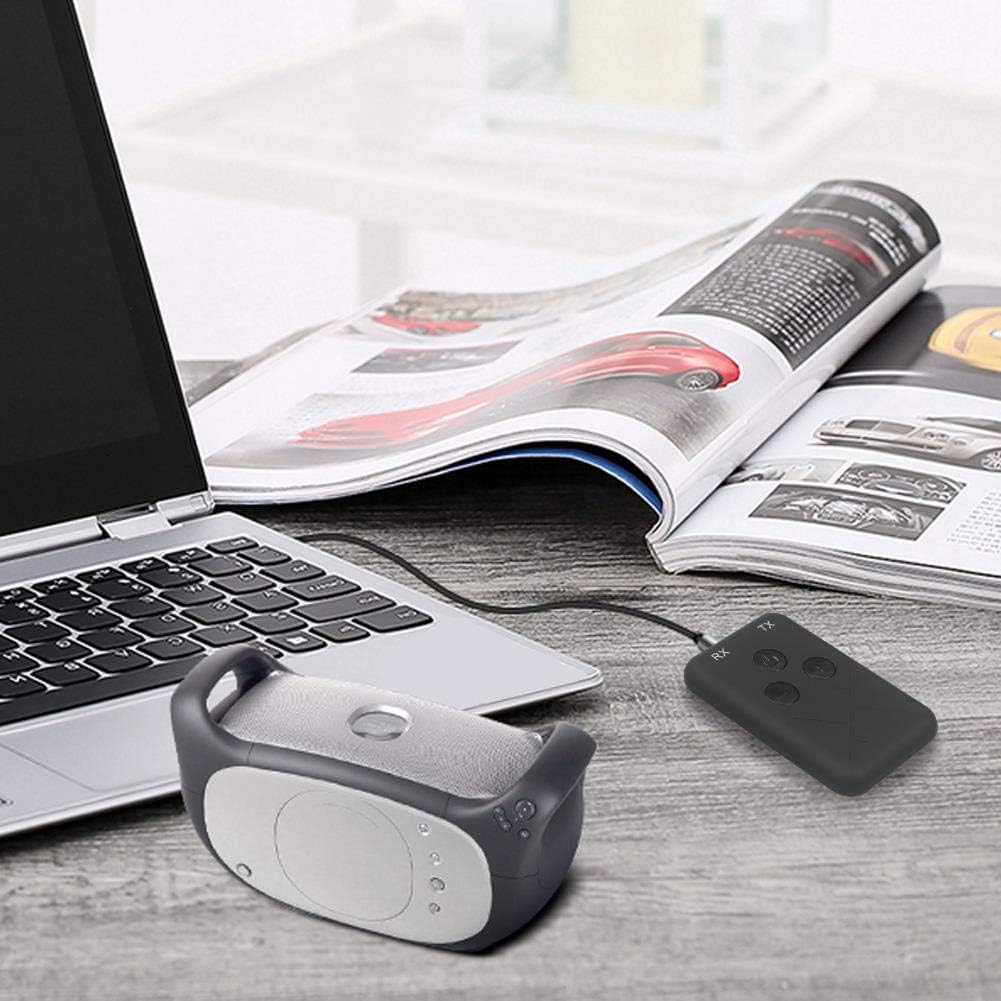
Image: The RXTX10 device connected to a laptop via a 3.5mm cable, transmitting audio to a nearby Bluetooth speaker, demonstrating its use with computers.
Volume Control and Song Switching
The RXTX10 features dedicated buttons for audio control:
- Volume Up: Press the + button.
- Volume Down: Press the - button.
- Next Track: Long press the + button (functionality may vary based on connected device).
- Previous Track: Long press the - button (functionality may vary based on connected device).
Maintenance
- Keep the device dry. Moisture can damage internal circuits.
- Do not expose the device to extreme temperatures.
- Clean the device with a soft, dry cloth. Avoid using harsh chemicals or abrasive cleaners.
- Store the device in a cool, dry place when not in use for extended periods.
- Avoid dropping or subjecting the device to strong impacts.
Troubleshooting
| Problem | Possible Cause | Solution |
|---|---|---|
| Device does not power on. | Low battery. | Charge the device fully using the provided USB cable. |
| Cannot pair with another device. | Device not in pairing mode; too far apart; interference. | Ensure the RXTX10 is in the correct RX/TX mode and pairing mode (flashing indicator). Place devices closer. Turn off other Bluetooth devices. |
| No audio output/input. | Incorrect cable connection; wrong mode; volume too low. | Check 3.5mm audio cable connections. Verify RXTX10 is in the correct RX/TX mode. Adjust volume on both the RXTX10 and the connected audio device. |
| Audio quality is poor or intermittent. | Distance too great; obstacles; low battery. | Reduce distance between devices. Remove obstacles. Ensure the RXTX10 is fully charged. |
Warranty and Support
For warranty information or technical support, please refer to the contact details provided with your purchase documentation or visit the official Wendry website. Keep your proof of purchase for any warranty claims.
For further assistance, you may contact Wendry customer service via their official channels. Please have your model number (RXTX10) and purchase date ready.