
1. Introduction
This user manual provides essential information for the safe and effective use of your JASHEN V18 Cordless Vacuum Cleaner Replacement Battery. Please read this manual thoroughly before installation and operation, and retain it for future reference. This battery is specifically designed for the JASHEN V18 cordless vacuum cleaner.
2. Product Overview
The JASHEN V18 replacement battery is a high-capacity lithium-ion power source designed to extend the runtime of your JASHEN V18 cordless vacuum cleaner. It offers quick and easy replacement, ensuring continuous cleaning performance.
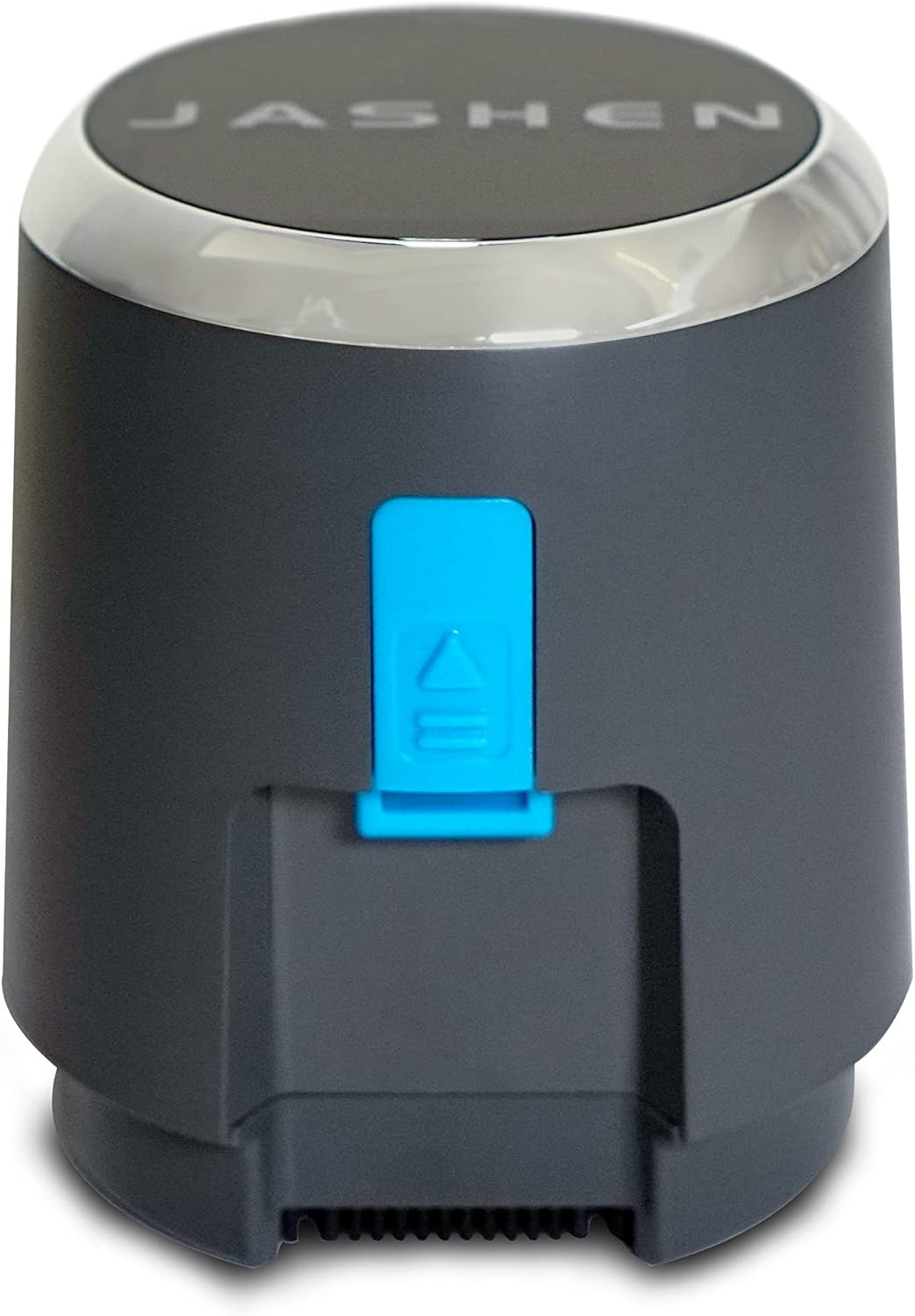
Figure 2.1: Front view of the JASHEN V18 replacement battery, showing the JASHEN logo on top and the blue release button.

Figure 2.2: Rear view of the JASHEN V18 replacement battery, displaying technical specifications and the blue release button.
3. Specifications
| Feature | Specification |
|---|---|
| Model Number | JS51011 |
| Battery Type | Lithium-ion |
| Voltage | 25.2 V |
| Capacity | 2500 mAh |
| Energy | 63 Wh |
| Amperage | 7 A |
| Weight | 470 Grams |
| Dimensions (L x W x H) | 9.5 x 9.5 x 12 cm |
| Compatible Devices | JASHEN V18 Cordless Vacuum Cleaner |
4. Safety Information
Please observe the following safety precautions to prevent injury or damage to the battery and vacuum cleaner:
- Use only the original JASHEN charger designed for the V18 vacuum cleaner to charge this battery.
- Do not expose the battery to extreme temperatures (above 60°C / 140°F or below 0°C / 32°F) or direct sunlight.
- Do not disassemble, crush, puncture, or short-circuit the battery.
- Keep the battery away from water, moisture, and flammable materials.
- If the battery shows signs of damage, leakage, or overheating, discontinue use immediately and contact JASHEN support.
- Dispose of the battery responsibly according to local regulations for lithium-ion batteries. Do not dispose of it with household waste.
- Keep out of reach of children and pets.
5. Installation and Setup
Follow these steps to install or replace the battery in your JASHEN V18 cordless vacuum cleaner:
- Ensure the vacuum cleaner is turned off and unplugged from any charging source.
- Locate the battery compartment on your JASHEN V18 vacuum cleaner. This is typically at the base of the main unit.
- Press the battery release button (usually blue, as shown in Figure 2.1 and 2.2) and slide the old battery out of its compartment.
- Align the new JASHEN replacement battery with the battery slot. Ensure the connectors are properly oriented.
- Gently slide the new battery into the compartment until it clicks securely into place. You should hear an audible click, indicating it is locked.
- Once installed, the battery is ready for charging or immediate use if it has a partial charge.
6. Operation
6.1 Charging the Battery
- Connect the JASHEN V18 vacuum cleaner to its original charging adapter.
- The battery will begin charging automatically. Refer to your vacuum cleaner's main manual for charging indicator lights and estimated charging times.
- It is recommended to fully charge the battery before its first use to optimize battery life.
6.2 Battery Runtime
This replacement battery provides approximately 40 minutes of runtime, depending on the power mode used and the type of surface being cleaned. Actual runtime may vary based on usage conditions.
7. Maintenance
- Storage: If storing the battery for an extended period, ensure it is charged to approximately 50-60% capacity. Store it in a cool, dry place, away from direct sunlight and extreme temperatures.
- Cleaning: Wipe the battery exterior with a dry, soft cloth. Do not use harsh chemicals or abrasive cleaners.
- Regular Use: For optimal battery health, avoid completely draining the battery before recharging. Regular partial charges are generally better than full discharge cycles for lithium-ion batteries.
8. Troubleshooting
| Problem | Possible Cause | Solution |
|---|---|---|
| Battery not charging | Battery not properly installed; Charger not connected; Faulty charger or battery. | Ensure battery is securely clicked into place. Check charger connection. Try charging with a known working charger (if available). Contact JASHEN support if problem persists. |
| Short runtime after full charge | Battery degradation; High power mode constantly used. | Battery life naturally decreases over time. Ensure you are not always using max power mode. If runtime is significantly reduced, consider replacing the battery. |
| Battery feels hot during charging/use | Normal operation (slight warmth); Overheating due to fault. | Slight warmth is normal. If the battery becomes excessively hot, emits smoke, or swells, immediately disconnect it and contact JASHEN support. Do not use. |
9. Warranty and Support
JASHEN provides customer support for its products. If you encounter any issues or have questions regarding your replacement battery or other original JASHEN spare parts, please contact our support team.
For warranty information, please refer to the documentation included with your original JASHEN V18 vacuum cleaner or visit the official JASHEN website. Keep your proof of purchase for warranty claims.
Contact Information:
Please visit the official JASHEN website for the most up-to-date contact details and support resources. You can typically find support links on the product page or the brand's official store on Amazon.