ADJ HAZE/G Haze Fluid & NYC Acoustics H2O MINI Bluetooth Speaker User Manual
Introduction
This manual provides essential instructions for the safe and effective use of your ADJ HAZE/G Haze Fluid and NYC Acoustics H2O MINI Waterproof Portable Bluetooth Speaker. Please read all instructions carefully before use and retain this manual for future reference.
Product Overview
This product package includes two distinct items:
ADJ HAZE/G Haze Fluid: A specially formulated, oil-based liquid designed for use with ADJ Haze Generators to create atmospheric effects.
NYC Acoustics H2O MINI Waterproof Portable Bluetooth Speaker: A compact, durable, and waterproof Bluetooth speaker for audio playback in various environments.
ADJ HAZE/G Haze Fluid Instructions
Description
The ADJ HAZE/G Haze Fluid is an oil-based liquid designed to produce a fine, atmospheric haze when used with compatible ADJ Haze Generators. This fluid enhances light beams and laser effects, creating a more dynamic visual experience for events, parties, and theatrical productions.
Usage Instructions
Fill the Haze Machine: Carefully fill your ADJ haze machine with ADJ HAZE JUICE™ fluid.
Follow Machine Directions: Always follow the specific directions for your haze machine.
Operation: If using an ADJ remote haze machine, press the button for haze operation only when the red light goes off.
Storage: Keep unused haze juice in the container supplied.
READY FOR USE - DO NOT DILUTE
Safety Precautions
Solely for use in haze machines.
NOT for human consumption!
KEEP OUT OF REACH OF CHILDREN.
If spilled on floors, carpets, or hands, wash thoroughly with water.
Do not spray toward an open flame.
Use only in a well-ventilated area.
Specifications
Type
Oil-based Haze Fluid
Volume
1 Gallon (128 Fluid Ounces)
Compatibility
ADJ Haze Generators
Manufacturer
ADJ Products, LLC
Product Image
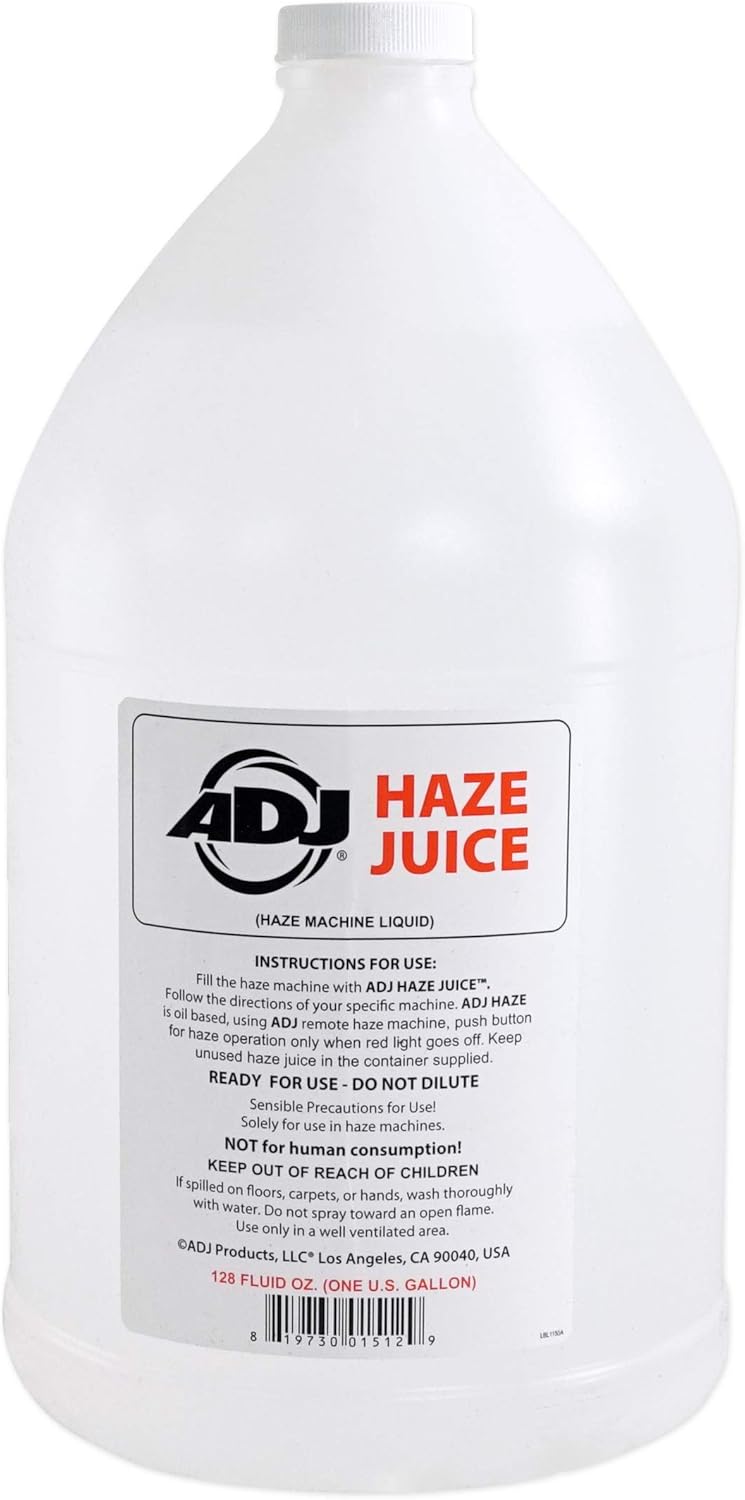
Image: A one-gallon bottle of ADJ HAZE JUICE Haze Machine Liquid, showing the product label with usage instructions and safety warnings. UPC: 0819730015129
NYC Acoustics H2O MINI Waterproof Portable Bluetooth Speaker Instructions
Description
The NYC Acoustics H2O MINI is a compact, waterproof (IPX7 rated) portable Bluetooth speaker designed for versatile audio playback. It features a durable silicone and ABS enclosure, a built-in rechargeable battery, and convenient playback controls. Ideal for use in showers, bathrooms, outdoors, or any environment where water resistance is beneficial.
Setup
Charging: Before first use, fully charge the speaker using the included USB charging cable. Connect the micro-USB end to the speaker's charging port (usually protected by a waterproof flap) and the USB-A end to a standard USB power adapter (not included) or computer USB port. The charging time is approximately 2 hours.
Power On: Press and hold the power button (usually indicated by a power symbol) until you hear an audible cue or see an LED indicator light up.
Mounting: Use the included lanyard with suction cup or carabiner clip to attach the speaker to a shower wall, backpack, or other suitable surface.
Image: The included USB charging cable and carabiner clip for the H2O MINI speaker.
Operating Instructions
Bluetooth Pairing:
Ensure the speaker is powered on and in pairing mode (usually indicated by a flashing LED).
On your smartphone or Bluetooth-enabled device, go to Bluetooth settings and search for available devices.
Select "H2O MINI" or a similar name from the list to connect.
The speaker will automatically remember and re-connect with previously paired devices upon power-on.
Playback Controls: The speaker features push-button controls for audio management.
Play/Pause: Press the designated button (often a triangle or play/pause symbol).
Volume Up/Down: Use the '+' and '-' buttons to adjust the volume.
Skip Forward/Back: Long-press or double-press the volume buttons, or use dedicated track skip buttons if available. (Refer to specific button layout on your speaker).
Battery Life: The 400mAh battery provides 2-6 hours of playback, depending on volume level and song selection.
Image: Side view of the H2O MINI speaker showing the volume control buttons ('+' and '-').
Maintenance
Cleaning: Wipe the speaker with a soft, damp cloth. Do not use abrasive cleaners or solvents.
Water Resistance: Ensure the charging port cover is securely closed to maintain IPX7 waterproofing. Do not submerge the speaker for extended periods or beyond specified depths.
Storage: Store in a cool, dry place when not in use. Avoid extreme temperatures.
Troubleshooting
Problem
Solution
Speaker does not power on.
Ensure the battery is charged. Connect to a power source using the USB cable.
Cannot pair with Bluetooth device.
Ensure speaker is in pairing mode.
Check if Bluetooth is enabled on your device.
Move speaker closer to your device (within 30 feet).
Forget the device on your phone and try pairing again.
No sound or low volume.
Increase volume on both the speaker and your connected device.
Ensure speaker is properly paired.
Specifications
Brand
NYC Acoustics
Model
H2O MINI
Output Power
3-6 Watts (Max 10 Watts)
Frequency Response
150Hz - 20KHz
Connectivity
Bluetooth 4.2, USB (charging)
Bluetooth Range
Up to 30 feet (9 meters)
Waterproof Rating
IPX7
Battery Capacity
400mAh
Playback Time
2-6 hours (volume dependent)
Charging Time
Approx. 2 hours
Input Voltage
5 Volts
Material
Silicone & ABS
Distortion
Less than 5%
Additional Product Images
Image: Front view of the H2O MINI speaker with an attached carabiner clip.Image: The compact H2O MINI speaker held in a hand, demonstrating its portable size.Image: Back view of the H2O MINI speaker, showing printed specifications like battery capacity, Bluetooth version, and IP rating.Image: The H2O MINI speaker shown with its attached orange lanyard.
Warranty and Support
This product is covered by a 1-Year Limited Manufacturer Warranty. For warranty claims or technical support, please contact the manufacturer, American DJ, or your authorized retailer.
For further assistance, please refer to the official ADJ or NYC Acoustics websites or contact their customer service departments.
Ask about setup, troubleshooting, compatibility, parts, safety, or missing instructions. Manuals+ will review the question and use this page’s manual context to help answer it.