
1. Product Overview
The AURAGLOW Plugin GU10 Spotlight Uplighter is designed to provide ambient or accent lighting by plugging directly into a standard wall socket. It projects light upwards onto your wall, creating a wash effect. This unit requires a GU10 LED bulb (not included) and features a touch-sensitive power button for easy operation.
Key Features:
- Direct plug-in design for standard American 3-Pin sockets.
- Touch-sensitive power button located on the base.
- Rotatable head for adjustable light direction (uplight or downlight).
- Compatible with standard GU10 LED bulbs, including color-changing smart bulbs.
- Compact and modern design.
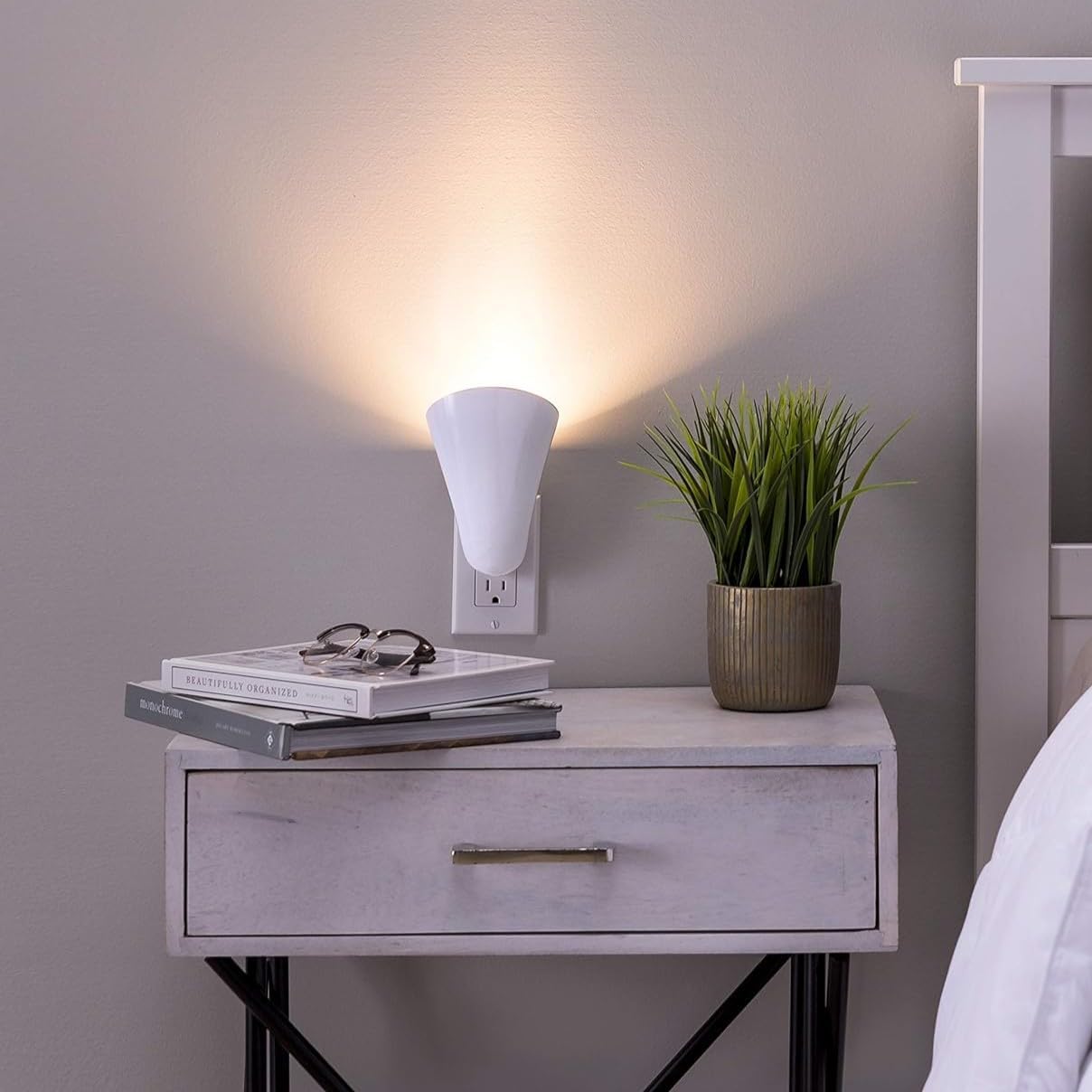
Figure 1: The AURAGLOW Plugin GU10 Spotlight Uplighter in use, providing ambient light in a bedroom setting.
2. Setup and Installation
This uplighter is designed for simple installation. No wiring or complex tools are required.
2.1 Inserting the GU10 Bulb (Bulb Not Included)
- Ensure the uplighter is unplugged from the wall socket before handling.
- Gently twist and pull the outer cone-shaped cover to reveal the GU10 bulb socket.
- Insert a compatible GU10 LED bulb into the socket. Align the two pins of the bulb with the holes in the socket, push gently, and twist clockwise to secure.
- Replace the cone-shaped cover by aligning it and twisting until it clicks securely into place.

Figure 2: Exploded view illustrating the bulb insertion point and the rotational feature of the uplighter.
2.2 Plugging into a Wall Socket
- Locate a standard American 3-Pin wall socket.
- Plug the AURAGLOW uplighter directly into the socket. Ensure it is firmly seated.
- The unit is now ready for operation.
3. Operating Instructions
3.1 Power On/Off
The uplighter features a touch-sensitive power button on its base.
- To turn the light on, gently touch the power button.
- To turn the light off, gently touch the power button again.
3.2 Adjusting Light Direction
The uplighter's head can be rotated to direct the light as desired.
- While the unit is plugged in, you can carefully rotate the cone-shaped light head to point the light upwards (uplight) or downwards (downlight).
- For a "V" effect light beam, consider using two units in a double wall socket, angled appropriately.

Figure 3: Two uplighters used together to create a decorative "V" light pattern.
4. Maintenance
4.1 Cleaning
- Always unplug the unit from the power source before cleaning.
- Wipe the exterior with a soft, dry cloth. Do not use abrasive cleaners or solvents.
- Ensure no moisture enters the electrical components.
4.2 Bulb Replacement
- Unplug the uplighter from the wall socket.
- Remove the cone-shaped cover as described in Section 2.1.
- Gently push the GU10 bulb into its socket and twist counter-clockwise to release it.
- Insert a new, compatible GU10 LED bulb (max 5 watts) by aligning the pins, pushing, and twisting clockwise to secure.
- Replace the cone-shaped cover.
5. Troubleshooting
| Problem | Possible Cause | Solution |
|---|---|---|
| Light does not turn on. |
|
|
| Light flickers or blinks. |
|
|
| Touch button unresponsive. |
|
|
6. Specifications
| Feature | Detail |
|---|---|
| Brand | AURAGLOW |
| Model Name | Plugin GU10 Spotlight Uplighter Wall Wash Light |
| Item Model Number | AG615 |
| Bulb Base | GU10 (Bulb not included) |
| Max Wattage | 5 watts (for compatible GU10 LED bulbs) |
| Power Source | AC/DC |
| Voltage | 120 Volts |
| Control Method | Touch |
| Material | Plastic |
| Finish Type | Matte |
| Color | White |
| Indoor/Outdoor Usage | Indoor |
| Item Weight | 5.6 ounces |
| Package Dimensions | 6.73 x 3.82 x 3.62 inches |
7. Warranty and Support
For warranty information or technical support regarding your AURAGLOW Plugin GU10 Spotlight Uplighter, please refer to the manufacturer's official website or contact their customer service department directly. Contact details are typically provided with the product packaging or on the manufacturer's website.