
Kircuit Car DC Adapter for Coby DP-1042-1G Digital Picture Frame
Kircuit Car DC Adapter Instruction Manual
For Coby DP-1042-1G Digital Picture Frame
Introduction
This manual provides essential instructions for the safe and effective use of your Kircuit Car DC Adapter, specifically designed for the Coby DP-1042-1G Digital Picture Frame. Please read this manual thoroughly before use and retain it for future reference.
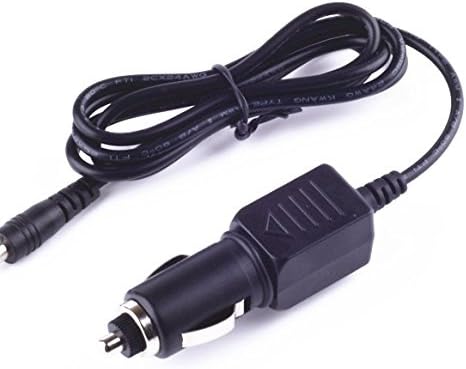
Image: The Kircuit Car DC Adapter, featuring a coiled cable and a standard car lighter plug on one end, and a barrel connector on the other, designed to power compatible devices.
Important Safety Information
- Ensure the adapter is compatible with your device's power requirements (DC Input 12-24V).
- Do not expose the adapter to moisture, rain, or extreme temperatures.
- Avoid dropping or subjecting the adapter to severe impact.
- Do not attempt to disassemble or modify the adapter. This may void the warranty and pose safety risks.
- Keep out of reach of children.
- Always unplug the adapter from the car's power outlet when not in use or when leaving the vehicle.

Image: An illustration highlighting the Kircuit adapter's built-in safety features, including protection against short circuits, excess voltage, over temperature, and overcurrent, ensuring safe operation.
Setup Instructions
- Identify the Power Port: Locate the DC power input port on your Coby DP-1042-1G Digital Picture Frame.
- Connect to Device: Carefully insert the barrel connector end of the Kircuit Car DC Adapter into the power input port of your digital picture frame. Ensure a snug fit.
- Connect to Vehicle: Insert the car lighter plug end of the adapter firmly into your vehicle's 12V or 24V DC power outlet (cigarette lighter socket).
- Verify Connection: Once connected, your digital picture frame should power on or begin charging, indicating a successful connection.

Image: A visual comparison illustrating the robust and secure design of the Kircuit adapter's plug, contrasting it with less stable designs from other manufacturers, emphasizing a reliable connection.
Operating Instructions
Once properly connected, the Kircuit Car DC Adapter will supply power to your Coby DP-1042-1G Digital Picture Frame. The adapter is designed for continuous use during vehicle operation. It features:
- Rapid Charging: Built-in Dynamic IC and Charger IC optimize charging speed.
- Overcharge Protection: An integrated power fuse prevents overcharging, protecting your device's battery.
The adapter is designed to operate within standard vehicle electrical systems (12-24V DC). No user intervention is required during operation beyond initial connection.
Care and Maintenance
- Cleaning: Disconnect the adapter from both the vehicle and the device before cleaning. Use a soft, dry cloth to wipe the exterior. Do not use liquid cleaners or solvents.
- Storage: When not in use, store the adapter in a cool, dry place, away from direct sunlight and extreme temperatures. Avoid tightly coiling the cable to prevent damage.
- Cable Integrity: Regularly inspect the cable and connectors for any signs of wear, cuts, or damage. Discontinue use if damage is observed.

Image: An illustration detailing the durable construction of the adapter's power cable, highlighting its high-quality materials, thick insulation layer, and abrasion-resistant outer sheathing designed to prevent wear and damage.
Troubleshooting
| Problem | Possible Cause | Solution |
|---|---|---|
| Device not powering on/charging. |
|
|
| Adapter feels warm during use. | Normal operation. | A slight warmth is normal. If the adapter becomes excessively hot or emits smoke/odor, immediately disconnect it and discontinue use. |
Specifications
- Input Voltage: DC 12-24V
- Output: Compatible with Coby DP-1042-1G Digital Picture Frame power requirements.
- Safety Features: Short Circuit Protection, Excess Voltage Protection, Over Temperature Protection, Overcurrent Protection.
- Weight: Approximately 8 ounces (0.23 kg)
- Manufacturer: Kircuit
Warranty and Support
Specific warranty information for this Kircuit product was not provided in the product details. For warranty claims or technical support, please refer to the contact information provided with your purchase or visit the official Kircuit website.
Ask a question about this manual
Ask about setup, troubleshooting, compatibility, parts, safety, or missing instructions. Manuals+ will review the question and use this page’s manual context to help answer it.