
AMprime 10 Inch Car Stereo with Apple Carplay
AMprime Android Double Din Car Stereo User Manual
Model: 10 Inch Car Stereo with Apple Carplay
Introduction
This manual provides comprehensive instructions for the installation, operation, and maintenance of your AMprime Android Double Din Car Stereo. Please read this manual thoroughly before using the product to ensure proper functionality and safety.
Product Overview
The AMprime Android Double Din Car Stereo is a versatile in-dash navigation unit designed to enhance your driving experience with advanced features.
Key Features:
- 10.1-inch HD Touchscreen (1080P Resolution, 2.5D tempered glass)
- Wired USB and Wireless Bluetooth 4.0 Apple Carplay Function
- Built-in GPS Navigation with online and offline map support
- WiFi Connectivity for app downloads
- Bluetooth 4.0 for hands-free calls and music streaming
- FM Radio with 18 preset stations (87.5-107.5MHz)
- Steering Wheel Control (SWC) support
- Backup Camera Input with included 12 LEDs reverse camera (IP68 waterproof)
- Split Screen Functionality
- Android 13 Operating System
Package Contents:
Verify that all components are present in the package:
- 1 x Car MP5 Player
- 1 x Power Cable
- 1 x GPS Antenna
- 1 x Camera Input Cable
- 1 x RCA Input and Output Cable
- 2 x USB Cable
- 2 x Metal Frame
- 4 x Screw
- 1 x Instruction Manual
- 1 x Backup Camera
- 1 x External Microphone

Image: Components included in the AMprime car stereo package, showing the main unit, various cables, GPS antenna, backup camera, and user manual.
Safety Information
Always prioritize safety when installing and operating the car stereo. Improper installation or use can lead to accidents or damage.
- Ensure the vehicle's ignition is off and the battery is disconnected before beginning installation.
- Consult a professional for installation if you are unsure about any steps.
- Do not operate the device in a way that distracts you from driving.
- Keep the volume at a level that allows you to hear external traffic sounds.
- Avoid exposing the unit to extreme temperatures, direct sunlight for prolonged periods, or excessive moisture.
Setup and Installation
Dimensions:
The head unit measures approximately 250mm (9.84 inches) in width, 145mm (5.71 inches) in height, and 240mm (9.4 inches) in depth. Ensure your vehicle's dashboard opening is compatible with these dimensions for a double din unit.

Image: Detailed diagram illustrating the physical dimensions of the car stereo unit and the layout of its rear connection ports for wiring.
Wiring Connections:
Refer to the included wiring diagram for specific connections. Key connections include:
- Power Cable: Connect to vehicle's power supply (ACC, B+, GND).
- GPS Antenna: Connect to the dedicated GPS port for navigation functionality.
- Camera Input: Connect the included backup camera to this input.
- RCA Input/Output: For external audio/video devices or amplifiers.
- USB Cables: For connecting USB devices, charging, and wired CarPlay/Android Auto.
- External Microphone: Connect for improved call quality.
- SWC (Steering Wheel Control) Wires: Connect to your vehicle's steering wheel control wires (KEY1, KEY2) for integrated control.
Image: A visual representation of the various wiring harnesses and their corresponding connection points on the back of the car stereo unit.
Operating Instructions
Basic Operation:
Upon powering on, the unit will display the main Android interface. Navigate using the touchscreen or physical buttons (Reset, Power, Menu, Back, Vol+, Vol-).
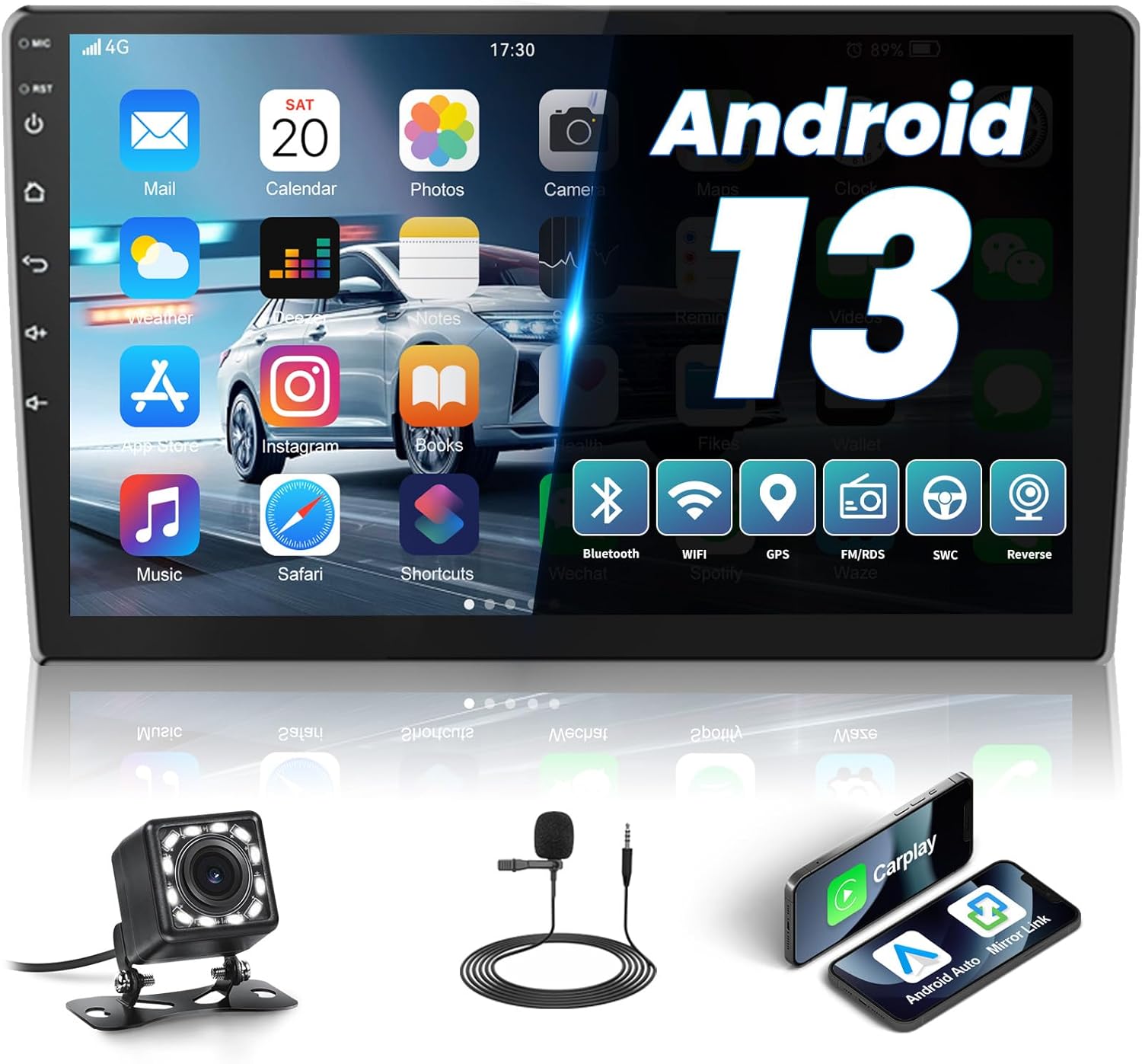
Image: The main screen of the AMprime car stereo showing the Android operating system interface with icons for common applications like Mail, Calendar, Photos, Camera, Music, Safari, and more.
Apple CarPlay & Android Auto:
The unit supports both wired USB and wireless Bluetooth 4.0 connections for Apple CarPlay and Android Auto. Connect your compatible smartphone to access navigation, calls, messages, and music directly from the stereo's interface.

Image: The car stereo screen showing the Apple CarPlay interface, displaying navigation and music playback. Below are icons indicating wired/wireless connection options for CarPlay, Android Auto, and Mirror Link.

Image: A visual demonstration of the wired and wireless CarPlay feature, showing a smartphone connected to the car stereo and displaying the CarPlay interface with voice assistant interaction.

Image: A visual demonstration of the wired and wireless Android Auto feature, showing a smartphone connected to the car stereo and displaying the Android Auto interface with voice assistant interaction.
Bluetooth 4.0:
Pair your phone via Bluetooth for hands-free calling and audio streaming. The unit supports auto-loading phonebooks and includes both an external and built-in microphone for clear communication.
- Go to the Bluetooth settings on the stereo.
- Enable Bluetooth on your phone and search for available devices.
- Select "AMprime" (or similar device name) from the list and confirm pairing.
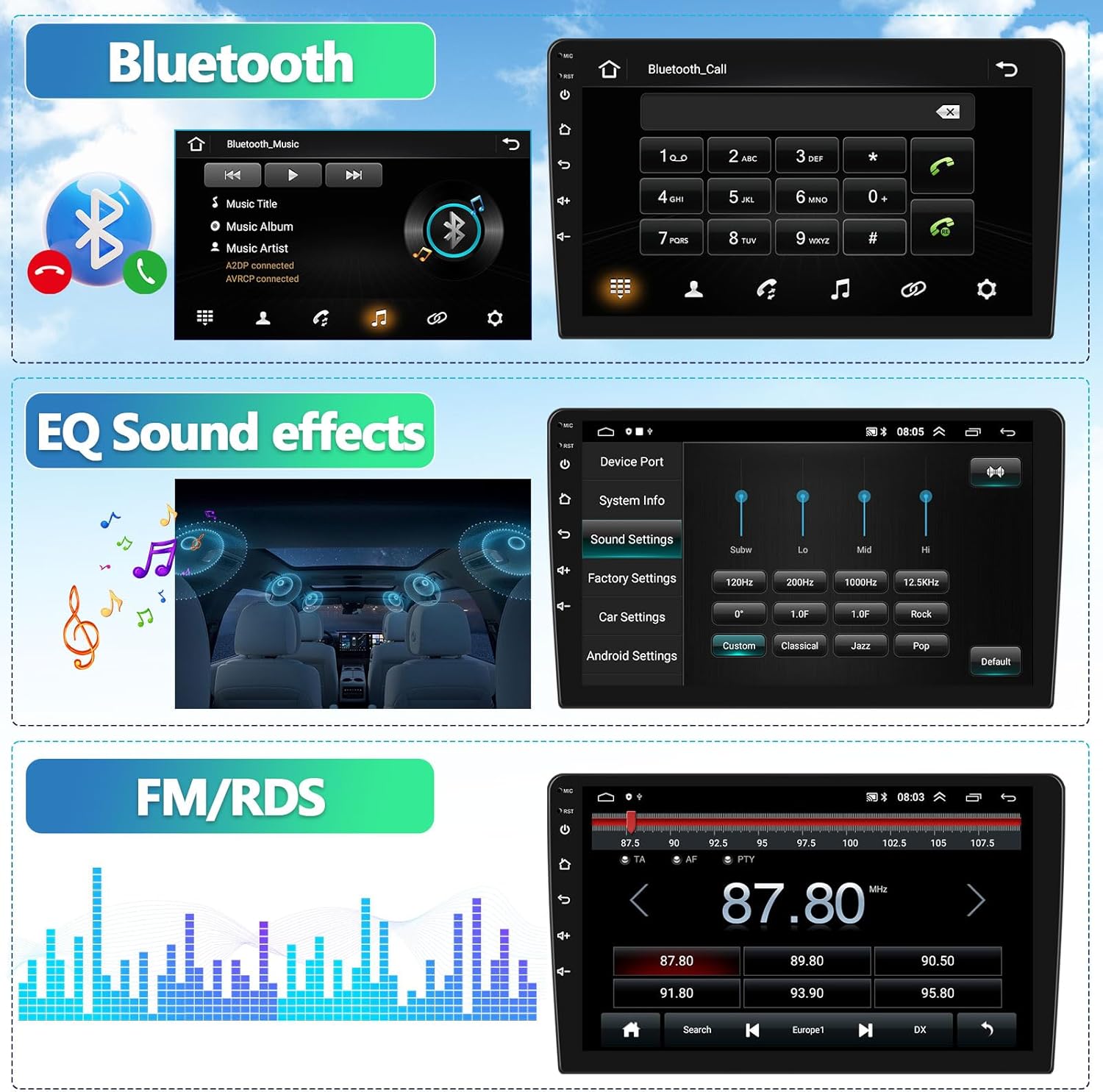
Image: Screenshots of the car stereo's interface showing Bluetooth music playback controls and the Bluetooth call dial pad.

Image: A visual representation of the Bluetooth Hands-Free Calls feature, showing the phone dialer interface on the car stereo screen.
GPS Navigation & WiFi:
Utilize the built-in GPS for navigation. Connect to WiFi to download online maps or install additional applications from the market. Offline maps can be used without an internet connection after initial download.
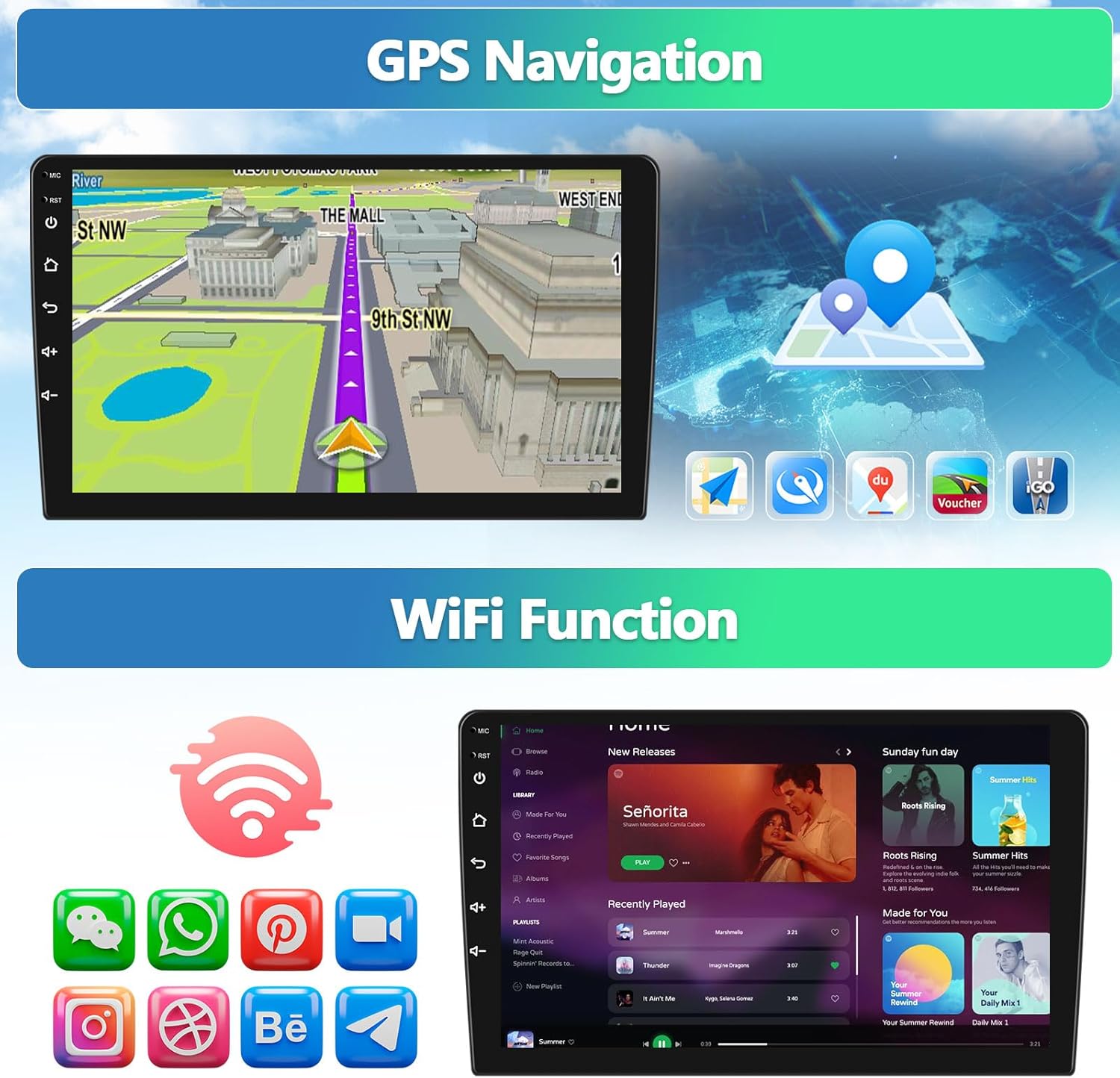
Image: The car stereo screen displaying a GPS navigation map, alongside icons representing various applications available via WiFi, such as social media and streaming services.

Image: A visual demonstrating the WiFi and GPS Navigation capabilities, showing a map on the car stereo screen and icons for various online applications.
FM/RDS Radio:
Access your favorite radio stations with the digital FM tuner. The unit supports full-automatic searching and allows you to save up to 18 preset stations.
Image: The car stereo's interface showing the FM/RDS radio tuner with frequency display and station presets.

Image: A visual demonstrating the FM/RDS Radio feature, showing the radio tuning interface on the car stereo screen.
Steering Wheel Control (SWC):
If your vehicle supports it, connect the SWC wires (KEY1, KEY2) to enable control of the stereo directly from your steering wheel. This allows for safe adjustment of volume, track skipping, and answering calls without taking your hands off the wheel.

Image: The car stereo's interface for setting up Steering Wheel Control, showing options for button mapping and learning functions.
Reverse Image & Backup Camera:
The included 12-LED backup camera provides a clear view of the area behind your vehicle. When the vehicle is put into reverse gear, the car stereo will automatically display the rear image, aiding in safe parking and maneuvering. The camera is IP68 waterproof and features night vision.

Image: The car stereo screen showing the view from the backup camera, complete with dynamic parking guidelines. Below the screen, a diagram illustrates the wiring connection for the camera.

Image: A visual demonstrating the Backup Camera feature, showing the reverse image on the car stereo screen, the camera unit, and highlighting its wide viewing angle and IP68 waterproof rating.
Split Screen Function:
The split screen feature allows you to run two applications simultaneously on the 10.1-inch display, such as navigation on one side and music playback on the other.

Image: The car stereo screen demonstrating the split screen functionality, showing a navigation map on one side and a music player interface on the other.
Maintenance
To ensure the longevity and optimal performance of your AMprime car stereo, follow these maintenance guidelines:
- Cleaning: Use a soft, dry cloth to clean the touchscreen and unit exterior. For stubborn smudges, slightly dampen the cloth with water or a screen-safe cleaner. Avoid abrasive materials or harsh chemicals.
- Temperature: Do not expose the unit to extreme temperatures. While designed for automotive use, prolonged exposure to very hot or cold conditions can affect performance.
- Software Updates: Periodically check for software updates from the manufacturer (if available) to ensure the system runs efficiently and has the latest features.
- Connections: Ensure all cables and connections remain secure. Loose connections can lead to intermittent issues.
Troubleshooting
| Problem | Possible Cause | Solution |
|---|---|---|
| No Power | Loose power connection; Blown fuse; Vehicle battery issue. | Check power cable connections. Inspect vehicle's fuse box and replace any blown fuses. Ensure vehicle battery is charged. |
| No Sound | Volume too low; Mute activated; Speaker wiring issue; Incorrect audio output setting. | Increase volume. Check if mute is active. Verify speaker wiring connections. Adjust audio output settings in the system menu. |
| GPS Not Working | GPS antenna not connected or obstructed; Software issue; Incorrect location settings. | Ensure GPS antenna is securely connected and has a clear view of the sky. Restart the unit. Check GPS settings and permissions for navigation apps. |
| Bluetooth Connection Issues | Device not in pairing mode; Incorrect pairing code; Interference; Bluetooth module error. | Ensure both devices are in pairing mode. Re-enter pairing code if prompted. Move away from other wireless devices. Restart both the stereo and the phone. |
| Backup Camera Not Displaying | Camera input cable loose; Camera power issue; Reverse trigger wire not connected. | Check camera input cable connection. Verify camera is receiving power. Ensure the reverse trigger wire is correctly connected to the vehicle's reverse light circuit. |
| Touchscreen Unresponsive | System freeze; Dirt/debris on screen; Hardware malfunction. | Perform a system reset (locate the reset button, usually a small pinhole). Clean the screen. If issue persists, contact support. |
Specifications
- Product Dimensions: 9.84 x 9.44 x 5.71 inches
- Item Weight: 3.03 pounds
- Screen Size: 10.1 Inches
- Resolution: 1024 x 600
- Operating System: Android 13
- Connectivity Technology: Bluetooth, WiFi
- Special Features: Android Auto, Bluetooth, Carplay, Touchscreen, WiFi, HiFi, EQ, GPS Navigation, FM/RDS, SWC, Rear View Camera
- Map Type: Online and Offline
- Audio Output Mode: Stereo
- Mounting Type: Panel Mount
- Manufacturer: AMPrime
- ASIN: B082HW9BS9
Warranty and Support
For warranty information, please refer to the specific terms provided at the time of purchase or contact your retailer. AMprime is committed to providing quality products and customer satisfaction.
Customer Support:
If you encounter any issues or have questions regarding your AMprime car stereo, please contact our customer support team:
- Email: AmprimeTechSupport@yeah.net
- Online Store: AMprime Amazon Store

Image: The official AMprime brand logo, featuring a stylized 'P' and the brand name.

Image: A customer support representative wearing a headset and working on a computer, symbolizing online customer support.
Ask a question about this manual
Ask about setup, troubleshooting, compatibility, parts, safety, or missing instructions. Manuals+ will review the question and use this page’s manual context to help answer it.