
Introduction
Thank you for choosing the Harman Kardon FLY ANC Bluetooth Wireless Over-Ear Headphones. This manual provides essential information for setting up, operating, maintaining, and troubleshooting your headphones to ensure optimal performance and longevity. Please read this manual thoroughly before using your device.
Setup
1. What's in the Box
Before you begin, please verify that all items are present:
- Harman Kardon FLY ANC Headphones
- Carrying Pouch
- Flight Adapter
- Audio Cable
- Charging Cable
- Warranty / Warning (W / !)
- Quick Start Guide / Safety Sheet (S / i)
2. Charging the Headphones
Before first use, fully charge your headphones. Connect the provided charging cable to the headphone's charging port and a USB power source. The LED indicator will show charging status.
- A 15-minute charge provides approximately 2.5 hours of playtime.
- Full charge provides up to 20 hours of playback with Active Noise Cancellation (ANC) on, or 30 hours with ANC off.
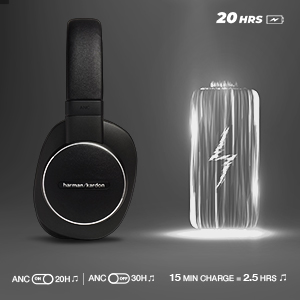
Image: Harman Kardon FLY ANC headphones highlighting 20 hours of playback time and quick charging capability.

Image: Harman Kardon FLY ANC headphones shown with their charging case.
3. Bluetooth Pairing
- Power on the headphones.
- Activate Bluetooth pairing mode (refer to the Quick Start Guide for specific button presses, usually holding the power button). The LED indicator will flash to show pairing mode.
- On your device (smartphone, tablet, etc.), go to Bluetooth settings and select "Harman Kardon FLY ANC" from the list of available devices.
- Once connected, the LED indicator will turn solid blue.
Operating Instructions
1. Power On/Off
Press and hold the Power button for approximately 2 seconds to turn the headphones on or off.
2. Active Noise Cancellation (ANC)
The Harman Kardon FLY ANC headphones feature advanced active noise cancelling technology to reduce ambient noise. Press the ANC button to toggle the feature on or off.

Image: Harman Kardon FLY ANC headphones demonstrating the Active Noise Cancellation feature.
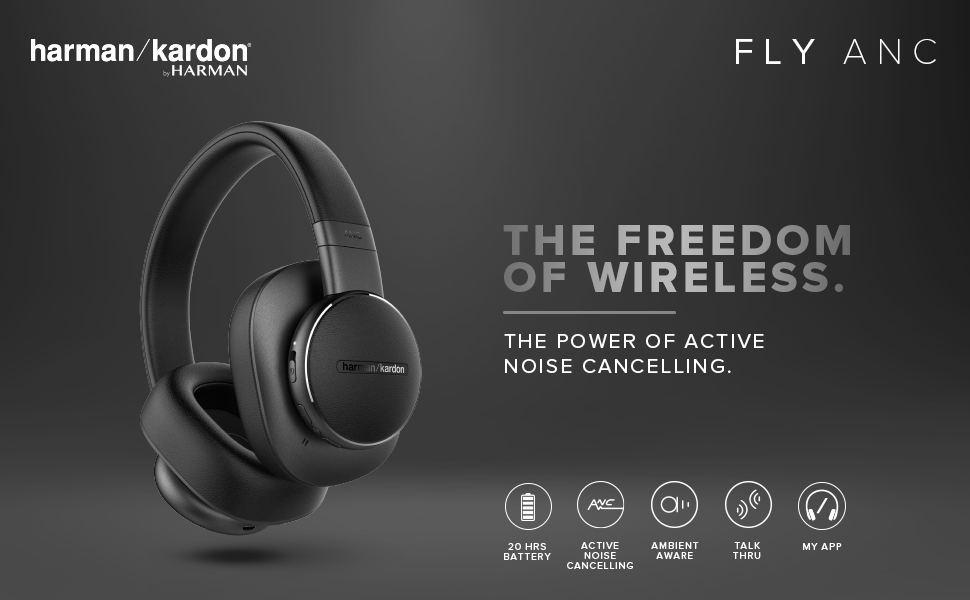
Image: A person wearing Harman Kardon FLY ANC headphones, illustrating their use for noise cancellation.
3. Multi-Point Connection
The headphones support multi-point connection, allowing you to seamlessly switch between two connected Bluetooth devices. For example, you can listen to music on your tablet and answer a call on your phone without re-pairing.

Image: A person using Harman Kardon FLY ANC headphones, connected simultaneously to a laptop and a smartphone, demonstrating the multi-point connection feature.
4. Voice Assistant Integration
Access your device's voice assistant (Alexa or Google Assistant) directly from the headphones. Press the dedicated Voice Assistant button to activate it and issue commands.
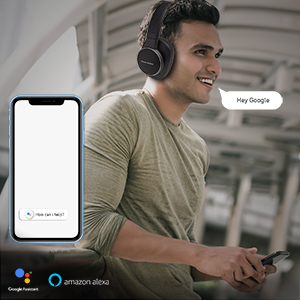
Image: A person using the voice assistant feature on Harman Kardon FLY ANC headphones, with icons for Google Assistant and Amazon Alexa.
5. Controls
The headphones feature integrated controls for managing audio playback, calls, and volume. Refer to the Quick Start Guide for a detailed diagram of button functions.
- Volume Control: Adjust volume up/down.
- Playback Control: Play/pause music, skip tracks.
- Call Management: Answer/end calls, reject calls.
6. Wired Connection
For situations where Bluetooth is not available or preferred, connect the headphones using the provided audio cable. This allows for passive listening even if the battery is depleted.
7. Harman Kardon Headphones App
Enhance your experience with the Harman Kardon Headphones App. Download it from Google Play Store or Apple App Store for intelligent and advanced control over your headphones, including EQ settings and feature customization.

Image: The Harman Kardon Headphones App interface displayed on a smartphone, showing controls for the FLY ANC headphones.
Maintenance
1. Cleaning
- Wipe the headphones with a soft, dry cloth.
- Do not use liquid cleaners or aerosols.
- Avoid getting moisture into any openings.
2. Storage
When not in use, store the headphones in the provided carrying pouch to protect them from dust and scratches. Avoid storing in extreme temperatures or high humidity.
Troubleshooting
| Problem | Possible Cause | Solution |
|---|---|---|
| Headphones do not power on | Low battery | Charge the headphones fully. |
| Cannot pair via Bluetooth | Headphones not in pairing mode; device Bluetooth off; interference | Ensure headphones are in pairing mode. Turn device Bluetooth off/on. Move closer to device. |
| No sound | Volume too low; incorrect audio source; headphones not connected | Increase volume on headphones and device. Check audio output settings on device. Re-pair headphones. |
| Active Noise Cancellation not effective | ANC feature off; improper fit | Ensure ANC is turned on. Adjust headphones for a snug fit over your ears. |
| Voice Assistant not responding | Not connected to device; voice assistant not enabled on device | Ensure headphones are connected to your device. Verify voice assistant is enabled and configured on your device. |
Specifications
| Feature | Detail |
|---|---|
| Brand | Harman Kardon (Manufactured by JBL) |
| Model Name | FLY ANC |
| Model Number | HKFLYANCBLK |
| Colour | Black |
| Ear Placement | Over Ear |
| Impedance | 32 Ohms |
| Battery Life (ANC On) | 20 Hours |
| Battery Life (ANC Off) | 30 Hours |
| Quick Charge | 15 min charge = 2.5 Hrs Playtime |
| Noise Control | Active Noise Cancellation |
| Audio Driver Type | Dynamic Driver |
| Enclosure Material | Aluminium |
| Connectivity | Bluetooth (Wireless), Wired (Audio Cable) |
| Control Type | Voice Control, Integrated Buttons |
| Weight | 281 Grams |
| UPC | 028292286285 |

Image: Harman Kardon FLY ANC headphones highlighting their signature sound and 40mm drivers.

Image: Close-up view of the Harman Kardon FLY ANC headphones, emphasizing their premium design and comfort.
Warranty Information
The Harman Kardon FLY ANC headphones come with a 1-year warranty provided by the manufacturer from the date of purchase. Please retain your proof of purchase for warranty claims. The warranty covers manufacturing defects and does not cover damage caused by misuse, accidents, or unauthorized modifications.
Support
For further assistance, technical support, or warranty inquiries, please refer to the official Harman Kardon or JBL support website. You may also consult the Quick Start Guide included in your product packaging for contact details specific to your region.
Online Resources:
- Official Harman Kardon Website: www.harmankardon.com
- Official JBL Support: www.jbl.com/support


