
Introduction
Thank you for choosing the Kygo E7/1000 True Wireless Earbuds. This manual provides detailed instructions to help you set up, operate, and maintain your earbuds, ensuring optimal performance and longevity. Please read this manual thoroughly before using the product.
Package Contents
Verify that all items are present in your package:
- Kygo E7/1000 True Wireless Earbuds (Left and Right)
- Charging Case
- 3 Sets of Ear Tips (Small, Medium, Large)
- User Manual
Product Overview
The Kygo E7/1000 earbuds are designed for a seamless audio experience with advanced features.
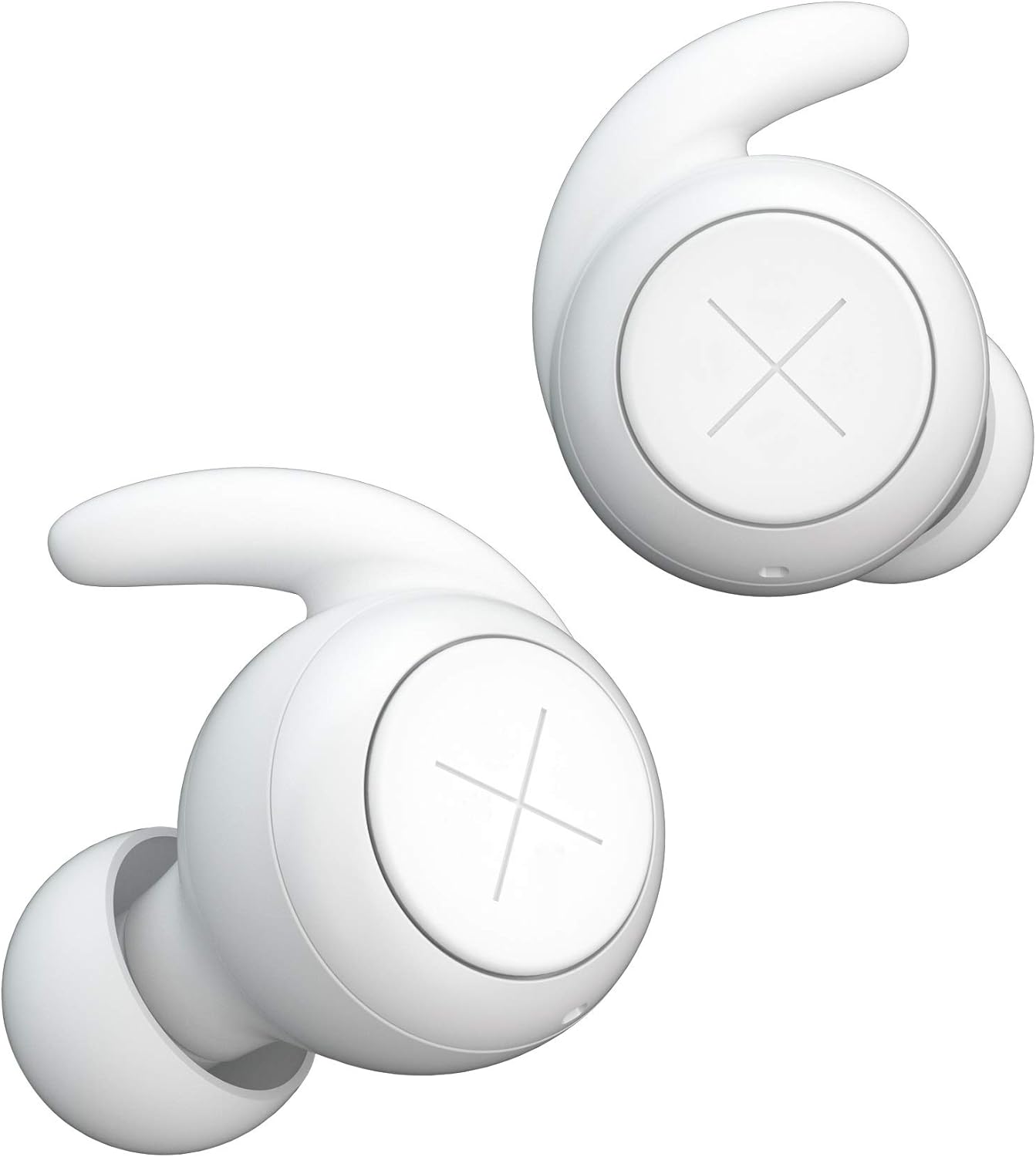
Image: Kygo E7/1000 True Wireless Earbuds, showing both the left and right earbuds with their distinctive 'X' logo and ergonomic design.
Earbud Components
- Multi-function Button: Controls playback, calls, and voice assistant.
- Microphone: For hands-free calls.
- LED Indicator: Shows pairing status and battery level.
- Charging Contacts: For charging within the case.
- Ear Tip: Ensures a secure and comfortable fit.
Charging Case Components
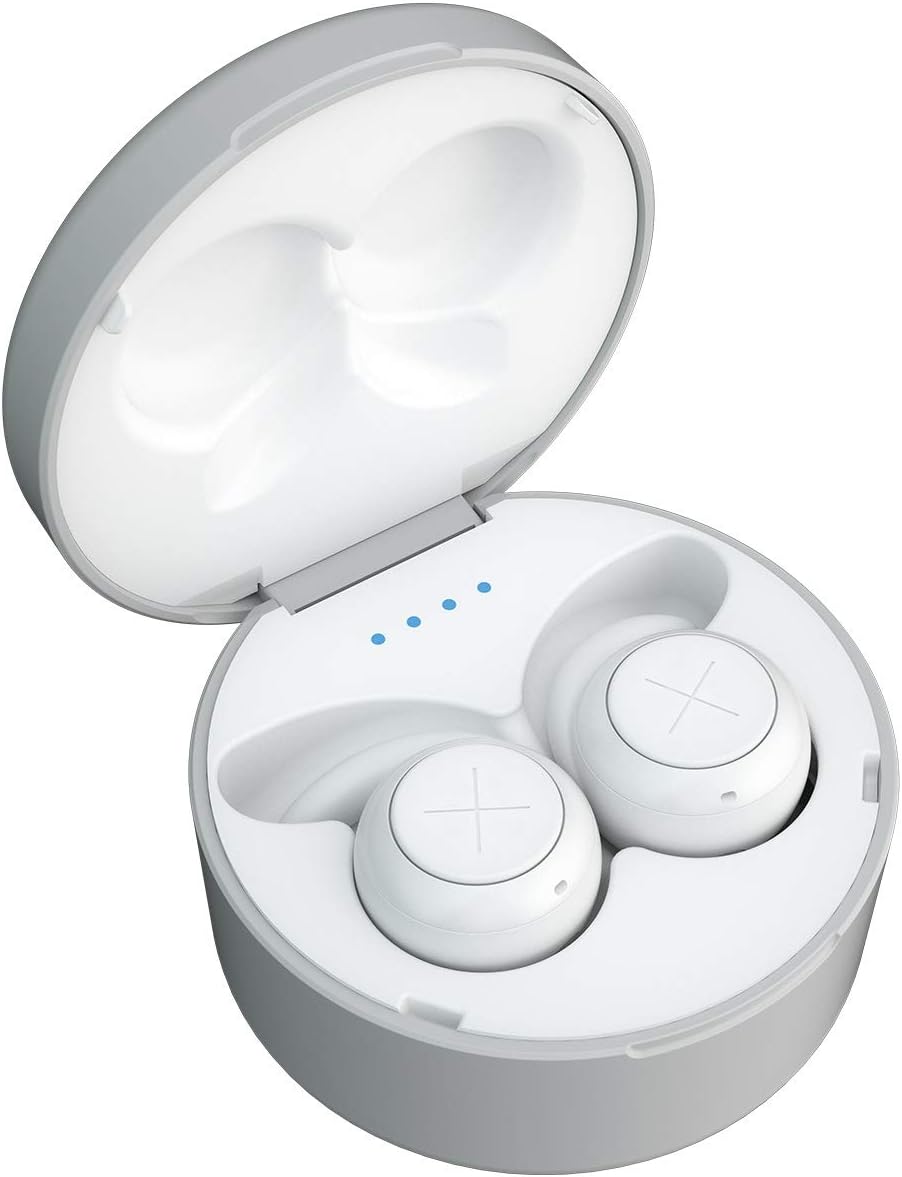
Image: The Kygo E7/1000 charging case open, revealing the earbuds nestled inside and four blue LED indicators for the case's battery status.
- Earbud Charging Slots: Securely holds and charges the earbuds.
- Battery Indicator LEDs: Displays the charging case's battery level.
- USB-C Charging Port: For recharging the case.
Setup
1. Charging the Earbuds and Case
Before first use, fully charge both the earbuds and the charging case.
- Place the earbuds into the charging case. Ensure the charging contacts align.
- Connect the charging case to a power source using a compatible USB-C cable (not included).
- The LED indicators on the case will show the charging status. A full charge is indicated when all LEDs are solid.
- The earbuds will charge automatically when placed in the case. Their LED indicators will show charging status and turn off when fully charged.
A fully charged case provides approximately 18 hours of additional playtime, while the earbuds offer up to 6 hours on a single charge.
2. Initial Pairing
The Kygo E7/1000 earbuds feature automatic pairing for convenience.
- Open the charging case. The earbuds will automatically power on and enter pairing mode.
- On your device (smartphone, tablet, etc.), enable Bluetooth.
- Search for "Kygo E7/1000" in the list of available Bluetooth devices.
- Select "Kygo E7/1000" to connect. Once connected, you will hear an audio prompt, and the earbud LEDs will indicate a successful connection.
After initial pairing, the earbuds will automatically connect to the last paired device when removed from the case, provided Bluetooth is enabled on the device.
Operating Instructions
Wearing the Earbuds
For optimal sound quality and comfort, choose the ear tips that best fit your ears. Gently insert the earbuds into your ear canal and twist slightly to secure them.

Image: A Kygo E7/1000 earbud correctly placed in a person's ear, demonstrating a secure and comfortable fit.
Power On/Off
- Power On: Open the charging case, or press and hold the multi-function button on both earbuds for 3 seconds.
- Power Off: Place the earbuds back into the charging case and close the lid, or press and hold the multi-function button on both earbuds for 5 seconds.
Music Playback Controls
| Action | Control |
|---|---|
| Play/Pause | Single press the multi-function button on either earbud. |
| Next Track | Double press the multi-function button on the right earbud. |
| Previous Track | Double press the multi-function button on the left earbud. |
Call Management
| Action | Control |
|---|---|
| Answer/End Call | Single press the multi-function button on either earbud. |
| Reject Call | Press and hold the multi-function button on either earbud for 2 seconds. |
Voice Assistant
Triple press the multi-function button on either earbud to activate your device's voice assistant (e.g., Siri, Google Assistant).
Maintenance
Proper maintenance ensures the longevity and performance of your Kygo E7/1000 earbuds.
Cleaning
- Use a soft, dry, lint-free cloth to clean the earbuds and charging case.
- Do not use abrasive cleaners, alcohol, or chemical solvents.
- Regularly remove ear tips and clean any earwax or debris from the earbud nozzles using a small, soft brush or cotton swab.
Water Resistance (IPX7)
The Kygo E7/1000 earbuds are IPX7 waterproof, meaning they can withstand immersion in water up to 1 meter for 30 minutes. This makes them suitable for workouts and use in rainy conditions.
- Ensure the earbuds are completely dry before placing them back into the charging case to prevent damage.
- The charging case is not waterproof. Avoid exposing the charging case to water.
- Do not use the earbuds for swimming or showering.
Storage
When not in use, store the earbuds in their charging case to protect them and keep them charged. Store in a cool, dry place away from extreme temperatures.
Troubleshooting
If you encounter issues with your earbuds, refer to the following common solutions:
Earbuds Not Pairing or Connecting
- Ensure both earbuds are charged.
- Make sure Bluetooth is enabled on your device.
- Place the earbuds back into the charging case, close the lid, wait a few seconds, then open it again to re-initiate pairing mode.
- Forget "Kygo E7/1000" from your device's Bluetooth settings and attempt to pair again.
- Try pairing with a different device to rule out device-specific issues.
No Sound or Low Volume
- Check the volume level on both your device and the earbuds.
- Ensure the earbuds are properly seated in your ears.
- Clean the earbud nozzles and ear tips to remove any obstructions.
- Reconnect the earbuds to your device.
Charging Issues
- Ensure the charging cable is securely connected to both the case and the power source.
- Verify that the charging contacts on the earbuds and inside the case are clean and free of debris.
- Try using a different USB-C cable and power adapter.
Factory Reset
If issues persist, a factory reset may resolve them. Consult the Kygo support website or contact customer service for specific reset instructions for the E7/1000 model, as this procedure can vary.
Specifications
| Feature | Detail |
|---|---|
| Model Name | E7/1000 |
| Model Number | 69097-10 |
| Connectivity Technology | Bluetooth 5.0 (Wireless) |
| Water Resistance Rating | IPX7 (Waterproof) |
| Earbud Playtime | Up to 6 hours |
| Total Playtime (with case) | Up to 24 hours |
| Battery Type | Lithium-ion / Lithium-polymer |
| Control Method | Push Button |
| Microphone | Integrated |
| Material | Plastic |
| Color | White |
| Ear Placement | In-ear |
| Sound Isolation | None |
Warranty and Support
Kygo products are designed and manufactured to the highest quality standards. For detailed warranty information, product registration, or technical support, please visit the official Kygo website or contact their customer service department. Keep your proof of purchase for warranty claims.
Online Support: www.kygolife.com/support (Example link, actual link may vary)

