1. Introduction
This manual provides comprehensive instructions for the FLHFULIHUA TX10 2.4G Bluetooth Remote Control, designed for use with compatible kids' electric ride-on toys. Please read this manual carefully before use to ensure proper operation, safety, and to maximize the lifespan of your product.
2. Setup: Frequency Matching
Before initial use or after replacing batteries, the remote control must be paired with your ride-on toy's control box receiver. Follow these steps for successful frequency binding:
- Install Batteries: Open the battery compartment and insert two AAA 1.5V batteries. Ensure correct positive (+) and negative (-) polarity as indicated inside the compartment. Close the battery cover. The indicator light on the remote will flash three times, confirming correct battery installation.
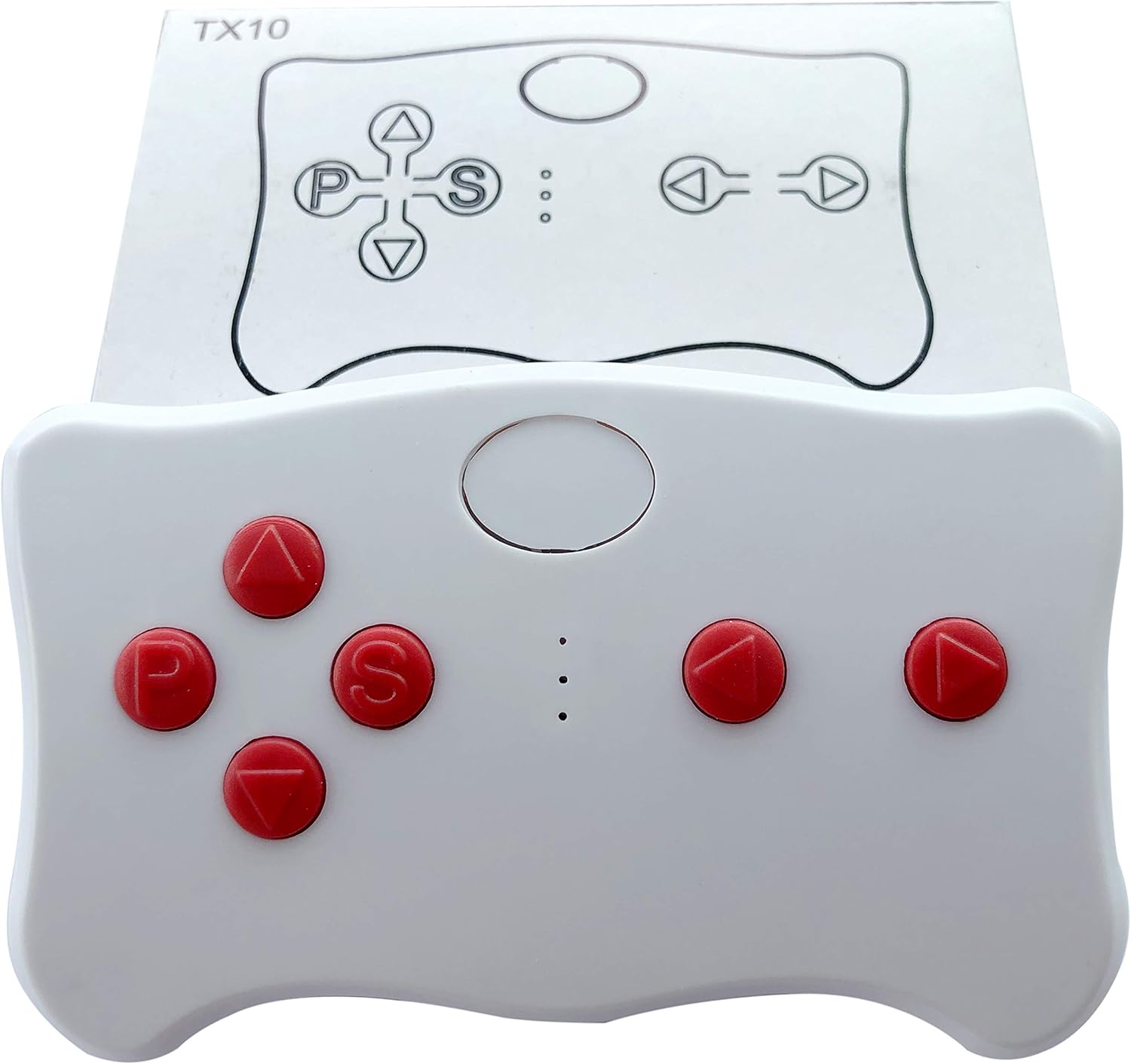
- Activate Pairing Mode on Remote: Press and hold the frequency key (typically the top white button or 'S' button) for 2-4 seconds. The low-speed LED lights on the remote will begin to flash, indicating it is searching for a connection.
- Power On the Car: Turn on the power switch of your electric ride-on car. The low-speed LED lights on the remote will change from flashing to a steady light, indicating successful frequency binding.
- Troubleshooting Pairing Failure: If the frequency binding fails (low-speed LED lights continue to flash), remove the batteries from the remote, wait a few seconds, and then repeat steps 1-3.
- Power Saving Mode: If the remote control is not operated for 10 seconds, the indicator light will turn off, and the remote will enter power-saving mode to conserve battery life.

Front view of the FLHFULIHUA TX10 remote control, showing the red buttons and central pairing button.
Top view of the FLHFULIHUA TX10 remote control, showing the button layout and the TX10 model designation.
3. Operating Instructions
Once successfully paired, the remote control offers the following functions for operating your ride-on toy:
- Slow Start Function: The Bluetooth remote control is equipped with a slow start function, ensuring smooth and gradual acceleration for the ride-on toy.
- Emergency Stop: Press the emergency stop button on the remote control (labeled 'P') or manually on the car to immediately stop the vehicle.
- Automatic Power Cut-off: If the remote control is not used for 15 seconds, it will automatically cut off power to conserve battery life.
Button Description:
- Up Arrow: Controls forward movement of the vehicle.
- Down Arrow: Controls backward movement of the vehicle.
- Left Arrow: Controls turning the vehicle to the left.
- Right Arrow: Controls turning the vehicle to the right.
- 'S' Button: Used for speed selection (e.g., low, medium, high, if supported by the car).
- 'P' Button: Functions as an emergency brake. Press and hold this button to stop the vehicle; release it to resume normal operation.
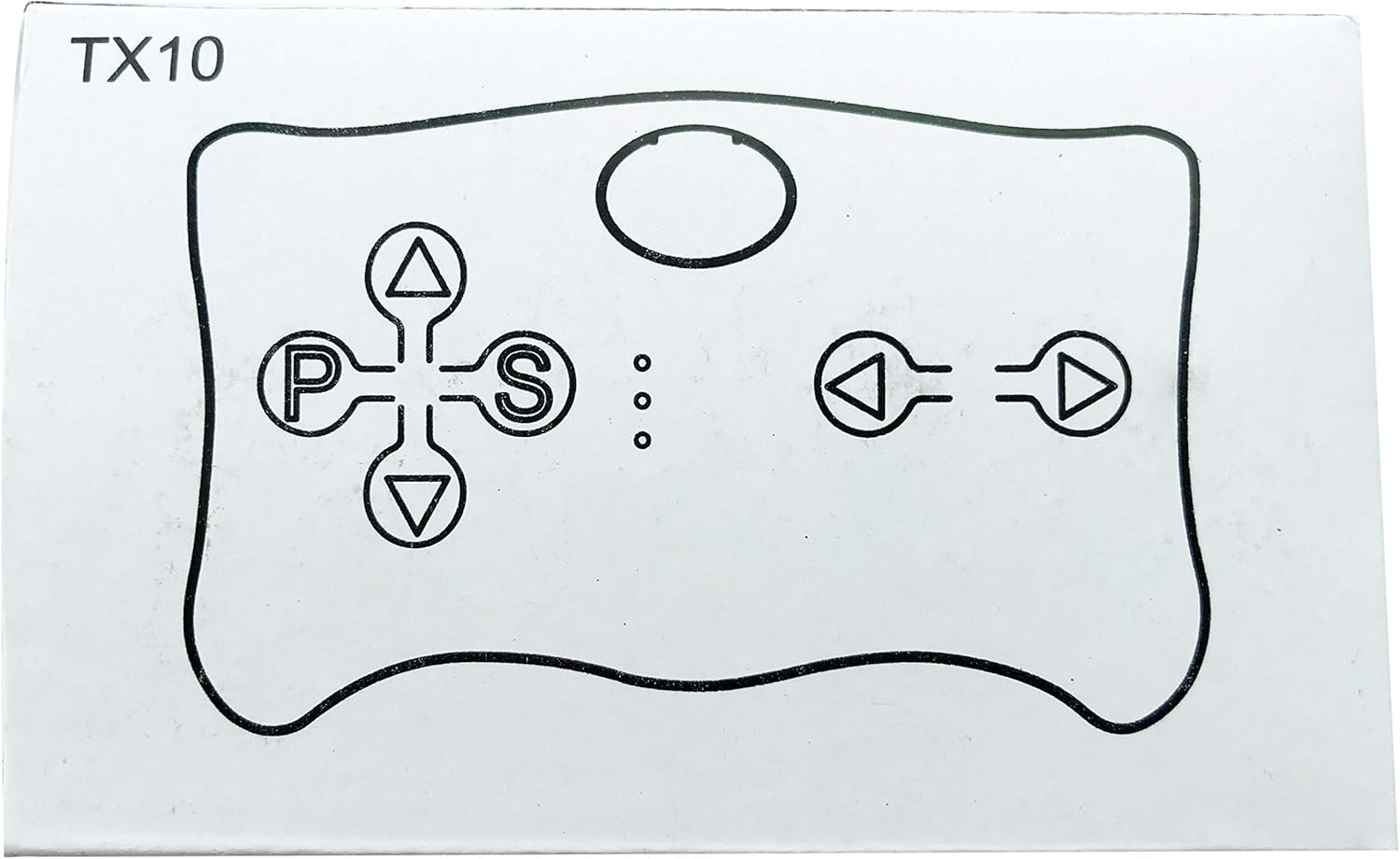
Diagram illustrating the function of each button on the TX10 remote control.
4. Compatibility
This FLHFULIHUA TX10 remote control (featuring red buttons) is specifically designed for compatibility with control box receivers that display an 'FCC CE' marking. It is crucial to verify the presence of this marking on your ride-on toy's control box receiver to ensure proper functionality.

This image demonstrates that a control box receiver with an 'FCC CE' marking is compatible with the red button remote (TX10). A receiver without 'FCC CE' is compatible with a white button remote (TX1).
If your control box receiver does not have the 'FCC CE' marking, it may require a different remote control, such as a white button remote (e.g., TX1). Always ensure the purchased replacement part has the same appearance and markings as your original remote control for guaranteed compatibility.
5. Warnings and Safety Information
Adhere to the following warnings and safety guidelines to prevent damage to the remote control and ensure safe operation:
- Do not mix old and new batteries, or different types of batteries (e.g., alkaline with rechargeable).
- Always install batteries according to the positive (+) and negative (-) markings clearly indicated inside the battery compartment. Incorrect installation can lead to battery leakage or damage.
- When the remote control is not in use for an extended period, remove the batteries to prevent potential leakage, corrosion, and damage to the device.
6. Product Specifications
- Model: TX10
- Brand: FLHFULIHUA (Manufacturer: Weelye)
- Connectivity: 2.4G Bluetooth
- Power Source: 2 x AAA 1.5V batteries (not included)
- Package Dimensions: 5 x 3.03 x 0.98 inches
- Item Weight: 0.352 ounces
- FCC ID: 2A2JH-WYTX123
- Trade Name: REMOTE CONTROL
- Manufacturer Model Number: WYTX-01

Back view of the FLHFULIHUA TX10 remote control, displaying the product label with FCC ID, trade name, and manufacturer model number.
7. Troubleshooting
If you encounter any issues with your FLHFULIHUA TX10 remote control, please refer to the following troubleshooting tips:
- Remote Not Pairing:
- Ensure batteries are correctly installed and have sufficient charge.
- Confirm that the frequency matching steps (Section 2: Setup) are followed precisely.
- Verify compatibility with your car's control box receiver (check for the 'FCC CE' marking).
- If the issue persists, remove batteries, wait a few seconds, and retry the pairing process.
- Car Not Responding to Remote:
- Check if the car's power switch is in the 'ON' position.
- Ensure the remote is within the effective operating range of the ride-on toy.
- Confirm the remote is successfully paired (indicated by a steady low-speed LED light).
- Check if the 'P' (emergency brake) button is accidentally pressed and held.
- Short Battery Life:
- Use fresh, high-quality AAA batteries.
- Remember to remove batteries when the remote is not in use for extended periods to prevent unnecessary drain.
8. Warranty and Support
For warranty information or technical support regarding your FLHFULIHUA TX10 remote control, please contact the manufacturer, FLHFULIHUA (Weelye), or refer to the product's purchase documentation. It is recommended to keep your purchase receipt for any warranty claims.
FLHFULIHUA specializes in children's electric car accessories, committed to ensuring product quality and reliability. For more information and to explore other products, please visit the FLHFULIHUA Store on Amazon.


