
1. Introduction
This manual provides detailed instructions for the installation, operation, maintenance, and troubleshooting of the ASHATA Mining GPU/PSU Power Supply Breakout Board. This adapter board is designed to facilitate the power supply for GPU mining setups, supporting up to 17 PCI-E 6-pin connections from compatible server power supplies.
2. Safety Information
Please read and understand all safety instructions before using this product. Failure to follow these instructions may result in electric shock, fire, or damage to the product and connected equipment.
- Ensure all power supplies are disconnected from the mains before making any connections.
- Handle the board with care to avoid static discharge, which can damage electronic components.
- Verify correct voltage and polarity for all connections.
- Do not exceed the maximum power rating of the board or the connected power supply.
- Keep the board in a well-ventilated area to prevent overheating.
- This product is intended for use by experienced users familiar with computer hardware and electrical safety.
3. Package Contents
The package typically includes:
- 1 x ASHATA Mining GPU/PSU Power Supply Breakout Board
Note: Power supply units and PCI-E cables are sold separately.
4. Product Overview
The ASHATA Mining GPU/PSU Power Supply Breakout Board is designed to efficiently distribute power from a server power supply to multiple GPUs for mining operations. It features a robust design and user-friendly indicators.
Key Features:
- Wide Compatibility: Supports common server power supplies including DPS 1200FB A, DPS 1200QB A, PS 2751 5Q, PS 2751 LF 1F, HSTSN PL12, DPS 700LB D, PS 2112 5L, and DPS 750RB A.
- High Power Output: Capable of handling up to 1600W power supply with 12V output.
- Multiple PCI-E Connections: Features 17 onboard PCI-E 6-pin connectors for powering multiple graphics cards.
- Enhanced Durability: Utilizes a multi-layer PCB process to prevent overheating under high current loads.
- Efficient Switching: Incorporates imported MOS tubes for effective power switching.
- Real-time Voltage Display: An integrated LED display shows the working voltage of the power supply.
- Power Control: Equipped with a DIP switch for convenient power supply activation and deactivation.
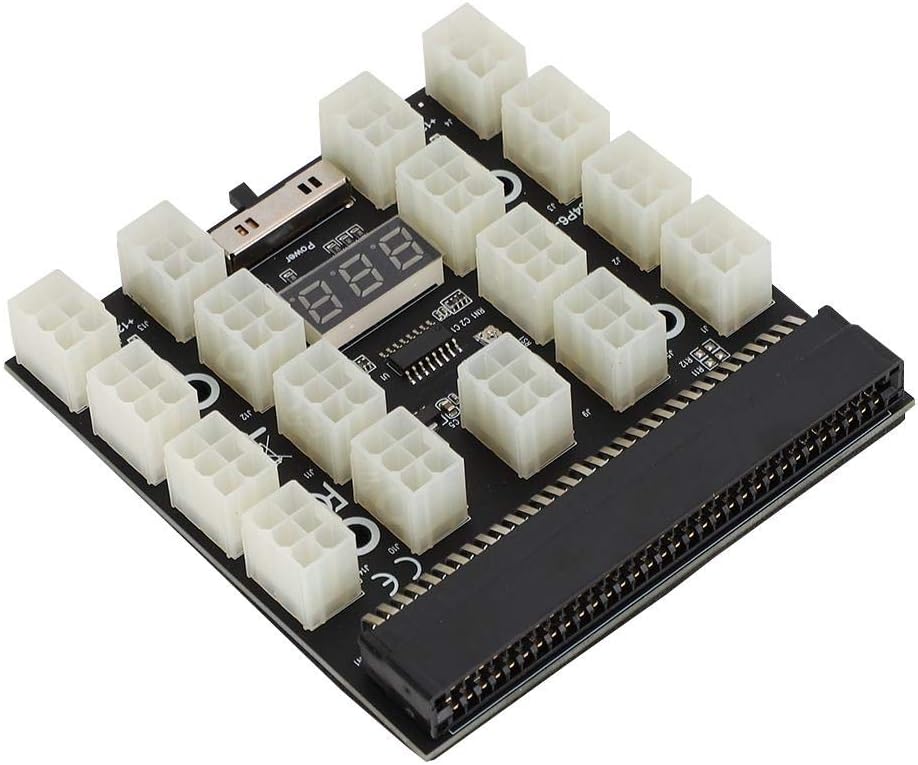
Figure 4.1: Top-down view of the ASHATA Mining GPU/PSU Power Supply Breakout Board, showing the 17 PCI-E 6-pin connectors, LED display, and DIP switch.

Figure 4.2: Image illustrating the compatibility of the breakout board with various common server power supplies, including DPS 1200FB A and others.

Figure 4.3: Close-up view of the ASHATA breakout board, emphasizing the 17 sets of 6-pin graphics card outputs and solid capacitor filtering for stable power delivery.
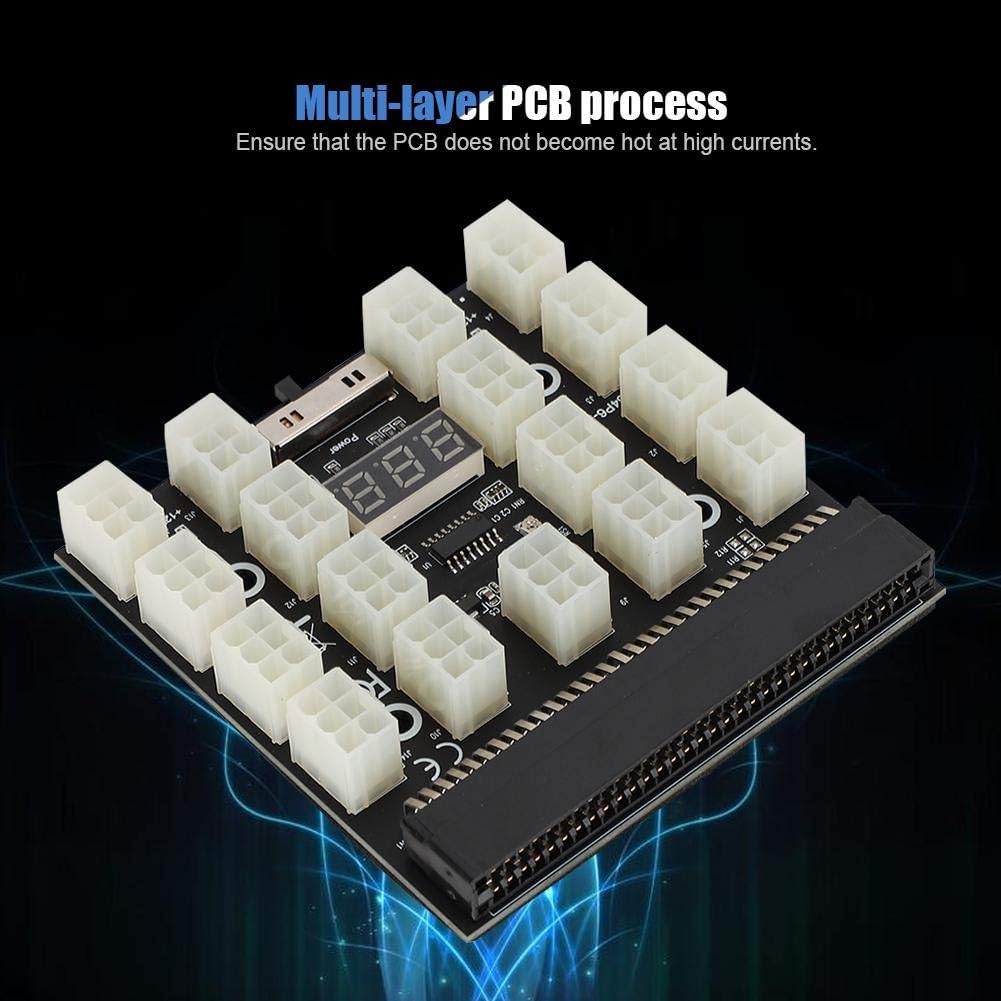
Figure 4.4: Image highlighting the multi-layer PCB process used in the ASHATA breakout board, designed to prevent overheating under high current conditions.
5. Setup Instructions
Follow these steps to properly set up your ASHATA Mining GPU/PSU Power Supply Breakout Board:
- Prepare the Server Power Supply: Ensure your compatible server power supply (e.g., DPS 1200FB A) is powered off and disconnected from the mains.
- Connect the Breakout Board: Carefully align the breakout board's main connector with the corresponding slot on your server power supply. Press firmly until it is securely seated.
- Connect PCI-E Cables: Connect one end of your PCI-E 6-pin power cables to the 17 available ports on the breakout board.
- Connect to GPUs: Connect the other end of the PCI-E 6-pin power cables to your graphics cards (GPUs). Ensure all connections are firm.
- Power On: Once all connections are secure, connect your server power supply to the mains.
Important Note:
The server power conversion board cannot start synchronously with a dual power supply setup. If using multiple power supplies, they must be managed independently or with a dedicated synchronous start module (not included).
6. Operating Instructions
Operating the ASHATA Mining GPU/PSU Power Supply Breakout Board is straightforward:
- Powering On: After connecting the server power supply to the mains, use the integrated DIP switch on the breakout board to turn the power supply ON. The LED display will illuminate, showing the current working voltage (e.g., "12.0" for 12V).
- Monitoring Voltage: The LED display provides real-time voltage monitoring. Regularly check this display to ensure stable power delivery to your GPUs.
- Powering Off: To power off the connected devices, use the DIP switch to turn the power supply OFF. Always power down your GPUs and mining rig gracefully before cutting power to the breakout board.
7. Maintenance
To ensure the longevity and optimal performance of your breakout board, follow these maintenance guidelines:
- Keep Clean: Regularly clean the board and connectors to prevent dust buildup, which can lead to overheating and short circuits. Use compressed air or a soft brush.
- Check Connections: Periodically inspect all PCI-E cable connections to ensure they are secure and free from damage. Loose connections can cause instability or component damage.
- Ventilation: Ensure the operating environment has adequate airflow to prevent the board and connected components from overheating.
- Environmental Conditions: Operate the board within recommended temperature and humidity ranges. Avoid extreme conditions.
8. Troubleshooting
If you encounter issues with your ASHATA Mining GPU/PSU Power Supply Breakout Board, refer to the following common problems and solutions:
| Problem | Possible Cause | Solution |
|---|---|---|
| No power to GPUs / LED display off |
|
|
| Incorrect voltage displayed |
|
|
| GPUs not detected or unstable |
|
|
If the problem persists after attempting these solutions, please contact customer support.
9. Specifications
| Feature | Detail |
|---|---|
| Model Number | 738586436196 |
| Brand | ASHATA |
| Output Voltage | 12V |
| Max Power Support | Up to 1600W (depending on connected PSU) |
| PCI-E 6-pin Outputs | 17 |
| Compatible Server PSUs | DPS 1200FB A, DPS 1200QB A, PS 2751 5Q, PS 2751 LF 1F, HSTSN PL12, DPS 700LB D, PS 2112 5L, DPS 750RB A |
| Features | LED Voltage Display, DIP Switch, Multi-layer PCB, Imported MOS Tubes |
| Item Weight | 3.87 ounces |
| Date First Available | December 3, 2019 |
10. Warranty and Support
ASHATA products are manufactured to high-quality standards. This product is covered by the manufacturer's standard warranty. For specific warranty terms and conditions, please refer to the documentation provided with your purchase or contact ASHATA customer support.
For technical assistance, troubleshooting, or warranty claims, please visit the ASHATA official website or contact their customer service department. When contacting support, please have your product model number (738586436196) and purchase information ready.
You can find more information about ASHATA products and support at their Amazon Store Page.