
Stelpro ST402P - 4000W
Stelpro ST402P Programmable Electronic Thermostat User Manual
Model: ST402P - 4000W
Product Overview
The Stelpro ST402P Programmable Electronic Thermostat is designed to provide precise and energy-efficient temperature control for electric baseboard heaters and convectors. Its advanced 5/2 day programming capabilities allow for customized heating schedules, ensuring optimal comfort and potential energy savings in your home.

Figure 1: The Stelpro ST402P thermostat seamlessly integrated into a modern living space, providing comfortable heating.
Important Safety Information
WARNING: Risk of electric shock. Disconnect power at the main electrical panel before installing or performing any maintenance on this thermostat. All wiring must comply with local electrical codes and regulations. Installation should be performed by a qualified electrician.
This thermostat is designed for use with electric baseboard heaters and convectors only. Do not use with other heating systems.
Ensure the thermostat is installed in a location free from drafts, direct sunlight, or other heat sources that could affect temperature readings.
Setup and Installation
What's in the Box
- One (1) Stelpro ST402P Programmable Electronic Thermostat
- Two (2) mounting screws
- Two (2) twist-on wire connectors suitable for copper wires
Installation Steps
- Disconnect Power: Before beginning any work, turn off the power to your heating system at the main electrical panel to avoid electric shock.
- Remove Old Thermostat (if applicable): Carefully remove your existing thermostat. Note the wiring connections.
- Mounting: The ST402P is designed for wall mounting. Secure the thermostat base to the wall using the provided mounting screws. Ensure it is level and firmly attached.
- Wiring: Connect the thermostat wires to your heating system's electrical wires using the provided twist-on wire connectors. This thermostat is compatible with 120 V, 208 V, and 240 V systems, supporting a maximum load of 4000 W. Refer to the wiring diagram provided with your product packaging for specific connections. Ensure all connections are secure.
- Attach Cover: Once wiring is complete and secure, attach the front cover of the thermostat.
- Restore Power: Turn the power back on at the main electrical panel.
For detailed wiring diagrams, please consult the separate installation guide included with your product or visit the official Stelpro website.
Operating Instructions
The Stelpro ST402P thermostat features a clear digital display and intuitive push-button controls for easy operation.
Basic Operation
The thermostat displays the current ambient temperature. Use the up and down arrow buttons to adjust the desired setpoint temperature. The display will show the new setpoint temporarily, then revert to the ambient temperature.
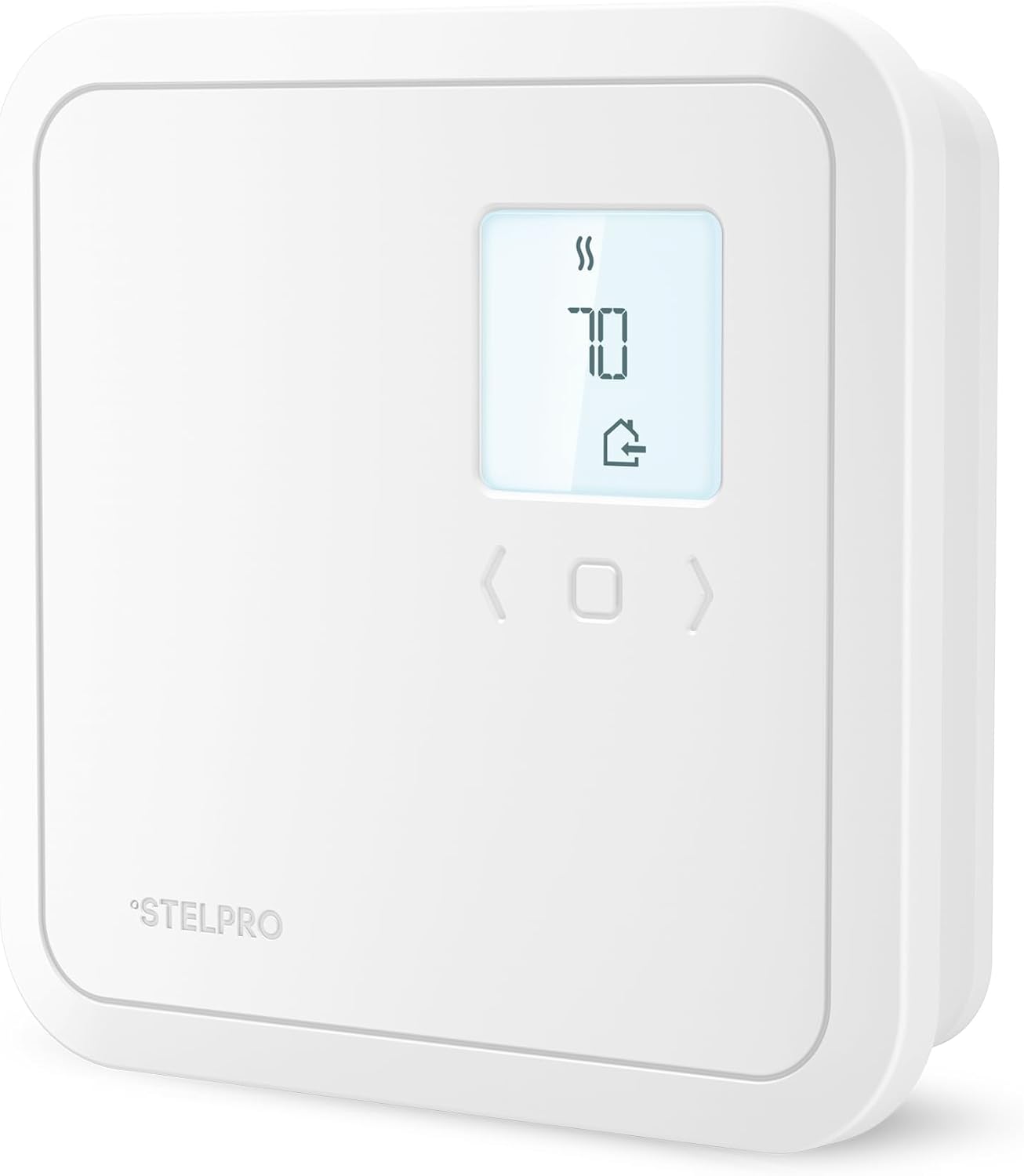
Figure 2: Front view of the Stelpro ST402P thermostat showing the digital display and control buttons.
Programming Features
The ST402P offers 5/2 day programming, allowing you to set different temperature schedules for weekdays and weekends. This feature helps optimize energy usage and maintain comfort.
- 5/2 Day Programming: Set distinct temperature schedules for Monday-Friday and Saturday-Sunday.
- Precise Temperature Control: Maintains ambient temperature within ±1°F increments (or ±0.5°C), ensuring your living space remains at your ideal temperature setting.
- Wide Temperature Range: Adjustable settings from 41°F to 86°F (5°C to 30°C) to suit various preferences and seasons.
- Energy Savings: Utilize programming features to potentially achieve up to 20% in energy savings.
Consult the detailed programming guide in the full product manual for step-by-step instructions on setting up your custom schedules.
Maintenance
The Stelpro ST402P thermostat requires minimal maintenance.
- Cleaning: Gently wipe the thermostat's exterior with a soft, damp cloth. Do not use abrasive cleaners or solvents.
- No User-Serviceable Parts: The thermostat contains no user-serviceable parts. Do not attempt to open or repair the unit yourself. Refer all servicing to qualified personnel.
- Dust Accumulation: Ensure the thermostat's vents (if any) are free from dust accumulation to allow for proper air circulation and accurate temperature sensing.
Troubleshooting
If you experience issues with your Stelpro ST402P thermostat, please refer to the following common problems and solutions:
| Problem | Possible Cause | Solution |
|---|---|---|
| Thermostat display is blank. | No power to the thermostat. | Check the circuit breaker for your heating system. Ensure it is in the ON position. Verify wiring connections. |
| Heating system not responding to thermostat. | Incorrect wiring; thermostat in OFF mode; temperature set too low. | Verify wiring connections are secure. Ensure the thermostat is set to HEAT mode and the setpoint temperature is above the ambient temperature. |
| Inaccurate temperature reading. | Thermostat exposed to drafts, direct sunlight, or heat sources. | Relocate the thermostat if possible, or shield it from external influences. Ensure no objects are blocking the thermostat's sensor. |
| Thermostat not holding programmed schedule. | Programming error; power interruption. | Re-enter your desired program schedule carefully. If power was interrupted, some settings might need to be re-configured. |
If the problem persists after attempting these solutions, please contact Stelpro customer support.
Specifications
| Brand | Stelpro |
| Model Name | ST402P - 4000W |
| Product Dimensions | 4.94"D x 4.94"W x 1.38"H (125.5 mm x 125.5 mm x 35 mm) |
| Color | White |
| Material | Plastic |
| Controller Type | Push Button, Button Control |
| Special Feature | Programmable |
| Specific Uses For Product | Electric Baseboard Heater |
| Temperature Control Type | Heating |
| Item Weight | 14.4 ounces |
| Voltage | 240 Volts (Compatible with 120 V, 208 V, and 240 V systems) |
| Wattage | 4000 W (Supports 2000 W / 3475 W / 4000 W max load) |
| Mounting Type | Wall Mount |
| Backlight | Yes |
| UPC | 626296598948 |
| Date First Available | December 2, 2019 |

Figure 3: Dimensions of the Stelpro ST402P thermostat.
Warranty and Support
Warranty Information
Stelpro products are manufactured to the highest standards and are backed by a manufacturer's warranty. For specific warranty terms and conditions, please refer to the warranty card included with your product or visit the official Stelpro website. Keep your proof of purchase for warranty claims.
Customer Support
If you have any questions, require technical assistance, or need to report an issue with your Stelpro ST402P thermostat, please contact Stelpro customer support:
- Website: www.stelpro.com (Check for specific support page or contact section)
- Phone: Refer to the Stelpro website or product packaging for regional contact numbers.
When contacting support, please have your product model number (ST402P - 4000W) and purchase date ready.
Related documentsST402P - 4000W


Ask a question about this manual
Ask about setup, troubleshooting, compatibility, parts, safety, or missing instructions. Manuals+ will review the question and use this page’s manual context to help answer it.