
1. Introduction and Overview
This manual provides detailed instructions for the installation, operation, and maintenance of your XTRONS 12.3-inch Car Stereo. This unit is specifically designed for Honda Accord 9th generation models from 2013 to 2017. Please read this manual thoroughly before installation and use to ensure proper functionality and to maximize your user experience.
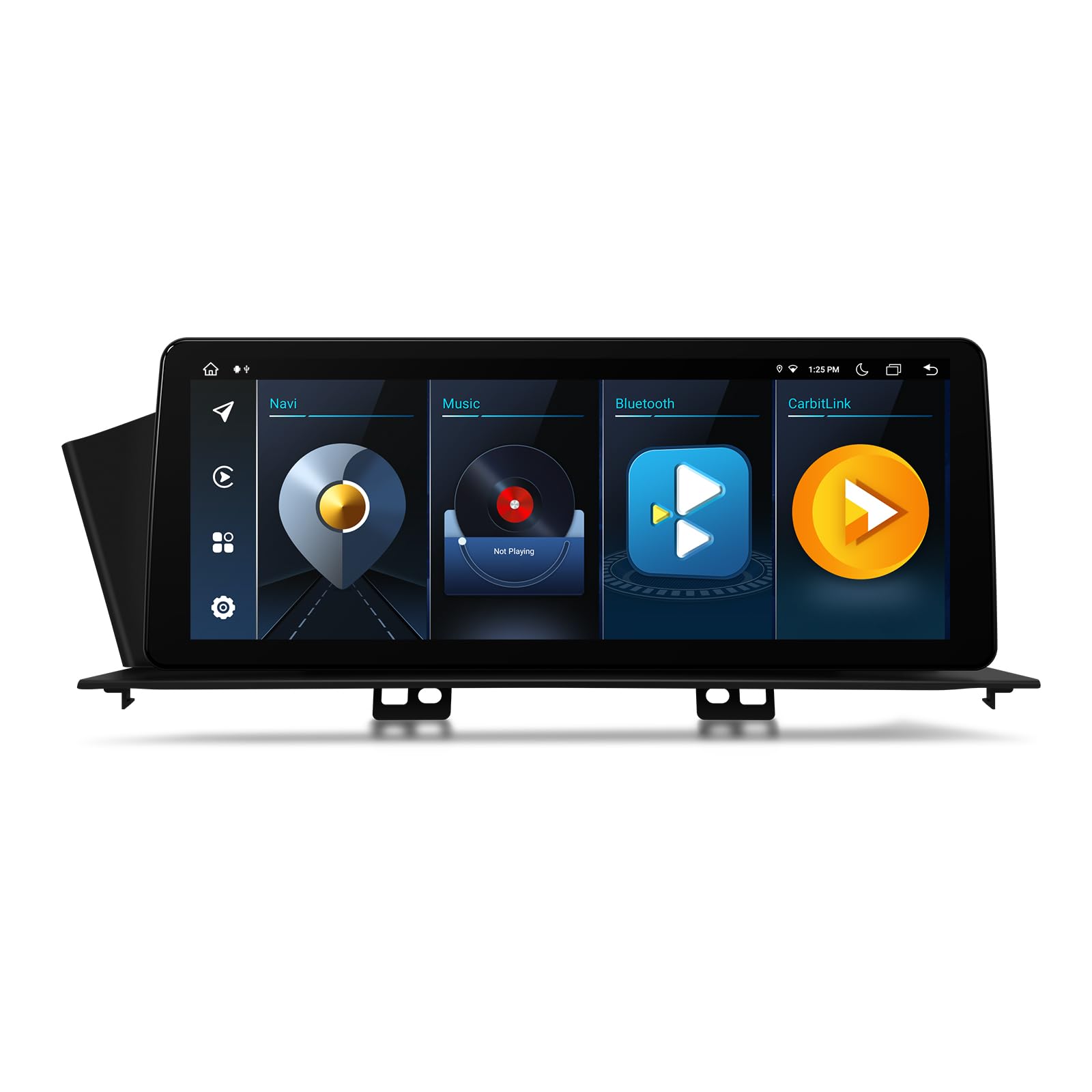
Image 1.1: Key Features Overview. This image illustrates the core specifications and capabilities of the XTRONS car stereo, including its Android 12 operating system, Octa Core processor, 4GB RAM, 64GB internal storage, 4G LTE connectivity, built-in Digital Sound Processor (DSP), support for AHD cameras, a 1920x720 HD IPS screen, USB tethering, and a new user interface design.
2. Applicable Models and Compatibility
This XTRONS car stereo is compatible with the following vehicles:
- Honda Accord (2013, 2014, 2015, 2016, 2017)
- Designed for Left Hand Drive Vehicles.
The unit is designed to integrate seamlessly with your vehicle's original dashboard, retaining essential functions.

Image 2.1: Original Functions Retained. This image demonstrates how the XTRONS car stereo integrates into the Honda Accord dashboard. It highlights that the vehicle's original functions, such as the CD player, radio, Bluetooth, backup camera display, fuel consumption display, and air conditioner display, will continue to operate after installation.
Important Notes on Compatibility
Carefully check your vehicle's original console configuration to ensure correct wiring harness selection.
- If your vehicle's original console has two screens and a factory-fitting navigation system, use the provided ISO cable with 4 grey ports.
- If your vehicle's original console has one screen, use the provided ISO cable with 2 grey ports.

Image 2.2: Compatibility and Wiring Harness Selection. This diagram provides visual guidance for determining the correct wiring harness based on your Honda Accord's original console. It shows a 'Before' and 'After' comparison of the dashboard and details which ISO cable (4 grey ports or 2 grey ports) to use depending on whether your vehicle has a factory navigation system and the number of screens in the original console.
3. Package Contents / Accessories
Verify that all components listed below are included in your package:

Image 3.1: Included Accessories. This image shows a comprehensive layout of all accessories provided with the XTRONS car stereo. These include different ISO wiring harnesses (for cars with/without factory navigation), an RCA cable, an audio converter, a 4G antenna, a camera cable, a CANBus box, a cable for factory-installed reversing cameras, a GPS antenna, an LVDS cable, a screen driver box, screws, USB cables, a CANBus cable, a user manual, and installation instructions.
- 1 x ISO Wiring Harness (for cars with factory-installed navigation system)
- 1 x ISO Wiring Harness (for cars without factory-installed navigation system)
- 1 x RCA Cable
- 1 x Audio Converter
- 1 x 4G Antenna
- 1 x Camera Cable
- 1 x CANBus Box
- 1 x Cable for factory-installed reversing camera
- 1 x GPS Antenna
- 1 x LVDS Cable
- 1 x Screen driver box
- 3 x Screw
- 2 x USB Cable
- 1 x CANBus Cable
- 1 x User Manual
- 1 x Installation Instruction
4. Setup and Installation
Professional installation is recommended. Refer to the included 'Installation Instruction' document for detailed steps. Ensure the vehicle's power is disconnected before beginning installation.
Wiring Diagram
The following diagram illustrates the wiring connections for vehicles WITHOUT a factory-fitting navigation system. Refer to the specific installation instructions for your vehicle's configuration.

Image 4.1: Wiring Diagram (Vehicles WITHOUT Factory Navigation). This image provides a comprehensive wiring diagram for the XTRONS car stereo, specifically for vehicles that do not have a factory-installed navigation system. It labels each connection point, including inputs for GPS and 4G antennas, USB ports, SIM card slot, various audio outputs (front, rear, coaxial, subwoofer), camera inputs (reverse, front), amplifier control, external microphone, LVDS, Wi-Fi antenna, screen driver box, brake signal, Bluetooth antenna, steering wheel control inputs, ACC, automatic antenna control, illumination, and the main ISO wiring harnesses.
- GPS antenna
- 4G antenna
- USB port
- USB port
- 4G SIM Card Slot
- REAR OUT R, Rear Right Audio Output
- REAR OUT L, Rear Left Audio Output
- F CCD+12V, Front Camera ACC
- FRONT OUT R, Front Right Audio Output
- Coaxial out, Audio Coaxial Output
- FRONT OUT L, Front Left Audio Output
- LVDS Port
- AMP-CONT, Amplifier Control Cable
- MIC, External Microphone Port
- SUB WOOFER, Subwoofer Output
- F CAM IN, Front Camera Input
- CAMERA-IN, Camera Input
- REVERSE, Camera ACC
- Wi-Fi Antenna
- Screen drive box
- BRAKE, Brake-in Cable
- Bluetooth Antenna
- AUX CVBS IN, Video Input
- AUX CVBS IN, Video Input
- AUX IN R, Audio Input Right
- AUX IN L, Audio Input Left
- KEY2-5V, Steering Wheel Control Key2
- KEY1-5V, Steering Wheel Control Key1
- ACC
- ANT, Automatic Antenna Control
- ILLUMI, Illumination Cable
- BRAKE-IN, Brake-in Cable
- ISO Wiring Harness1
- ISO Wiring Harness2
- CANBus Box
5. Operating Instructions
5.1 Basic Operations and User Interface
The unit features a 12.3-inch capacitive touch screen with a 1920x720 IPS panel for wide viewing angles. Navigate the Android 12 operating system using touch gestures similar to a smartphone or tablet. Four distinct user interface themes are available, including XTRONS Q series special, allowing for personalization.
5.2 Connectivity
- 4G Connectivity: Insert a Micro-SIM network card into the designated slot to enable 4G mobile broadband. The unit supports global 4G LTE bands (1, 2, 3, 4, 5, 7, 8, 12, 17, 20, 28, 38, 40, 41, 42). Note: Bands 13, 25, 26 are not supported.
- Dual Band Wi-Fi: Supports both 2.4GHz and 5GHz bands for faster and more stable wireless connections, reducing interference.
- Bluetooth 5.0: Connect your smartphone for hands-free calls and audio streaming. Supports voice control features.
- USB Tethering: Utilize USB tethering for network connection.

Image 5.1: Global 4G LTE Connectivity. This image highlights the unit's 4G LTE capabilities, powered by a MediaTek CAT7 Modem, capable of download speeds up to 300Mbps. It also shows the Micro-SIM card slot (SIM card not included) and provides a list of supported and unsupported 4G network bands for worldwide compatibility.
5.3 Smartphone Integration (CarPlay & Android Auto)
The unit features built-in Wireless CarPlay and Wireless/Wired Android Auto, allowing safe and smart access to your phone's apps.
- Activation: Simply say "Hey Siri" or "Hey Google" to activate your voice assistant.
- CarPlay: Wireless connection via Bluetooth.
- Android Auto: Wireless connection via Bluetooth or wired connection via USB.

Image 5.2: CarPlay and Android Auto Integration. This image demonstrates the seamless integration of CarPlay and Android Auto. It features a voice control icon, indicating activation via voice commands like "Hey Siri" or "Hey Google." The image also displays the user interfaces for both CarPlay (wireless Bluetooth connection) and Android Auto (wireless Bluetooth or wired USB connection), showcasing how mobile applications are presented on the car stereo screen.
5.4 Multimedia Features
- 2K Video Playback: Supports playing 2K format video with the latest video decoder chipset.
- Split Screen: Run two applications simultaneously, such as navigation on one side and a music player on the other.
- Picture-in-Picture: Maintain video playback in a small window while using other functions of the car stereo.
6. Maintenance
To ensure the longevity and optimal performance of your XTRONS car stereo, follow these maintenance guidelines:
- Screen Cleaning: Use a soft, lint-free cloth to gently wipe the touchscreen. For stubborn smudges, slightly dampen the cloth with water or a screen-safe cleaner. Avoid harsh chemicals or abrasive materials.
- Software Updates: Periodically check for and install software updates provided by XTRONS to ensure the system runs efficiently and has the latest features and security patches.
- Environmental Conditions: Avoid exposing the unit to extreme temperatures, direct sunlight for prolonged periods, or excessive moisture.
- Cable Connections: Ensure all cables are securely connected. Loose connections can lead to intermittent issues.
7. Troubleshooting
If you encounter issues with your car stereo, refer to the following common troubleshooting steps:
- Unit does not power on:
- Check all power connections and fuses.
- Ensure the vehicle's ignition is on.
- No sound:
- Verify speaker connections.
- Check volume levels on the unit and any connected devices.
- Ensure the correct audio source is selected.
- Touchscreen unresponsive:
- Restart the unit by turning off the vehicle's ignition and then restarting.
- Ensure the screen is clean and free of debris.
- GPS signal issues:
- Ensure the GPS antenna is properly installed and has a clear view of the sky.
- Check for obstructions that might block the signal.
- Bluetooth connection problems:
- Ensure Bluetooth is enabled on both the car stereo and your mobile device.
- Delete previous pairings and attempt to re-pair the devices.
- Move your mobile device closer to the car stereo.
- CarPlay/Android Auto not working:
- Ensure your phone's operating system is up to date.
- For wired Android Auto, try a different USB cable.
- Check app permissions on your phone for CarPlay/Android Auto.
For issues not covered here, please contact XTRONS technical support.
8. Specifications
| Feature | Specification |
|---|---|
| Brand | XTRONS |
| Model Number | B0827LJGH4 |
| Operating System | Android 12 |
| CPU | Octa Core (Cortex A75 (2.0GHz) x2 + Cortex A55 (1.7GHz) x6) |
| RAM | 4GB DDR4 |
| Internal Storage | 64GB Solid State ROM |
| Screen Size | 12.3 Inches |
| Display Type | IPS Touchscreen |
| Resolution | 1920x720 |
| Connectivity Technology | Bluetooth 5.0, Wi-Fi (2.4GHz & 5GHz), 4G LTE |
| Special Features | Built-in Wireless CarPlay, Wireless/Wired Android Auto, Built-in DSP, 2K Video Playback, Split Screen, Picture-in-Picture, AHD Camera Support |
| Map Type | No Pre-installed Map (Supports online/downloaded maps) |
| Audio Output Mode | Stereo |
| Vehicle Service Type | Car (Honda Accord 2013-2017) |
| Batteries Included | No |
9. Warranty and Support
9.1 Warranty Information
XTRONS provides a 1-year warranty for this unit. This warranty covers manufacturing defects and ensures your rights and interests are protected.
9.2 Technical Support
For technical assistance, installation queries, or any other support needs, please do not hesitate to contact XTRONS professional technical support. You can reach us via Amazon email, and we will respond as soon as possible.