
Fujitsu Esprimo P710
Fujitsu Esprimo P710 Gaming Desktop PC
User Instruction Manual
Introduction
This manual provides comprehensive instructions for setting up, operating, maintaining, and troubleshooting your Fujitsu Esprimo P710 Gaming Desktop PC. Please read this manual carefully before using your new computer to ensure optimal performance and longevity.
The Fujitsu Esprimo P710 is designed as an entry-level gaming PC, suitable for Free-to-Play games and other applications that do not require extremely high system specifications.
Product Overview
The Fujitsu Esprimo P710 is a versatile desktop computer equipped with an Intel Core i5 processor and an NVIDIA GeForce GT1030 graphics card, making it suitable for both everyday computing tasks and light gaming.
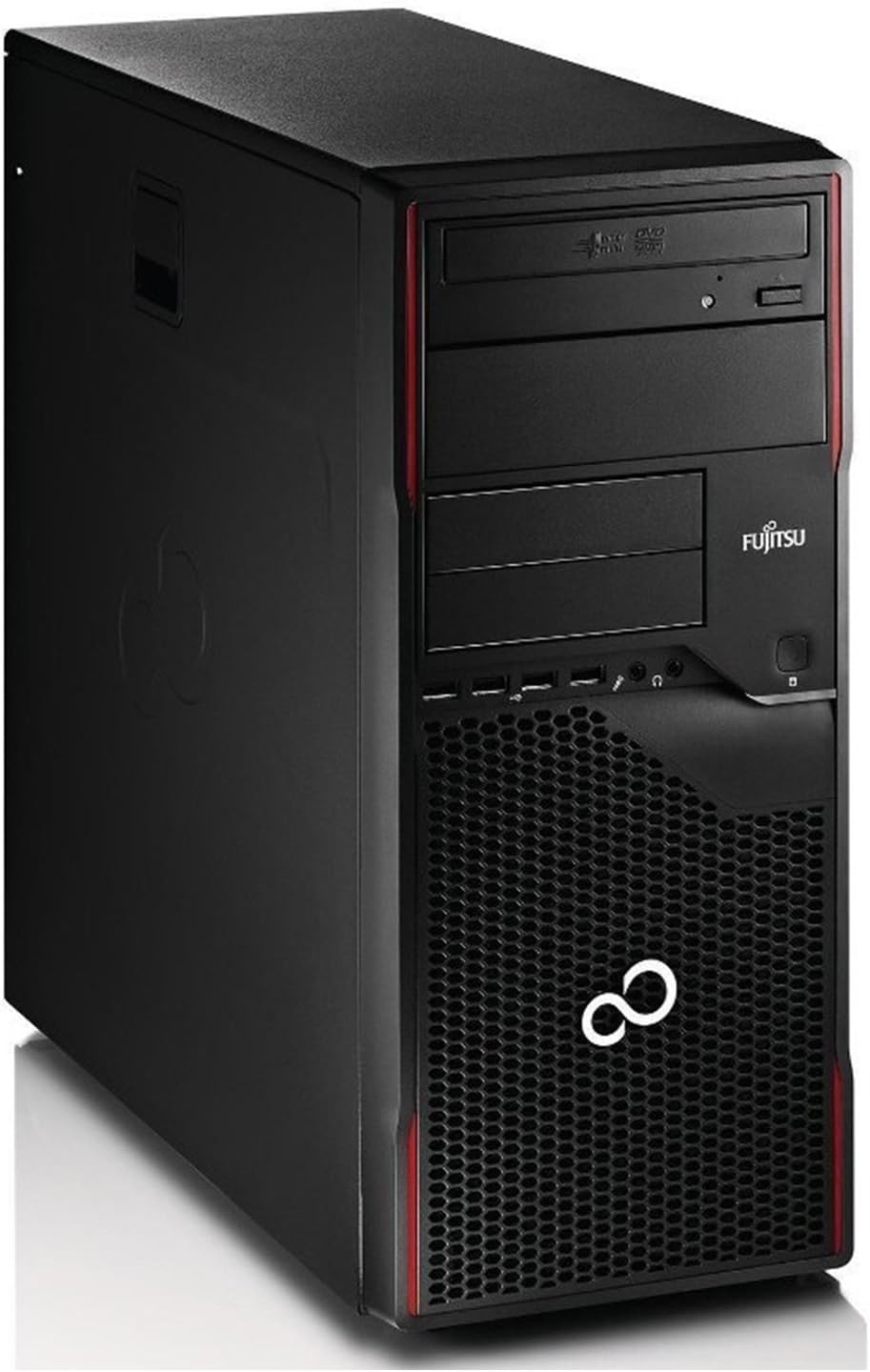
Figure 1: Front view of the Fujitsu Esprimo P710 Gaming Desktop PC. This image shows the tower's black casing with red accents, the optical drive bay, front USB ports, audio jacks, and the distinctive Fujitsu logo.
Key Features:
- Processor: Intel Core i5-3470S (2.90 GHz, up to 3.60 GHz with Turbo Boost)
- Memory: 8 GB DDR3 RAM
- Storage: 500 GB HDD
- Graphics: NVIDIA GeForce GT1030 2 GB GDDR4
- Operating System: Windows 10 Professional 64-bit
- Optical Drive: DVD-ROM
- Connectivity: 2x USB 3.0 (rear), 10x USB 2.0 (4 front, 6 rear), Serial Port (RS-232), 2x PS/2 ports, RJ45 Ethernet LAN port
What's in the Box
Upon unpacking your Fujitsu Esprimo P710, ensure all the following items are present:
- Fujitsu Esprimo P710 Desktop PC
- Keyboard
- Mouse
- Power Cable
- Documentation (this manual)
If any items are missing or damaged, please contact your retailer immediately.
Setup Guide
1. Connecting Peripherals
- Connect Monitor: Connect your monitor to the graphics card's output port (e.g., HDMI, DVI, DisplayPort) on the back of the PC.
- Connect Keyboard and Mouse: Plug the keyboard and mouse into the available USB ports (or PS/2 ports if applicable) on the back or front of the PC.
- Connect Network: For a wired internet connection, connect an Ethernet cable from your router or modem to the RJ45 LAN port on the back of the PC. For wireless connectivity, a Wi-Fi adapter (not included) may be required.
- Connect Audio: If using external speakers or headphones, connect them to the audio output jack on the back or front of the PC.
2. Powering On
- Connect Power Cable: Plug the power cable into the power supply unit (PSU) on the back of the PC, then plug the other end into a wall outlet or surge protector.
- Power On: Press the power button located on the front of the PC. The system should boot up, and you should see the operating system loading on your monitor.
Follow the on-screen instructions for initial Windows 10 setup, including language, region, and user account creation.
Operating System: Windows 10 Professional
Your Fujitsu Esprimo P710 comes pre-installed with Windows 10 Professional 64-bit. This section provides a brief overview of essential operating system functions.
Basic Navigation:
- Start Menu: Access applications, settings, and power options.
- Taskbar: Quick access to running applications and system tray icons.
- File Explorer: Manage your files and folders.
- Settings: Configure system preferences, devices, network, and privacy.
Updates and Security:
It is crucial to keep your operating system updated to ensure security and optimal performance. Windows Update automatically downloads and installs updates. You can manually check for updates via Settings > Update & Security > Windows Update.
Windows Defender provides built-in antivirus and firewall protection. Ensure it is active and up-to-date.
Maintenance
Regular maintenance helps extend the lifespan of your PC and ensures consistent performance.
Physical Cleaning:
- Exterior: Use a soft, damp cloth to clean the exterior of the PC. Avoid abrasive cleaners.
- Dust Removal: Periodically use compressed air to clear dust from vents and fan openings. Ensure the PC is powered off and unplugged before cleaning.
- Peripherals: Clean your keyboard and mouse regularly to prevent dust and debris buildup.
Software Maintenance:
- Windows Updates: Regularly check for and install Windows updates.
- Driver Updates: Keep your graphics card drivers and other hardware drivers updated for optimal performance and compatibility.
- Disk Cleanup: Use Windows Disk Cleanup utility to remove temporary files and free up disk space.
- Antivirus Scans: Perform regular scans with your antivirus software to detect and remove malware.
- Data Backup: Regularly back up important data to an external drive or cloud storage to prevent data loss.
Troubleshooting
This section addresses common issues you might encounter with your Fujitsu Esprimo P710.
| Problem | Possible Cause | Solution |
|---|---|---|
| PC does not power on. | Loose power cable, faulty power outlet, PSU issue. | Check power cable connections. Try a different power outlet. Ensure PSU switch (if present) is ON. |
| No display on monitor. | Monitor not connected, incorrect input source, graphics card issue. | Ensure monitor cable is securely connected to PC and monitor. Select correct input source on monitor. Test with another monitor if possible. |
| System is slow or unresponsive. | Too many programs running, low disk space, malware, outdated drivers. | Close unnecessary programs. Free up disk space. Run antivirus scan. Update drivers. Consider adding an SSD for improved performance. |
| Internet connection issues. | Loose Ethernet cable, router/modem issue, driver issue. | Check Ethernet cable. Restart router/modem. Update network drivers. |
If you are unable to resolve an issue using these steps, please refer to the Warranty and Support section for further assistance.
Technical Specifications
| Component | Detail |
|---|---|
| Brand | Fujitsu |
| Model/Series | Esprimo P710 |
| Form Factor | Tower |
| Processor Brand | Intel |
| Processor Type | Core i5 3470S |
| Processor Speed | 2.9 GHz (up to 3.6 GHz Turbo) |
| Processor Cores | 4 |
| RAM Size | 8 GB |
| RAM Technology | DDR3 SDRAM |
| Storage Size | 500 GB |
| Storage Technology | HDD |
| Graphics Coprocessor | NVIDIA GeForce GT 1030 |
| Graphics Card Memory | 2 GB GDDR4 |
| Optical Drive | DVD-ROM |
| Operating System | Windows 10 Pro |
| USB Ports | 2x USB 3.0 (rear), 10x USB 2.0 (4 front, 6 rear) |
| Other Ports | Serial (RS-232), 2x PS/2, RJ45 Ethernet, 1x HDMI |
| Product Dimensions | 42 x 40 x 18 cm |
| Item Weight | 11 Kilograms |
Warranty and Support
This product is part of Amazon Renewed, which means it has been professionally inspected and tested to work and look like new. It is backed by the Amazon Renewed Guarantee, allowing for replacement or refund if you are not satisfied with your purchase.
For technical support or warranty claims, please contact the seller directly through your Amazon purchase history. Ensure you have your order details readily available.
For general Windows 10 support, please refer to Microsoft's official support resources.
Related documentsEsprimo P710


Ask a question about this manual
Ask about setup, troubleshooting, compatibility, parts, safety, or missing instructions. Manuals+ will review the question and use this page’s manual context to help answer it.