
1. Introduction
The Lowell UPS8-1100 is a high-efficiency line interactive uninterruptible power supply (UPS) designed to provide advanced power protection for sensitive electronic equipment such as AV electronics, servers, and network devices. This manual provides essential information for the safe and efficient installation, operation, and maintenance of your UPS unit.
2. Safety Information
Please read all instructions carefully before installing or operating the UPS. Retain this manual for future reference.
- Electrical Safety: Connect the UPS to a grounded AC power outlet. Do not remove the grounding prong. Do not open the UPS casing; there are no user-serviceable parts inside.
- Battery Safety: The UPS contains sealed lead-acid batteries. Do not dispose of batteries in a fire as they may explode. Do not open or mutilate batteries. Battery servicing should be performed or supervised by personnel knowledgeable of batteries and the required precautions.
- Environment: Install the UPS in a controlled environment, free from excessive dust, humidity, and extreme temperatures. Ensure adequate ventilation around the unit.
- Weight: The UPS unit is heavy (approximately 31 pounds). Use caution when lifting and installing to prevent injury.
3. Package Contents
Verify that all items are present upon unpacking:
- Lowell UPS8-1100 Line Interactive UPS Unit
- 4-Point Steel Rail Kit for Rack Installation
- User Manual (this document)
- Power Cord(s)
4. Product Overview
The Lowell UPS8-1100 features a robust design for reliable power delivery and protection. Below are images illustrating the main unit and its included accessories.
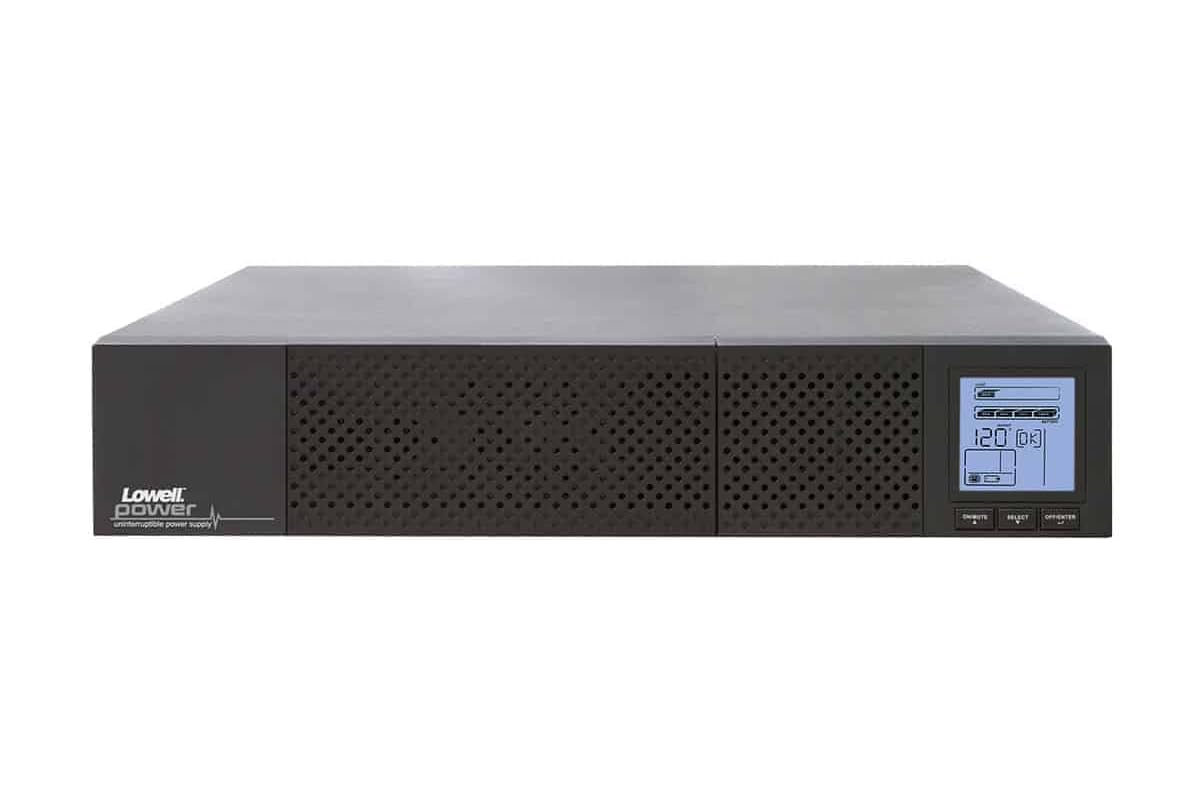
Figure 4.1: Front view of the Lowell UPS8-1100 UPS unit, showing the ventilation grille and the integrated LCD display panel with control buttons.
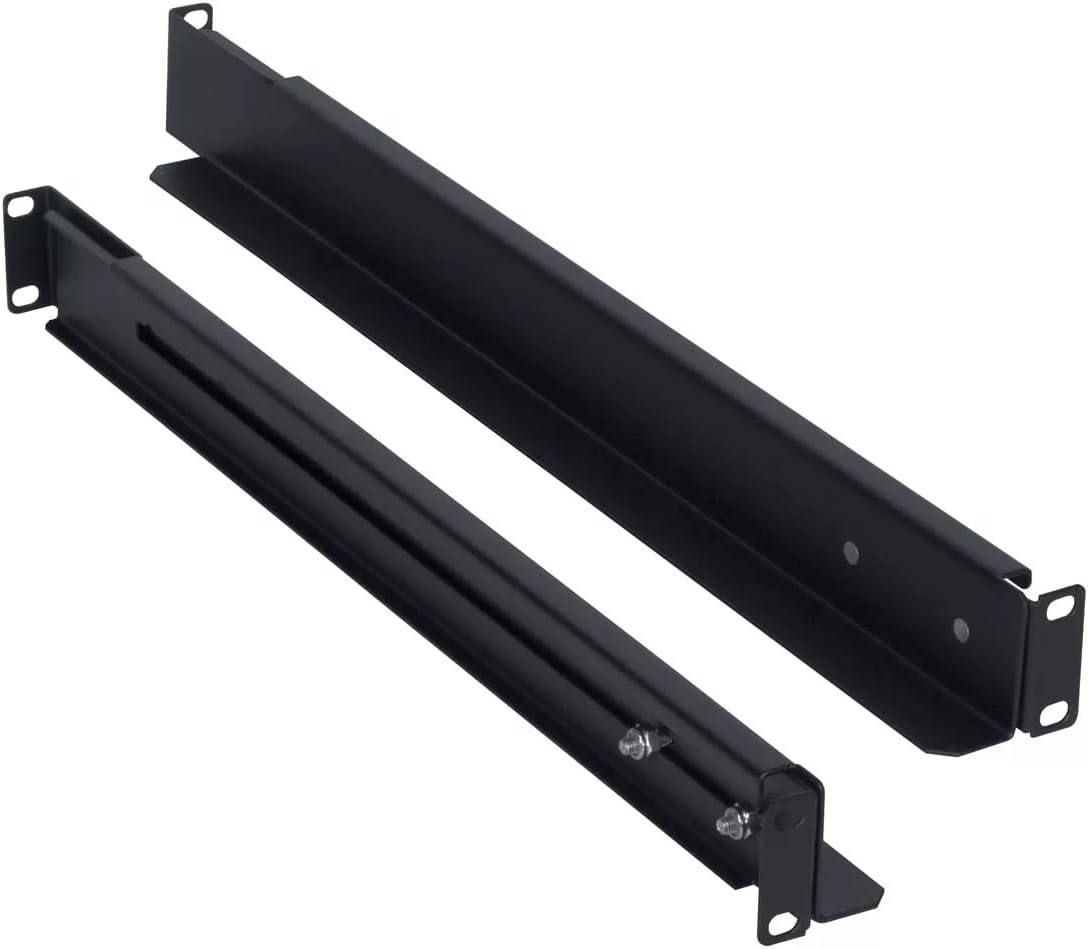
Figure 4.2: The included 4-point steel rail kit, designed for secure rack installation of the UPS unit.
Front Panel Features:
- LCD Display: Provides real-time status information including input/output voltage, battery level, load capacity, and operational mode.
- Control Buttons: Typically include Power On/Off, Select, and Enter for navigating the LCD menu and controlling the unit.
Rear Panel Features:
- AC Input: For connecting the UPS to the utility power outlet.
- Output Receptacles: Provide battery backup and surge protection for connected equipment.
- Communication Ports: May include USB, RS-232, or network ports for monitoring and management.
- External Battery Connector (if applicable): For connecting optional external battery packs.
5. Setup
5.1 Unpacking and Inspection
Carefully unpack the UPS and inspect it for any shipping damage. If damage is found, do not operate the unit and contact your dealer.
5.2 Rack Installation
The UPS8-1100 is designed for rack installation using the included 4-point steel rail kit. Follow these general steps:
- Attach the inner rails to the sides of the UPS unit using the provided screws.
- Mount the outer rails to the front and rear posts of your server rack at the desired height.
- Carefully slide the UPS unit, with its attached inner rails, into the mounted outer rails until it locks securely into place.
- Secure the front of the UPS to the rack posts with additional screws if required by the rail kit design.
5.3 Connecting to Power
- Ensure the UPS is turned off.
- Connect the UPS power cord to the AC input on the rear panel of the UPS.
- Plug the other end of the UPS power cord into a grounded wall outlet.
- Allow the UPS to charge for at least 8 hours before initial use to ensure optimal battery runtime.
5.4 Connecting Equipment
Plug your critical electronic devices into the output receptacles on the rear panel of the UPS. Ensure that the total load does not exceed the UPS's capacity (990W).
6. Operating Instructions
6.1 Turning On the UPS
Press and hold the Power On/Off button on the front panel for approximately 2-3 seconds until you hear a beep and the LCD display illuminates. The UPS will perform a self-test and then enter Line Mode, providing power to connected equipment.
6.2 Turning Off the UPS
To turn off the UPS, press and hold the Power On/Off button for approximately 2-3 seconds until you hear a beep and the LCD display turns off. This will remove power from all connected equipment.
6.3 LCD Display and Control
Use the Select and Enter buttons to navigate through the LCD menu. The display provides information on:
- Input/Output Voltage and Frequency
- Battery Charge Level and Estimated Runtime
- Load Percentage
- Operational Mode (Line Mode, Battery Mode, Bypass Mode)
- Event Logs and Warnings
7. Maintenance
7.1 Battery Care
The UPS batteries are designed for a specific lifespan. To maximize battery life:
- Keep the UPS connected to AC power to keep batteries charged.
- Avoid operating the UPS in extreme temperatures.
- Perform a battery self-test periodically (if available via LCD menu or software).
- Replace batteries when their capacity significantly diminishes. Refer to Lowell support for replacement battery information.
7.2 Cleaning
Clean the exterior of the UPS with a soft, dry cloth. Do not use liquid or aerosol cleaners. Ensure ventilation openings are free from dust and obstructions.
8. Troubleshooting
This section addresses common issues you might encounter with your UPS. For more complex problems, contact Lowell technical support.
| Problem | Possible Cause | Solution |
|---|---|---|
| UPS does not turn on | No AC input power; Battery deeply discharged | Check power cord connection and wall outlet; Allow UPS to charge for several hours. |
| UPS beeps continuously | Overload; On battery power; Low battery | Reduce connected load; Save work and shut down equipment; Allow UPS to recharge. |
| Short battery runtime | Battery not fully charged; Battery nearing end of life | Allow UPS to charge for 8+ hours; Consider battery replacement. |
| LCD display is off | UPS is off; Power saving mode | Press power button to turn on; Press any button to wake display. |
9. Specifications
The following table details the technical specifications for the Lowell UPS8-1100:
| Feature | Detail |
|---|---|
| Brand | Lowell |
| Model | UPS8-1100 |
| Capacity | 1100VA (990W) |
| Type | Line Interactive UPS |
| Form Factor | Tower (Rack-mountable with included kit) |
| Item Weight | 31 Pounds |
| Voltage | 12 Volts (Internal Battery System) |
| ASIN | B0821SPK48 |
| UPC | 811859034975 |
| Date First Available | November 25, 2019 |
10. Warranty and Support
For warranty information, technical support, or service inquiries, please contact Lowell customer service. Refer to the official Lowell website or your purchase documentation for the most current contact details and warranty terms.
Online Resources: Visit the Lowell official website for product updates, FAQs, and additional support materials.

