
1. Introduction
Thank you for choosing the GreenForest Corner L Shaped Desk. This manual provides essential information for the safe assembly, operation, and maintenance of your new desk. Please read these instructions carefully before beginning assembly and retain them for future reference.
This versatile L-shaped desk is designed for home office, study, or gaming use, offering a reversible configuration to suit various space requirements.
2. Safety Information
- Maximum Weight Limit: Do not exceed the maximum weight limit of 350 lbs (158 kg) on the desktop to ensure stability and prevent damage.
- Assembly: Follow all assembly instructions carefully. Incorrect assembly can lead to instability and potential injury.
- Placement: Place the desk on a flat, stable surface. Avoid placing it on uneven ground or near heat sources.
- Children: Keep small parts and packaging materials away from children during assembly to prevent choking hazards.
- Tools: Use only the provided tools or appropriate hand tools. Do not overtighten screws.
3. Package Contents
Before assembly, verify that all components listed below are present and undamaged. If any parts are missing or damaged, please contact customer support.
- 1 x L Shaped Desk (Desktop panels and frame components)
- 1 x Installation Tool (Allen wrench)
- 1 x Manual (This document)
- All necessary screws and fasteners
Note: All parts come with clear labels for easy identification.
4. Setup and Assembly
Assembly typically takes approximately 25 minutes with two people. It is recommended to have two individuals for easier and safer assembly.
4.1 Visual Guide: GreenForest L Shaped Desk Installation
This video provides a step-by-step visual guide for assembling the GreenForest L Shaped Desk.
4.2 Step-by-Step Assembly Instructions
- Unpack Components: Carefully unpack all parts and lay them out on a clean, soft surface (like a carpet) to prevent scratches. Verify all parts against the package contents list.
- Assemble Frame: Begin by connecting the main frame components. The desk features pre-assembled X-shape legs for enhanced support. Ensure all connections are secure but do not fully tighten screws until all parts are aligned.
- Attach Desktop Panels: The L-shaped desk consists of two desktop panels of different lengths. These can be configured for either a right-hand or left-hand side assembly.

Image: Two-way setup options for the L-shaped desk, allowing for right-hand or left-hand configuration.
Choose your desired orientation before attaching the desktop panels to the frame. Align the pre-drilled holes on the desktop panels with the frame. - Secure Desktop: Once the desktop panels are correctly positioned, insert and tighten all screws. Ensure all connections are firm and stable.
- Final Tightening: After all components are assembled and aligned, go back and fully tighten all screws. Do not overtighten.
- Position Desk: Carefully lift and place the assembled desk in its desired location.
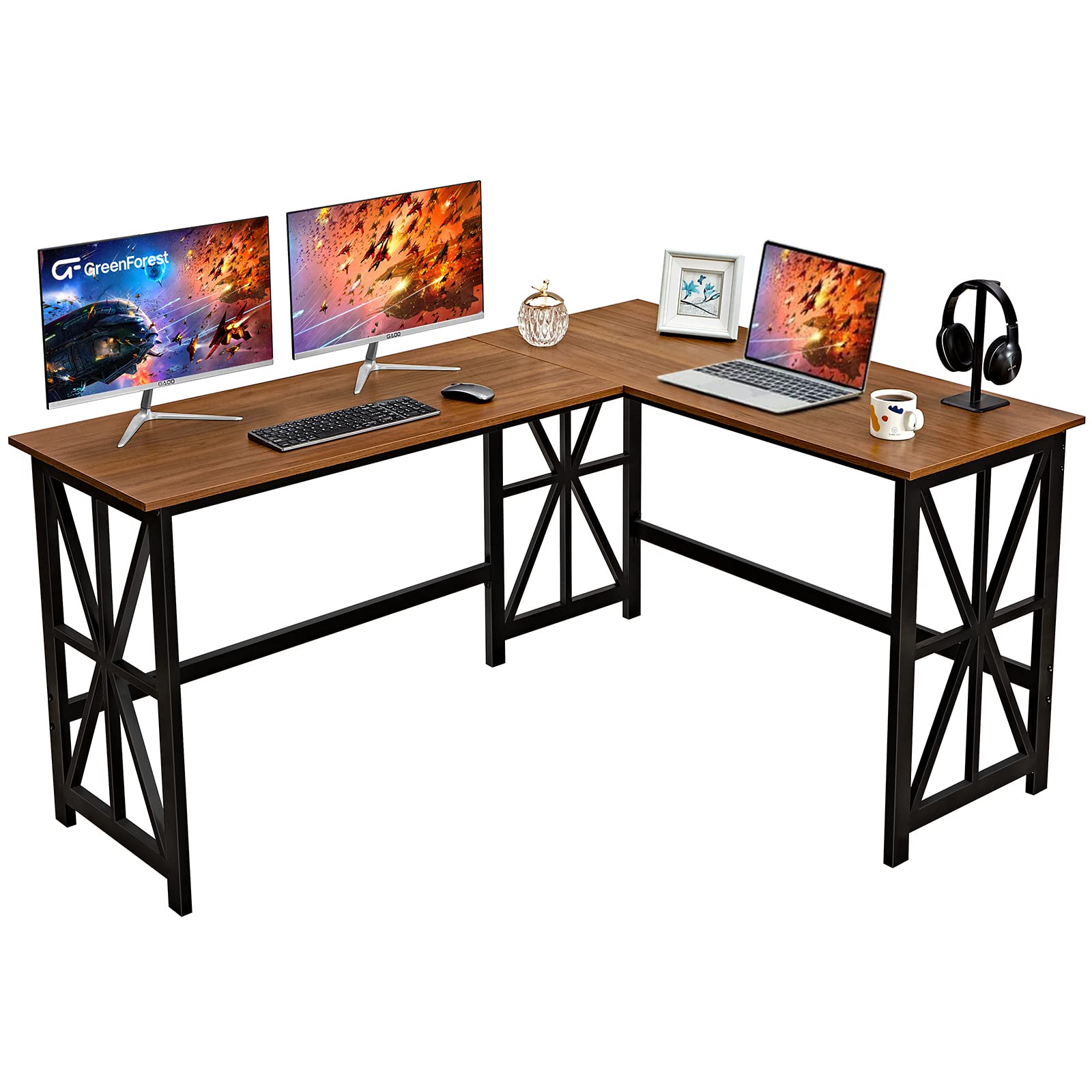
Image: The GreenForest L Shaped Corner Desk fully assembled in a home office environment.
5. Operating Instructions
5.1 General Use
The GreenForest L Shaped Desk provides ample space for multiple monitors, laptops, and other office equipment. Its sturdy construction supports up to 350 lbs, making it suitable for various tasks including working, gaming, and drafting.

Image: The L-shaped desk configured for a bedroom workstation.
5.2 Reversible Configuration
A key feature of this desk is its reversible design. The two desktop panels can be interchanged to create either a longer left side or a longer right side, adapting to your room layout or personal preference. This flexibility allows for maximizing space and creating a dedicated work area.
This video demonstrates the reversible nature and different size options of the GreenForest L Shaped Desk.
6. Maintenance
- Cleaning: Wipe the desk surfaces with a dry cloth. Avoid using harsh chemicals or abrasive cleaners, which can damage the finish.
- Spills: Promptly clean any spills to prevent staining or damage to the engineered wood surface.
- Inspection: Periodically check all screws and fasteners to ensure they remain tight. Retighten if necessary.
- Avoid Excessive Heat/Moisture: Do not place hot items directly on the desk surface without protection. Avoid prolonged exposure to direct sunlight or high humidity.
7. Troubleshooting
| Problem | Possible Cause | Solution |
|---|---|---|
| Desk wobbles after assembly. | Screws are not fully tightened or desk is on an uneven surface. | Ensure all screws are securely tightened. Move the desk to a flat, level surface. Check for any missing leveling feet if applicable. |
| Parts do not align during assembly. | Incorrect orientation of components or screws overtightened prematurely. | Review the assembly instructions and diagrams carefully, especially for the reversible desktop panels. Loosen screws, realign parts, then retighten. |
| Missing parts or damaged components. | Shipping damage or packaging error. | Do not proceed with assembly. Contact GreenForest customer support immediately with your purchase details. |
8. Specifications
| Feature | Detail |
|---|---|
| Brand | GreenForest |
| Model | L Shaped Desk (B08217FTXP) |
| Dimensions (D x W x H) | 20.5" x 63.8" x 29.5" (52cm x 162cm x 75cm) |
| Shape | L-Shape, Reversible |
| Color | Walnut (Desktop), Black (Frame) |
| Top Material | Engineered Wood (P2 board) |
| Frame Material | Metal |
| Item Weight | 52 Pounds (23.6 kg) |
| Maximum Weight Capacity | 350 Pounds (158 kg) |
| Assembly Required | Yes |
| Recommended Assembly Persons | 2 |
| Included Components | L Shaped Desk, Installation Tool, Manual |

Image: Detailed dimensions of the GreenForest L Shaped Corner Desk.
9. Warranty and Support
For warranty information, missing parts, or any questions regarding your GreenForest L Shaped Desk, please contact GreenForest customer support directly. Refer to your purchase documentation for specific warranty terms and contact details.
You can often find support contact information on the GreenForest official website or through the retailer where you purchased the product.
Online Resources:


