
KICKER Tabor2
KICKER Tabor2 Bluetooth Headphones
User Manual
Introduction
Thank you for choosing KICKER Tabor2 Bluetooth Headphones. These headphones are designed to provide a high-quality wireless audio experience with comfort and extended battery life. This manual provides essential information for setting up, operating, maintaining, and troubleshooting your device to ensure optimal performance.
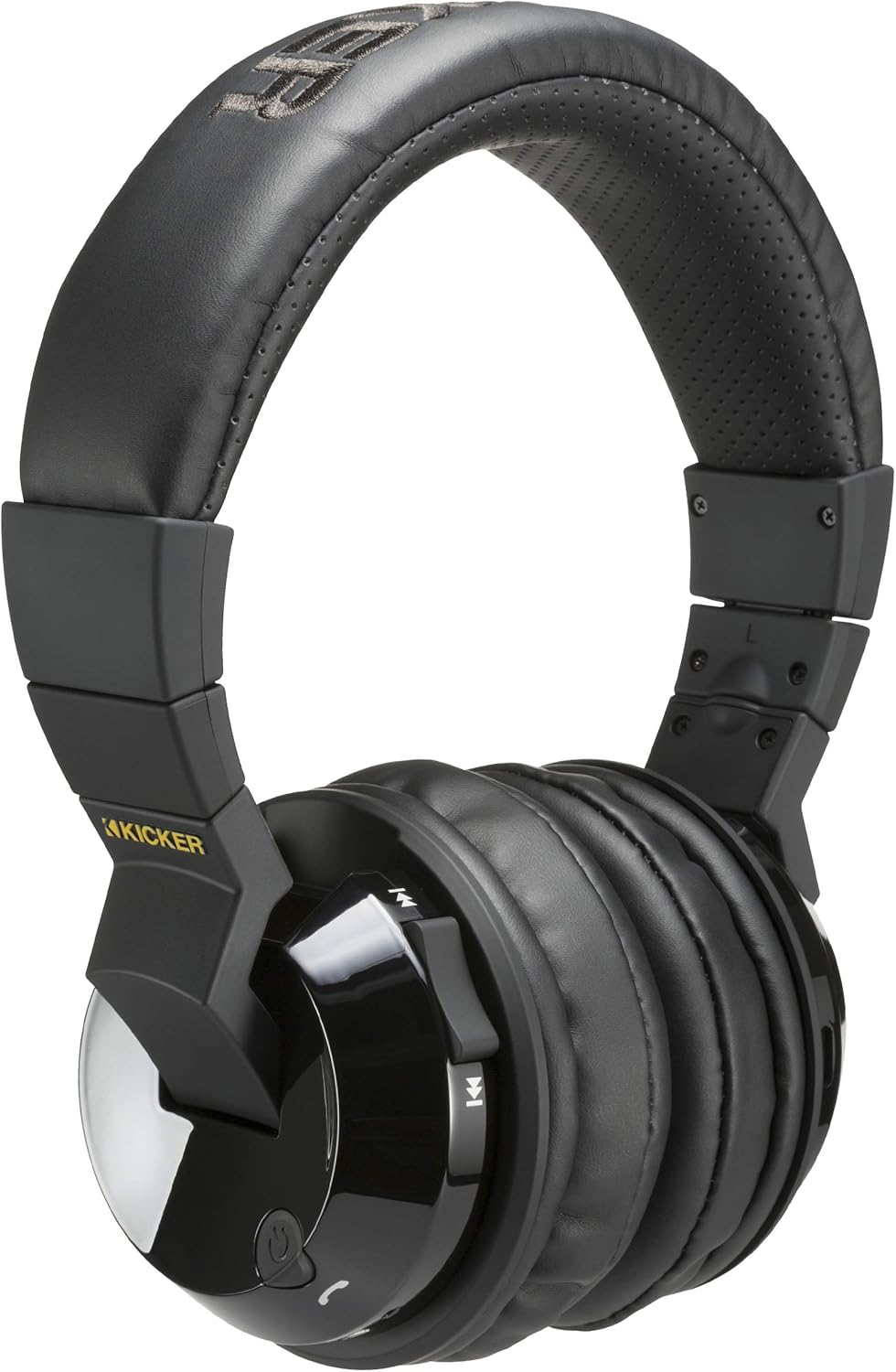
Image: KICKER Tabor2 Bluetooth Headphones, showcasing the over-ear design and controls on the earcup.
What's in the Box
Please verify that all items are present in your package:
- KICKER Tabor2 Bluetooth Headphones
- USB Charging Cable
- 3.5mm Audio Cable

Image: The KICKER Tabor2 headphones displayed with their included accessories: a USB charging cable and a 3.5mm audio cable.
Setup
Charging the Headphones
Before initial use, fully charge your KICKER Tabor2 headphones. A full charge takes approximately 2.5 hours.
- Connect the small end of the included USB charging cable to the charging port on the headphones.
- Connect the large end of the USB charging cable to a USB power source (e.g., computer USB port, USB wall adapter).
- The LED indicator on the headphones will illuminate during charging and change color or turn off when fully charged.
Once fully charged, the headphones provide up to 24 hours of wireless listening time.

Image: An illustration highlighting the extended battery life of the KICKER Tabor2 headphones, offering over 24 hours of listening.
Bluetooth Pairing
To connect your headphones wirelessly to a device:
- Ensure the headphones are charged and powered off.
- Press and hold the Power button on the headphones until the LED indicator flashes rapidly (usually blue and red), indicating pairing mode.
- On your device (smartphone, tablet, computer), enable Bluetooth and search for available devices.
- Select "KICKER Tabor2" from the list of found devices.
- Once connected, the LED indicator will typically show a solid blue light or flash slowly.
The headphones offer a Bluetooth range of up to 100 feet (approximately 30 meters).

Image: A woman wearing KICKER Tabor2 headphones, accompanied by a graphic illustrating the 100-foot Bluetooth range.
Wired Connection
For a wired connection or when the battery is depleted, use the included 3.5mm audio cable:
- Plug one end of the 3.5mm audio cable into the audio input jack on the headphones.
- Plug the other end into the 3.5mm audio output jack of your device.
- The headphones will operate in passive mode, and Bluetooth functionality will be disabled.
Operating Instructions
The KICKER Tabor2 headphones feature intuitive controls located on the earcups.

Image: A close-up view of the KICKER Tabor2 headphone earcup, highlighting the integrated control buttons for media and calls.
Power On/Off
- Power On: Press and hold the Power button for approximately 3 seconds until the LED indicator lights up.
- Power Off: Press and hold the Power button for approximately 3 seconds until the LED indicator turns off.
Music Playback Controls
- Play/Pause: Press the Play/Pause button once.
- Volume Up: Press the Volume Up (+) button.
- Volume Down: Press the Volume Down (-) button.
- Next Track: Press and hold the Volume Up (+) button.
- Previous Track: Press and hold the Volume Down (-) button.
Call Management
- Answer/End Call: Press the Play/Pause button once during an incoming call or an active call.
- Reject Call: Press and hold the Play/Pause button for approximately 2 seconds during an incoming call.
Voice Assistant Activation
- Activate Siri/Google Assistant: Double-press the Play/Pause button.
Maintenance
Cleaning
To maintain the condition of your headphones:
- Wipe the earcups and headband with a soft, dry, lint-free cloth.
- Do not use harsh chemicals, cleaning solvents, or strong detergents.
- Avoid getting moisture into any openings.
Storage
When not in use, store your headphones in a cool, dry place away from direct sunlight and extreme temperatures. Avoid placing heavy objects on top of the headphones.
Troubleshooting
If you encounter issues with your KICKER Tabor2 headphones, refer to the following common solutions:
- No Power: Ensure the headphones are fully charged. Connect them to a power source using the USB charging cable.
- Cannot Pair via Bluetooth:
- Ensure the headphones are in pairing mode (LED flashing blue and red).
- Turn off and on your device's Bluetooth.
- Move the headphones closer to your device.
- Clear previous Bluetooth connections on your device and try pairing again.
- No Sound:
- Check the volume level on both the headphones and your connected device.
- Ensure the headphones are properly paired or the 3.5mm audio cable is securely connected.
- If using Bluetooth, ensure no other device is connected to the headphones.
- Poor Audio Quality:
- Move closer to your Bluetooth device to reduce interference.
- Ensure there are no obstructions between the headphones and your device.
- Try playing audio from a different source or application.
Specifications
| Model Name | Tabor2 |
| Item Model Number | 46HP4BTB |
| Connectivity Technology | Wireless, Wired (3.5 mm Jack) |
| Wireless Communication Technology | Bluetooth |
| Bluetooth Version | 4.0 |
| Bluetooth Range | Up to 100 feet (30 meters) |
| Audio Driver Size | 54 mm |
| Battery Life | 24 Hours |
| Charging Time | 2.5 Hours |
| Noise Control | Passive Noise Cancellation |
| Control Type | Media Control, Touch |
| Microphone | Included |
| Material | Iron |
| Item Weight | 0.9 Pounds (14.4 ounces) |
| Product Dimensions | 8 x 7 x 4 inches |
| UPC | 713034000181 |
Warranty and Support
For warranty information and customer support, please refer to the documentation provided with your purchase or visit the official KICKER website. You may also contact KICKER customer service directly for assistance with product inquiries, technical support, or warranty claims.
KICKER Official Website: www.kicker.com
Related documentsTabor2


Ask a question about this manual
Ask about setup, troubleshooting, compatibility, parts, safety, or missing instructions. Manuals+ will review the question and use this page’s manual context to help answer it.