
1. Introduction
This instruction manual provides essential information for the safe and efficient operation, maintenance, and troubleshooting of your Bernette B77 Sewing Machine. The Bernette B77 is a computerized sewing and quilting machine designed for a wide range of creative projects, offering features such as a 5-inch color touchscreen, multi-function knobs, dual feed, and a semi-automatic needle threader. Please read this manual thoroughly before using the machine.
2. Safety Instructions
Always follow basic safety precautions when using electrical appliances to reduce the risk of fire, electric shock, or injury.
- Ensure the machine is unplugged when not in use, before cleaning, or when making any adjustments.
- Keep fingers away from all moving parts, especially the needle.
- Use the correct needle plate for the selected stitch to prevent needle breakage.
- Do not operate the machine if the power cord is damaged or if the machine is not working properly.
- Keep the machine dry and away from heat sources.
- This appliance is not intended for use by persons (including children) with reduced physical, sensory or mental capabilities, or lack of experience and knowledge, unless they have been given supervision or instruction concerning use of the appliance by a person responsible for their safety.
3. Package Contents
Your Bernette B77 Sewing Machine package includes the following items:
- Bernette B77 Sewing Machine
- 8 Presser Foot Soles
- Large Extension Table
- Semi-automatic Needle Threader
- Programmable Foot Control with Back-kick Function
- Standard accessories (needles, bobbins, cleaning brush, seam ripper, screwdriver, etc.)
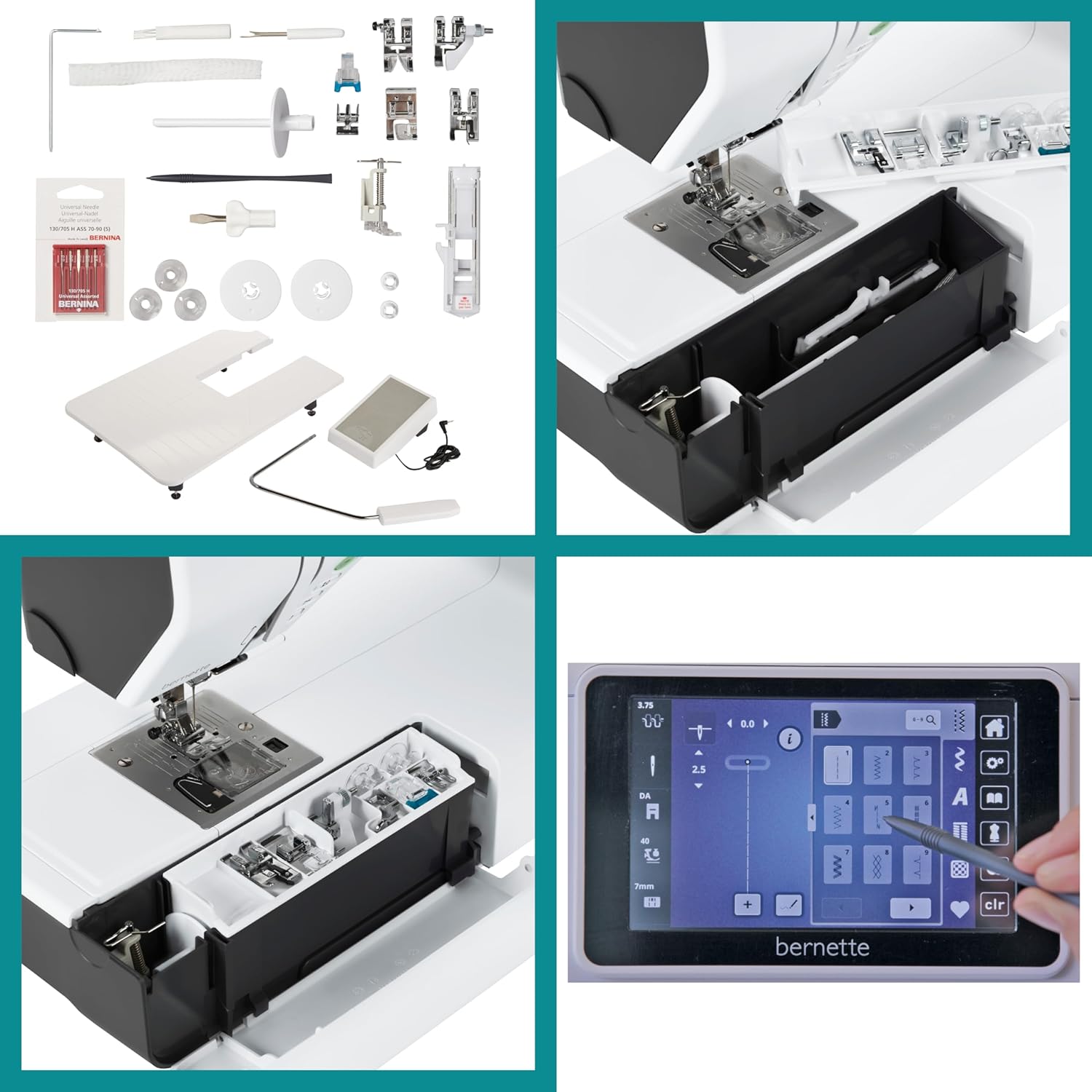
Figure 3.1: Included Accessories. This image displays the comprehensive set of accessories that come with the Bernette B77, including multiple presser feet for different sewing tasks, bobbins, a needle set, cleaning tools, and a seam ripper.
4. Product Overview
Familiarize yourself with the main components and features of your Bernette B77 Sewing Machine.

Figure 4.1: Machine with Extension Table. The Bernette B77 sewing machine is shown with its large extension table, providing an expanded work surface ideal for quilting and larger projects.

Figure 4.2: 5-inch Color Touchscreen. This image highlights the intuitive 5-inch color touchscreen interface, allowing for easy navigation and selection of stitches and settings.

Figure 4.3: Top View with Threading Components. The top cover of the Bernette B77 is open, showing the thread spool pin, bobbin winder, and other components essential for threading the machine.
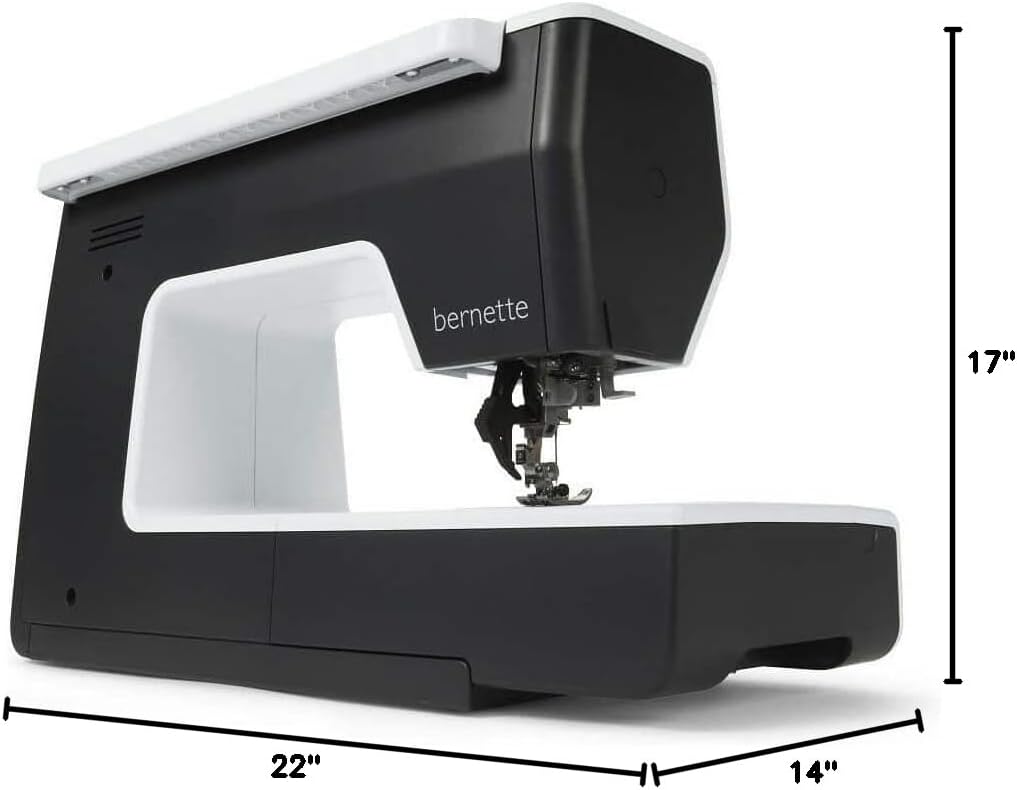
Figure 4.4: Machine Dimensions. This image provides the physical dimensions of the Bernette B77 sewing machine, indicating its height, width, and depth for placement and storage considerations.
5. Setup
5.1 Power Connection
Connect the power cord to the machine and then to a suitable electrical outlet. Ensure the machine is switched off before connecting.
5.2 Threading the Machine
Follow the numbered guides on the machine for correct upper thread path. Utilize the semi-automatic needle threader for quick and easy needle threading.
5.3 Winding the Bobbin
Place the empty bobbin on the bobbin winder spindle. Guide the thread as indicated by the machine's markings. Start the winding process; the machine will automatically stop when the bobbin is full.
5.4 Attaching the Presser Foot
Raise the presser foot lifter. Align the desired presser foot with the presser foot holder and lower the lifter until it snaps into place.
5.5 Attaching the Extension Table
Slide the extension table onto the free arm of the machine until it is securely seated. This provides a larger work surface for bigger projects.
6. Operating Instructions
6.1 Power On/Off
Locate the power switch on the side of the machine. Press to turn the machine on or off.
6.2 Using the Touchscreen and Multi-function Knobs
The 5-inch color touchscreen allows for intuitive selection of stitches and settings. Use the multi-function knobs for quick adjustments to stitch length, width, and other parameters as displayed on the screen.
6.3 Stitch Selection
The Bernette B77 offers 500 stitches, including 17 different buttonholes. Navigate through the stitch categories on the touchscreen to select your desired stitch.
6.4 Dual Feed System
Engage the dual feed system for even fabric feeding, especially useful when working with multiple layers or slippery materials. Refer to the machine's on-screen guide for activation.
6.5 Programmable Foot Control
The foot control can be programmed for various functions, including needle up/down position and reverse stitching. Consult the sewing consultant feature for customization options.
6.6 Sewing Consultant
The integrated sewing consultant provides valuable tips and recommendations for optimal stitch settings based on fabric type and project requirements. Access this feature via the touchscreen.
7. Maintenance
7.1 Cleaning the Machine
Regularly clean the bobbin area, feed dogs, and tension discs using the provided brush. Ensure the machine is unplugged before cleaning.
7.2 Needle Replacement
Replace the needle frequently, especially when starting a new project or if the needle shows signs of wear or bending. Use only needles suitable for your machine and fabric type.
8. Troubleshooting
This section addresses common issues you might encounter. For more complex problems, contact customer support.
| Problem | Possible Cause | Solution |
|---|---|---|
| Thread breaks frequently | Incorrect threading, needle bent/dull, tension too tight, poor quality thread. | Re-thread the machine, replace needle, adjust tension, use quality thread. |
| Skipped stitches | Incorrect needle size/type, bent needle, improper threading, presser foot not suitable. | Change needle, check threading, use appropriate presser foot. |
| Machine not sewing | Power not connected, bobbin winder engaged, needle not inserted correctly. | Check power, disengage bobbin winder, re-insert needle. |
9. Specifications
| Feature | Detail |
|---|---|
| Model Number | B77 (5220077.0.24) |
| Product Dimensions | 14.17 x 0.79 x 11.81 inches (Machine only); 14"D x 22"W x 17"H (Overall with extension table) |
| Item Weight | 15.4 pounds (7 Kilograms) |
| Brand | Bernette |
| Manufacturer | Bernina |
| Color | Black, White |
| Material | Metal, Plastic |
| Power Source | AC |
| Display | 5-inch Color Touchscreen |
| Stitch Count | 500 (including 17 buttonholes) |
| Feed System | Dual Feed |
| Needle Threader | Semi-automatic |
10. Warranty and Support
For warranty information, please refer to the documentation included with your purchase or visit the official Bernette website.
For technical support, service, or to purchase replacement parts, please contact your authorized Bernette dealer or customer service.
- Protection Plans: Optional 3-Year and 4-Year protection plans are available for extended coverage.


