
Introduction
The IMALENT LD10 is a compact and powerful keychain flashlight designed for everyday carry (EDC) and various outdoor activities. It features a Cree XPL HI LED, delivering up to 1200 lumens of brightness. This manual provides detailed instructions for the proper setup, operation, maintenance, and troubleshooting of your LD10 flashlight.

Image: The IMALENT LD10 Keychain Flashlight, highlighting its 1200 lumen output and Cree XPL HI LED with a 50,000-hour lifespan.
Package Contents and Initial Setup
Before first use, please ensure all components are present in the package. The IMALENT LD10 package typically includes:
- IMALENT LD10 Flashlight
- USB Magnetic Charging Cable
- Diffuser
- Lanyard
- User Manual
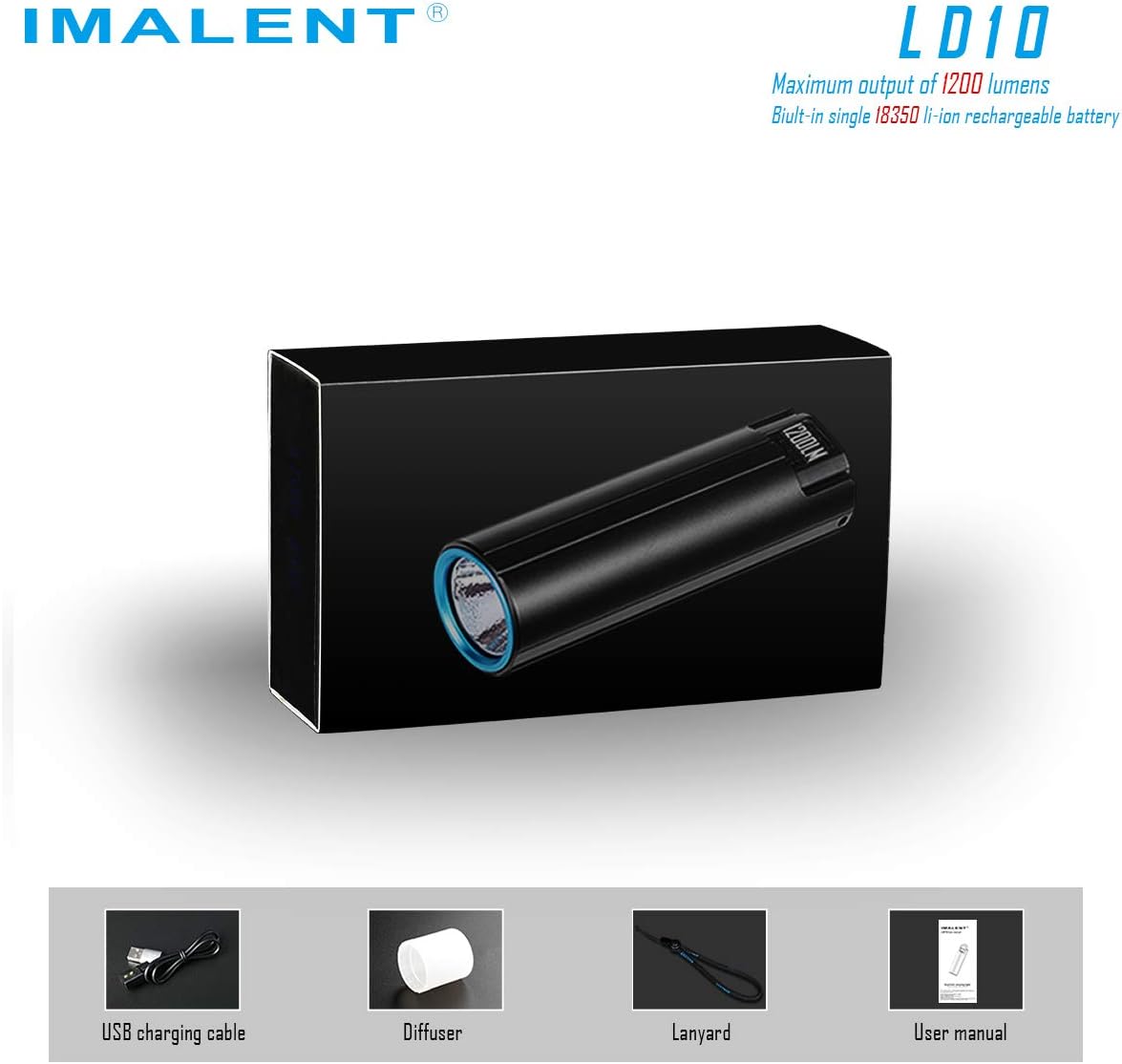
Image: Contents of the IMALENT LD10 package, showing the flashlight, charging cable, diffuser, lanyard, and manual.
It is recommended to fully charge the flashlight before its first use. Refer to the 'Charging Instructions' section for details.
Operating Instructions
The LD10 features a single tail switch for all operations. Familiarize yourself with the following functions:
- Turn On/Off: Press the power switch button once to turn the flashlight on or off.
- Change Output Levels: When the flashlight is on, press and hold the power switch button. The output will cycle through 10 lumens, 150 lumens, 500 lumens, and 800 lumens. Release the button at your desired brightness level.
- Activate Turbo Mode (1200 Lumens): From any mode, double-press the power switch button. The flashlight will activate its maximum output of 1200 lumens.
- Activate Strobe Mode: While in Turbo mode, double-press the power switch button again to activate the strobe function. Slightly press the power switch button to exit strobe mode.
- OLED Display Activation: Press the power switch button three times to switch on the OLED display. This display shows the built-in battery voltage and current output levels.

Image: Visual representation of the five output levels available on the IMALENT LD10 flashlight.

Image: The OLED display of the IMALENT LD10, indicating the current lumen output.
Video: A demonstration of the IMALENT LD10 mini flashlight's operation, including mode changes and display functions.
Charging Instructions
The LD10 utilizes a magnetic charging system for convenience and improved waterproofing.
- Connect the USB charging cable to an external USB power source (e.g., wall adapter, computer USB port).
- Connect the magnetic head of the cable to the magnetic interface located on the tail cap of the flashlight. Ensure a secure connection.
- Charging an 18350 850mAh battery typically takes approximately 1 hour for a full charge.

Image: Illustration of how to connect the magnetic USB charging cable to the IMALENT LD10 flashlight.
Maintenance
To ensure the longevity and optimal performance of your IMALENT LD10 flashlight, follow these maintenance guidelines:
- Cleaning: Wipe the flashlight body with a soft, clean cloth to remove dust or dirt. Avoid using abrasive cleaners or solvents.
- Waterproofing: The LD10 is rated IPX-8 standard waterproof, meaning it can be submerged up to 2 meters. Ensure the magnetic charging port is clean and dry before charging to maintain its waterproof integrity.
- Storage: Store the flashlight in a cool, dry place when not in use for extended periods.

Image: The IMALENT LD10 flashlight submerged in water, illustrating its IPX-8 waterproof rating.
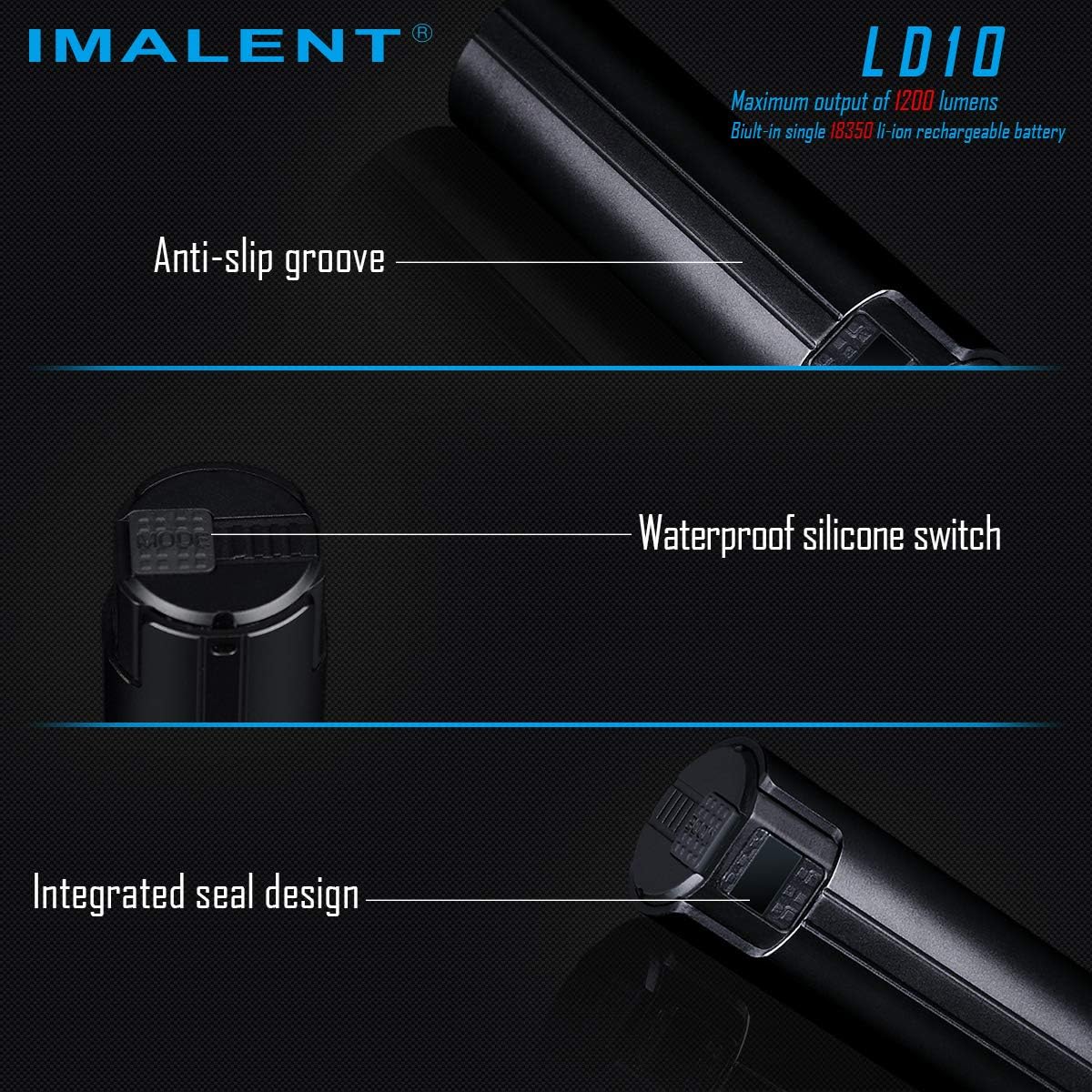
Image: Detailed view of the IMALENT LD10's design features, including the anti-slip groove, waterproof silicone switch, and integrated seal.
Troubleshooting
If you encounter issues with your LD10 flashlight, refer to the following common problems and solutions:
- Flashlight not turning on:
- Ensure the battery is sufficiently charged. Connect the flashlight to the charger and check the OLED display for battery status.
- Confirm the power switch button is being pressed correctly.
- Charging issues (not charging or connection is loose):
- Verify the USB charging cable is securely connected to both the power source and the flashlight's magnetic port.
- Ensure the magnetic charging contacts on both the cable and the flashlight are clean and free of debris.
- Try a different USB power source or charging cable if available.
- Modes not cycling correctly:
- Review the 'Operating Instructions' section to ensure the correct button press sequences are being followed for mode changes, Turbo, and Strobe functions.
Specifications
The following table outlines the key specifications of the IMALENT LD10 Keychain Flashlight:
| Feature | Detail |
|---|---|
| Part Number | LD10 |
| Item Weight | 2.01 ounces |
| Package Dimensions | 5.2 x 3.74 x 3.23 inches |
| Item Model Number | LD10 |
| Color | White |
| Style | Tactical, Mini, or Compact |
| Power Source | Battery Powered |
| Voltage | 3.7 Volts |
| Type of Bulb | LED |
| Luminous Flux | 1200 Lumen |
| Certification | IPX-8 waterproof |
| Special Features | Lightweight |
| Batteries Included? | Yes |
| Batteries Required? | Yes |
| Battery Cell Type | Lithium Ion |
| Description Pile | LED |
| Date First Available | December 10, 2019 |

Image: A detailed table of the IMALENT LD10's performance specifications, including lumen output and runtime.
Warranty and Support
For warranty information or technical support regarding your IMALENT LD10 flashlight, please refer to the documentation included in your product packaging or contact IMALENT customer service directly through their official website. Keep your purchase receipt as proof of purchase for any warranty claims.