
Introduction
This manual provides detailed instructions for the ASHATA Bluetooth 3.5mm Audio Transmitter Receiver. This versatile device functions as both a Bluetooth audio transmitter and receiver, allowing you to wirelessly stream audio to or from various devices. It features a USB 5V power supply, plug-and-play functionality, and broad compatibility with TVs, computers, car stereos, home stereos, smartphones, headphones, and speakers.
Package Contents
Please verify that all items are present in your package:
- 1 x Bluetooth Transmitter Host
- 1 x 3.5 mm Audio Cable
- 1 x 3.5 mm AV Cable (RCA to 3.5mm)
- 1 x Instruction Book

Image: The ASHATA Bluetooth Adapter shown with its accompanying 3.5mm audio cable and RCA audio cable.
Setup Instructions
- Powering the Device: Connect the USB end of the ASHATA Bluetooth Adapter to a 5V USB power source (e.g., a USB port on a TV, computer, or a USB wall adapter). The device will power on automatically.
- Connecting Audio:
- For Transmitter Mode (TX): Plug one end of the 3.5mm audio cable into the audio output port of your source device (e.g., TV, PC) and the other end into the 3.5mm audio input port on the ASHATA adapter.
- For Receiver Mode (RX): Plug one end of the 3.5mm audio cable into the audio input port of your speaker system (e.g., car stereo, home stereo) and the other end into the 3.5mm audio output port on the ASHATA adapter.
- Initial Pairing: The device is designed for easy matching. Once powered, it will enter pairing mode. Refer to the 'Operating Modes' section for specific pairing instructions for TX and RX modes.
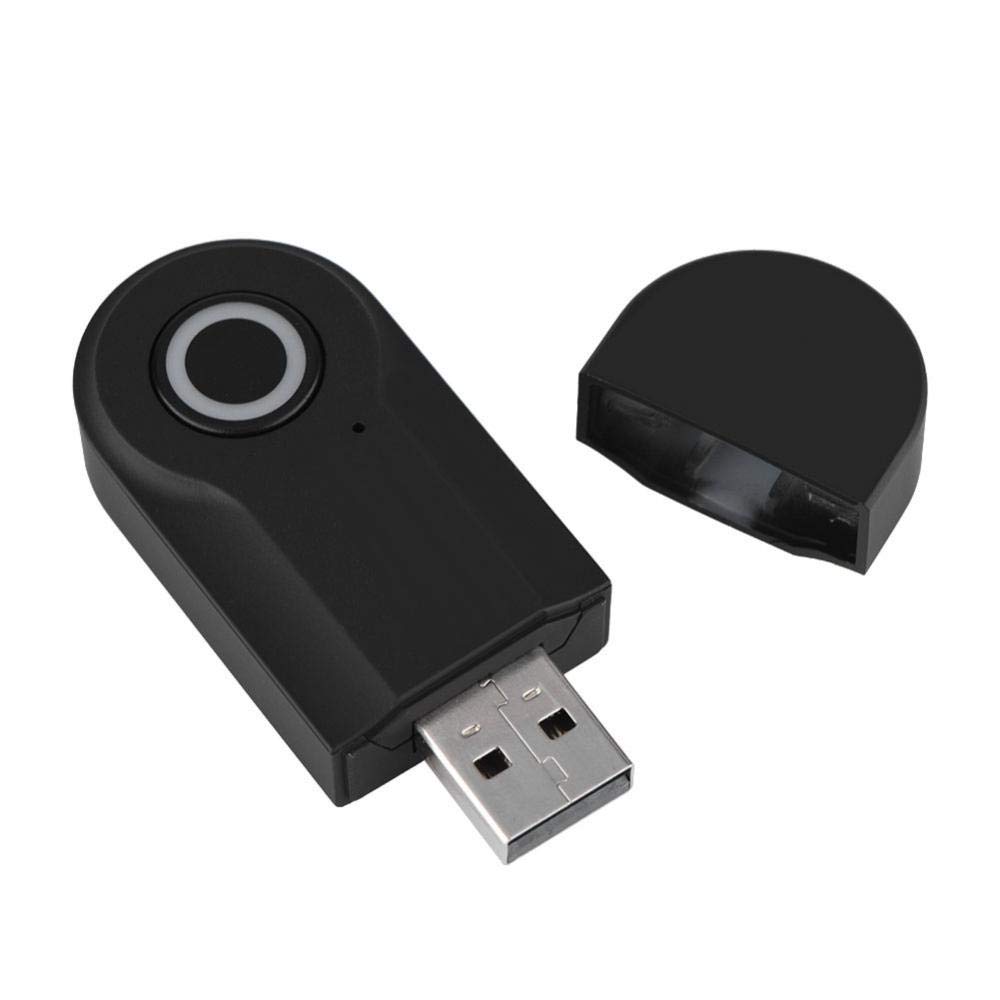
Image: The ASHATA Bluetooth Adapter connected to a laptop via its USB port, demonstrating a typical power and data connection.
Operating Modes
The ASHATA Bluetooth Adapter supports multiple operating modes. The default setting is typically Transmitter Mode (TX). You can switch between modes by pressing the button on the device.
1. Transmitter Mode (TX)
In TX mode, the device transmits audio from a non-Bluetooth source (like a TV or PC) to Bluetooth-enabled headphones or speakers.
- Connection: Connect the 3.5mm audio cable from your audio source's output (e.g., TV headphone jack) to the 3.5mm audio port on the ASHATA adapter.
- Pairing: Ensure your Bluetooth headphones or speakers are in pairing mode. The adapter will automatically search for and connect to nearby Bluetooth audio devices. The indicator light will flash quickly (blue and red alternately) during pairing and turn solid blue upon successful connection.
- Usage: Enjoy audio from your TV or PC wirelessly through your Bluetooth headphones or speakers.

Image: The ASHATA Bluetooth Adapter, showing the 3.5mm audio port for connecting to audio sources or receivers.
2. Receiver Mode (RX)
In RX mode, the device receives audio from a Bluetooth-enabled source (like a smartphone) and outputs it to a non-Bluetooth speaker system.
- Switching Mode: If the device is in TX mode, press the button on the adapter to switch to RX mode. The indicator light will change to blue, flashing quickly.
- Connection: Connect the 3.5mm audio cable from the ASHATA adapter's 3.5mm audio port to your speaker system's audio input (e.g., AUX-in on a car stereo or home stereo).
- Pairing: On your smartphone or other Bluetooth audio source, search for Bluetooth devices and select "ZF-1695" (or similar product name) to pair. The indicator light will turn solid blue upon successful connection.
- Usage: Stream music or other audio from your smartphone to your wired speakers.

Image: A direct front view of the ASHATA Bluetooth Adapter, highlighting its main control button and LED indicator.
3. USB Adapter Mode (for PC Audio)
When connected directly to a computer's USB port, the device can function as a USB audio adapter, allowing the computer to play audio through connected Bluetooth headphones or speakers without needing an additional 3.5mm audio cable.
- Connection: Plug the ASHATA adapter directly into an available USB port on your computer.
- Pairing: The computer should recognize the device as an audio output. Pair your Bluetooth headphones or speakers with the computer as usual.
- Note: This mode is primarily for transmitting audio from a PC via Bluetooth.
Maintenance
- Cleaning: Use a soft, dry cloth to clean the device. Avoid liquid cleaners or solvents.
- Storage: Store the adapter in a cool, dry place away from direct sunlight and extreme temperatures.
- Handling: Avoid dropping the device or subjecting it to strong impacts. Do not attempt to disassemble or modify the device, as this will void the warranty and could cause damage.
Troubleshooting
- Device does not power on:
Ensure the USB connection is secure and the power source is active (5V USB). Try a different USB port or power adapter. - Cannot pair with Bluetooth device:
Ensure both the ASHATA adapter and your target Bluetooth device are in pairing mode. Move the devices closer to each other. Turn off and on both devices to reset the Bluetooth connection. Ensure no other devices are actively paired. - No audio output/input:
Verify all 3.5mm audio cables are securely connected to the correct ports on both the adapter and the audio source/receiver. Check the volume levels on all connected devices. Ensure the adapter is in the correct mode (TX for transmitting, RX for receiving). - Poor audio quality or intermittent connection:
Reduce the distance between the adapter and the paired Bluetooth device. Avoid obstacles that may interfere with the Bluetooth signal. Ensure there are no other strong wireless signals nearby causing interference. - Volume control does not sync:
Some devices may not allow synchronized volume control. Adjust the volume independently on both the ASHATA adapter (if applicable, though this model typically relies on source/receiver volume) and the connected Bluetooth headphones/speakers or audio system.
Specifications
| Model Number | ASHATAes6d0vhx41 |
| Bluetooth Standard | 4.2 |
| Interface | 3.5mm Audio Jack, USB-A |
| Power Supply | USB 5V |
| Operating Frequency | 2.4 MHz |
| Material | Acrylonitrile Butadiene Styrene (ABS) |
| Product Dimensions | 2.56 x 1.02 x 0.43 inches (Approx. 65 x 26 x 11 mm) |
| Item Weight | 2.11 ounces (Approx. 38 g) |
Safety Information
Caution: This product emits radio waves and should be used with caution to avoid interference with other wireless devices. Keep the USB cable away from heat sources and liquids to prevent damage or injury.
Warranty Information
ASHATA products are covered by a standard manufacturer's warranty. For specific details regarding your product's warranty period and terms, please refer to the documentation included with your purchase or contact customer support.
Customer Support
If you encounter any issues or have questions not covered in this manual, please contact ASHATA customer support through the retailer's website or the official ASHATA brand channels. Please have your product model number (ASHATAes6d0vhx41) and purchase details ready when contacting support.