
ZIZO SPK-BMZ8-BLK
ZIZO Boom Z8 Wireless Speaker User Manual
Brand: ZIZO | Model: SPK-BMZ8-BLK
Introduction
The ZIZO Boom Z8 LED Wireless Party Speaker is designed to deliver high-quality, dynamic sound for all your gatherings. Its portable design, integrated handle, and powerful 4500mAh rechargeable battery allow you to enjoy music wherever you go. Experience clear audio and powerful bass with 40 watts of output, complemented by color-changing LED lights that sync with your music. The speaker offers versatile playback options including Bluetooth, Micro SD card, USB, AUX input, and FM radio. With easy device pairing via Bluetooth V5.0 and a transmission distance of up to 35 feet, the Boom Z8 ensures a seamless audio experience. An integrated MP3 digital decoder supports MP3 and WAV files directly from Micro SD cards or USB flash drives.
Package Contents
Please check the box for the following items:
- ZIZO Boom Z8 Wireless Speaker
- USB Charging Cable
- 3.5mm AUX Audio Cable
- Microphone
- Remote Control
- User Manual (this document)
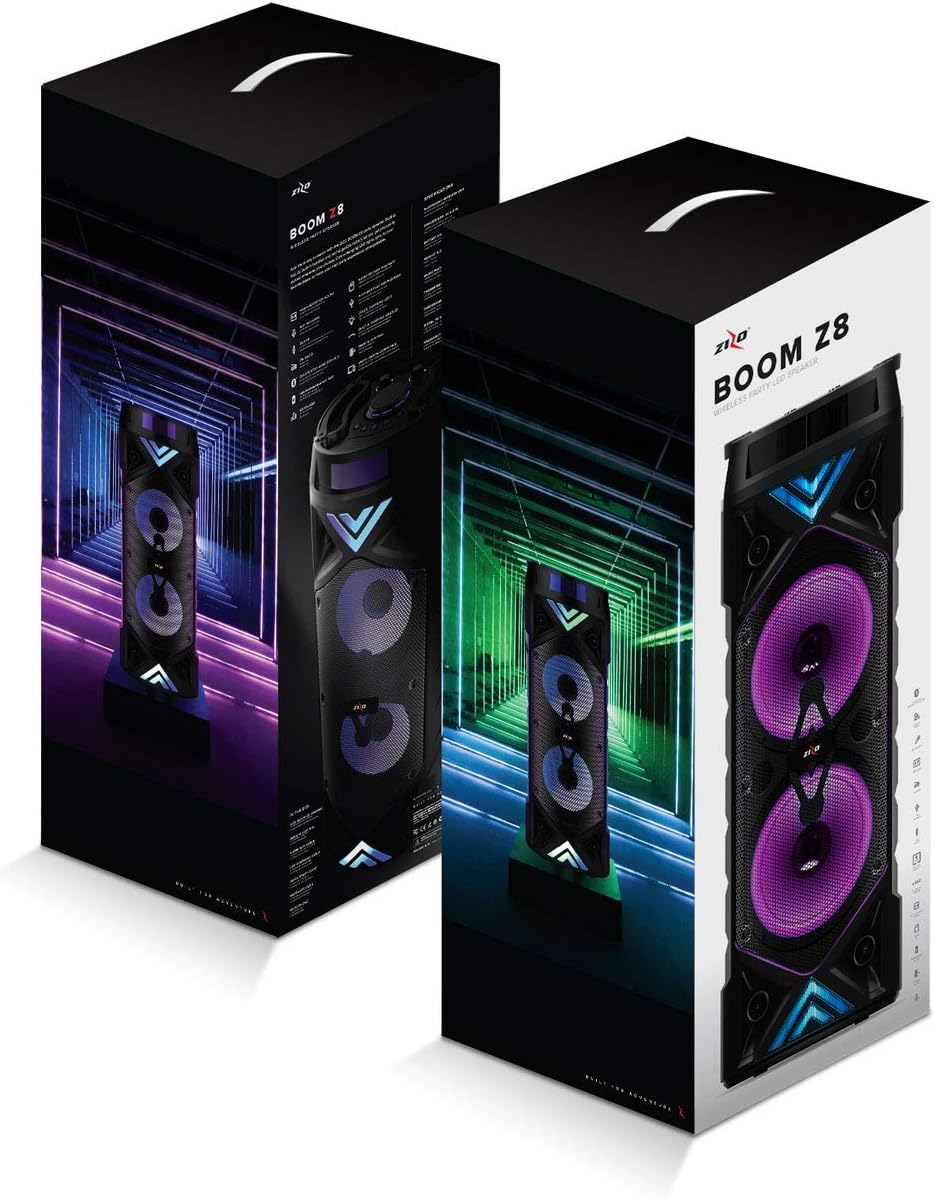
Image: The ZIZO Boom Z8 speaker and its included accessories, such as cables and microphone, neatly packaged in their retail box.
Product Features
- Bluetooth V5.0 Connectivity: Enjoy fast and stable wireless music streaming from any Bluetooth-enabled device. Connect your smartphone, tablet, or laptop with ease for a seamless audio experience up to 35 feet away.

Image: Close-up of the ZIZO Boom Z8 speaker's top panel, highlighting the Bluetooth connectivity feature for quick pairing.
- Multiple Playback Modes: The speaker supports various audio sources including Micro SD card, USB flash drive, 3.5mm AUX input, and FM radio, providing versatile options for your music playback.
- High-Fidelity Audio: Equipped with ultra-clear deep bass woofers and a 40-watt output, the Boom Z8 delivers powerful and clear sound suitable for both indoor and outdoor environments.

Image: The ZIZO Boom Z8 speaker showcasing its high-definition audio capabilities with clear, crisp sound.
- Long-lasting Rechargeable Battery: A built-in 4500mAh high-capacity rechargeable battery provides hours of continuous music playback. The included USB charging cable ensures convenient and fast recharging.
- Dynamic LED Lighting Effects: The integrated speaker chipset offers various color-changing light themes that sync with your music, enhancing your listening experience and creating a party atmosphere.
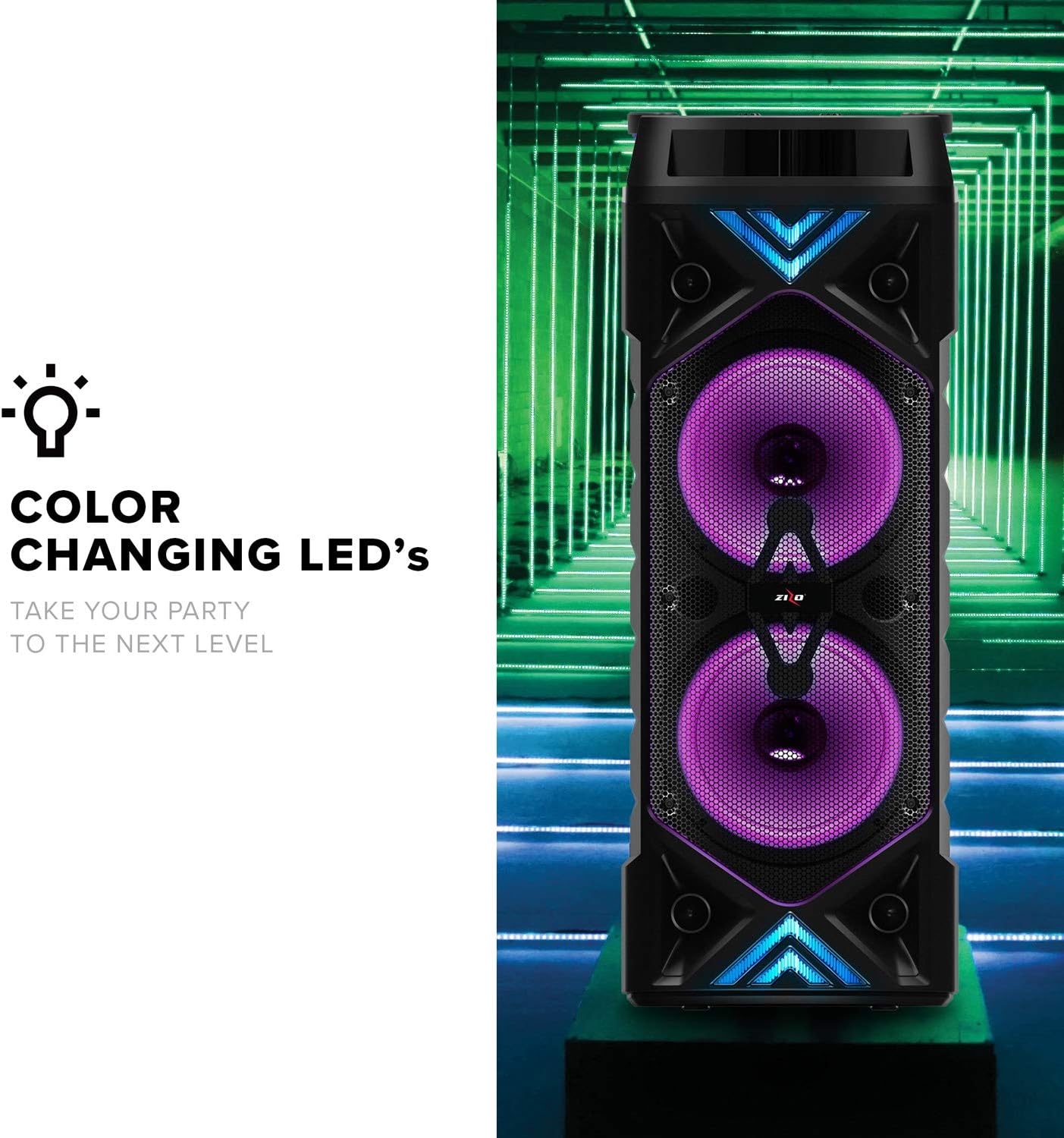
Image: The ZIZO Boom Z8 speaker illuminated with vibrant color-changing LED lights, designed to elevate your party experience.
- Portable Design with Built-in Handles: The speaker features a portable design with integrated handles, making it easy to carry and transport wherever your music takes you.

Image: A close-up view of the ZIZO Boom Z8 speaker's top panel, highlighting the ergonomic built-in handles for convenient portability.
- Karaoke Functionality: Connect the included microphone to enjoy karaoke sessions with friends and family.
Setup
1. Charging the Speaker
Before first use, fully charge the speaker. Connect the provided USB charging cable to the DC 5V input port on the speaker and the other end to a USB power adapter (not included) or a computer USB port. The charging indicator light will illuminate during charging and turn off when fully charged.
2. Powering On/Off
Locate the 'ON/OFF' switch or button on the control panel. Press and hold or toggle the switch to power the speaker on or off. A voice prompt or indicator light will confirm the status.
3. Bluetooth Pairing
- Turn on the speaker. It will automatically enter Bluetooth pairing mode, indicated by a flashing Bluetooth indicator light.
- On your device (smartphone, tablet, laptop), enable Bluetooth and search for available devices.
- Select 'ZIZO Boom Z8' from the list of devices.
- Once paired, the Bluetooth indicator light will become solid, and you will hear a confirmation sound.
4. Connecting via AUX
Insert one end of the 3.5mm AUX audio cable into the 'AUX' input port on the speaker and the other end into the audio output jack of your external device (e.g., MP3 player, computer). The speaker will automatically switch to AUX mode or you may need to select it using the 'Mode' button.
5. Using MicroSD/USB
Insert a Micro SD card into the 'SD CARD' slot or a USB flash drive into the 'USB' port. The speaker will automatically detect the storage device and begin playing compatible audio files (MP3, WAV). Ensure your files are formatted as FAT32.
Operating Instructions

Image: A detailed view of the ZIZO Boom Z8 speaker's control panel, showing the easy-access buttons and knobs for a user-friendly experience.
1. Control Panel Overview
| Control | Function |
|---|---|
| ON/OFF Button/Switch | Powers the speaker on or off. |
| Mode (M/&#x23x26;#x23x23x23;) Button | Switches between Bluetooth, AUX, USB, MicroSD, and FM radio modes. |
| Volume Knob | Adjusts the master volume. |
| &#x23x23x23x23; / Previous Track Button | Short press for previous track; Long press for fast rewind (in USB/SD mode). |
| &#x23x23x23x23; / Play/Pause Button | Plays or pauses the current track. In FM mode, long press to auto-scan stations. |
| &#x23x23x23x23; / Next Track Button | Short press for next track; Long press for fast forward (in USB/SD mode). |
| EQ Button | Cycles through equalizer presets. |
| MIC Input | Connect the wired microphone for karaoke. |
| MIC Volume Knob | Adjusts the microphone volume. |
| ECHO Knob | Adjusts the echo effect for the microphone. |
| LED Light Button (often combined with Mode) | Toggles LED light modes or turns them off. |
2. Remote Control Functions
The included remote control provides convenient access to most speaker functions from a distance. Refer to the remote control's specific button layout for detailed operations, which typically mirror the main control panel functions.
3. FM Radio Operation
- Switch to FM mode using the 'Mode' button.
- Long press the 'Play/Pause' button to initiate an automatic scan for available FM stations. The speaker will save detected stations.
- Use the 'Previous Track' and 'Next Track' buttons to navigate between saved stations.
Maintenance
1. Cleaning
Wipe the speaker's exterior with a soft, dry cloth. Do not use abrasive cleaners, waxes, or solvents as they may damage the finish. Avoid getting moisture into any openings.
2. Storage
When not in use for extended periods, store the speaker in a cool, dry place away from direct sunlight and extreme temperatures. It is recommended to partially charge the battery before storing to maintain battery health.
3. Battery Care
To prolong battery life, avoid fully discharging the battery frequently. Recharge the speaker when the battery low indicator appears. If the speaker will not be used for a long time, charge it at least once every three months.
Troubleshooting
| Problem | Possible Solution |
|---|---|
| Speaker does not power on. | Ensure the battery is charged. Connect the speaker to a power source and try again. Check the power switch position. |
| No sound from the speaker. | Increase the speaker's volume and the volume of the connected device. Ensure the correct input mode (Bluetooth, AUX, USB, SD) is selected. Check audio cables for secure connection. |
| Bluetooth connection fails or is unstable. | Ensure the speaker is in Bluetooth pairing mode. Move the speaker closer to your device. Disconnect and re-pair the device. Clear previous Bluetooth connections on your device. Avoid obstacles between the speaker and device. |
| Distorted audio. | Lower the volume on both the speaker and the connected device. Ensure the audio source is not distorted. Check for interference from other electronic devices. |
| Microphone not working. | Ensure the microphone is securely plugged into the MIC input. Adjust the MIC Volume knob. Check if the microphone itself is functional. |
| LED lights are not working. | Press the LED light button (if available) to cycle through modes or turn them on. Ensure the speaker is powered on. |
| FM radio reception is poor. | Extend the antenna fully (if applicable). Move the speaker to a location with better signal. Perform an auto-scan again. |
Specifications
| Feature | Detail |
|---|---|
| Model Number | SPK-BMZ8-BLK |
| Brand | ZIZO |
| Connectivity Technology | Bluetooth V5.0, AUX, USB |
| Output Power | 40 Watts |
| Battery Capacity | 4500mAh Rechargeable |
| Playback Time | Up to 10 hours (approximate, varies with volume and usage) |
| Supported Media | Micro SD Card, USB Flash Drive |
| Supported Audio Formats | MP3, WAV (FAT32 format for storage devices) |
| AUX Input Port | 3.5mm |
| Compatible Devices | Smartphones, Tablets, Laptops, MP3 Players |
| Color | Black |
| Mounting Type | Tabletop |
| Power Source | Battery Powered |
| Materials | Thermoplastic Polyurethane, Tempered Glass |
| Dimensions (approx.) | 21.6 x 23.1 x 57.2 cm (8.5 x 9.1 x 22.5 inches) |
| Weight (approx.) | 3.63 kg (8 pounds) |
| First Available Date | November 18, 2021 |
Warranty and Support
ZIZO is committed to 100% customer satisfaction. The ZIZO Boom Z8 Wireless Speaker comes with a 1-year manufacturer's warranty against defects in materials or workmanship for new ZIZO electronic accessories. This warranty ensures a risk-free purchase experience.
For any questions, technical assistance, or warranty claims, please contact ZIZO customer service. Refer to the product packaging or the official ZIZO website for the most current contact information.
Related documentsSPK-BMZ8-BLK


Ask a question about this manual
Ask about setup, troubleshooting, compatibility, parts, safety, or missing instructions. Manuals+ will review the question and use this page’s manual context to help answer it.