
1. Introduction
Thank you for choosing the Waykar 34-Pint Dehumidifier. This appliance is designed to efficiently remove excess moisture from your indoor environment, improving air quality and comfort. It is suitable for spaces up to 2000 square feet, including basements, homes, offices, and other areas prone to high humidity. This manual provides essential information for the safe and effective operation, maintenance, and troubleshooting of your dehumidifier.

Figure 1: Front view of the Waykar 34-Pint Dehumidifier.
2. Safety Information
Please read all safety instructions carefully before using the appliance to prevent injury or damage. Keep this manual for future reference.
- Always operate the unit on a level surface to prevent water spillage.
- Ensure the power cord is not damaged and is properly grounded.
- Do not block the air inlet or outlet. Maintain at least 8 inches of clearance around the unit.
- Unplug the dehumidifier before cleaning or performing any maintenance.
- Do not use the appliance near flammable gases or combustible materials.
- Keep out of reach of children.
- If the unit is damaged or malfunctions, do not attempt to repair it yourself. Contact customer support.
3. Product Overview
3.1. Components
- Control Panel: Digital display and touch buttons for operation.
- Air Outlet: Adjustable louvers for directing airflow.
- Air Inlet: Located at the rear, with a washable filter.
- Water Tank: Removable 0.66-gallon (2.5 L) capacity for collected water.
- Drain Hose Connection: Port for continuous drainage.
- Ergonomic Handles: For easy lifting and portability.
- 360° Rotatable Wheels: For convenient movement.

Figure 2: Key components and dimensions of the dehumidifier.
3.2. Control Panel
The control panel features an intuitive interface for managing your dehumidifier's settings:

Figure 3: Detailed view of the control panel.
- SPEED Button: Adjusts fan speed (Low/High).
- TIMER Button: Sets the auto-start or auto-stop time (1-24 hours).
- AIR OUTLET: Rotatable outlet for multi-directional air output.
- FULL Indicator: Lights up when the water tank is full, and the unit automatically shuts off.
- SETTING Button: Allows customization of desired humidity level (30%-80%).
- POWER Button: Turns the unit on or off.
4. Setup
- Unpacking: Carefully remove the dehumidifier from its packaging.
- Placement: Place the unit on a firm, level surface in the desired location. Ensure there is at least 8 inches of space around the unit for proper airflow. Avoid placing it near heat sources or in direct sunlight.
- Power Connection: Plug the power cord into a grounded electrical outlet.
- Initial Check: Ensure the water tank is correctly inserted and the air outlet is fully open before operating.
5. Operating Instructions
5.1. Power On/Off
Press the POWER button once to turn the unit on. Press it again to turn it off.
5.2. Setting Desired Humidity (Auto Mode)
When the unit is on, the digital display will show the current room humidity. Press the SETTING button to adjust your desired humidity level between 30% and 80%. The dehumidifier will operate until the room humidity reaches the set level, then automatically stop. It will restart when the humidity rises above the set point.
5.3. Fan Speed Adjustment
Press the SPEED button to toggle between Low and High fan speeds. Higher speeds will remove moisture more aggressively.
5.4. Timer Function
Press the TIMER button to set an auto-start or auto-stop time from 1 to 24 hours. This allows for preset operation and can help reduce energy consumption.
5.5. Swing Function
The air outlet features a swing function to distribute dehumidified air more evenly. This helps circulate air across the room, preventing moisture from concentrating in one spot.
Video 1: Demonstrates the Waykar Dehumidifier's controls and features, including the swing function and water tank removal.
6. Drainage Options
Your Waykar dehumidifier offers two methods for water removal:

Figure 4: Illustration of manual and automatic drainage methods.
6.1. Manual Drainage (Water Tank)
The unit collects water in its 0.66-gallon (2.5 L) removable water tank. When the tank reaches maximum capacity, the "Full Tank" indicator will light up, and the dehumidifier will automatically shut off. To empty:
- Gently pull out the water tank from the front of the unit.
- Carefully carry the tank to a sink or drain.
- Empty the collected water.
- Slide the empty tank back into the dehumidifier until it clicks into place. The unit will resume operation.
Video 2: Review of the Waykar Dehumidifier, demonstrating the water tank removal and control panel functions.
6.2. Continuous Drainage (Drain Hose)
For continuous operation without needing to empty the water tank, you can use the included 6.56-foot drain hose for automatic gravity draining:
- Locate the drain pipe hole at the back of the unit.
- Connect one end of the drain hose to this hole, ensuring a secure fit.
- Direct the other end of the hose to a suitable drain (e.g., floor drain, sink, sump pump). Ensure the hose is sloped downwards to allow for gravity drainage.
7. Maintenance
7.1. Cleaning the Air Filter
The dehumidifier is equipped with a reusable and washable filter to maintain air quality and unit efficiency. A "Clean Filter" indicator may illuminate to remind you to clean the filter.

Figure 5: The dehumidifier features ergonomic handles and 360° rotatable wheels for easy mobility.
- Turn off and unplug the dehumidifier.
- Remove the filter from the rear of the unit.
- Wash the filter with warm, soapy water. Rinse thoroughly.
- Allow the filter to air dry completely before reinserting it.
- Reinstall the dry filter into the unit.
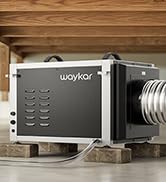
Figure 6: The washable air filter helps maintain air quality.
7.2. Storage
If the dehumidifier will not be used for an extended period:
- Empty the water tank and ensure it is clean and dry.
- Clean the air filter.
- Store the unit in an upright position in a cool, dry place.
8. Troubleshooting
| Problem | Possible Cause | Solution |
|---|---|---|
| Dehumidifier does not turn on. | No power, water tank full or incorrectly inserted. | Check power connection. Empty and reinsert water tank correctly. |
| No water collected. | Room humidity too low, temperature too low, or continuous drainage is active. | Ensure room conditions are suitable for dehumidification. Check if drain hose is connected. |
| Unit is noisy. | Unit not on a level surface, air filter clogged. | Place on a level surface. Clean the air filter. |
| "Clean Filter" indicator is on. | Air filter needs cleaning. | Clean the air filter as described in Section 7.1. |
Video 3: A brief overview of the dehumidifier's features and quiet operation.
9. Specifications
| Feature | Detail |
|---|---|
| Brand | Waykar |
| Model Name | PD160B |
| Dehumidification Capacity | 34 Pints per Day (under 95°F, 90%RH) |
| Coverage Area | Up to 2000 Sq. Ft. |
| Water Tank Volume | 0.66 Gallons (2.5 Liters) |
| Product Dimensions | 9"D x 12.2"W x 20.9"H |
| Item Weight | 28.1 pounds |
| Voltage | 120 Volts |
| Wattage | 230 watts |
| Operation Modes | Auto Mode, Continuous Mode |
| Special Features | Automatic Defrost, Automatic Moisture Removal, Automatic Restart, Automatic Shutoff, Ergonomic Handle, Overheat Protection, Portable, Removable Tank, Washable Filter, 24-hour Timer, 360° Rotatable Wheels |
| Energy Star Certified | 2025 Energy Star Certified |
10. Warranty and Support
Waykar dehumidifiers come with the following support:
- 30-Day Money Back Guarantee: If you are not satisfied with the product.
- 1-Year Guarantee: Standard product warranty.
- 2nd Year Guarantee Extension: Available upon registration.
- Lifetime Expert Tech Support: Assistance for any technical questions or issues.
For any questions or concerns, please do not hesitate to contact Waykar customer support. They aim to reply within 24 hours and assist in resolving any problems.


