
Oasser TT-Tuk15
Oasser P2A Portable Tyre Inflator User Manual
Model: TT-Tuk15
1. Introduction
Thank you for choosing the Oasser P2A Portable Tyre Inflator. This cordless air compressor is designed for convenient and efficient inflation of tyres for cars, motorcycles, and bicycles, as well as other inflatable items. Featuring a digital pressure gauge and a 2000mAh lithium battery, it provides reliable performance for your inflation needs.

Figure 1.1: The Oasser P2A Portable Tyre Inflator shown with its complete set of accessories, including various nozzles, charging cable, and storage bag.
2. Safety Information
Please read all safety warnings and instructions carefully before using this product to avoid electric shock, fire, and serious injury.
- Keep the inflator away from children.
- Do not operate the inflator in wet conditions or near flammable liquids or gases.
- Ensure the correct pressure setting for the item being inflated to prevent over-inflation and potential damage or injury. Refer to the item's manufacturer specifications for recommended pressure.
- Do not leave the inflator unattended while in operation.
- Allow the inflator to cool down after prolonged use to prevent overheating.
- Use only the provided charging cable and a compatible USB power source for charging.
- Store the inflator in a dry, cool place when not in use.
3. Product Components and Features
The Oasser P2A inflator comes with several components designed for versatile use.

Figure 3.1: Key features of the Oasser P2A inflator, highlighting the LED light, digital LCD display, and the integrated 2000mAh lithium battery.
- Main Unit: Portable air compressor with integrated digital display and controls.
- 2000mAh Lithium Battery: Provides cordless operation.
- Digital Backlit LCD Display: Shows current and target pressure clearly.
- LED Light: For illumination in low-light conditions.
- Air Hoses: Includes both a short and a long air hose for different applications.
- Nozzle Adapters:
- Presta Valve Adapter
- Air Nozzle (for inflatables)
- Ball Needle
- USB Charging Cable: For recharging the device.
- Storage Bag: For convenient storage and transport of the inflator and accessories.

Figure 3.2: All accessories included with the Oasser P2A Tyre Inflator, laid out for clear identification.
4. Setup and Charging
4.1 Initial Charge
Before first use, fully charge the Oasser P2A inflator. It is recommended to charge the battery to full capacity within 3 days after every use to maintain battery health.
- Connect the provided USB charging cable to the charging port on the inflator.
- Connect the other end of the USB cable to a compatible USB power adapter (e.g., phone charger, computer USB port).
- The charging indicator on the inflator will show the charging status. Charge until the battery indicator shows full.

Figure 4.1: The inflator connected to a USB power source for charging, illustrating its home charging capability.
4.2 Attaching the Air Hose
Select the appropriate air hose (short or long) and screw it firmly onto the inflator's air outlet. Ensure a tight seal to prevent air leakage during inflation.
5. Operating Instructions
5.1 Basic Inflation Steps
- Turn On: Press the middle button on the unit to power it on. The digital display will illuminate.
- Connect Air Hose: Screw the air hose onto the tyre valve. For different items, attach the appropriate nozzle adapter (e.g., Presta valve adapter for bicycles, ball needle for sports balls).
- Set Desired Pressure: Use the "+" and "-" buttons to adjust the target pressure. The display will flash four times to confirm the setting.
- Start Inflation: Press the start button (trigger) to begin inflation. The inflator will automatically stop when the preset pressure is reached.
- Disconnect: Once inflation is complete, disconnect the air hose from the valve.

Figure 5.1: Visual guide for the inflation process, from powering on to automatic shut-off.
5.2 Digital Display and LED Light
The digital backlit LCD display provides clear readings of pressure. The integrated LED light can be activated to assist with inflation in dark environments, such as at night or in dimly lit garages.

Figure 5.2: The clear digital display for precise pressure monitoring.

Figure 5.3: The LED light in operation, providing visibility for nighttime use.
5.3 Inflation Capacity
The 2000mAh lithium battery provides sufficient power for multiple inflations on a single charge. For example, it can inflate approximately:
- Up to 4 car tyres (size 185/70R14)
- Up to 10 motorcycle tyres
- Up to 25 bicycle tyres
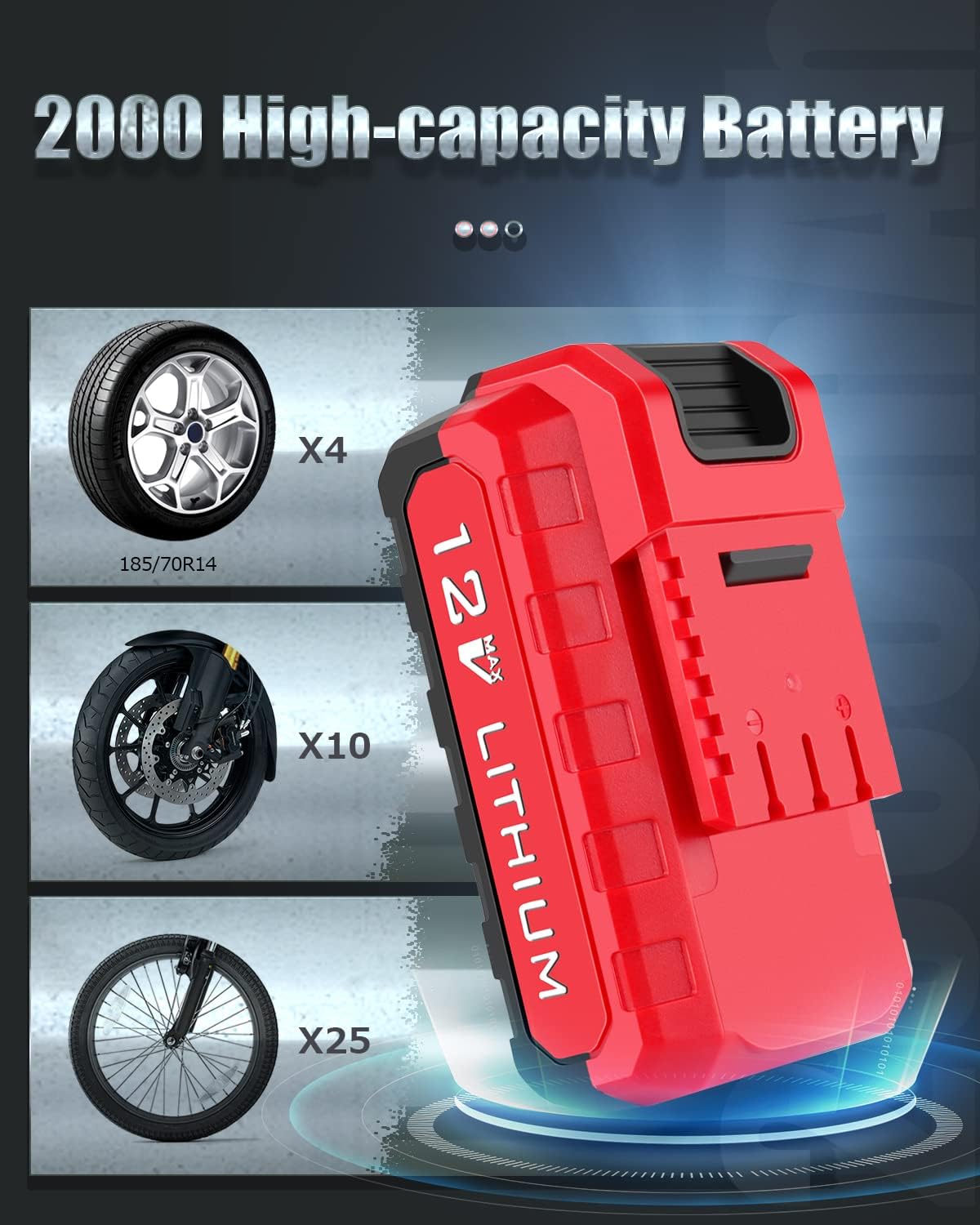
Figure 5.4: Battery capacity and estimated inflation counts for various vehicle types.
5.4 Fast Inflation
The Oasser P2A is equipped with a powerful engine capable of fast inflation. For instance, it can inflate a 165/70 R14 car tyre from 15 PSI to 35 PSI in approximately 3 minutes.

Figure 5.5: The inflator in action, demonstrating its fast inflation capability and key operational features.
6. Maintenance
- Cleaning: Wipe the exterior of the inflator with a soft, damp cloth. Do not use harsh chemicals or abrasive cleaners.
- Storage: Store the inflator and its accessories in the provided storage bag in a cool, dry place, away from direct sunlight and extreme temperatures.
- Battery Care: As noted in the operating instructions, charge the battery fully within 3 days after each use to prolong its lifespan. Avoid completely draining the battery before recharging.
- Hose and Nozzle Inspection: Regularly check the air hoses and nozzle adapters for any signs of wear, cracks, or damage. Replace if necessary to ensure proper function and prevent air leaks.
7. Troubleshooting
| Problem | Possible Cause | Solution |
|---|---|---|
| Inflator does not turn on. | Battery is depleted. | Charge the inflator fully. |
| Inflator runs but no air comes out or pressure is low. | Air hose or nozzle not securely attached; Air hose or nozzle is blocked or damaged. | Ensure all connections are tight. Check for obstructions or damage in the hose/nozzle. |
| Inflator stops before reaching preset pressure. | Battery is low; Overheating protection activated. | Recharge the battery. Allow the unit to cool down before resuming operation. |
| Inaccurate pressure reading. | Improper connection to valve; Sensor malfunction. | Ensure the hose is securely connected to the valve. If problem persists, contact customer support. |
8. Specifications
| Brand | Oasser |
| Model | TT-Tuk15 (P2A) |
| Battery Capacity | 2000mAh Lithium Battery |
| Max Pressure | 120 PSI |
| Charging Input | USB (5V) |
| Item Weight | 1.03 kg |
| Package Dimensions | 26.1 x 16.8 x 8.7 cm |
9. Warranty and Support
Oasser products are designed for reliability and performance. For warranty information or technical support, please refer to the contact details provided in the original product packaging or visit the official Oasser website. Please retain your proof of purchase for warranty claims.
Note: Some customer reviews mention a positive experience with Oasser's support regarding product issues, indicating a willingness to assist with replacements or solutions.
Related documentsTT-Tuk15

Ask a question about this manual
Ask about setup, troubleshooting, compatibility, parts, safety, or missing instructions. Manuals+ will review the question and use this page’s manual context to help answer it.